Best Employee Scheduling Software in 2026: 8 Tools Compared

- 1
 HomebaseSmall business hourly schedulingVisit
- 2
 DeputyGrowing hourly teamsVisit
- 3
 When I WorkSimple shift schedulingVisit
- 4
 7shiftsRestaurants and hospitalityVisit
- 5
 ConnecteamAll-in-one team managementVisit
- Homebase suits small businesses with hourly teams, while Deputy and When I Work suit growing teams that need forecasting and integrations.
- Most tools price per user or per location per month, so count staff and sites before comparing.
- Mobile apps matter most for hourly staff, so test the employee app, not just the manager dashboard.
- Our pick for small businesses is Homebase, with Deputy as the pick for larger hourly teams.
- Check labor law, overtime and break rules support for your state, since scheduling errors can be costly.
Quick comparison
| Product | Ideal for | Price from | Free version | |
|---|---|---|---|---|
| Homebase | Small business hourly scheduling | Free | Yes | Visit |
| Deputy | Growing hourly teams | $4.50 per user per month | Free trial | Visit |
| When I Work | Simple shift scheduling | $2.50 per user per month | Free trial | Visit |
| 7shifts | Restaurants and hospitality | $29.99 per location per month | Free trial | Visit |
| Connecteam | All-in-one team management | Free | Yes | Visit |
 Sling | Free scheduling basics | Free | Yes | Visit |
 Shiftboard | Large and complex workforces | See website | No | Visit |
 Humanity | Enterprise scheduling | See website | Free trial | Visit |
The best employee scheduling software
Employee scheduling software creates shifts, handles availability and time-off requests, tracks hours, and helps managers stay compliant with labor rules. The tools below suit different team sizes, from a single cafe to a multi-site operation. We compared official pricing pages, feature lists and public reviews.
Homebase
Ideal for: Small business hourly scheduling

Homebase is our pick for a small business with hourly staff because its free tier covers the core job: create schedules, share them with staff, handle shift swaps, and track time. Hiring, onboarding and payroll add-ons let a growing business expand without switching vendors. For a cafe, salon or retail shop, Homebase is the fastest start.
Advanced forecasting, labor cost controls and deeper reporting sit on paid plans, so a larger multi-site operation may need Deputy or 7shifts. For a single site with a small hourly team, Homebase free or entry paid covers scheduling well.
- Free tier for basic scheduling
- Hiring and payroll add-ons
- Easy for small teams
- Advanced features need paid plans
- Reporting depth below Deputy
Deputy
Ideal for: Growing hourly teams
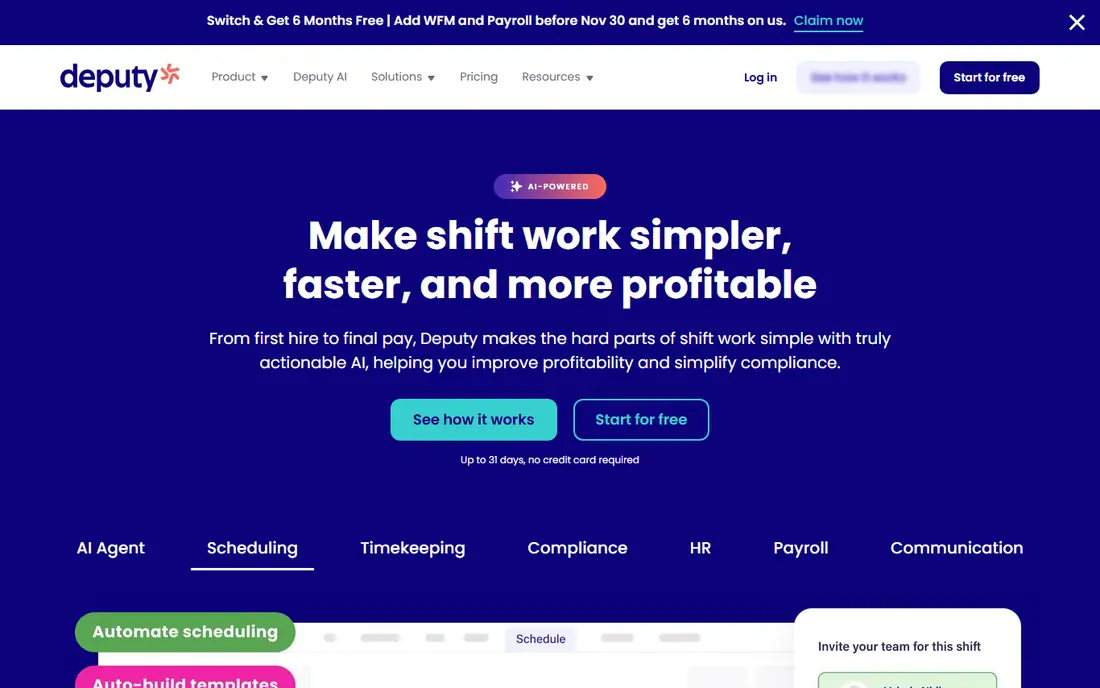
Deputy suits a growing hourly team that needs more than a basic schedule. It combines scheduling, time and attendance, leave management and demand forecasting, with integrations for payroll and point-of-sale systems. Managers can build schedules from sales forecasts and labor targets, not just availability.
Per-user pricing, starting around $4.50 per user per month for scheduling, adds up as headcount grows, so price for your full team. Setup for complex labor rules takes time, but the payoff is a schedule that matches demand and controls labor cost.
- Strong scheduling and time tracking
- Forecasting
- Integrations with payroll and POS
- Per-user pricing adds up for large teams
- Setup takes time for complex rules
When I Work
Ideal for: Simple shift scheduling

When I Work is the simplicity pick for shift-based teams. Managers drag shifts onto a calendar, staff see schedules and swap shifts in a clear mobile app, and team messaging keeps everyone informed. The entry plan starts around $2.50 per user per month, making it one of the cheapest paid options.
Forecasting, labor analytics and advanced time tracking are lighter than Deputy, so a data-driven multi-site operator may outgrow it. For a team that wants scheduling done fast without a learning curve, When I Work is excellent.
- Very easy scheduling
- Employee mobile app
- Shift swaps and messaging
- Forecasting and analytics are lighter than Deputy
- Time tracking needs higher plans
7shifts
Ideal for: Restaurants and hospitality
7shifts is built for restaurants, cafes, bars and hospitality, with scheduling, time tracking, labor cost management and team communication tuned to that world. POS integrations let managers schedule against sales data, and labor cost tools show whether a schedule fits budget before it publishes. Pricing starts around $29.99 per location per month.
Per-location pricing means multi-site costs scale with sites, and non-hospitality teams will find features less tailored. For a restaurant group, 7shifts is the category leader and the first tool to test.
- Built for restaurants
- Labor cost controls
- POS integrations
- Team communication
- Per-location pricing
- Less suited to non-hospitality teams
Connecteam
Ideal for: All-in-one team management
Connecteam suits a team that wants scheduling plus more in one app: forms, checklists, training, chat and time tracking alongside shifts. The free tier covers small teams, and the mobile app is designed for deskless workers who do not sit at a computer. For a field service, cleaning or logistics team, that breadth is valuable.
Scheduling rules and forecasting are less deep than Deputy for complex operations. If scheduling is your only need, Homebase or When I Work may be simpler. If you want one app for scheduling plus operations, Connecteam is a strong all-in-one pick.
- Scheduling plus forms, training and chat
- Free tier for small teams
- Good mobile app
- Scheduling depth below Deputy for complex rules
- Paid plans needed for full features
Sling
Ideal for: Free scheduling basics
Sling is a good free starting point for a very small team that needs basic scheduling without paying. The free tier covers schedule creation, shift swaps and team messaging, with a simple interface that managers learn quickly. For a tiny team testing scheduling software, Sling costs nothing to try.
Premium adds time tracking, labor costs and integrations, and the integration library is thinner than Deputy. For a team that outgrows free scheduling, When I Work or Homebase offer a clearer upgrade path. Start with Sling if budget is zero and needs are basic.
- Free tier covers basic scheduling
- Simple interface
- Shift swaps and messaging
- Advanced features need Premium
- Integrations are thinner than Deputy
Shiftboard
Ideal for: Large and complex workforces
Shiftboard suits large, complex workforces such as healthcare, manufacturing, security and energy, where scheduling must respect credentials, certifications, union rules and compliance requirements. It handles large shift volumes, tracks qualifications, and reports on coverage and labor in depth.
Pricing is custom and the platform is complex, so a small team will find it heavy. For a large operation where a scheduling error has compliance or safety consequences, Shiftboard's depth justifies the investment.
- Handles complex, large workforces
- Credential and compliance tracking
- Strong reporting
- Custom pricing
- Complexity suits large operations, not small teams
Humanity
Ideal for: Enterprise scheduling
Humanity, part of TCP Software, suits enterprises that need scheduling, time and attendance, and forecasting at scale. It integrates with HR and payroll systems, supports complex rules and multi-site operations, and offers mobile apps for staff. Large retail, healthcare and hospitality groups use it for consistent scheduling across sites.
Custom pricing and an enterprise focus make it overkill for a single small site. For a large organization standardizing scheduling across many locations, Humanity is a proven enterprise option.
- Enterprise scheduling and forecasting
- Integrations with HR and payroll
- Mobile apps
- Custom pricing
- Aimed at larger teams and enterprises
How we picked these
We compared official pricing pages, feature lists and public reviews for employee scheduling software available in the US in October 2026. We favored tools with real hourly team deployments, mobile apps for staff, time tracking, and a working official homepage. We left out tools we could not verify as live products.
What to check before you choose
Test the employee mobile app first, since hourly staff live in it. Can staff see schedules, request time off, swap shifts and clock in easily on a phone? A manager dashboard that looks great but frustrates staff will fail, however good its reporting is.
Labor rules and payroll integration
Check overtime, break, minor and predictive scheduling rule support for your state and city, since rules vary. Confirm payroll integration, so approved hours flow to payroll without manual re-entry, which is where errors and delays creep in.
Try before you commit to a full rollout
Most tools in this list offer a free tier or a trial, and the smartest use of that trial is a small, realistic test rather than a tour of every feature. Pick one real job, such as a single project, a single campaign, or a single workflow your team runs every week, and run it end to end in the trial. Invite the people who will actually use the tool daily, not just the person choosing it, and ask them to complete that job without help. Note where they get stuck, how long the job takes compared with your current method, and whether the result is good enough to share with a client or a manager. Check support response times during the trial too, since a fast answer during a trial often predicts the help you will get later. At the end of the trial, compare the real time saved and the real cost per user against the plan you would buy, and only then decide whether the upgrade is worth it for your team.
Frequently asked questions
What is the best employee scheduling software for a small business?
Homebase is our pick for small businesses, thanks to its free tier and simple scheduling for hourly teams. When I Work suits teams that want the simplest paid scheduling, while Deputy suits growing teams that need forecasting.
How much does employee scheduling software cost?
Homebase and Sling offer free tiers, When I Work starts around $2.50 per user per month, Deputy around $4.50, and 7shifts around $29.99 per location per month. Enterprise tools use custom pricing, so price for your full staff and site count.
Can staff swap shifts in these apps?
Yes, most apps here support shift swaps with manager approval, plus availability and time-off requests in the employee mobile app. Check approval rules, since some teams want auto-approved swaps and others want manager approval for every change.
Does scheduling software handle payroll?
Many tools integrate with payroll or offer payroll add-ons, such as Homebase Payroll and Deputy integrations. Confirm hours flow to your payroll system without manual entry before choosing.
What is predictive scheduling, and does it apply to me?
Predictive scheduling laws in some cities and states require advance notice of schedules and pay for late changes. Check whether your city or state has such a law, and confirm your chosen tool supports its notice and record-keeping rules.