7 Best Encryption Software for Cloud Storage Options for 2026

- Top of the list is Filen, which targets cheapest zero-knowledge storage per terabyte.
- What to know about Tresorit first: premium pricing per user.
- For the cheapest start, look at Proton Drive: $3.99 per month.
- Free access is easy to find: 7 of the 7 tools have a free plan, for example Filen, pCloud, VeraCrypt and Tresorit.
- Proton Drive is the one to check for people already in the Proton privacy ecosystem.
Direct answer
This list puts Filen first for cheapest zero-knowledge storage per terabyte. Look at pCloud for lifetime-plan buyers who want one-time pricing, and at VeraCrypt for maximum control on your own devices. The full list of 7 tools follows, with prices and free plan facts.
Quick comparison
| Product | Ideal for | Price from | Free version | |
|---|---|---|---|---|
 Filen | Cheapest zero-knowledge storage per terabyte | €1.99 a month (200 GiB) | Yes | Visit |
 pCloud | Lifetime-plan buyers who want one-time pricing | See website | Yes | Visit |
 VeraCrypt | Maximum control on your own devices | Free | Yes | Visit |
 Tresorit | Regulated companies needing compliance credentials | See website | Yes | Visit |
 Cryptomator | People who want to keep their current cloud storage | Free | Yes | Visit |
 Sync.com | Best value encrypted storage for teams | See website | Yes | Visit |
 Proton Drive | People already in the Proton privacy ecosystem | $3.99 a month (200 GB, billed annually) | Yes | Visit |
7 options for encryption software for cloud storage in detail
Ainotely compared 7 tools for encryption software for cloud storage. The goal is a practical shortlist: published prices, free plan facts, best-fit use cases and honest limits for every entry.
Filen
Ideal for: Cheapest zero-knowledge storage per terabyte

Think of Filen for cheapest zero-knowledge storage per terabyte. If you need a vendor your board has heard of, pay more for Tresorit. For everyday use, if your priority is maximum encrypted storage per dollar from an EU jurisdiction, Filen is the price leader.
For everyday use, plans bill in euros, so US buyers see currency conversion at checkout. Apps are open source, servers sit in Germany under strict data protection law, and power users get a network drive feature, a headless CLI, and TypeScript, Rust and Go SDKs. Filen is a small team with a short track record next to Proton or Tresorit. Support runs through email and a FAQ-style knowledge base instead of live chat or phone. From a buyer's view, the honest catch is company size. What you pay to start with Filen: €1.99 per month. Free access exists with Filen.
Where it falls short: Support is email and knowledge base only.
- Zero-knowledge encryption included on every plan
- CLI and developer SDKs
- Plans are billed in euros
pCloud
Ideal for: Lifetime-plan buyers who want one-time pricing
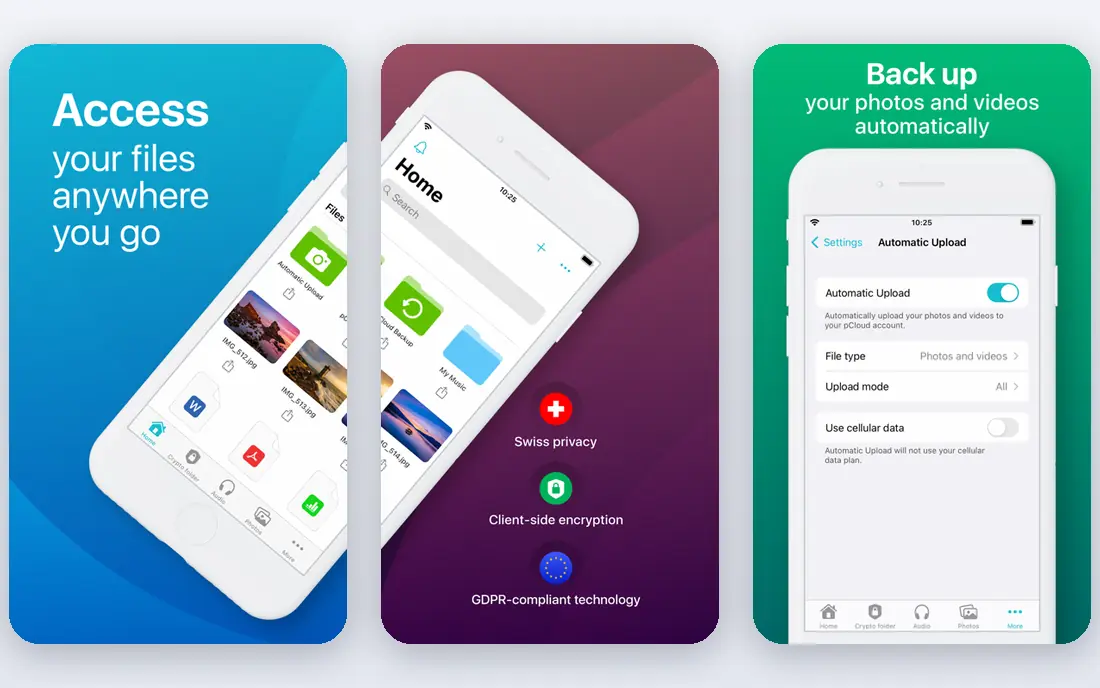
pCloud was built for lifetime-plan buyers who want one-time pricing. The Crypto add-on provides you one client-side encrypted Crypto Folder, sold separately as a yearly or lifetime license. That is fair if you only have to lock down tax documents, but it is not whole-drive encryption.
Worth adding: note that ETH Zurich researchers published attacks against the Crypto Folder in 2024 with no announced fix, and the apps are not open source. On top of that, the free plan begins at 2 GB and can grow to 10 GB through referrals and setup tasks. No starting price is listed for pCloud here; confirm pricing on the vendor site. pCloud offers a free plan.
Where it is weaker: Past security findings remain unaddressed.
- Capable media features and file versioning
- One-time lifetime licenses up to 10 TB
- True client-side encryption is a premium add-on covering a single folder
VeraCrypt
Ideal for: Maximum control on your own devices
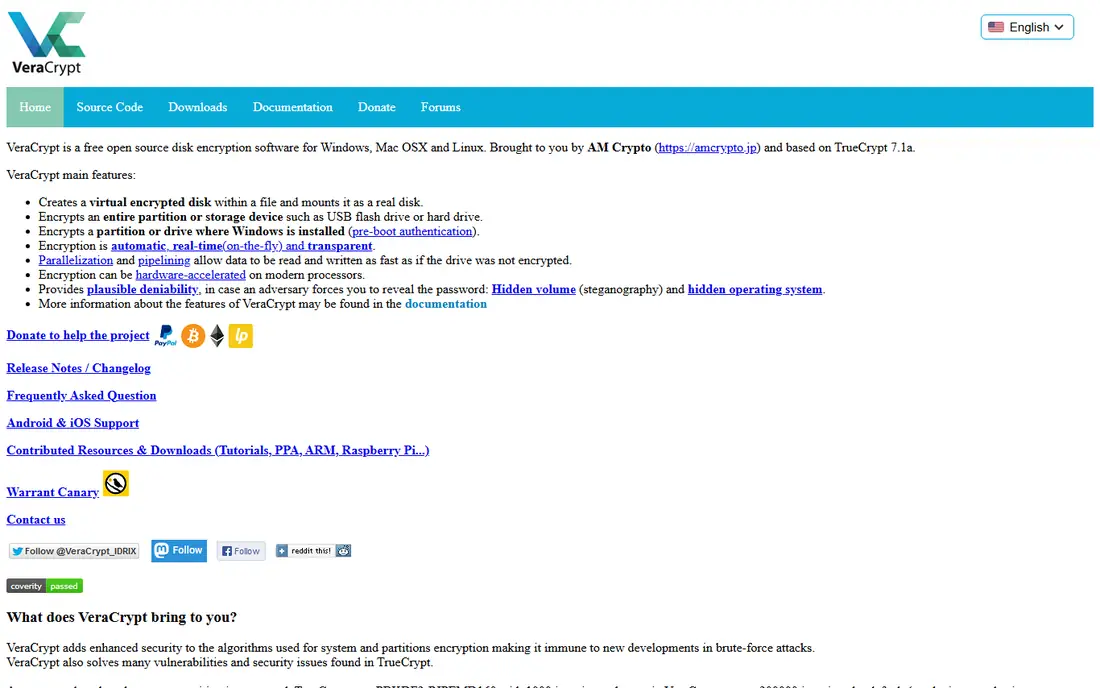
VeraCrypt is aimed squarely at maximum control on your own devices. Features like hidden volumes provide you plausible deniability, and it runs on Windows, Mac and Linux.
The main drawbacks: No official mobile apps.
Beyond that, there is no sync, no sharing, no web access, no mobile app, and no password reset: lose your password and your data is cryptographically unrecoverable. Price to start with VeraCrypt: Free. A free plan is available with VeraCrypt.
- Partitions and containers
- Encrypts full disks
- No cloud storage included
Tresorit
Ideal for: Regulated companies needing compliance credentials
Tresorit is built with regulated firms needing compliance credentials in mind. When the question is not just "is it encrypted" but "can you prove it to our auditors," Tresorit is the name that comes up. In daily use, individual plans start with a free 3 GB level, whereas business plans start at three users minimum with per-user monthly pricing billed yearly.
For everyday use, if you manage client data in legal, finance or healthcare and need the paperwork to match the encryption, this is the shortlist. The Swiss company built its entire product around regulated industries: end-to-end encrypted file sync and sharing, data residency choices across 12 global locations, granular permissions, audit logs, and Outlook and Gmail plugins that send encrypted attachments from your existing inbox. Tresorit does not show a starting price in this comparison, so check the vendor site for current pricing. Free access exists with Tresorit.
Where it is weaker: Steeper ramp-up time than consumer tools.
- GDPR and HIPAA-aligned posture
- Choice of data residency regions
- Premium pricing per user
Cryptomator
Ideal for: People who want to keep their current cloud storage
Where Cryptomator fits: people who want to keep their current cloud storage. Files are encrypted with AES-256 on your device before the sync client ever touches them. So your provider keeps only scrambled file names and ciphertext.
From a buyer's view, for an individual or small team that already pays for cloud storage and wants real privacy without switching providers, it is hard to beat. Its code is open for anyone to inspect. Worth adding: the mobile apps are premium, and there is no web access to encrypted files. For everyday use, there is no account to produce and no subscription required for the desktop apps on Windows, Mac and Linux. That design is both the strength and the catch. The starting price for Cryptomator: Free. Free access exists with Cryptomator.
Trade-offs to know: No storage included; you need your own cloud plan.
- Encrypts file names along with contents
- Works with any cloud provider
- Setup is more practical than turnkey services
Sync.com
Ideal for: Best value encrypted storage for teams
Sync.com is a good fit for best value encrypted storage for teams. Its individual plans start with 5 GB free, and premium Solo plans offer 2 TB and up at prices that undercut Tresorit and Proton Drive significantly, with first-year discounts on top. Beyond that, plan names and storage levels have shifted over time, so confirm the current lineup on the pricing page.
Free accounts have no email reset at all. Also, teams plans support HIPAA, GDPR and PIPEDA compliance, contain granular sharing controls, remote device wipe, and unlimited data transfer. For a small business that wants a Dropbox-like workflow where encryption is just always on, it is the most storage for the money. On top of that, one privacy caveat: on premium plans, Sync makes it possible for email-based password reset by default. A reset lets its automatic systems access your encryption key temporarily. This comparison lists no price for Sync.com; ask the vendor. You can start on Sync.com without paying.
Honest limits: premium plans enable email password reset by default, which briefly exposes keys to automatic systems.
- Capable storage per dollar on premium plans
- Office 365 integration and live backup
- Sync accelerates are mid-pack
Proton Drive
Ideal for: People already in the Proton privacy ecosystem
Proton Drive is designed for people already in the Proton privacy ecosystem. The product itself is solid: open-source apps, encrypted document editing, password-protected sharing links with expiry dates, and automatic photo backup on mobile. For everyday use, weaknesses are familiar: no native Linux client, search restricted to metadata, and 200 GB fills quick with photos and video.
Drawbacks to consider: Higher cost per gigabyte than mainstream storage.
Reasons to shortlist it: Swiss jurisdiction outside intelligence-sharing alliances. Beyond that, Proton Drive makes the most sense as part of a bundle. But step up to Proton Unlimited at $9.99 per month and you get 500 GB of storage plus Proton VPN, Proton Mail, Proton Calendar and Proton Pass, all end-to-end encrypted under Swiss privacy law. Buy it for the ecosystem and the jurisdiction, not for raw storage value. On cost, Proton Drive starts like this: $3.99 per month. Proton Drive offers a free plan.
- Mail and Pass on higher levels
- Open-source clients
- Search is restricted to metadata due to encryption
How we compared the tools
We compared the tools on published pricing, free plan or trial availability, feature coverage for encryption software for cloud storage, and the limits each vendor documents. Where a vendor does not publish a price, the entry says quote. Where a price depends on seats or billing term, the entry says so. Order on the page follows fit for the typical buyer first, then price transparency and free access. Your own requirements should decide the final pick.
Before you commit
- Confirm the entry price on the vendor page. For pCloud, Tresorit and Sync.com that means a quote rather than a fixed price.
- Read the fine print on the free plans from Filen, pCloud, VeraCrypt and others; seat, project and feature caps differ.
- Read the limits listed for Filen first: smaller company with a shorter operating history.
- Work out what Cryptomator costs with your real seat count, add-ons and usage, not just the entry price.
- Ask whether VeraCrypt integrates with your current software, and whether that comes standard or as an add-on.
Frequently asked questions
Do these tools publish their prices?
Not all of them. pCloud, Tresorit and Sync.com publish no starting price, so expect a quote request for those. The rest, Filen included, show a starting price, though seats and billing terms still change the final cost.
Can I try these tools before paying?
Often, yes. Filen, pCloud, VeraCrypt and others have a free plan. Use your own data and a real task during the test, and check what the free tier or trial limits before you rely on it.
Is free encryption software safe to use?
Be more cautious with free levels from commercial vendors: check what is actually encrypted and whether the free plan quietly uses weaker defaults.
Is Filen the right pick for everyone comparing encryption software for cloud storage?
No single tool suits every team. Filen comes first because it fits cheapest zero-knowledge storage per terabyte, while pCloud suits lifetime-plan buyers who want one-time pricing and VeraCrypt suits maximum control on your own devices. Match the tool to your own size, budget and workflow before deciding.
Which option is a good match for a small business with compliance requirements?
Filen is the pick this page puts first, mainly for cheapest zero-knowledge storage per terabyte. If your situation differs, pCloud suits lifetime-plan buyers who want one-time pricing, and VeraCrypt suits maximum control on your own devices. Compare price and limits before you decide.
What is zero-knowledge encryption?
The cloud provider keeps ciphertext it cannot read. This guards you against data breaches, insider access and government requests directed at the provider, since there is nothing readable to hand over.