Best Enterprise Social Media Management Tools

- 1
 Sprout SocialLarge teams that need deep reportingVisit
- 2
 HootsuiteTeams that want one dashboard for every networkVisit
- 3
 AgorapulseTeams that live in the social inboxVisit
- 4
 SendibleAgencies that manage many brandsVisit
- 5
 SocialPilotSmall teams that want low cost schedulingVisit
- Sprout Social and Hootsuite lead on depth, with entry prices from $79 and $99 per user per month on annual billing.
- Buffer is the only tool here with a free plan, and its $5 per channel per month Essentials plan suits small teams.
- Agorapulse, Sendible and SocialPilot keep costs lower, with entry prices from $17 to $79 per month.
- Brandwatch uses quote-only pricing, so plan for a sales conversation before you commit to it.
Quick comparison
| Product | Ideal for | Price from | Free version | |
|---|---|---|---|---|
| Sprout Social | Large teams that need deep reporting | $79 per user/month (billed annually) | Free trial | Visit |
| Hootsuite | Teams that want one dashboard for every network | $99 per user/month (billed annually) | Free trial (14 days) | Visit |
| Agorapulse | Teams that live in the social inbox | $79 per user/month (billed annually) | Free trial (30 days) | Visit |
| Sendible | Agencies that manage many brands | $35 per month | Free trial (14 days) | Visit |
| SocialPilot | Small teams that want low cost scheduling | $17 per month (billed annually) | Free trial | Visit |
 Buffer | Small teams that want simple per-channel pricing | $5 per month per channel (billed annually) | Yes | Visit |
 Brandwatch | Enterprises that need listening at scale | quote only | No | Visit |
The best enterprise social media management tools
Sprout Social
Ideal for: Large teams that need deep reporting
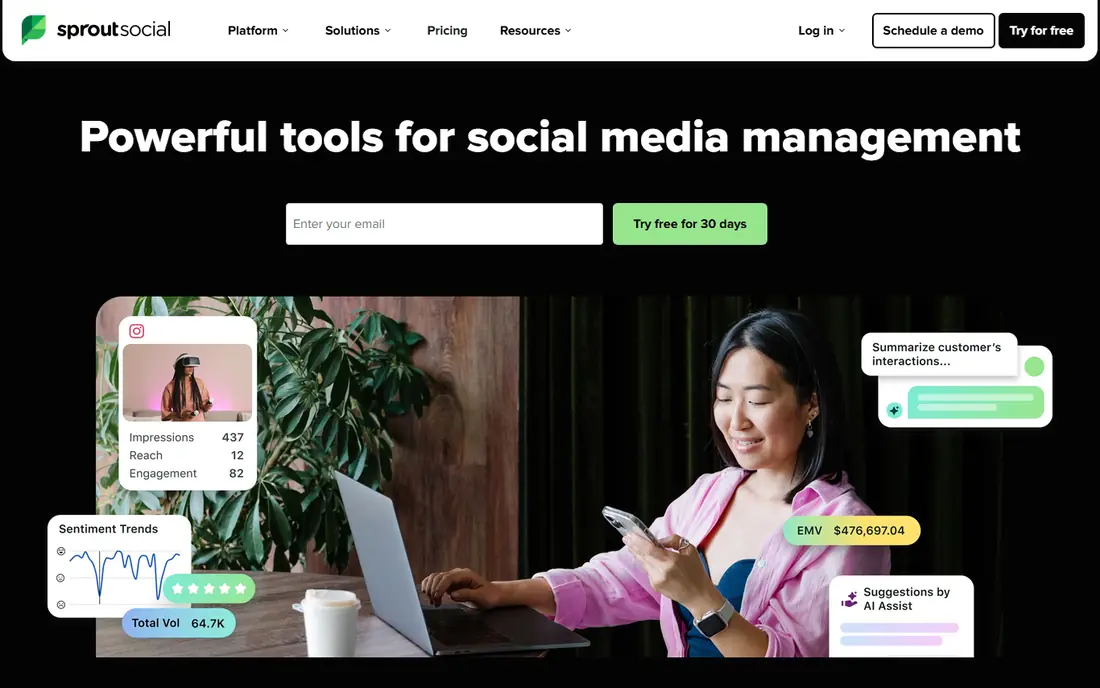
Sprout Social gives large teams one place to publish, reply and measure across networks. The smart inbox pulls messages and comments from connected profiles into a single queue, so a team can assign work, track response times and keep a record of every conversation. Publishing tools cover scheduling, optimal send times and a shared content calendar, which helps a team plan campaigns weeks ahead without passing spreadsheets around.
The reporting side is where Sprout earns its price for bigger teams. Profile and post level reports show what worked, and the comparison tools put your numbers next to competitors. The entry plan covers five social profiles, which suits a single brand, while larger teams will need a higher tier for unlimited profiles. Premium analytics and listening are add-ons on the Standard plan and up, so check the full cost before you sign, including the Trellis AI credits that come with each seat.
- Unified inbox for messages and comments
- Strong analytics and reporting
- Entry plan caps at 5 social profiles
- Listening and premium analytics cost extra
Hootsuite
Ideal for: Teams that want one dashboard for every network
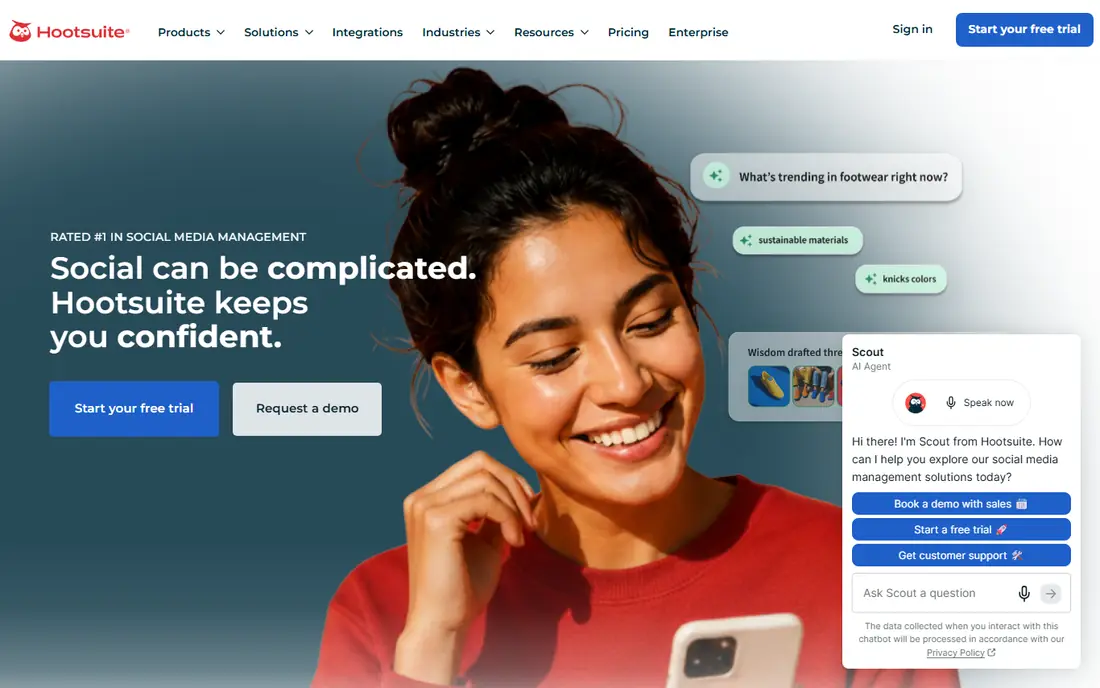
Hootsuite is the long standing choice for teams that run many accounts from one calendar. The Standard plan covers up to 10 social accounts with unlimited scheduled posts, AI drafting, a unified inbox and brand monitoring. Moving to Professional removes the account cap and adds inbox automation, custom reports and trend forecasting up to 90 days ahead, which suits teams that publish at high volume.
The per user pricing model is the main thing to watch. Each seat costs $99 per user per month on the Standard plan with annual billing, and the price climbs to $199 for Professional and $399 for Advanced. A team of ten therefore pays far more than the headline figure suggests. Advanced adds approval workflows, message routing and team performance reports, while Enterprise adds single sign-on, advanced listening and custom compliance for organisations that need governance across departments.
- Unlimited social accounts on Professional
- Broad network coverage and listening
- Entry plan caps at 10 social accounts
- Cost rises fast as you add seats
Agorapulse
Ideal for: Teams that live in the social inbox
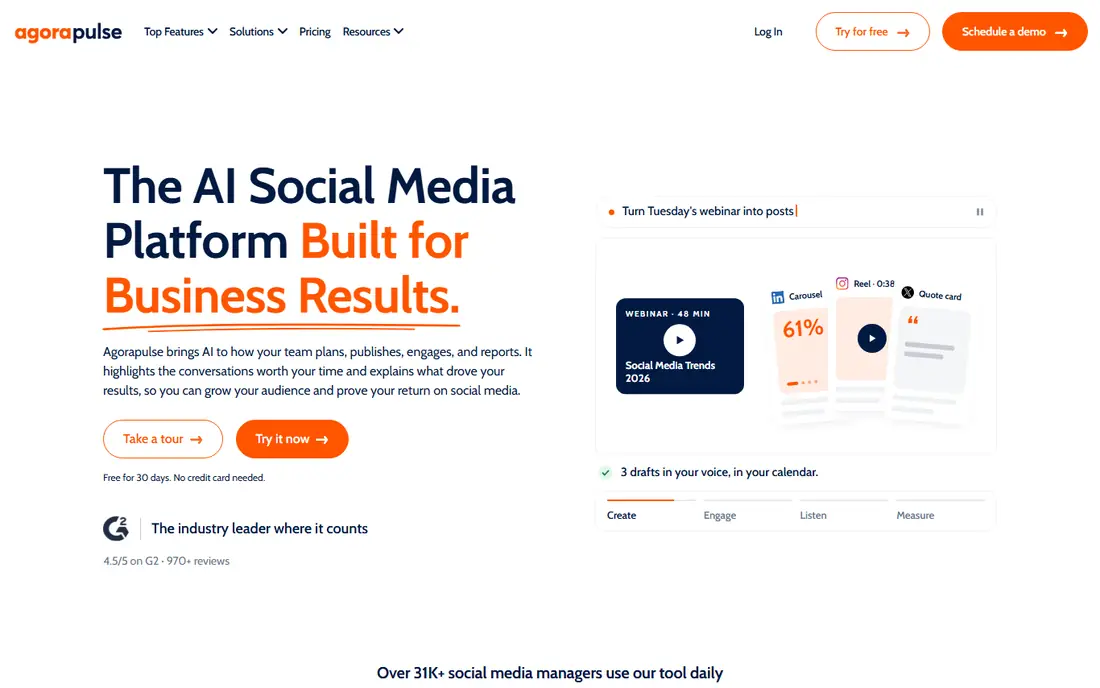
Agorapulse puts the inbox first. Every message, comment and mention lands in one queue where team members can assign conversations, use saved replies and spot reply collisions before two people answer the same customer. Publishing is unlimited on every plan, and the calendar view makes it simple to see what goes out each day across networks. A 30 day free trial with no credit card required lets a team test the workflow before paying.
Pricing starts at $79 per user per month on annual billing for the Standard plan, rising to $119 for Professional and $149 for Advanced. Each plan covers 10 social profiles, so brands with many accounts will need the Custom tier for unlimited profiles. Advanced reporting, ROI analysis and competitor benchmarking sit on the Advanced plan, and AI reply suggestions are limited to the Custom tier, so teams that want those features should budget above the entry price.
- Unified inbox with assignments and saved replies
- Shared calendars on higher plans
- Standard plan covers 10 social profiles
- Advanced reporting needs the Advanced plan
Sendible
Ideal for: Agencies that manage many brands
Sendible is built for agencies and teams that manage several brands at once. Every plan includes unlimited users, so you can invite your whole team, local managers and clients without paying per seat. Each brand or location gets its own workspace with a content calendar, social profiles, inbox and reports, which keeps client work separate and makes permissions simple to manage.
The entry price of $35 per month is low for this category, and annual billing saves 15 percent. Sendible supports Facebook, Instagram, LinkedIn, TikTok, X, YouTube, Google Business Profile, Threads and Bluesky, with direct publishing for Instagram Stories, Reels and carousels. The limits to note are that Instagram direct messages cannot be answered inside Sendible, and full white labelling is an extra fee on the Elite plan at $349 per month and the Enterprise plan at $800 per month.
- Unlimited users on every plan
- Workspaces keep each brand separate
- No Instagram direct message replies
- White label costs extra on Elite and Enterprise
Buffer
Ideal for: Small teams that want simple per-channel pricing
Buffer takes a different approach to pricing. Instead of charging per user, it charges per channel, so one connected social account costs $5 per month on the Essentials plan with annual billing, or $60 billed yearly. The Team plan costs $10 per month per channel and adds unlimited team members, access levels and content approval workflows. A team with few accounts and many collaborators can save money this way, while a team with many accounts will see the bill grow with each channel.
The free plan is genuinely useful, with 3 channels, 10 scheduled posts per channel, an AI assistant, insights and a community inbox. Subscription plans add unlimited scheduled posts, advanced analytics, a hashtag manager and first comment scheduling. Analytics history is limited to 30 days on the free plan, and a 14 day free trial is available for the subscription plans, with the account dropping back to the free plan if you do not add payment details.
- Free plan covers 3 channels
- Per-channel pricing means you only pay for accounts you use
- Approval workflows need the Team plan
- Free plan analytics history covers 30 days only
Brandwatch
Ideal for: Enterprises that need listening at scale
Brandwatch is a listening and research suite aimed at enterprises rather than a simple scheduling tool. Its core strength is monitoring conversations across social networks and the wider web, with sentiment tracking, spike alerts and tools that turn large volumes of mentions into reports a team can act on. The suite also covers publishing and engagement, so a large organisation can run listening and day to day social management in one place.
Pricing is quote only, with standard to enterprise plans for each solution in the suite. That means there is no public entry price to compare against the other tools here, and a buyer should expect a sales conversation and a demo before receiving numbers. The lack of a free plan or self-serve trial also means evaluation takes longer. Brandwatch fits organisations that need listening depth and governance across many channels, and it will be more than most small teams need.
- Deep social listening across many networks
- Suite covers publishing, engagement and research
- No public entry price
- No free plan or self-serve trial
How we chose
We compared the vendor pricing pages, plan feature lists and support documents for each tool on 2026-11-11. We checked the entry price on each pricing page, whether a free plan or trial exists, how many social profiles each plan covers, and which features sit on higher tiers. We did not claim hands-on testing. Tools were picked because they serve enterprise and large team use, from publishing and inbox management to listening and reporting, and each one has a public homepage and a pricing page or a clear quote-only model.
What to check before you buy
Count your social profiles first, because most tools in this list cap profiles on the entry plan. Sprout Social covers 5, Hootsuite covers 10, and Agorapulse covers 10, so a team with 25 profiles will pay for a higher tier or a custom plan. Next, count seats, because per user pricing multiplies fast. A $99 per user plan costs $990 a month for ten seats before any add-ons. Check whether listening, premium analytics and white label reports are included or cost extra, since those add-ons can double the bill. Confirm the networks you need, including TikTok, Threads and Google Business Profile, and confirm approval workflows if more than one person publishes.
| Team size and budget | Best starting point |
|---|---|
| Solo manager, under $25 per month | SocialPilot Essentials at $17, or Buffer Free |
| Small team, 2 to 5 people, under $100 per month | Buffer Essentials per channel, or Sendible at $35 |
| Growing team, 5 to 15 people, $100 to $500 per month | Agorapulse Standard at $79 per user, or Hootsuite Standard at $99 per user |
| Large team, 15 or more people, over $500 per month | Sprout Social Standard and up, or Hootsuite Professional |
| Enterprise with listening needs, custom budget | Brandwatch, quote only, with a demo first |
Frequently asked questions
Which enterprise social media management tool is cheapest to start with?
Buffer is cheapest to start with because its free plan covers 3 channels with no time limit, and its Essentials plan costs $5 per month per channel on annual billing. SocialPilot is next at $17 per month on annual billing for 5 accounts and 1 user. Both suit small teams. Larger teams should compare per user costs, since a low headline price can still grow fast once seats are added.
Do these tools include social listening?
Most do, but the depth varies a lot. Hootsuite includes brand monitoring and listening on its plans, with deeper listening on Professional and Enterprise. Sprout Social offers listening as an add-on to the Standard plan and up. Brandwatch is built around listening at scale. Agorapulse and Sendible cover monitoring and ad comment replies, but they are not listening suites. Check the plan page for each tool before you buy.
How many social profiles can I connect on the entry plan?
It depends on the tool. Sprout Social covers 5 profiles on its entry plan, Hootsuite covers 10 accounts on Standard, Agorapulse covers 10 profiles, SocialPilot covers 5 accounts on Essentials, and Sendible includes 6 profiles per workspace. Buffer charges per channel with no profile cap beyond what you pay for. Brandwatch does not publish a profile limit. Count your profiles before you choose.
Is there a free plan for enterprise social media management?
Buffer offers a free plan with 3 channels, 10 scheduled posts per channel and basic insights. The other tools here offer free trials instead: Hootsuite for 14 days, Agorapulse for 30 days and Sendible for 14 days. Sprout Social and SocialPilot offer free trials without a published length on their pricing pages. Brandwatch has no free plan. Trials are the normal way to test the subscription tools.
What is the main cost driver beyond the headline price?
Seats and add-ons drive the real cost. Per user pricing means each new team member adds the full monthly rate, so a $99 per user plan costs $990 a month for ten seats. Listening, premium analytics, white label reports and extra profiles are often add-ons or higher tier features. Annual billing saves 15 to 20 percent with most vendors here, so compare the annual figure, not the monthly one.
Should a large team pick Sprout Social or Hootsuite?
Pick Sprout Social if reporting depth and a polished inbox matter most, since its analytics and competitor comparisons are strong and its entry price starts at $79 per user per month on annual billing. Pick Hootsuite if you run many accounts and want automation, since Professional covers unlimited accounts with inbox automation and trend forecasting. Both charge per user, so run the seat maths for your team size before you decide.
SocialPilot
Ideal for: Small teams that want low cost scheduling
SocialPilot is the budget pick in this list, with the Essentials plan at $17 per month on annual billing, or $20 month to month. That plan covers 5 social accounts and 1 user, with a content library, tags, analytics and 500 AI credits. It suits a solo manager or a small business that needs dependable scheduling without a large monthly bill. Higher plans add more accounts, users, bulk scheduling, a social inbox and team collaboration.
The Standard plan at $34 per month on annual billing covers 10 accounts and 3 users, while Premium at $85 adds 20 accounts, 6 users, advanced analytics, client approval and white label reports. The Ultimate plan at $170 per month covers 40 accounts with unlimited users and a dedicated account manager. There are no contracts, and you can cancel at any time, which makes it easy to start small and move up as your account list grows.