Best ERP Software in 2026: 8 Software Options Compared

- 1
 NetSuiteGrowing midsize firmsVisit
- 2
 SAP Business OneSAP ecosystem firmsVisit
- 3
 OdooModular small businessVisit
- 4
 Microsoft Dynamics 365 Business CentralMicrosoft usersVisit
- 5
 Sage IntacctFinance led firmsVisit
- NetSuite suits growing companies that need a broad cloud ERP, while SAP Business One fits firms already in the SAP world.
- Odoo is our pick for smaller firms that want modular pricing and open source flexibility.
- Microsoft Dynamics 365 Business Central suits companies already using Microsoft tools.
- ERP pricing is usually quoted per user and per module, so get a written quote for your exact scope.
- Implementation time and training matter as much as software price, so budget for both before you sign.
Quick comparison
| Product | Ideal for | Price from | Free version | |
|---|---|---|---|---|
| NetSuite | Growing midsize firms | See website | No | Visit |
| SAP Business One | SAP ecosystem firms | See website | No | Visit |
| Odoo | Modular small business | Free | Yes | Visit |
| Microsoft Dynamics 365 Business Central | Microsoft users | See website | No | Visit |
| Sage Intacct | Finance led firms | See website | No | Visit |
 Acumatica | Flexible cloud ERP | See website | No | Visit |
 Epicor | Manufacturing and distribution | See website | No | Visit |
 Zoho ERP (Zoho One) | Small business value | See website | Yes | Visit |
The best ERP software
Enterprise resource planning software ties finance, inventory, sales, purchasing and operations into one system, so a growing business stops juggling spreadsheets and separate tools. We compared official feature pages, pricing pages, partner documentation and public reviews to find ERP systems that still serve small and midsize firms well in October 2026. Prices are usually quoted, so we mark See website where no clear starting price is published.
NetSuite
Ideal for: Growing midsize firms
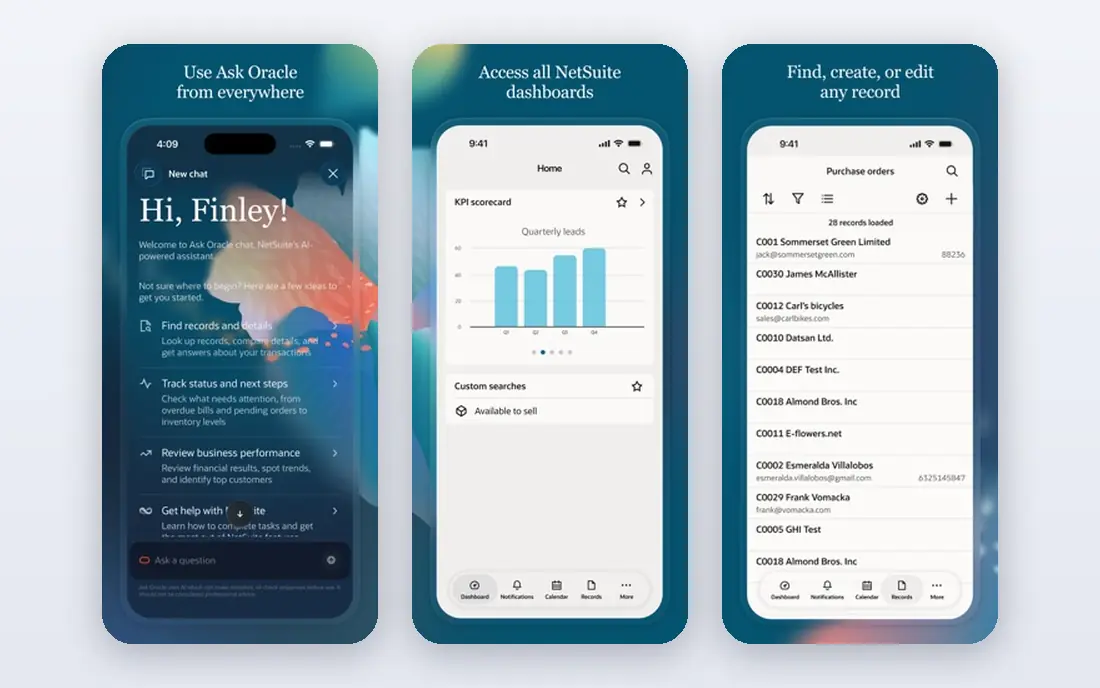
NetSuite, from Oracle, is the default cloud ERP for many growing companies that have outgrown basic accounting software. It covers financials, inventory, order management, CRM and e-commerce in one system, with real time dashboards that give managers a single view of the business. That breadth suits firms with multiple entities, warehouses or sales channels.
The cost and complexity are real. Pricing is quoted per user and module, implementation usually needs a partner, and small firms may find NetSuite more than they need. If your business is growing fast and you expect to need advanced inventory and financial controls within a few years, NetSuite is worth a serious evaluation.
- Broad cloud ERP in one system
- Strong finance and inventory
- Large partner ecosystem
- Pricing is quoted and can be high
- Implementation needs a partner
- Complexity for small firms
SAP Business One
Ideal for: SAP ecosystem firms

SAP Business One is SAP's ERP for small and midsize firms, covering finance, sales, purchasing, inventory and production. It suits companies that already use SAP tools, or that work with larger SAP customers and need compatible processes. Its partner network is large, which helps with implementation and local support.
Implementation can take months, and pricing is quoted, so small firms should compare total cost, including partner fees and training, with Odoo or Business Central. For manufacturing and distribution firms that need strong inventory and production planning, SAP Business One remains a credible, if traditional, choice.
- Strong finance and inventory
- SAP ecosystem and partners
- Suited to manufacturing and distribution
- Quoted pricing
- Implementation can be lengthy
- Interface feels dated beside cloud rivals
Odoo
Ideal for: Modular small business

Odoo is the most flexible ERP on this list, because you start with the apps you need, such as sales, inventory or accounting, and add more as you grow. The Community version is open source and free, while the Enterprise version adds studio tools, support and advanced features for a per user price. That modular approach keeps early costs low for small firms.
Flexibility brings variation. Implementation quality depends heavily on the partner you choose, and support differs between Community and Enterprise users. If you have some technical confidence or a good partner, Odoo offers remarkable value, but firms that want a fully managed, single vendor experience may prefer NetSuite or Business Central.
- Modular apps you add as needed
- Open source Community version
- Affordable for small firms
- Enterprise features need a paid plan
- Implementation quality varies by partner
- Support varies
Microsoft Dynamics 365 Business Central
Ideal for: Microsoft users
Business Central is the natural ERP for companies already running on Microsoft 365, Outlook and Teams. Integration is smoother than with a standalone system, since users stay in familiar tools for email, documents and collaboration, while finance, inventory and sales data flow through Business Central. That familiarity shortens training for many teams.
Pricing is per user, with different tiers for full and team members, and complex setups need a partner. Customisation can add cost quickly, so define your scope clearly before implementation. For Microsoft centred firms, though, Business Central is often the lowest friction ERP choice.
- Integrates with Microsoft 365 and Teams
- Familiar interface
- Strong finance and supply chain
- Pricing per user and module
- Needs a partner for complex setups
- Customisation can add cost
Sage Intacct
Ideal for: Finance led firms
Sage Intacct is a finance led cloud ERP, with strong multi entity accounting, dimensional reporting and dashboards that finance teams love. It suits service firms, nonprofits and companies with several subsidiaries that need consolidated reporting without a heavy manufacturing system. Its cloud design means updates and access are straightforward.
Manufacturing and warehouse depth is thinner than Epicor or SAP Business One, so product firms should check those modules carefully. Pricing is quoted, and implementation often involves a partner, so get a written scope that covers entities, integrations and reporting needs before signing.
- Strong multi entity finance
- Good reporting and dashboards
- Cloud native design
- Less broad manufacturing coverage
- Quoted pricing
- Partner implementation common
Acumatica
Ideal for: Flexible cloud ERP
Acumatica stands out for its pricing model, which in many cases is based on resources used rather than a strict per user count. That can suit firms with many occasional users, such as warehouse staff or seasonal workers, who would be expensive on a per user model. It covers finance, distribution, manufacturing and CRM in a modern cloud interface.
The ecosystem is smaller than NetSuite or SAP, so partner choice matters, and some specialised integrations may need custom work. For distribution and manufacturing firms that want cloud ERP without per user pricing, Acumatica deserves a place on the shortlist.
- Consumption based pricing option
- Strong distribution and manufacturing
- Cloud and mobile access
- Quoted pricing
- Partner dependent
- Smaller ecosystem than NetSuite or SAP
Epicor
Ideal for: Manufacturing and distribution
Epicor is built for manufacturers and distributors, with deep features for production planning, shop floor control, inventory and supply chain. Industry specific versions for sectors like automotive, metals and building materials add tailored workflows that generic ERPs lack. That depth is why many midsize manufacturers choose Epicor over a broader system.
Service firms and retailers will find much of that depth unnecessary, and implementation can be lengthy and costly. If you make or distribute physical products and need tight control over production and stock, Epicor is a strong contender, but get a detailed implementation plan before committing.
- Deep manufacturing and distribution features
- Industry specific versions
- Strong inventory
- Quoted pricing
- Implementation can be long
- Overkill for service firms
Zoho ERP (Zoho One)
Ideal for: Small business value
Zoho does not sell a single product called ERP, but Zoho One bundles more than 45 business apps, including finance, inventory, CRM and HR, for a per user price. For small firms that already use Zoho Books, Inventory or CRM, that bundle can function as a lightweight ERP at a fraction of the cost of NetSuite or SAP. A free tier exists for some Zoho apps, though the full bundle is paid.
Depth is the limit. Zoho's finance and inventory tools are capable for small firms, but they lack the advanced manufacturing and multi entity controls of dedicated ERPs. If your business is small and you value affordability and breadth over depth, Zoho One is a practical starting point, with room to move to a dedicated ERP later.
- Wide app bundle for one price
- Affordable for small firms
- Good for firms already using Zoho
- ERP depth thinner than NetSuite
- Integration between apps varies
- Support varies by plan
How we picked these
We compared official feature pages, pricing pages, partner documentation and public reviews, and we only included ERP systems that still serve small and midsize firms in October 2026. We favoured systems with clear module structures, cloud access and a partner ecosystem, and we marked pricing as See website where vendors quote per user and module rather than publishing a single starting price.
How to choose ERP software without a painful implementation
Start with your must have processes, not a feature list. Write down how orders, inventory, invoicing and reporting must work today, and which of those processes break as you grow. That list becomes your demo script, and any vendor that cannot show those processes working should be cut early.
Budget for implementation, data migration and training, not just licences. ERP projects fail more often from poor data, unclear scope and undertrained users than from software choice itself. Ask each vendor for a written implementation plan, timeline, partner fees and training hours, and talk to two reference customers of similar size before you sign.
Frequently asked questions
What is ERP software?
ERP software ties finance, inventory, sales, purchasing and operations into one system, so data flows between departments without manual re-entry. It replaces separate spreadsheets and standalone tools as a business grows.
How much does ERP software cost?
Most ERP pricing is quoted per user and per module, so costs vary widely by scope. Odoo Community is free, Zoho One is affordable for small firms, and NetSuite, SAP and Epicor are quoted for midsize firms.
Is Odoo really free?
Odoo Community is open source and free, while Odoo Enterprise is paid and adds studio tools, support and advanced features. Many small firms start on Community and move to Enterprise as they grow.
How long does ERP implementation take?
It ranges from weeks for a small, standard setup to many months for a complex manufacturing implementation. Timeline depends on data quality, customisation, integrations and training.
Do small businesses need ERP software?
Not always, since accounting software plus inventory and CRM tools may be enough at first. ERP becomes valuable when manual work, data errors and disconnected systems start slowing growth.