Best Event Management Software in 2026: 8 Tools Compared

- Eventbrite suits public ticketed events, while Cvent suits large corporate conferences and enterprise planning.
- Whova and Bizzabo suit conferences that need an attendee app, networking and sponsor tools.
- Pricing varies widely: some tools charge per ticket or per event, others use annual subscriptions.
- Our pick for most small organizers is Eventbrite, with Whova as the pick for conferences with an app.
- Check payment processing, refund handling and data export before choosing, since switching mid-event is painful.
Quick comparison
| Product | Ideal for | Price from | Free version | |
|---|---|---|---|---|
 Eventbrite | Public ticketed events | Free | Yes | Visit |
 Cvent | Enterprise conferences | See website | No | Visit |
 Whova | Conference attendee app | See website | Free trial | Visit |
 Bizzabo | Hybrid and in-person events | See website | No | Visit |
 Hopin | Virtual and hybrid events | See website | Free trial | Visit |
 TicketSpice | Low-fee ticketing | See website | Free trial | Visit |
 Eventzilla | Simple affordable registration | See website | Free trial | Visit |
 Accelevents | Flexible event platform | See website | Free trial | Visit |
The best event management software
Event management software covers registration, ticketing, promotion, check-in and attendee engagement, and the right tool depends on event type. A public concert needs ticketing, a corporate conference needs an app and sponsor tools, and a fundraiser needs donation options. We compared official pricing pages, feature lists and public reviews.
Eventbrite
Ideal for: Public ticketed events

Eventbrite is our pick for most small organizers because it is free to list a free event and easy to set up a paid one. Public discovery brings buyers who browse Eventbrite itself, promotion tools cover email and social sharing, and check-in works from a phone app. For classes, concerts, workshops and community events, it is the fastest path to selling tickets.
Paid tickets carry service fees that buyers or organizers absorb, so price tickets with fees in mind. The attendee experience is also simpler than a dedicated conference app. For a large conference with networking and sponsor needs, Whova or Bizzabo will do more.
- Huge public discovery audience
- Easy event setup
- Free for free events
- Service fees on paid tickets
- Limited attendee app depth compared with Whova
Cvent
Ideal for: Enterprise conferences

Cvent is the enterprise standard for large conferences, corporate meetings and trade shows. It covers event sourcing and venue selection, complex registration with approval workflows, housing and travel blocks, and detailed reporting. Large organizations that run many events a year benefit from standardized templates and controls.
Pricing is custom and the platform is complex, so a solo organizer will find it heavy and expensive. Buy Cvent when event volume, compliance and reporting justify an enterprise platform, not for a single small event.
- Deep registration and sourcing tools
- Venue sourcing
- Enterprise reporting
- Custom pricing
- Complexity suits large teams, not solo organizers
Whova
Ideal for: Conference attendee app
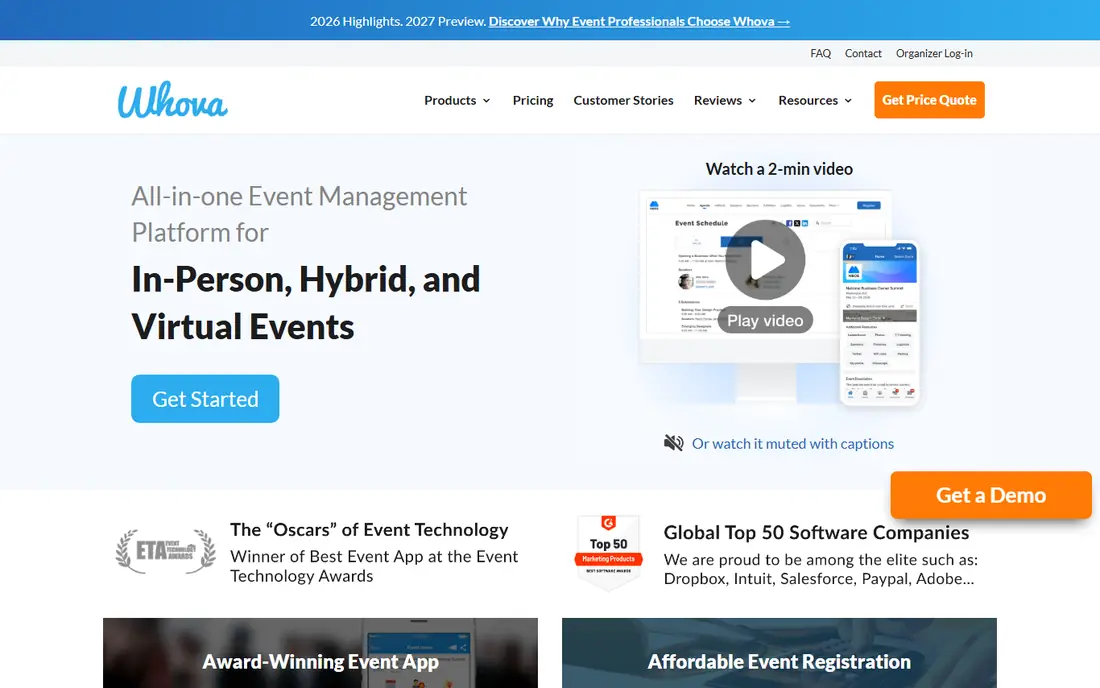
Whova is our pick for a conference that needs a good attendee app. Attendees get agendas, speaker profiles, networking matches, community boards and live polls in one app, while organizers get sponsor banners, exhibitor listings and engagement analytics. It makes a mid-size conference feel polished without enterprise cost.
Registration and complex ticketing are lighter than Cvent or Eventbrite, so many organizers pair Whova with a separate ticketing tool. Pricing is quote-based, so get a quote for your attendee count and event days before budgeting.
- Strong attendee app
- Networking and agenda tools
- Sponsor and exhibitor features
- Pricing is quote-based
- Registration features are lighter than Cvent
Bizzabo
Ideal for: Hybrid and in-person events
Bizzabo suits a marketing or events team that runs in-person and hybrid events regularly. Its website builder, registration flows, email campaigns and CRM integrations cover the full event marketing cycle, and hybrid support lets remote attendees join sessions. Sponsor and exhibitor tools help monetize larger events.
Custom pricing and a fuller feature set mean it is aimed at teams, not one-off organizers. If your team runs several branded events a year and needs consistent websites and CRM data, Bizzabo is a strong choice.
- Strong event website builder
- Registration and CRM integrations
- Hybrid event support
- Custom pricing
- Best value for teams running events regularly
Hopin
Ideal for: Virtual and hybrid events
Hopin is built for virtual and hybrid events, with stages, sessions, networking rooms and virtual expo areas. Organizers can run a fully virtual summit or add a virtual layer to an in-person event, with recordings for later viewing. For a distributed audience, that virtual design is a real advantage.
An in-person-only event will find much of Hopin unnecessary, and pricing and product packaging changed over time, so confirm the current plan on the official site. For a virtual-first event team, Hopin remains a practical option.
- Virtual stages, networking and expo areas
- Flexible event formats
- Recording options
- Virtual-first design
- Pricing changed over time, so confirm current plans
TicketSpice
Ideal for: Low-fee ticketing
TicketSpice suits organizers who want to keep ticketing fees low and control the ticket page. Its per-ticket fee is lower than Eventbrite for many events, ticket pages are customizable to match a brand, and organizers keep customer data for future marketing. For a recurring event with a known audience, that saving adds up.
Public discovery is weaker, since buyers do not browse TicketSpice the way they browse Eventbrite, so organizers must bring their own audience. Marketing tools are also simpler. Use TicketSpice when you have an audience and want lower fees, and Eventbrite when you need discovery.
- Low per-ticket fees
- Custom ticket pages
- Organizer keeps customer data
- Less public discovery than Eventbrite
- Marketing tools are simpler
Eventzilla
Ideal for: Simple affordable registration
Eventzilla is a simple, affordable registration tool for classes, training, fundraisers and community events. Setup is quick, registration forms are customizable, and fees are low compared with larger platforms. Organizers who need registration without a full conference app will find it enough.
Engagement features such as networking, live polls and sponsor tools are limited, so a large conference needs more. For a straightforward paid or free event with custom registration questions, Eventzilla is a good value pick.
- Simple setup
- Low fees
- Custom registration forms
- Attendee app and engagement features are limited
Accelevents
Ideal for: Flexible event platform
Accelevents covers virtual, hybrid and in-person events in one platform, with registration, ticketing, live streaming, networking and fundraising tools including auctions and donations. That breadth suits nonprofits and associations that run galas, conferences and virtual fundraisers through one vendor.
Quote-based pricing means budgeting needs a sales conversation, and the breadth can feel complex for a simple ticketed event. For an organization that runs varied event types and wants one platform, Accelevents is worth a demo.
- Flexible virtual, hybrid and in-person support
- Fundraising and auction tools
- Check-in app
- Pricing is quote-based
- Feature breadth can feel complex for simple events
How we picked these
We compared official pricing pages, feature lists and public reviews for event management software available in the US in October 2026. We favored tools with real event deployments, clear ticketing or registration, check-in support, and a working official homepage. We left out tools we could not verify as live products.
What to check before you choose
Match the tool to the event type first. A public ticketed event needs discovery and payment handling, a conference needs an app and networking, and a fundraiser needs donations and auctions. Buying a conference platform for a simple ticketed event wastes money, and buying a ticketing tool for a conference leaves attendees without an app.
Fees, refunds and data
Read the fee schedule carefully, including who pays service fees and what happens on refunds or cancellations. Check payment processing timing, since some platforms hold payouts until after the event. Confirm you can export attendee and buyer data, because that list is valuable for your next event.
Try before you commit to a full rollout
Most tools in this list offer a free tier or a trial, and the smartest use of that trial is a small, realistic test rather than a tour of every feature. Pick one real job, such as a single project, a single campaign, or a single workflow your team runs every week, and run it end to end in the trial. Invite the people who will actually use the tool daily, not just the person choosing it, and ask them to complete that job without help. Note where they get stuck, how long the job takes compared with your current method, and whether the result is good enough to share with a client or a manager. Check support response times during the trial too, since a fast answer during a trial often predicts the help you will get later. At the end of the trial, compare the real time saved and the real cost per user against the plan you would buy, and only then decide whether the upgrade is worth it for your team.
Frequently asked questions
What is the best event management software for a small organizer?
Eventbrite is our pick for most small organizers, because it is free for free events, easy to set up, and brings public discovery. TicketSpice and Eventzilla are good lower-fee alternatives when you already have an audience.
How much does event management software cost?
Costs vary widely. Eventbrite is free for free events and charges fees on paid tickets, while enterprise platforms such as Cvent and Bizzabo use custom annual pricing. Always price the full fee, including payment processing, for your ticket volume.
Do I need an attendee app for my conference?
An attendee app helps at conferences with multiple sessions, speakers and networking, and Whova is our pick for that job. For a single-session event, a simple ticket and email agenda are enough.
Can event software handle virtual events?
Yes. Hopin, Bizzabo and Accelevents all support virtual and hybrid events with stages, networking and recordings. Choose a virtual-first tool when most attendees join remotely, and an in-person tool with virtual add-ons for hybrid events.
What happens to ticket fees if an event is cancelled?
Refund and fee policies vary by platform, so read them before selling tickets. Some platforms refund service fees on cancelled events, others do not, and payout timing affects how quickly buyers are repaid.