Best Expense Tracker Apps in India in 2026: 8 Apps Compared

- Our pick for most readers is Axio, because it fits automatic SMS-based tracking and keeps its core pitch easy to understand.
- Prices in this category vary widely, so check the vendor pricing page and confirm what is included before you pay.
- A free plan or free trial is worth testing with your own data, since a demo with sample data can hide daily friction.
- The right choice depends on team size, budget, and how much setup help you need, not on the longest feature list.
- Read the privacy and support terms for best expense tracker apps india tools carefully, especially if you will store customer or financial data in them.
Quick comparison
| Product | Ideal for | Price from | Free version | |
|---|---|---|---|---|
 Axio | automatic SMS-based tracking | Free | Yes | Visit |
 ET Money | spending plus investment tracking | Free | Yes | Visit |
 Moneyview | all-in-one money management | Free | Yes | Visit |
 Pocket Clear | private offline expense tracking | Free | Yes | Visit |
 Spendee | shared budgets and wallets | Free | Yes | Visit |
 Wallet by BudgetBakers | detailed budgets and reports | Free | Yes | Visit |
 Monefy | simple fast manual tracking | Free | Yes | Visit |
 Goodbudget | envelope budgeting for households | Free | Yes | Visit |
The best expense tracker apps in India
We compared official feature pages, pricing pages, app store listings, privacy policies, and public reviews to put this list together for readers looking for best expense tracker apps india. Each option below is a real product that works in October 2026, with a clear note on who it suits and where it falls short.
Axio
Ideal for: automatic SMS-based tracking

Axio, formerly Walnut, suits Android users in India who want spending logged with little manual entry. It reads transaction messages, groups them by category, and shows bank, card, and wallet spends together, which helps when UPI payments scatter across apps. That focus matters most in the first weeks, when a team either settles into a tool or quietly stops opening it.
Its strongest point is low effort tracking for busy users who would otherwise forget to log cash and card spends. Bill reminders and category views help spot a rising category before the month ends, and the app keeps manual entry available for cash. It also matters for teams that need to show results to a manager or a client without extra reporting work.
The catch is that the app now carries credit products beside tracking, so the home screen can feel busy for someone who only wants a tracker. iPhone users also get less from SMS automation, since iOS limits that kind of access. It is worth weighing against the strengths above, especially if you plan to use the tool for years.
- Automatic SMS tracking
- Bill reminders
- Card and wallet spends in one view
- Lending products sit beside tracking
- Android SMS access is central to automation
ET Money
Ideal for: spending plus investment tracking
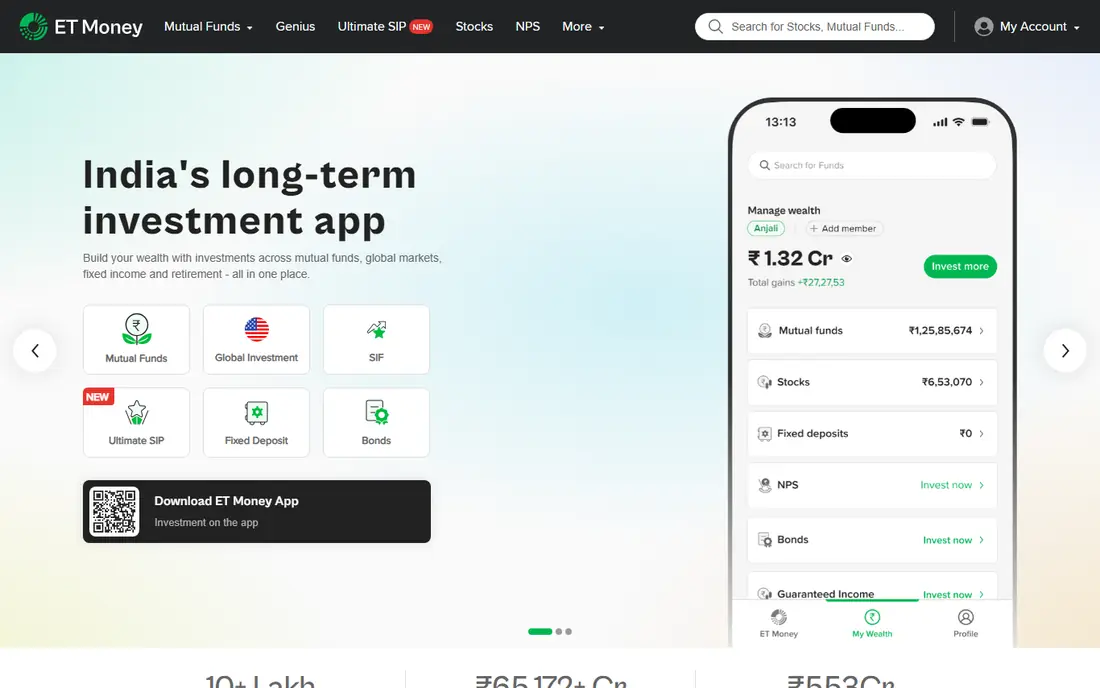
ET Money suits readers who want spending and investments in the same app rather than in separate tools. It tracks expenses and shows mutual fund and other investment views beside them, which gives a fuller picture of monthly money movement. We gave extra weight to tools that explain their limits plainly instead of hiding them behind a sales call.
Its strength is context: spending sits next to goals and investment progress, so a user can see whether saving targets are realistic. The app also offers fund research material for readers who invest and want to check a fund before adding money. We checked this against the vendor's own feature page and public reviews, not just marketing copy.
The drawback is scope. Readers who only want a simple expense log may find the investment sections distracting, and some useful features sit behind a paid plan, so the free experience is not the whole product. Teams with strict requirements should test this exact point before signing a contract.
- Spending views beside investments
- Goal tracking
- Fund data in one place
- Tracking is tied to a wider finance app
- Premium features cost extra
Moneyview
Ideal for: all-in-one money management
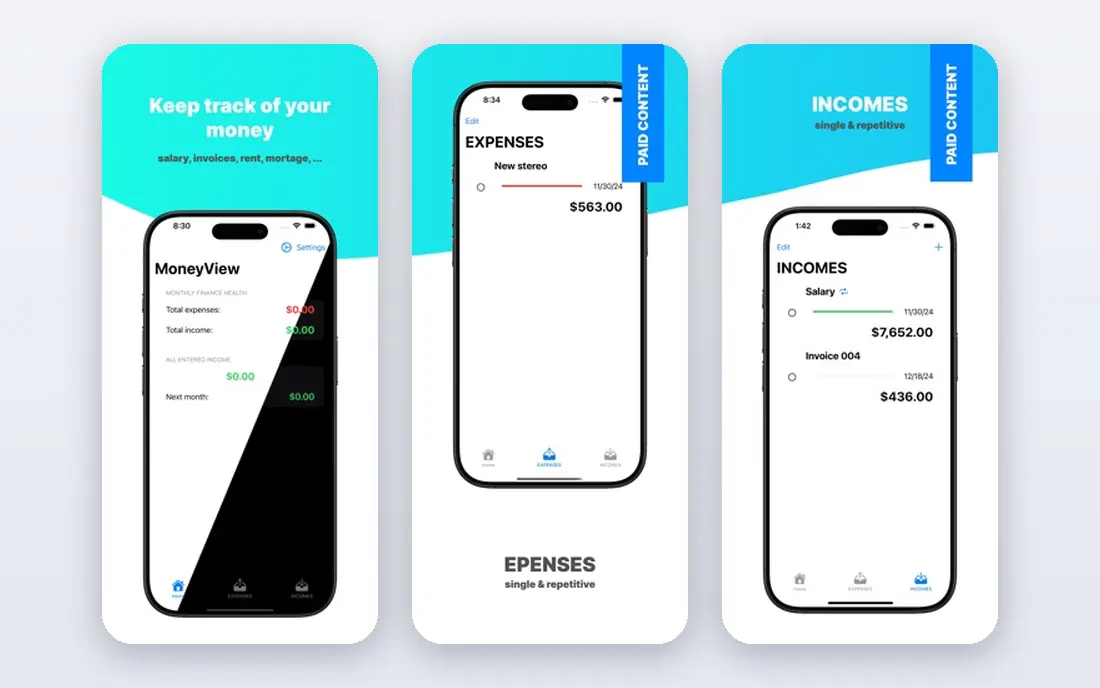
Moneyview suits users who already use one finance app for several jobs and want tracking included. Its tracker sits beside payments, savings, and credit products, so spending, bills, and balances can be checked in one place. The best fit is often the tool your team will actually use every day, not the one with the longest list of features.
Its appeal is breadth. A household that pays bills, checks loan details, and tracks spends can reduce the number of apps it opens each week, and the tracker view keeps daily spending visible. Look for this in the trial, and check how it behaves with your own data rather than sample data.
The trade-off is focus. The app is a finance platform first and a tracker second, so readers who want a quiet, single-purpose log may prefer a smaller app with fewer product prompts. If this point is a deal breaker for you, the next options on this list handle it differently.
- Spending tracker beside loans and payments
- Wide product range
- Bill views
- Lending focus may distract pure trackers
- SMS access needed for full automation
Pocket Clear
Ideal for: private offline expense tracking
Pocket Clear suits privacy-minded readers who do not want to link a bank account or hand over message access. It stores data on the device, works offline, and keeps entry to two taps, which makes daily logging realistic. Setup effort, daily friction, and the clarity of the pricing page shaped how we weighed that fit.
Its strongest point is restraint. No ads, no bank login, and local storage mean the app stays simple, and its capture feature can read a shared bank message on the phone without uploading it. That strength shows up in daily work, not just in a demo, which is why we ranked it highly.
The catch is automation. Readers who want every UPI spend logged with no effort will do more manual entry here than in an SMS-based tracker, and sync across devices sits in the paid Pro plan. That drawback may not matter for a small team, but it can grow into a real problem as usage grows.
- No bank linking
- Works offline
- No ads
- Fast two-tap entry
- Automation is limited by design
- Paid Pro adds sync and budgets
Spendee
Ideal for: shared budgets and wallets
Spendee suits couples, families, and flatmates who share spending and want one view of joint budgets. Shared wallets let each person log spends into the same budget, which removes the need for a separate spreadsheet. A short trial with real data tells you more than a feature list, so plan one before you commit.
Its strength is shared money management done plainly. Budgets, categories, and wallet balances are easy to read, and the app works well for trips and household spending where several people contribute. This kind of strength tends to save time week after week, which adds up faster than a small price difference.
The drawback is bank coverage. Automatic sync depends on region and bank, so some Indian users will rely on manual entry, and the fuller feature set sits behind a paid plan. Ask about it on a sales call or in the trial, and get the answer in writing if it affects your budget.
- Shared wallets for couples and families
- Clear budgets
- Bank sync in supported regions
- Bank sync coverage varies by region
- Premium needed for full features
Wallet by BudgetBakers
Ideal for: detailed budgets and reports
Wallet by BudgetBakers suits readers who like detailed budgets and reports rather than a quick daily log. It supports planned payments, categories, and account views, which help a household plan a month in advance. That focus matters most in the first weeks, when a team either settles into a tool or quietly stops opening it.
Its strength is depth. Reports show where money went over time, and planned payments help users prepare for rent, bills, and subscriptions before they fall due. It also matters for teams that need to show results to a manager or a client without extra reporting work.
The catch is complexity. New users may need a few days to learn the layout, and bank sync is not equal in every country, so some users will enter transactions by hand. It is worth weighing against the strengths above, especially if you plan to use the tool for years.
- Detailed reports
- Bank sync where supported
- Planned payments and budgets
- Sync coverage varies
- Interface takes time to learn
Monefy
Ideal for: simple fast manual tracking
Monefy suits readers who want the fastest possible manual log and nothing else. One tap adds a spend, the chart updates at once, and the app stays out of the way for the rest of the day. We gave extra weight to tools that explain their limits plainly instead of hiding them behind a sales call.
Its strength is speed and simplicity. There is no account setup maze, and the clean chart view answers the main question, which is where the money went this month. We checked this against the vendor's own feature page and public reviews, not just marketing copy.
The drawback is automation. Every spend must be entered by hand, which suits disciplined users but can fail for readers who make many small UPI payments each day. Teams with strict requirements should test this exact point before signing a contract.
- Very fast entry
- Simple charts
- Multi-currency support
- No automatic bank sync
- Reports are basic
Goodbudget
Ideal for: envelope budgeting for households
Goodbudget suits households that like envelope budgeting, where each category gets a set amount for the month. It turns a budget into visible envelopes, which makes overspending in one area easy to see. The best fit is often the tool your team will actually use every day, not the one with the longest list of features.
Its strength is discipline. The envelope method forces a choice before spending, and shared access lets partners see the same envelopes and stay in step. Look for this in the trial, and check how it behaves with your own data rather than sample data.
The catch is the free limit. The free plan caps envelopes and accounts, and there is no automatic bank sync, so users must enter transactions or import them by hand. If this point is a deal breaker for you, the next options on this list handle it differently.
- Envelope method for planned spending
- Shared household budgets
- Debt tracking
- Free plan limits envelopes and accounts
- No automatic sync
How we picked these
We started from the main keyword for this article and checked each candidate against official feature pages, pricing pages, app store listings, privacy policies, and public reviews. We kept only products that exist and work in October 2026 and that truly fit best expense tracker apps india, and we left out options that did not fit even when they looked popular in a general search.
We did not claim hands-on testing that did not happen. Where a price or a free tier could not be confirmed from the vendor's own site, we wrote See website rather than guessing a number. That approach keeps the list honest, and it means you should still confirm current pricing before you buy.
How to choose an expense tracker app in India
Start by writing down the one job this tool must do well for you. For best expense tracker apps india, that job might be daily use by a small team, reporting for a manager, or handling a larger volume without constant manual work. A tool that does that one job well is usually a better buy than a tool that does many jobs in a shallow way.
Next, run a short trial with real data and the people who will use the tool every day. Watch how long setup takes, how clear the billing is, and how fast support answers a real question. If the trial feels confusing, that confusion rarely disappears after you pay, so take it as a useful warning.
Finally, check the terms that matter after the first month: renewal pricing, data export, cancellation, and what happens to your data if you leave. A tool with a clear export path and plain renewal terms is easier to live with, even if a rival looks slightly cheaper on the first invoice.
Frequently asked questions
What is the best option for best expense tracker apps india?
For most readers, Axio is a strong starting point because it fits automatic SMS-based tracking. The best choice still depends on your budget and team size, so compare the top three on this list in a trial before you decide.
Is there a free option for best expense tracker apps india?
Some options on this list offer a free plan, and others offer a free trial, as shown in the comparison table. Free plans usually cover basic use, while paid plans add reporting, integrations, and support, so check the limits before you rely on a free tier.
How much do best expense tracker apps india tools cost?
Pricing varies widely in this category, and some vendors only quote after a sales call. Where we could confirm a starting price, we listed it in the table, and where we could not, we wrote See website so you can check the vendor page directly.
Can I switch tools later if I pick the wrong one?
In most cases, yes, but switching takes more work than people expect. Before you commit, check how to export your data, whether integrations carry over, and how long a migration would take for your team.
How should I test a tool before buying?
Use a short trial with real data, invite the people who will use it daily, and test support with a genuine question. Keep notes on setup time, billing clarity, and any feature that was promised but hard to find in the product itself.