Best Financial Calculator Apps in 2026: 7 Tools Compared

- 1
 BankrateMortgages, loans, and savingsVisit
- 2
 NerdWalletEveryday money calculatorsVisit
- 3
 Calculator.netQuick specific calculationsVisit
- 4
 Calculator SoupClear step-by-step calculatorsVisit
- 5
 Omni CalculatorNiche and everyday calculatorsVisit
- Bankrate is our pick for clear, broad financial calculators with explanations.
- NerdWallet suits everyday money questions with guides alongside calculators.
- Calculator.net and Calculator Soup suit quick, specific calculations without signups.
- Omni Calculator, Financial Mentor, and SmartAsset cover niche, retirement, and planning questions.
Quick comparison
| Product | Ideal for | Price from | Free version | |
|---|---|---|---|---|
| Bankrate | Mortgages, loans, and savings | Free | Yes | Visit |
| NerdWallet | Everyday money calculators | Free | Yes | Visit |
| Calculator.net | Quick specific calculations | Free | Yes | Visit |
| Calculator Soup | Clear step-by-step calculators | Free | Yes | Visit |
| Omni Calculator | Niche and everyday calculators | Free | Yes | Visit |
 Financial Mentor | Retirement planning calculators | Free | Yes | Visit |
 SmartAsset | Tax and planning calculators | Free | Yes | Visit |
The best financial calculator apps
Financial calculators turn big questions into numbers: what a mortgage really costs, how long savings last, or what a loan payment looks like each month. The best tools explain their assumptions, not just show a result.
We compared official calculator pages and help pages for each tool below. Our pick for most people is Bankrate, because its calculators cover mortgages, loans, and savings with clear inputs and explanations.
Results are only as good as your inputs. Enter real rates, fees, and timeframes, and treat every result as an estimate to discuss, not a promise.
Bankrate
Ideal for: Mortgages, loans, and savings

Bankrate offers calculators for mortgages, auto loans, personal loans, savings, and retirement, with clear inputs and explanations of each result. Its rate context helps users enter realistic figures.
Its focus is the US, so users elsewhere must adapt rates and tax assumptions. Some pages show partner offers, but the calculators themselves are free and usable without signup.
Our view: the best all-round financial calculator site for US users.
Bottom line: Bankrate is a strong fit for mortgages, loans, and savings, and its main draw is wide calculator range. Weigh that against the limits above before you commit, and test it with your own real work during any trial or free period.
- Wide calculator range
- Clear explanations
- Current rate context
- US focused
- Some calculators show partner offers
NerdWallet
Ideal for: Everyday money calculators

NerdWallet pairs calculators with plain-language guides on mortgages, loans, budgets, and investing basics. That combination helps users understand a result, not just read a number.
Its content is US focused and general, so personal decisions still need professional advice. Calculators are free and do not need an account for basic use.
Our view: a friendly calculator site for everyday money questions.
Bottom line: NerdWallet is a strong fit for everyday money calculators, and its main draw is calculators with guides. Weigh that against the limits above before you commit, and test it with your own real work during any trial or free period.
- Calculators with guides
- Mortgages, loans, and budgets
- Plain language
- US focused
- Guidance is general, not personal advice
Calculator.net
Ideal for: Quick specific calculations
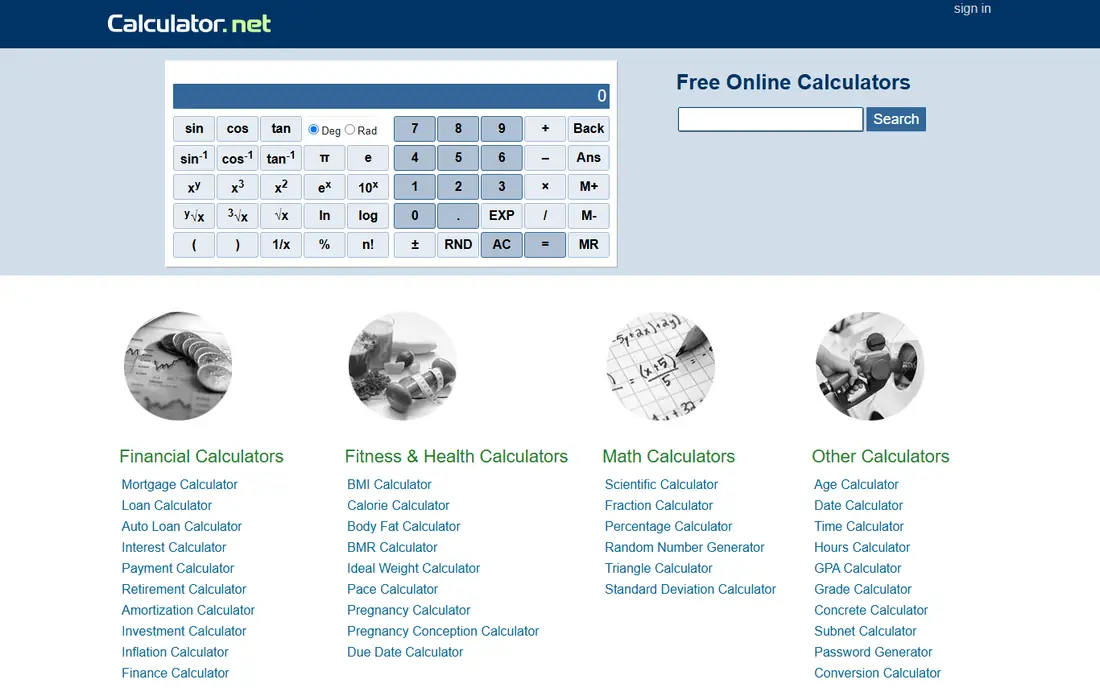
Calculator.net offers a huge range of financial calculators, from loan and mortgage to investment and tax tools, all free without signup. It suits quick, specific questions.
Its design is plain and explanations are thinner than Bankrate or NerdWallet, so users should already know which calculator they need. For speed, though, it is excellent.
Our view: the fastest site for a specific calculation.
Bottom line: Calculator.net is a strong fit for quick specific calculations, and its main draw is huge range of financial calculators. Weigh that against the limits above before you commit, and test it with your own real work during any trial or free period.
- Huge range of financial calculators
- No signup
- Fast results
- Design is plain
- Explanations are thinner than Bankrate
Calculator Soup
Ideal for: Clear step-by-step calculators
Calculator Soup shows step-by-step workings for many financial calculations, which helps users check how a result was reached. Its range covers loans, interest, savings, and more.
Its design is dated, and some calculators use US assumptions, so check inputs for your country. For users who want to see the maths, it is a strong free tool.
Our view: a good free choice when you want to see the working, not just the answer.
Bottom line: Calculator Soup is a strong fit for clear step-by-step calculators, and its main draw is step-by-step calculation views. Weigh that against the limits above before you commit, and test it with your own real work during any trial or free period.
- Step-by-step calculation views
- Many financial tools
- Free
- Design is dated
- US assumptions in some calculators
Omni Calculator
Ideal for: Niche and everyday calculators
Omni Calculator offers hundreds of calculators, including many financial ones for loans, mortgages, investments, and everyday money questions, with clear inputs and plain results.
Depth varies by calculator, and some are simpler than specialist mortgage or retirement tools. For a wide range of questions in one place, it is a useful free site.
Our view: a broad free calculator library for varied money questions.
Bottom line: Omni Calculator is a strong fit for niche and everyday calculators, and its main draw is very wide calculator library. Weigh that against the limits above before you commit, and test it with your own real work during any trial or free period.
- Very wide calculator library
- Clear inputs
- Niche topics covered
- Depth varies by calculator
- Some are simpler than specialist tools
Financial Mentor
Ideal for: Retirement planning calculators
Financial Mentor focuses on retirement and investment planning, with calculators and guides that explain assumptions in depth. It suits users planning for retirement who want more than a quick number.
Its site is content heavy, and tools assume US tax rules in places, so users elsewhere should adapt carefully. For retirement planning education, it is a thoughtful free resource.
Our view: a strong retirement-focused calculator and learning site.
Bottom line: Financial Mentor is a strong fit for retirement planning calculators, and its main draw is retirement and investment calculators. Weigh that against the limits above before you commit, and test it with your own real work during any trial or free period.
- Retirement and investment calculators
- Educational guides
- US focus
- Site is content heavy
- Some tools assume US tax rules
SmartAsset
Ideal for: Tax and planning calculators
SmartAsset offers calculators for taxes, mortgages, retirement, and paychecks, with local tax estimates for US users. Its guides explain results in plain language.
Its focus is the US, and local tax estimates depend on data accuracy, so treat results as estimates. For US tax and planning questions, it is a practical free tool.
Our view: a practical US calculator site for tax and planning estimates.
Bottom line: SmartAsset is a strong fit for tax and planning calculators, and its main draw is tax, mortgage, and retirement calculators. Weigh that against the limits above before you commit, and test it with your own real work during any trial or free period.
- Tax, mortgage, and retirement calculators
- Local tax estimates
- Guides
- US focused
- Estimates depend on local tax data accuracy
How we picked these
We compared official calculator pages and help pages, and we looked at calculator range, input clarity, explanations, and whether signup was needed. We favoured tools that explain assumptions and show workings.
We did not claim hands-on financial planning. Calculator results are estimates, and we state that plainly rather than presenting them as advice.
How to use financial calculators well
Enter realistic inputs, not hopeful ones. Use actual interest rates, fees, and timeframes from lender or account documents, since a small rate change shifts long-term results a lot.
Also run each calculation twice with slightly different inputs to see how sensitive the result is. If a small input change moves the answer a lot, that figure deserves extra care and a second opinion before you act on it.
Check the assumptions behind each result. Good calculators state whether taxes, fees, inflation, or compounding are included, and changing those assumptions changes the answer.
Compare scenarios side by side. Run a mortgage at two rates, or retirement at two savings levels, and note how results move. Scenarios teach more than a single figure.
Remember that calculators estimate, not predict. Markets, rates, and personal circumstances change, so revisit calculations when your situation changes.
Use calculators to prepare questions, not to decide alone. Bring results to a lender, tax professional, or financial adviser, and ask what the calculator missed for your case.
Finally, protect your data. Avoid entering full account numbers or personal identifiers into free calculator sites, and use round figures when a precise input is not needed.
Also save your calculation inputs alongside results. A result without its inputs is hard to revisit later, especially when rates or plans change.
Frequently asked questions
What is the best financial calculator app?
Bankrate is our pick for broad, clear calculators, while NerdWallet suits everyday questions with guides. Calculator.net suits quick specific calculations.
Are financial calculators accurate?
They are accurate for the inputs and assumptions given, but they are estimates. Real outcomes depend on rates, fees, taxes, and personal circumstances.
Can calculators replace a financial adviser?
No. Calculators help you explore numbers and prepare questions, but personal advice should come from a qualified professional who knows your full situation.
Do I need to pay for financial calculators?
No, for the tools here. All seven offer free calculators without a subscription, though some sites show partner offers alongside results.
Which calculator should I use for a mortgage?
Bankrate and NerdWallet both offer clear mortgage calculators with payment breakdowns. Compare results across two calculators before talking to a lender.
Can calculators help with retirement planning?
Yes, as a starting point. Financial Mentor and SmartAsset offer retirement calculators that estimate savings needs, though a qualified adviser should review any retirement plan.