How to Pick Forms Automation Software: 8 Tools Compared

- 1
 Zoho FormsCompanies already running on Zoho CRM, Books or other Zoho appsVisit
- 2
 PaperformBranded landing-page forms with payments, calculations and e-signaturesVisit
- 3
 FormAssemblyEnterprises that require Salesforce-native, compliant data collectionVisit
- 4
 JotformTeams that want templates, automation and payments without enterprise pricingVisit
- 5
 WufooStraightforward standalone forms with minimal fussVisit
- Zoho Forms sits first on this list: companies already running on Zoho CRM, Books or other Zoho apps.
- For healthcare, legal and HR teams needing compliance, documents and e-signatures in one suite, Formstack is worth a look.
- A fair warning about Jotform: submission caps are tight (1,000 per month on Bronze, 2,500 on Silver).
- For the cheapest start, look at Zoho Forms: $12/month.
- A free plan is available from 5 of the 8 tools: Zoho Forms, Paperform, Jotform, Wufoo, Tally.
Direct answer
Start with Zoho Forms if you need companies already running on Zoho CRM, Books or other Zoho apps. Paperform fits branded landing-page forms with payments, calculations and e-signatures; FormAssembly fits enterprises that require Salesforce-native, compliant data collection. The full list of 8 tools follows, with prices and free plan facts.
Quick comparison
| Product | Ideal for | Price from | Free version | |
|---|---|---|---|---|
| Zoho Forms | Companies already running on Zoho CRM, Books or other Zoho apps | $12/month (Standard, billed yearly) | Yes | Visit |
| Paperform | Branded landing-page forms with payments, calculations and e-signatures | $49/month (Pro, billed yearly; $59 per month) | Yes | Visit |
| FormAssembly | Enterprises that require Salesforce-native, compliant data collection | See website (custom quote; Atlas tiers) | No | Visit |
| Jotform | Teams that want templates, automation and payments without enterprise pricing | $34/month (Bronze, billed yearly; $39 per month) | Yes | Visit |
| Wufoo | Straightforward standalone forms with minimal fuss | $16.25/month (Starter, billed yearly; $22 per month) | Yes | Visit |
 Typeform | Customer-facing surveys and lead forms where completion rates matter | $25/month (Basic, billed annually; $29 monthly) | Free trial | Visit |
 Tally | Anyone who wants a capable form builder at no cost | $29/month (Pro) | Yes | Visit |
 Formstack | Healthcare, legal and HR teams needing compliance, documents and e-signatures in one suite | $83/month (Forms plan, billed annually; $99 monthly) | Free trial (14 days) | Visit |
Forms Automation Software compared in detail
Choosing forms automation software usually comes down to price, fit and limits. This Ainotely guide sets 8 tools side by side on those three points, with the facts kept short and checkable.
Zoho Forms
Ideal for: Companies already running on Zoho CRM, Books or other Zoho apps

Zoho Forms serves firms already running on Zoho CRM, Books or other Zoho apps. Zoho Forms makes sense in one situation: your business already runs on Zoho.
The main drawbacks: Advanced workflow features need higher Zoho One levels.
Worth adding: the builder is solid but unremarkable, templates are fewer, and the design polish lags the leaders. As for the details, if you are not a Zoho shop, Jotform provides you more for a little more money. Price to start with Zoho Forms: $12/month. You can start on Zoho Forms without paying.
- The cheapest premium entry on this list at $12 per month
- Deep native integration with the Zoho suite (CRM, Campaigns, Desk)
- Weak outside the Zoho ecosystem
Paperform
Ideal for: Branded landing-page forms with payments, calculations and e-signatures

Paperform is built with branded landing-page forms with payments, calculations and e-signatures in mind. Paperform is the flat-rate pick. From a buyer's view, the document-style editor produces forms that look like branded landing pages, and five payment gateways (Stripe, PayPal, Square, Braintree, Google Pay) make it a real order-form tool.
Where it is weaker: Smaller integration list than Jotform; Not HIPAA compliant and signs no BAAs, so healthcare workflows are out.
Where Typeform and Jotform meter responses and submissions, Paperform charges $49 per month annually for Pro with unlimited submissions and unlimited seats, plus Business at $124 annually with the API. At $49 per month for full features, it costs more than Jotform Bronze to start, and regulated healthcare buyers must look elsewhere. In practice, a restricted free plan handles straightforward forms. Paperform pricing: $49/month. A free plan is available with Paperform. Highlights: Unlimited submissions and unlimited seats on every premium plan, so volume spikes cost nothing additional.
- Order forms and dynamic pricing
- Papersign e-signatures and Stepper workflow automation included in the subscription
- No full-featured free level
FormAssembly
Ideal for: Enterprises that require Salesforce-native, compliant data collection
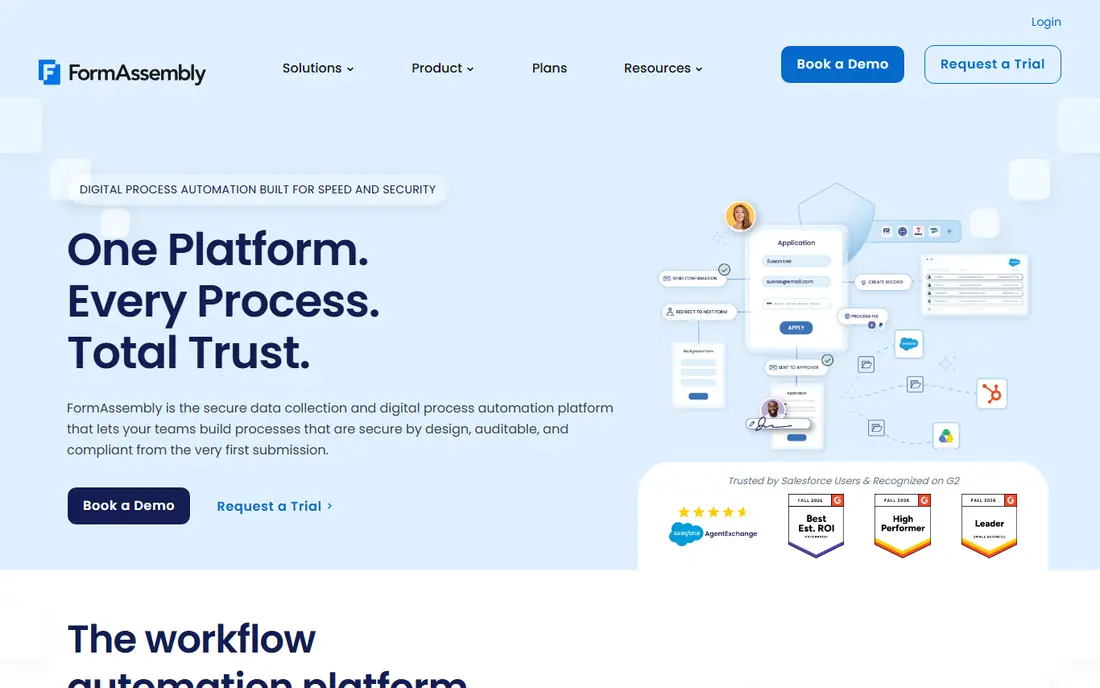
Choose FormAssembly for enterprises that require Salesforce-native, compliant data collection. FormAssembly is the enterprise compliance pick. The Atlas product tiers (Explorer, Team, Enterprise, Gov Cloud) are quote-based, which reflects the implementation scope.
For everyday use, for a hospital system, university or financial institution collecting sensitive data at scale, it is the right call. FormAssembly earns its place as the ceiling of this category. FormAssembly does not show a starting price in this comparison, so check the vendor site for current pricing. FormAssembly has no permanent free option.
What to check first: Custom pricing with a sales process, so no self-serve start.
- Deep Salesforce integration
- Including prefilled forms and direct record creation
- Overkill and overpriced for anything under enterprise scale
Jotform
Ideal for: Teams that want templates, automation and payments without enterprise pricing
Jotform targets teams that want templates, automation and payments without enterprise pricing. Offline form collection works through the mobile app.
Watch-outs: The interface packs in so plenty of features that new users face a ramp-up time.
If your volume is high and predictable, Paperform or Tally price flat. From a buyer's view, a lead-gen form on a decent website can burn through 1,000 submissions quicker than expected, and overage or upgrade is the only fix. Jotform pricing: $34/month. Free access exists with Jotform.
Best features of Jotform: the largest in the category.
- Native approval workflows and 100-plus integrations on premium plans
- Payment collection through Stripe, PayPal
- Submission caps are tight (1,000 per month on Bronze, 2,500 on Silver)
Wufoo
Ideal for: Straightforward standalone forms with minimal fuss
Wufoo is built with straightforward standalone forms with minimal fuss in mind. Wufoo is the legacy pick that still works.
Points against: The interface has barely changed in years and feels dated.
Wufoo has not meaningfully evolved in years, the UI displays it, and SurveyMonkey has not invested in new features. Setup is genuinely quick, and for a contact form or a straightforward survey it does the job with no learning curve. What you pay to start with Wufoo: $16.25/month. You can start on Wufoo without paying.
- Entry pricing undercuts most competitors at $16.25 per month annually
- Dead straightforward to set up, with a builder anyone can learn in minutes
- The free plan caps fields at 10 per form and excludes payments
Typeform
Ideal for: Customer-facing surveys and lead forms where completion rates matter
Typeform is designed for customer-facing surveys and lead forms where completion rates matter. Typeform is the design pick. Also, the honest catch is the response meter combined with seat caps (1 user on Basic, 3 on Plus, 5 on Business).
In daily use, customer research, waitlists and qualification forms where every completion counts belong here. On top of that, a free plan exists but at 10 responses a month it is a trial in disguise. More specifically, when the form faces customers, prospects or research respondents, the conversational format genuinely cuts drop-off compared with a wall of fields. On top of that, entry-level at $25 per month annually handles 100 responses per month, Plus at $50 annually handles 1,000 responses, and Business at $83 annually handles 10,000 responses with Salesforce integration. Entry price for Typeform: $25/month. On free options: Free trial.
Honest limits: one of the tightest limits anywhere; The free plan permits 10 responses per month.
- The conversational one-question-at-a-time format lifts completion rates on external surveys
- 3,000-plus templates and 120-plus integrations including Salesforce and HubSpot
- Payment collection runs only through Stripe
Tally
Ideal for: Anyone who wants a capable form builder at no cost
Tally serves anyone who wants a capable form builder at no cost. The honest catch is what is missing: no HIPAA level, a smaller integration catalog, and analytics that stay entry-level.
Drawbacks to consider: Pro at $29 per month brings branding removal; Fewer native integrations than Jotform.
Where it shines: unlimited submissions. On top of that, the free plan comes with unlimited forms, unlimited submissions, conditional logic, calculated fields, file uploads and multi-page forms, which is more than most competitors put in their premium levels. Also, business at $89 per month brings organizational controls and data retention management. What you pay to start with Tally: $29/month. Tally includes a free tier.
- The most ample free plan in the category: unlimited forms
- Conditional logic and calculations
- Custom domains and collaboration but little functional depth
Formstack
Ideal for: Healthcare, legal and HR teams needing compliance, documents and e-signatures in one suite
Pick Formstack if this describes you: healthcare, legal and HR teams needing compliance, documents and e-signatures in one suite. A 14-day trial is offered.
Reasons to shortlist it: HIPAA compliance and advanced security available.
The starting price for Formstack: $83/month. Trial and free access: Free trial (14 days).
The main drawbacks: No free plan at all.
- E-signatures and forms in one Suite ($250/month annually)
- Approval workflows and Salesforce integration made for regulated industries
- Entry at $83 per month is steep next to $15 to $30 competitors
How we built this list
For each of the 8 tools we noted price, free plan or trial, fit for forms automation software and the main limit, using vendor pages and documentation. Treat prices as a snapshot: vendors change plans often, so check the vendor site for the figure that applies today. Position on the page reflects fit for a typical buyer first, with price clarity and free access breaking ties. Treat it as a guide, not a ruling.
Questions to settle before buying
- Get a written quote from FormAssembly; the list shows no starting price for them.
- Read the fine print on the free plans from Zoho Forms, Paperform, Jotform and others; seat, project and feature caps differ.
- Take the trial from Typeform and Formstack and push a live task through it before you pay.
- Read the limits listed for Zoho Forms first: weak outside the Zoho ecosystem.
- Look at the renewal terms for Paperform: auto-renewal, notice periods and price changes can matter more than the first-year price.
- Ask Jotform how an export works before you move any records in; an easy exit lowers the risk.
Frequently asked questions
Do these tools publish their prices?
Not all of them. FormAssembly publishes no starting price, so expect a quote request for it. The rest, Zoho Forms included, show a starting price, though seats and billing terms still change the final cost.
What is the cheapest option for forms automation software in this list?
On published monthly entry prices, Zoho Forms is the lowest here at $12/month. Entry price is only part of the cost, because seats, add-ons and billing terms can change the total.
Which form builder is a good match for payments?
This list starts with Zoho Forms, which fits firms already running on Zoho CRM, Books or other Zoho apps. For other needs, Paperform is aimed at branded landing-page forms with payments, calculations and e-signatures, and FormAssembly at enterprises that require Salesforce-native, compliant data collection. Check each tool's price and main limit first.
Can I try these options before paying?
Often, yes. Zoho Forms, Paperform, Jotform and others have a free plan and Typeform and Formstack offer a free trial. Use your own data and a real task during the test, and check what the free tier or trial limits before you rely on it.
Is Zoho Forms the right pick for everyone comparing forms automation software?
No single tool suits every team. Zoho Forms comes first because it fits businesses already running on Zoho CRM, Books or other Zoho apps, while Paperform suits branded landing-page forms with payments, calculations and e-signatures and FormAssembly suits enterprises that need Salesforce-native, compliant data collection. Match the tool to your own size, budget and workflow before deciding.