Best Free AI Face Swap Tools in March 2026: 7 Options Compared

- 1
 AkoolStudio face swapVisit
- 2
 VidnozPhoto and video face swapVisit
- 3
 Magic HourBrowser face swap studioVisit
- 4
 DeepSwapperFree photo swapsVisit
- 5
 FaceFusionLocal face manipulationVisit
- Free face swap tools differ sharply: some cover photos only for free, while others add video, GIF, batch, and multi-face swaps.
- DeepSwapper and Magic Hour offer the most approachable free browser workflows for quick photo and short video swaps.
- FaceFusion and Faceswap are free open-source desktop tools that process files locally, which helps privacy but needs setup.
- Akool, Vidnoz, and Fotor bundle face swap inside larger creative platforms, which suits users who also edit or generate media.
- Our pick for most casual users is a browser tool with a clear free tier; our pick for privacy-minded users is a local open-source tool.
Quick comparison
| Product | Ideal for | Price from | Free version | |
|---|---|---|---|---|
| Akool | Studio face swap | See website | Free trial | Visit |
| Vidnoz | Photo and video face swap | See website | Free plan | Visit |
| Magic Hour | Browser face swap studio | See website | Free plan | Visit |
| DeepSwapper | Free photo swaps | See website | Free plan | Visit |
| FaceFusion | Local face manipulation | Free | Free | Visit |
 Faceswap | Open-source deepfake software | Free | Free | Visit |
 Fotor | Photo editor with face swap | See website | Free plan | Visit |
The best free AI face swap tools
Face swap tools replace the face in a photo or video with another face, using AI to match angle, lighting, and expression. People use them for memes, costume previews, character concepts, product mockups, and creative edits of their own photos. The free tier is where the differences show up: daily quotas, watermarks, video limits, and sign-up requirements vary a lot.
We compared official feature pages, pricing pages, and public reviews for tools available in October 2026, looking at free access, photo and video support, multi-face handling, privacy, and ease of use. Every tool below can be used free in some form. Use them only with your own images or with permission from the people pictured, and label realistic synthetic edits where viewers could be misled.
Akool
Ideal for: Studio face swap
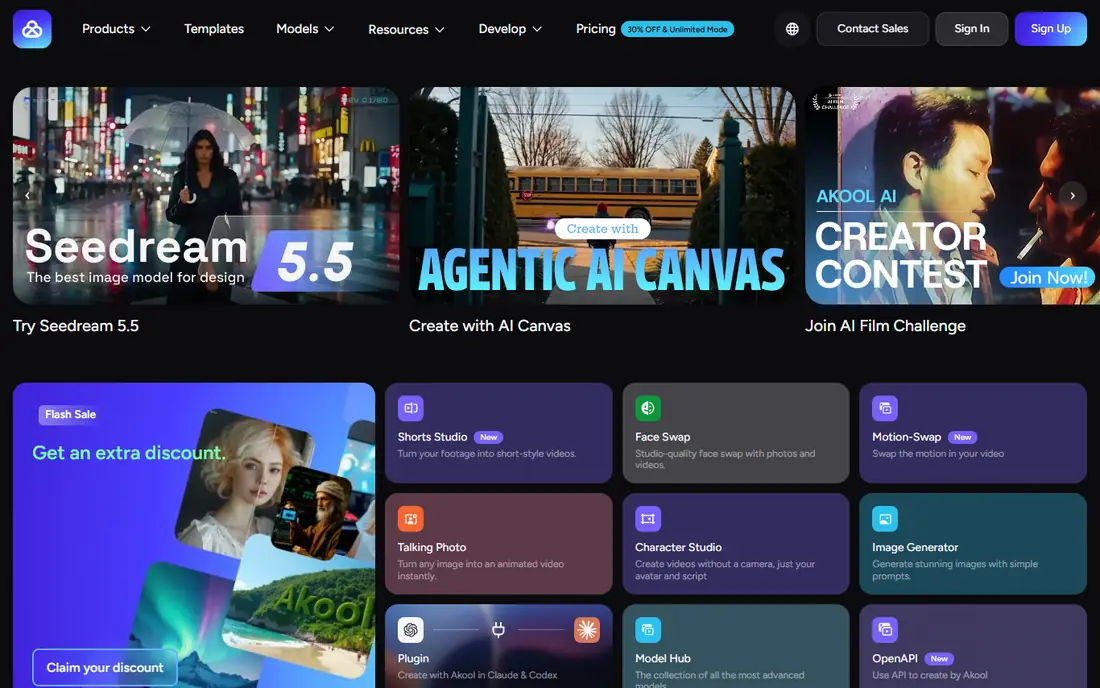
Akool is a premium AI video suite whose homepage lists Face Swap as a studio-quality tool for photos and videos, alongside character swap, motion swap, head swap, and hair swap, with credit costs shown per action. Its face swap page describes realistic swaps in seconds for content creation, entertainment, and marketing, and the platform also offers a large model hub with tools from providers such as Kling and Wan.
The strength is range: one account covers face, character, motion, and head swaps plus full video generation. The trade-off is credit-based pricing and a trial rather than a generous free tier. For creators who want studio-grade swaps inside a bigger video platform, Akool is a strong pick.
- Studio-quality photo and video face swap
- Head, character, motion, and hair swap options
- Large model library
- Credit-based pricing
- Free access is a trial, not unlimited
- Enterprise-leaning platform
Vidnoz
Ideal for: Photo and video face swap
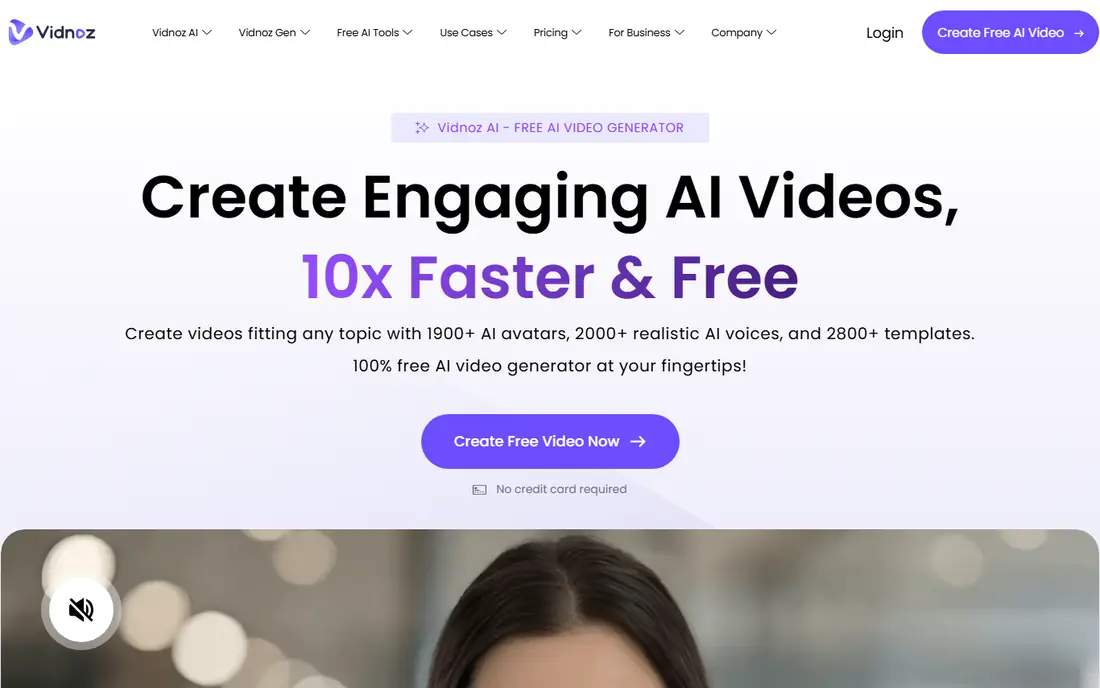
Vidnoz is a free AI video generator platform that also offers a dedicated face swap tool for photos, videos, and multiple faces. Its homepage presents a wide AI video platform with avatars, voices, templates, and translation, while its face swap tool accepts common formats such as JPG, PNG, WEBP, MP4, MOV, M4V, and WEBM, with a video upload limit reported at 100 MB.
The strength is format coverage in the browser: photo, video, GIF, and group swaps from one tool, with a free plan to start. The trade-off is that the platform uses credits and paid plans, so free allowances and export settings should be checked in the account before a larger project. For creators who need both photo and video swaps free to start, Vidnoz is a strong pick.
- Photo, video, and multiple-face swap modes
- Free plan listed
- Large AI video platform
- Credit system on paid plans
- Free allowances vary by tool
- Broad platform can confuse
Magic Hour
Ideal for: Browser face swap studio
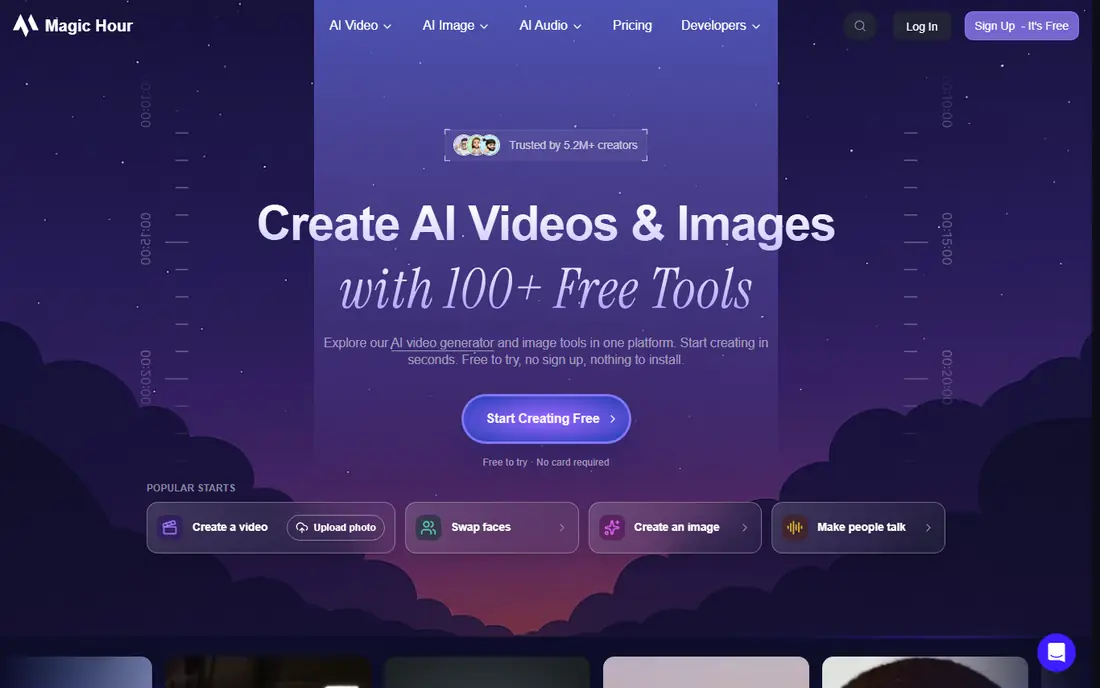
Magic Hour is an AI video and image studio with more than 100 tools, including face swap, virtual try-on, and personalized image and video workflows through its API. Its homepage states that core tools are free to try without signing up, that credits roll over, and that free usage and available modes vary by tool, with paid plans adding higher-resolution and watermark-free exports.
The strength is the low-friction start: try supported tools before creating an account, then scale with credits or team plans. The trade-off is that free access is tool-dependent, so the exact face swap allowance should be checked on the tool page. For casual creators who want a browser studio with a free entry point, Magic Hour is a leading choice.
- Core tools free to try without signing up
- Face swap plus virtual try-on workflows
- API available
- Credits roll into paid plans for volume
- Export resolution and watermarks vary by plan
- Free modes vary by tool
DeepSwapper
Ideal for: Free photo swaps
DeepSwapper is a dedicated face swap service whose homepage claims high-quality swaps for free, with no watermark, unlimited image swaps, and no sign-up for instant swaps. It supports JPEG, PNG, WEBP, GIF, MP4, WEBM, and MOV formats, offers single and multiple face swapping with selective face choice, and states that video face swap requires a subscription, while noting that uploads are not stored unless save-history options are enabled.
The strength is the free photo tier: unlimited image swaps without an account is the most generous free offer in this list. The trade-off is that video sits behind a subscription, and its marketing around celebrity swaps should not be taken as permission to impersonate real people. For free photo swaps of your own images, DeepSwapper is a leading choice.
- Unlimited image swaps claimed free
- No watermark on swaps
- No sign-up for image swaps
- Video face swap needs a subscription
- Celebrity-swap marketing needs care
- Cloud processing
FaceFusion
Ideal for: Local face manipulation
FaceFusion is an enterprise-grade face manipulation platform that runs entirely on your own machine, with local processing that keeps personal data under your control. Its homepage states that the software is free and open source, lists face swapping, enhancement, lip sync, age modification, and background removal among its processors, and notes more than 30,000 stars on GitHub.
The strength is privacy and cost: no subscription, no credits, and no uploads to a cloud server, since everything runs locally. The trade-off is a technical install involving Python, Git, FFmpeg, and GPU drivers, which suits technical users more than casual editors. For privacy-minded users with a capable computer, FaceFusion is a leading choice.
- Free and open source
- All processing on your own machine
- No cloud queues or data collection
- Needs Python, Git, and GPU setup
- Technical install
- No hosted free tier
Faceswap
Ideal for: Open-source deepfake software
Faceswap is a free and open-source multi-platform deepfake software powered by TensorFlow, Keras, and Python, running on Windows, macOS, and Linux with community forums and guides for installation, extraction, training, and conversion. Its homepage is direct about what it is: software for making deepfakes, with donations welcome.
The strength is control and community: full local software with guides and an active forum, free of charge. The trade-off is both technical and ethical: training takes time and GPU power, and the tool must only be used on your own footage or with clear consent, never for impersonation or non-consensual content. For technical users who want free local deepfake tooling for legitimate projects, Faceswap is a capable pick, used responsibly.
- Free and open source
- Runs on Windows, macOS, and Linux
- Active community and guides
- Explicitly deepfake software
- Needs training and GPU time
- Setup is technical
Fotor
Ideal for: Photo editor with face swap
Fotor is a free online photo editor that offers a face swap feature alongside its full editing suite, including filters, retouching, background removal, collages, and AI effects. Its homepage states that the free plan allows editing as many images as wanted with watermark-free exports, with Fotor Pro adding advanced features, and the editor works on Windows, Mac, iOS, and Android.
The strength is context: face swap sits inside a complete photo editor, so swapped photos can be retouched, cropped, and finished in the same place. The trade-off is that face swap is a side feature rather than a specialist tool, and video is not the focus. For photo editors who want face swap plus full editing free, Fotor is a strong pick.
- Free online photo editor
- Face swap inside a full editing suite
- Windows, Mac, iOS, and Android
- Face swap is one feature among many
- Advanced features need Fotor Pro
- Photo-focused
How we picked these
We compared official feature pages, pricing pages, and public reviews for free AI face swap tools available in October 2026. We favored tools with a genuinely usable free tier, real photo or video swapping, and clear privacy or consent information, and we excluded tools whose official sites were unavailable, such as MioCreate, whose original website was reported unavailable in October 2026. Pricing is listed as "See website" where no starting price was shown on the homepage. We did not claim hands-on testing; this comparison rests on vendor pages and public reviews. We recommend only legitimate uses: your own photos, consented subjects, fictional characters, and clearly labeled creative edits.
What to check before you pick a free AI face swap tool
Start with the media type: photo-only tools are fine for memes and portraits, while video swaps need a tool with video support and a clear free video allowance. Check the free limits before starting: daily quotas, watermarks, resolution, and whether video needs a paid plan.
Next, check privacy: local tools keep files on your machine, while cloud tools upload them, so read retention and deletion terms before uploading photos of other people. Finally, check consent and labeling: use only images you own or have permission to edit, avoid impersonation and deceptive edits, and disclose realistic synthetic media where viewers could be misled.
Frequently asked questions
What is a free AI face swap tool?
A free AI face swap tool replaces the face in a photo or video with another face using AI, with at least part of the service available without payment, whether through a free plan, trial credits, or open-source software.
Which free face swap tool is best for photos?
DeepSwapper offers the most generous free photo tier with unlimited image swaps claimed and no sign-up, while Magic Hour and Vidnoz offer free browser photo swaps inside larger studios.
Which free face swap tool is best for videos?
Vidnoz, Magic Hour, and Akool cover video face swap, but free video allowances are limited and often need credits or a paid plan, so check the live limits before a video project.
Are free face swap tools safe to use?
Safety depends on consent and privacy. Use only your own images or images with clear permission, prefer local tools or services with clear deletion terms for sensitive photos, and never create non-consensual or deceptive imagery.
Can I use face swap tools for commercial work?
Some tools allow commercial use on paid plans or under their terms, while free outputs may be limited to personal use. Check the license for your plan before using swaps in client or advertising work.
Do I need to install software for face swapping?
No. Browser tools such as DeepSwapper, Magic Hour, Vidnoz, and Akool work online, while FaceFusion and Faceswap are desktop tools that need installation but keep processing local.