Best Free Bookmarks Apps in 2026: 8 Apps Compared

- 1
 Raindrop.ioBest overallVisit
- 2
 InstapaperRead-later readingVisit
- 3
 WallabagSelf-hosted controlVisit
- 4
 GoodLinksApple-only, one-time buyVisit
- 5
 MatterReading plus highlightsVisit
- Raindrop.io is the best free bookmarks app for most people, with unlimited bookmarks free and a Pro plan at $3 per month.
- Instapaper suits read-later users who want a clean reading experience, with a limited free tier and Pro around $3 to $5.99 per month.
- Wallabag is the best self-hosted option, free and open source, for users who want full control of their data.
- GoodLinks is the best Apple-only option, with a one-time purchase around $4.99 to $5, and no subscription.
- Note that Pocket has been phased out by Mozilla and Omnivore's domain is listed for sale, so neither is a safe choice for a new library in 2026. Test export before committing a large library to any app.
Quick comparison
| Product | Ideal for | Price from | Free version | |
|---|---|---|---|---|
| Raindrop.io | Best overall | Free | Yes | Visit |
| Instapaper | Read-later reading | Free | Yes | Visit |
| Wallabag | Self-hosted control | Free | Yes | Visit |
| GoodLinks | Apple-only, one-time buy | See website | No | Visit |
| Matter | Reading plus highlights | Free | Yes | Visit |
 Readwise Reader | Power readers and highlights | See website | Free trial | Visit |
 Anybox | Apple bookmark manager | Free | Yes | Visit |
 Notion | Bookmarks inside a workspace | Free | Yes | Visit |
The best free bookmarks apps
These eight apps cover saving, reading and organizing links. We compared official pricing pages, feature pages and public reviews, focusing on free-tier limits, export options and platform fit, since a bookmarks app fails if you cannot get your links back out.
Raindrop.io
Ideal for: Best overall
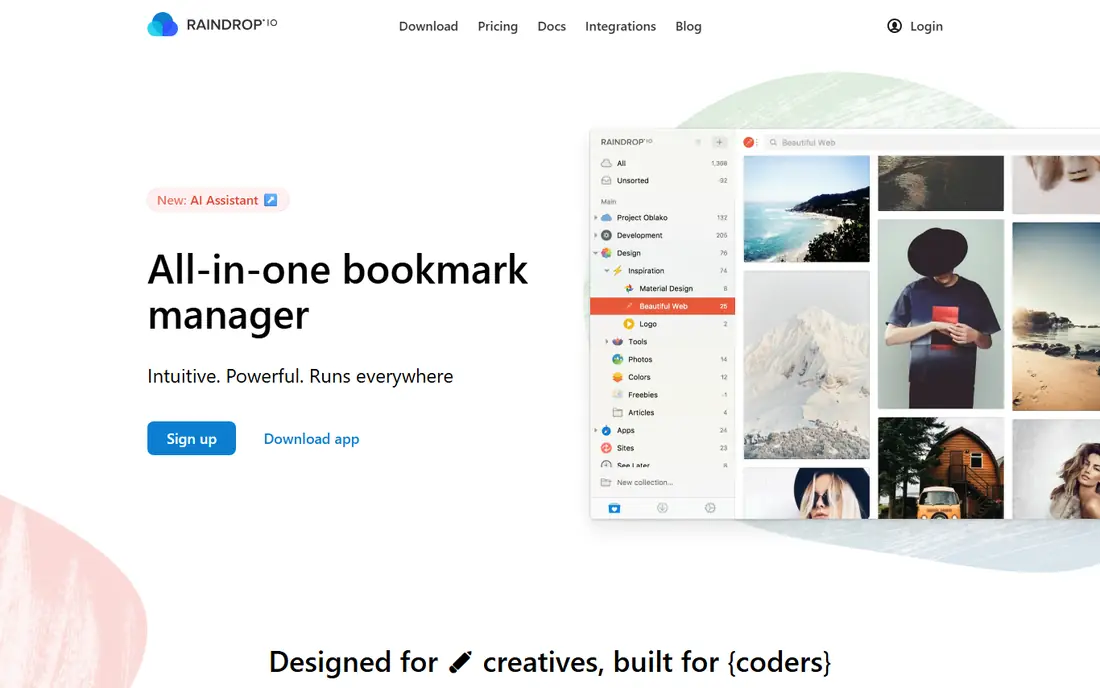
Raindrop.io is the best free bookmarks app for most people because its free tier allows unlimited bookmarks, with collections, tags and cross-platform apps on web, iOS, Android, macOS and Windows. That breadth suits users saving articles, videos, images and pages across devices. Pro costs $3 per month or $28 per year and adds full-text search, nested collections and duplicate detection.
The free tier covers saving and organizing well, so most users will not need Pro immediately. For a user building a large, organized library, Raindrop.io's free unlimited saving is the strongest starting point.
- Unlimited bookmarks free
- Collections and tags
- Full-text search on Pro
- Export available
- Pro at $3 per month or $28 per year for full-text search and nested collections
Instapaper
Ideal for: Read-later reading
Instapaper suits read-later users who save articles to read in a clean, distraction-free view. Its reading experience, speed reading and text-to-speech features help users get through long articles, and apps cover web, iOS and Android. A free tier covers basic saving and reading, while Pro, around $3 to $5.99 per month depending on plan, adds full-text search and unlimited highlights.
The free tier is limited compared with Raindrop.io's unlimited saving, so heavy savers may need Pro. For a user whose main job is reading saved articles rather than organizing links, Instapaper's reading quality wins.
- Clean reading experience
- Speed reading and text-to-speech
- Browser and mobile apps
- Free tier is limited
- Pro around $3 to $5.99 per month for full-text search and unlimited highlights
Wallabag
Ideal for: Self-hosted control
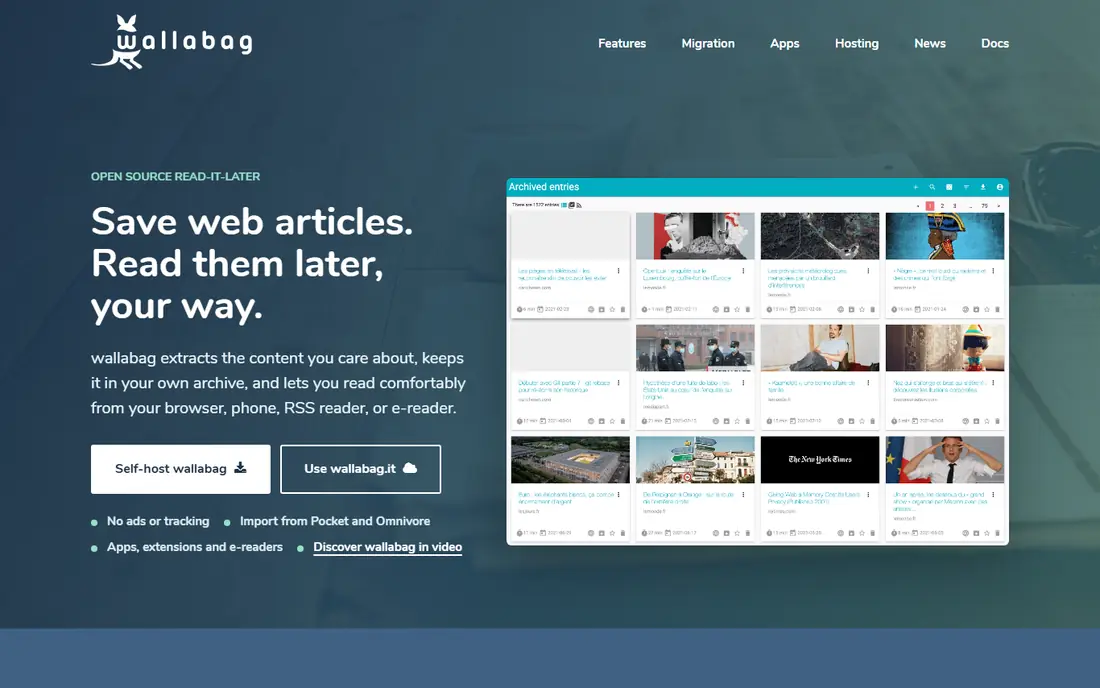
Wallabag is the best self-hosted bookmarks app, free and open source, for users who want full control of their data. It saves articles for later reading, supports tagging and export, and runs on your own server, which removes dependence on a vendor's future. That control matters after Pocket's phase-out showed how a popular service can disappear.
Self-hosting needs technical setup, and hosted options vary in price and reliability. For a technical user who values data ownership over convenience, Wallabag is the safest long-term choice.
- Free and open source
- Self-hosted for full data control
- Export and tagging included
- Self-hosting needs technical setup
- Hosted options vary in price
GoodLinks
Ideal for: Apple-only, one-time buy
GoodLinks is the best Apple-only bookmarks app for users who prefer a one-time purchase over a subscription. It offers a clean design, offline reading, tags and article saving on iPhone, iPad and Mac, with a purchase price around $4.99 to $5 depending on platform. That suits Apple users who want a simple, durable read-later tool.
There is no free tier and no Android or Windows app, so mixed-device users should choose Raindrop.io instead. For an all-Apple user who dislikes subscriptions, GoodLinks is a low-cost, lasting pick.
- One-time purchase around $4.99 to $5
- Clean Apple design
- Offline reading and tags
- Apple-only
- No Android or Windows app
- No free tier
Matter
Ideal for: Reading plus highlights
Matter suits readers who highlight and annotate saved articles, with a clean reading view, highlight sync and newsletter reading in one app. A free tier covers basic saving and reading, while a paid plan around $8 per month adds full features. That combination appeals to researchers and writers who build notes from what they read.
The ecosystem is smaller than Raindrop.io's, and some features need the paid tier. For a reader who highlights heavily, Matter's annotation workflow is a genuine advantage.
- Clean reading plus highlights
- Newsletter reading
- Free tier available
- Paid plan around $8 per month for full features
- Smaller ecosystem than Raindrop.io
Readwise Reader
Ideal for: Power readers and highlights
Readwise Reader is the power-reader pick for users who save, highlight and review many articles, books and feeds, with a workflow that syncs highlights to notes apps. It supports articles, PDFs, newsletters and feeds, which suits researchers and heavy readers. Paid plans run around $8 to $8.99 per month, with a trial but no permanent free plan.
The price is higher than Raindrop.io's free tier, so it suits users who actually use the highlight workflow daily. For a power reader building a knowledge base from highlights, Readwise Reader's workflow justifies the cost.
- Powerful highlight and note workflow
- Syncs with Readwise
- Supports many source types
- Paid plans around $8 to $8.99 per month
- No permanent free plan
Anybox
Ideal for: Apple bookmark manager
Anybox is a free bookmark manager for Apple users, with link collections, tags and clean macOS and iOS apps. It suits users who save many links and want them organized on Apple devices, without a read-later focus. A free tier covers basic saving, with paid plans for advanced features.
It is Apple-only, so cross-platform users should choose Raindrop.io. For an Apple user who organizes links rather than reading them later, Anybox is a free, focused option.
- Free tier for Apple users
- Link management with collections
- Clean macOS and iOS apps
- Apple-only
- Advanced features need a paid plan
Notion
Ideal for: Bookmarks inside a workspace
Notion suits users who already live in Notion and want bookmarks inside their workspace, rather than in a separate app. Links saved in pages or databases can be tagged, filtered and linked to notes and projects, which helps researchers who build knowledge bases. The free plan covers this use well.
Saving is slower than a dedicated bookmark manager, and there is no read-later view like Instapaper's. For a Notion user who wants bookmarks alongside notes, it is a practical, free choice. For a dedicated bookmark library, Raindrop.io is better.
- Free plan covers saving links in pages
- Databases for organizing bookmarks
- Templates available
- Not a dedicated bookmark manager
- Saving is slower than Raindrop.io
How we picked these
We compared official pricing pages, feature pages and public reviews for bookmarks apps available in October 2026. We favored apps with a working free tier, a real user base and current pricing, and we weighed free-tier limits, export options, reading quality and platform fit, since a bookmarks app that traps your library is worse than no app at all.
What to check before you choose a bookmarks app
Start with export. Before saving a large library, test export on a small set and confirm you can get your links, titles and tags out in a usable format. Pocket's phase-out and Omnivore's domain sale show that even popular services can disappear, so export is not a nice-to-have, it is the safety net.
Then check your reading versus organizing balance. If you mainly read saved articles, Instapaper, Matter or Readwise Reader fits. If you mainly organize links, Raindrop.io, Anybox or Wallabag fits. If you mainly highlight, Matter or Readwise Reader fits. Choosing the wrong balance leads to a library you never use.
Finally, check platform fit and cost. Raindrop.io and Wallabag cover all platforms free, GoodLinks and Anybox suit Apple users, and Notion suits users already in Notion. Prefer a free tier or one-time purchase for a long-term library, since a subscription you cancel can lock you out of your own links.
Keep a monthly export habit, so even a sudden service shutdown costs you minutes, not your whole library.
Frequently asked questions
What is the best free bookmarks app?
Raindrop.io is the best free bookmarks app for most people, with unlimited bookmarks free and Pro at $3 per month. Instapaper suits read-later reading, Wallabag suits self-hosting, and GoodLinks suits Apple users who prefer a one-time purchase.
Is Pocket still available?
No, Pocket has been phased out by Mozilla, so it is not a safe choice for a new bookmarks library in 2026. Raindrop.io, Instapaper and Wallabag are the recommended alternatives for users migrating from Pocket.
What happened to Omnivore?
Omnivore's domain is listed for sale, which signals that the service is not a safe long-term home for a new library. Users migrating from Omnivore should choose Raindrop.io, Wallabag or Readwise Reader and export their data first.
Can I export my bookmarks from these apps?
Yes, Raindrop.io, Wallabag, Instapaper and most apps in this list offer export, but formats and completeness vary. Test export with a small set before committing a large library, and keep a backup copy of your export file.
What is the best bookmarks app for Apple users?
GoodLinks offers a one-time purchase around $4.99 to $5 for Apple devices, while Anybox offers a free tier for Apple users. Raindrop.io also covers Apple devices plus Android, Windows and web, which suits mixed-device households.