Best Free PDF Merger Tools in 2026: 8 Tools Compared

- 1
 PDF24 ToolsFree online mergingVisit
- 2
 iLovePDFEasy online mergingVisit
- 3
 SmallpdfSimple online PDF toolsVisit
- 4
 SejdaPrivacy-conscious online mergingVisit
- 5
 PDFsam BasicFree desktop mergingVisit
- PDF24, PDFsam Basic, and Sejda offer the most generous free merging without forcing an account, while iLovePDF and Smallpdf are easier for occasional online use.
- Desktop tools are better for large or sensitive files, since online tools require uploading documents to a server for processing.
- Free online tools often limit file size, page count, or daily tasks, so check limits before merging a large report or book.
- If you merge PDFs often, a paid plan or a desktop tool usually costs less in time than working around free limits every day.
Quick comparison
| Product | Ideal for | Price from | Free version | |
|---|---|---|---|---|
| PDF24 Tools | Free online merging | Free | Yes | Visit |
| iLovePDF | Easy online merging | Free | Yes | Visit |
| Smallpdf | Simple online PDF tools | Free | Yes | Visit |
| Sejda | Privacy-conscious online merging | Free | Yes | Visit |
| PDFsam Basic | Free desktop merging | Free | Yes | Visit |
 PDF2Go | Online merging with editing | Free | Yes | Visit |
 Combine PDF | Quick no-frills merging | Free | Yes | Visit |
 Soda PDF | Online merging and editing | Free | Yes | Visit |
The best free pdf merger tools
Merging PDFs sounds simple, and the best free tools keep it that way: upload or select files, arrange pages, and download one document. The differences are in limits, privacy, and whether you need to install software. We compared official feature pages, pricing pages, and app listings, focusing on genuinely free merging rather than tools that only preview the feature and then ask for payment.
PDF24 Tools
Ideal for: Free online merging
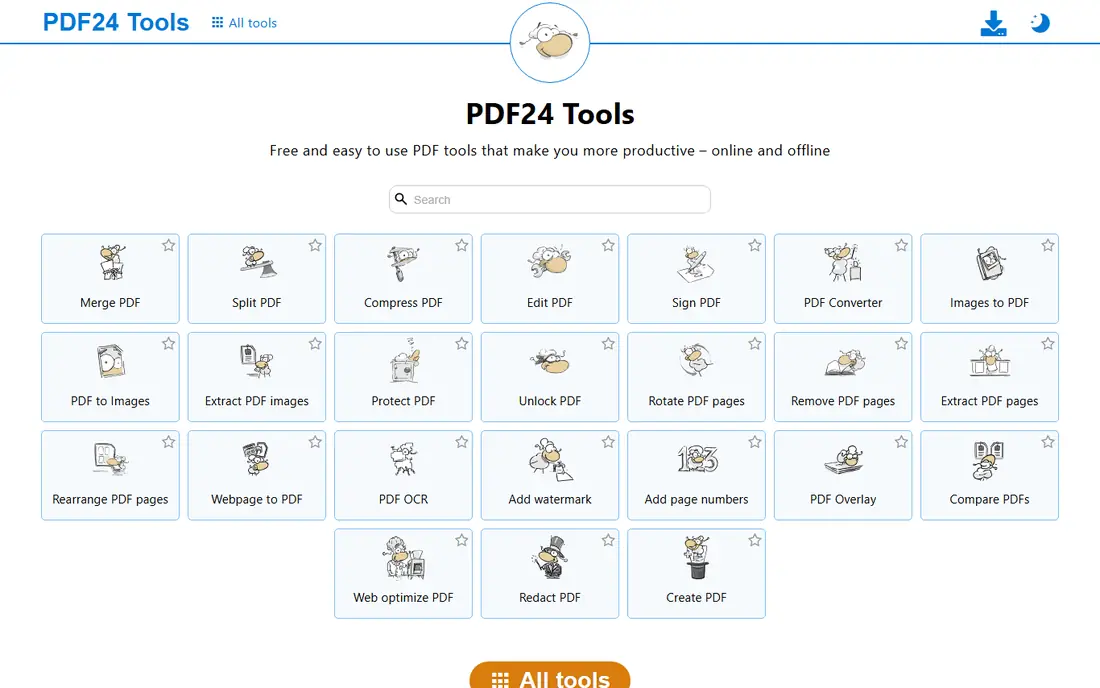
PDF24 Tools is a strong first stop for free PDF merging because its core tools are free and do not require an account for basic tasks. You can upload PDFs, reorder them, merge them, and download the result, and the same site offers splitting, compressing, and converting if you need those later. A desktop version is also available for users who prefer to process files locally.
The privacy note applies to any online tool: files are uploaded to a server for processing, so sensitive documents are better handled in the desktop app or a local tool such as PDFsam. The site itself is busy, with many tools competing for attention. For everyday free merging, though, PDF24 is hard to beat on value.
- Free online tools with no account needed for basic use
- Also offers desktop app
- Many related PDF tools
- Online processing means files leave your device
- Interface carries many tool options
iLovePDF
Ideal for: Easy online merging
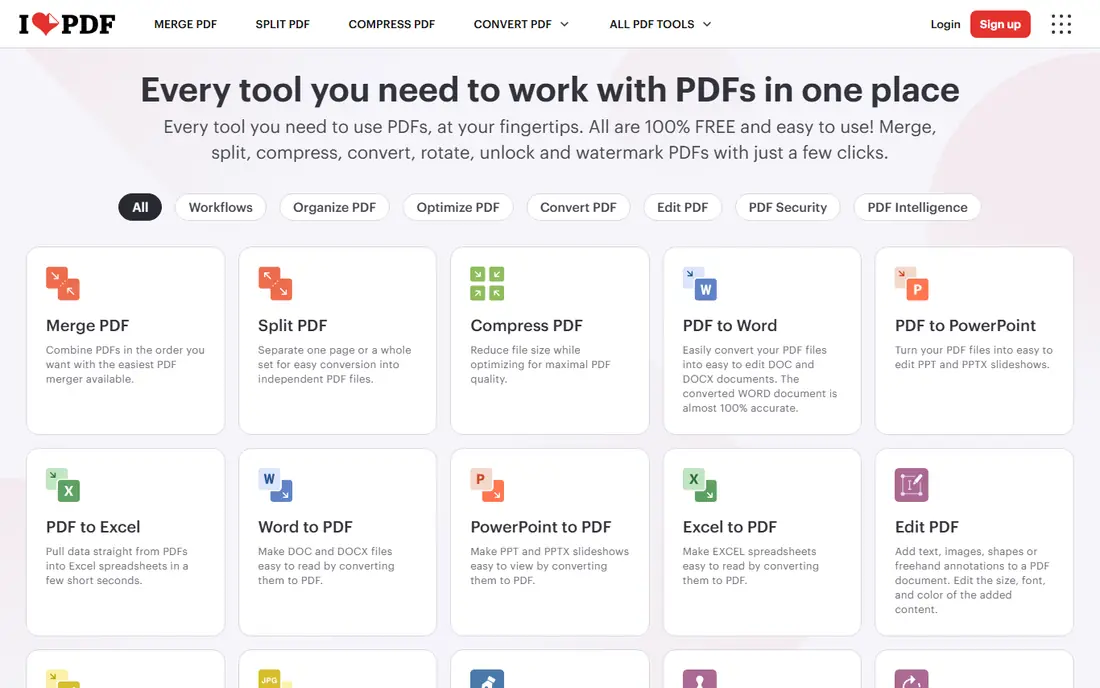
iLovePDF is popular because merging feels obvious: add files, drag them into order, and merge. It also handles page selection, so you can merge only chosen pages rather than whole documents, and mobile apps make it usable on a phone when you are away from a desk. For an occasional merge, the free plan is usually enough.
Free use has limits on tasks and file handling, and heavy users will hit the paywall. Files are also processed online, so confidential documents need care. For simple, occasional merging with a clean interface, iLovePDF is our pick for ease of use.
- Very easy merge workflow
- Good page reordering
- Mobile apps available
- Free plan has task limits
- Some features need a paid plan
Smallpdf
Ideal for: Simple online PDF tools
Smallpdf keeps PDF work simple, and its merge tool follows the same pattern: upload, arrange, merge, and download. The interface is tidy, the steps are clear, and related tools for compressing, splitting, and converting are a click away. It works well in a browser on desktop or mobile, which suits users who merge PDFs only a few times a month.
The free plan allows only a limited number of tasks per day, so a busy day of document work can stall. Larger files and batch processing also push toward paid plans. For light, occasional use with a pleasant interface, Smallpdf is a solid choice.
- Clean, simple interface
- Merge plus compress and convert tools
- Good mobile support
- Free plan limited to a few tasks per day
- Larger files need a paid plan
Sejda
Ideal for: Privacy-conscious online merging
Sejda stands out for users who care about what happens to uploaded files. It states that files are deleted after processing, and it offers a desktop app for users who would rather not upload at all. Merging is flexible, with page selection and ordering, and the workflow is straightforward without an account for basic use.
Free use is limited by tasks per hour and file size, so it is not the tool for merging dozens of large files in one sitting. Paid plans raise those limits. For sensitive or occasional merges where privacy matters, Sejda is a thoughtful pick, and its desktop option is worth trying if you merge often.
- Clear privacy stance with file deletion
- Page-level merging
- Desktop app option
- Free plan limits tasks per hour and file size
- Some features need a paid plan
PDFsam Basic
Ideal for: Free desktop merging
PDFsam Basic is a free, open source desktop application for merging, splitting, rotating, and extracting pages from PDFs. Because it runs locally, files never leave your computer, which makes it the best option for sensitive documents and large files that online tools would struggle with. It runs on Windows, Mac, and Linux, and the basic version costs nothing.
The trade-off is polish and convenience. You need to install it, and the interface is practical rather than pretty. It also lacks the cloud and mobile convenience of online tools. For regular merging, large files, or confidential documents, PDFsam Basic is our pick, and it pairs well with an online tool for quick one-off merges.
- Free and open source desktop tool
- Files stay on your computer
- Merge, split, and extract pages
- Desktop install required
- Interface is functional rather than polished
PDF2Go
Ideal for: Online merging with editing
PDF2Go covers merging alongside a wide set of PDF tools, including editing, converting, compressing, and protecting documents. The merge workflow lets you upload from a device or cloud storage, arrange files, and download the combined PDF. For users who need to edit a document before merging it, having both functions in one place saves time.
Free use has file size and task limits, and all processing happens online. Heavy users will need a paid plan. For occasional merging combined with light editing, PDF2Go is a capable all-rounder.
- Merge plus editing and conversion tools
- Optional cloud storage links
- No install needed
- Free plan has file size limits
- Online processing for all files
Combine PDF
Ideal for: Quick no-frills merging
Combine PDF does one thing with minimal fuss: it merges PDFs and images into a single PDF. There is no account, no install, and no long feature list to learn, which makes it ideal when you simply need two documents joined quickly. The site is light and fast, even on a slower connection.
The simplicity is also the limit. There is no desktop app, no advanced page editing, and no privacy advantage over other online tools. For a quick, free merge of ordinary documents, Combine PDF is a handy bookmark.
- Very simple, fast workflow
- No account needed
- Works in any browser
- Few extra features
- Online processing only
- File limits apply
Soda PDF
Ideal for: Online merging and editing
Soda PDF offers online merging within a broader PDF suite that includes editing, converting, signing, and form tools, plus a desktop application for heavier use. The merge tool itself is simple, and users who later need to edit the merged document can do so without switching services. That breadth makes Soda PDF a good bookmark for general PDF work.
Free online use is limited, and the full suite requires a paid plan, so users who only merge should compare it with the fully free options above. For users who want one PDF service for merging and occasional editing, Soda PDF is a reasonable choice.
- Merge plus full online editing suite
- Desktop app available
- Good for occasional editing
- Free online use is limited
- Full features need a paid plan
How we picked these
We compared official feature pages and pricing pages for tools that let users merge PDFs without paying, checking whether free merging was genuinely usable or only a demo. We weighed online convenience against desktop privacy, file and task limits, and page-level control. Tools that required payment before any merge, or that had stopped working, were left out.
What to check before you choose a PDF merger
Start with privacy. If a document contains personal, financial, or client information, use a desktop tool such as PDFsam Basic or Sejda Desktop rather than uploading it to a website. For ordinary documents, an online tool is fine, but check the vendor's file deletion policy before uploading.
Next, check limits against your real files. Free plans often limit file size, page count, or tasks per day, and a large report can fail partway through. If you merge PDFs weekly, a desktop tool or a paid plan will save frustration. Finally, test page ordering and selection: the best tools let you reorder files, pick specific pages, and preview the result before downloading, which avoids merging twice.
Frequently asked questions
What is the best free PDF merger tool?
For most users, PDF24 Tools and iLovePDF are strong free online choices, while PDFsam Basic is the best free desktop option. PDF24 is generous for online use, iLovePDF is the easiest to use, and PDFsam keeps files on your computer for privacy and large files.
Is it safe to merge PDFs online?
For ordinary documents, yes, but uploaded files are processed on a vendor server, so avoid online tools for sensitive personal, financial, or client documents. Use a desktop tool for confidential files, and check the vendor's file deletion policy for anything else.
Can I merge PDFs without installing software?
Yes, PDF24, iLovePDF, Smallpdf, Sejda, PDF2Go, Combine PDF, and Soda PDF all merge PDFs in a browser without installation. Desktop tools such as PDFsam Basic need an install but work offline and handle larger files better.
Do free PDF mergers add watermarks?
Most tools in this list do not watermark merged PDFs on their free plans, but limits on file size or daily tasks may apply instead. Check the current free plan terms on the vendor's site if watermarking matters for your documents.
Can I merge only some pages from a PDF?
Yes, iLovePDF, Sejda, and PDFsam Basic support page selection, so you can merge chosen pages rather than whole documents. Simpler tools such as Combine PDF merge whole files, so pick a page-level tool if you need that control.