Best Free PDF Signing Tools in 2026: 8 Tools Compared

- Smallpdf and Sejda suit occasional free signing with simple workflows.
- DocuSign and Dropbox Sign suit users who need legally strong e-signatures and audit trails.
- PDFescape suits browser-only signing without an account for basic needs.
- Free tiers limit envelopes or signatures per month, so check limits against how often you sign.
Quick comparison
| Product | Ideal for | Price from | Free version | |
|---|---|---|---|---|
 DocuSign | Strong e-signatures | Free | Yes | Visit |
 Adobe Acrobat Sign | Signatures inside Adobe | Free | Yes | Visit |
 Smallpdf | Simple free signing | Free | Yes | Visit |
 PDFescape | Browser signing without fuss | Free | Yes | Visit |
 Sejda | Free signing with PDF editing | Free | Yes | Visit |
 SignWell | Free e-signatures for small teams | Free | Yes | Visit |
 Dropbox Sign | Signing inside Dropbox | Free | Yes | Visit |
 iLovePDF | Signing plus PDF tools | Free | Yes | Visit |
The best free pdf signing tool
We compared free PDF signing tools on signature creation, signing requests, audit trails, legal validity and free limits. Signing a document for yourself differs from requesting legally binding signatures from others, so we covered both uses. Our pick for occasional free signing is Smallpdf, with DocuSign as the strong alternative for formal agreements.
DocuSign
Ideal for: Strong e-signatures
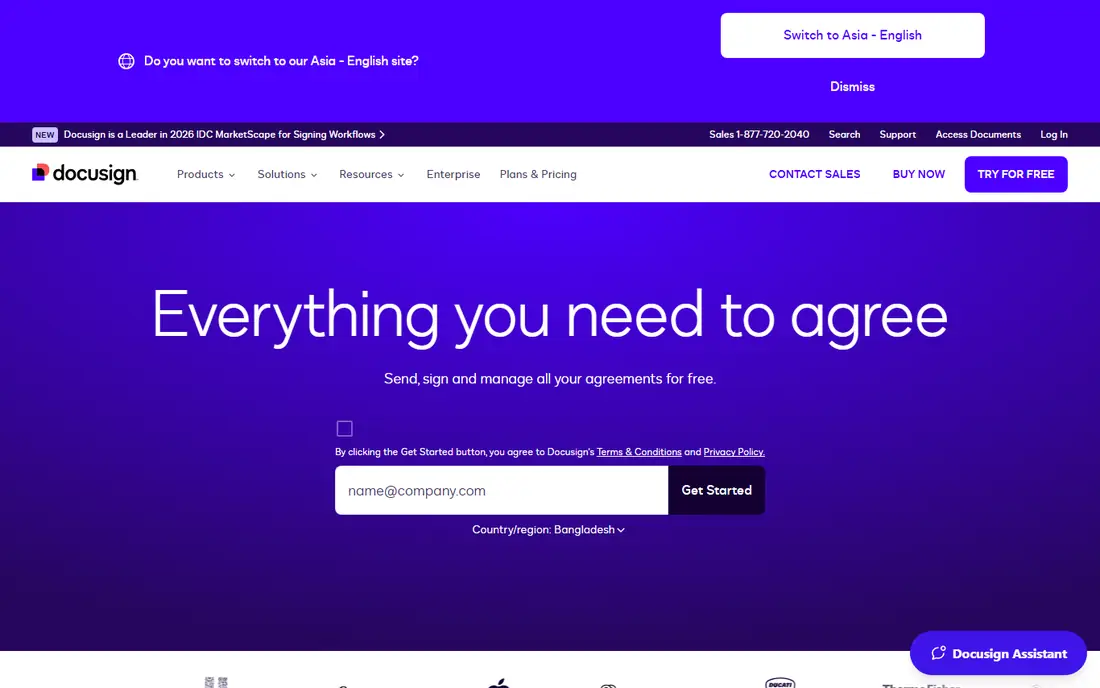
DocuSign is the standard for legally binding e-signatures, with audit trails, templates and signer authentication. That strength suits contracts and formal agreements. The free tier limits envelopes per month, so frequent senders need a paid plan, but for occasional formal signing it is the safest choice.
For most readers, the deciding question with DocuSign is fit rather than raw feature count. Check the plan limits that matter to you, such as seats, usage caps and what happens when a trial ends, before you commit to a paid tier. If the free tier or trial covers your core task, use it for a full week of real work before paying, and keep an eye on renewal terms and cancellation steps. That short test usually tells you more than any feature list, and it keeps the choice grounded in how you actually work day to day.
- Legally binding e-signatures
- Audit trails
- Templates
- Free tier limits envelopes
- Full features are paid
Adobe Acrobat Sign
Ideal for: Signatures inside Adobe
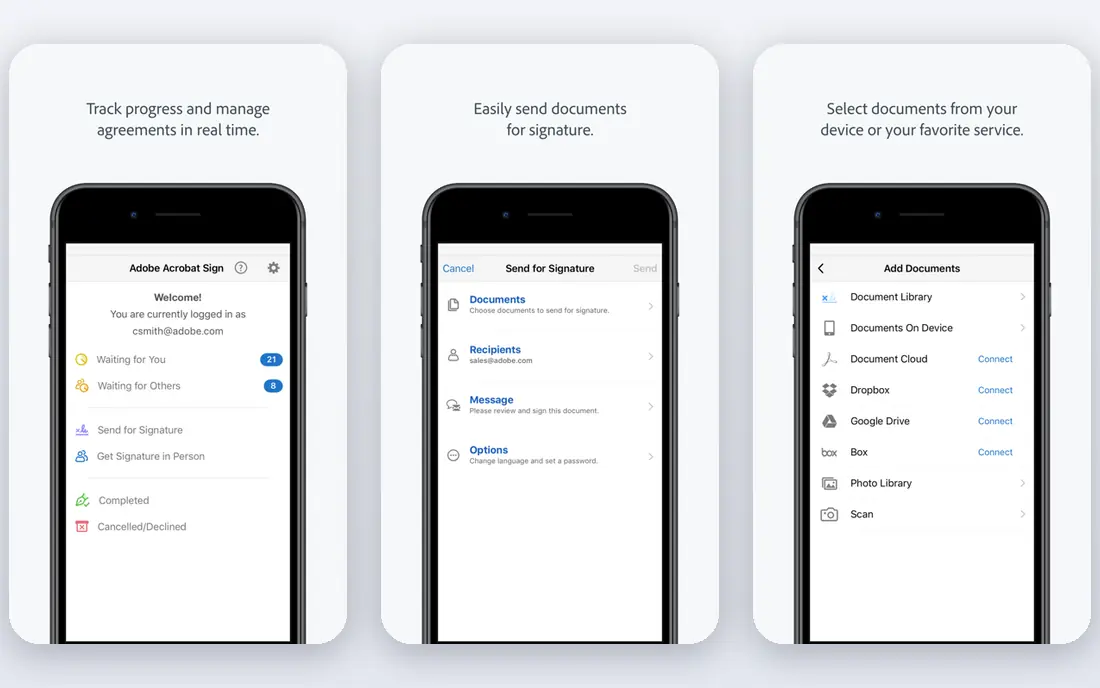
Adobe Acrobat Sign, part of Adobe Acrobat, offers e-signatures with audit trails and templates, integrated with PDF editing. That integration suits Acrobat users. The free tier limits use, and full features need a subscription, so occasional signers may prefer a simpler free tool.
For most readers, the deciding question with Adobe Acrobat Sign is fit rather than raw feature count. Check the plan limits that matter to you, such as seats, usage caps and what happens when a trial ends, before you commit to a paid tier. If the free tier or trial covers your core task, use it for a full week of real work before paying, and keep an eye on renewal terms and cancellation steps. That short test usually tells you more than any feature list, and it keeps the choice grounded in how you actually work day to day.
- E-signatures with audit trails
- Acrobat integration
- Templates
- Free tier limits
- Full features need a subscription
Smallpdf
Ideal for: Simple free signing

Smallpdf offers an easy browser-based signing workflow alongside other PDF tools, making it simple to sign and share a document quickly. The free tier limits tasks per day, so heavy users need a paid plan, but for occasional signing the simplicity is excellent.
For most readers, the deciding question with Smallpdf is fit rather than raw feature count. Check the plan limits that matter to you, such as seats, usage caps and what happens when a trial ends, before you commit to a paid tier. If the free tier or trial covers your core task, use it for a full week of real work before paying, and keep an eye on renewal terms and cancellation steps. That short test usually tells you more than any feature list, and it keeps the choice grounded in how you actually work day to day.
- Easy signing workflow
- Browser based
- PDF tools included
- Free tier limits tasks per day
- Advanced features are paid
PDFescape
Ideal for: Browser signing without fuss
PDFescape lets you sign and fill PDFs in a browser without installing software, which suits quick, one-off signing. The free tier limits file size and page count, and features are basic compared with DocuSign, but for a simple signature it works fast.
For most readers, the deciding question with PDFescape is fit rather than raw feature count. Check the plan limits that matter to you, such as seats, usage caps and what happens when a trial ends, before you commit to a paid tier. If the free tier or trial covers your core task, use it for a full week of real work before paying, and keep an eye on renewal terms and cancellation steps. That short test usually tells you more than any feature list, and it keeps the choice grounded in how you actually work day to day.
- Browser signing
- Form filling
- No install needed
- Free tier limits file size and pages
- Features are basic
Sejda
Ideal for: Free signing with PDF editing
Sejda combines signing with PDF editing in a browser, so you can edit, sign and share in one place. The workflow is simple and the free tier covers occasional use. Hourly task limits apply on the free tier, so batch work needs planning or a paid plan.
For most readers, the deciding question with Sejda is fit rather than raw feature count. Check the plan limits that matter to you, such as seats, usage caps and what happens when a trial ends, before you commit to a paid tier. If the free tier or trial covers your core task, use it for a full week of real work before paying, and keep an eye on renewal terms and cancellation steps. That short test usually tells you more than any feature list, and it keeps the choice grounded in how you actually work day to day.
- Signing plus PDF editing
- Browser based
- Simple workflow
- Free tier limits tasks per hour
- Advanced features are paid
SignWell
Ideal for: Free e-signatures for small teams
SignWell offers legally binding e-signatures with audit trails and a free tier for light use, suiting freelancers and small teams. That legal strongness at a free tier is notable. Document limits apply, and advanced features such as templates and API access need paid plans.
For most readers, the deciding question with SignWell is fit rather than raw feature count. Check the plan limits that matter to you, such as seats, usage caps and what happens when a trial ends, before you commit to a paid tier. If the free tier or trial covers your core task, use it for a full week of real work before paying, and keep an eye on renewal terms and cancellation steps. That short test usually tells you more than any feature list, and it keeps the choice grounded in how you actually work day to day.
- Legally binding signatures
- Audit trails
- Free tier for light use
- Free tier limits documents
- Advanced features are paid
Dropbox Sign
Ideal for: Signing inside Dropbox
Dropbox Sign, formerly HelloSign, offers e-signatures with audit trails and Dropbox integration, plus templates for repeat documents. That integration suits Dropbox users. The free tier limits signatures per month, so frequent senders need a paid plan.
For most readers, the deciding question with Dropbox Sign is fit rather than raw feature count. Check the plan limits that matter to you, such as seats, usage caps and what happens when a trial ends, before you commit to a paid tier. If the free tier or trial covers your core task, use it for a full week of real work before paying, and keep an eye on renewal terms and cancellation steps. That short test usually tells you more than any feature list, and it keeps the choice grounded in how you actually work day to day.
- E-signatures with audit trails
- Dropbox integration
- Templates
- Free tier limits
- Full features are paid
iLovePDF
Ideal for: Signing plus PDF tools
iLovePDF offers signing alongside a wide PDF toolset, including merging, splitting and converting, in browser and mobile apps. That breadth suits users who handle PDFs often. Free task limits apply, and advanced features need a paid plan, but the all-in-one convenience is strong.
For most readers, the deciding question with iLovePDF is fit rather than raw feature count. Check the plan limits that matter to you, such as seats, usage caps and what happens when a trial ends, before you commit to a paid tier. If the free tier or trial covers your core task, use it for a full week of real work before paying, and keep an eye on renewal terms and cancellation steps. That short test usually tells you more than any feature list, and it keeps the choice grounded in how you actually work day to day.
- Signing workflow
- Wide PDF toolset
- Browser and mobile
- Free tier limits tasks
- Advanced features are paid
How we picked these
We compared official feature pages, pricing pages, app store listings, privacy policies and public reviews for each option below. We kept only products that exist and work now, that fit the topic directly, and whose official homepage we could confirm. Where a price was not published clearly, we wrote See website rather than guessing, and we favoured options with a free tier or trial where one exists.
Signing PDFs that hold up
Use a proper e-signature tool for agreements, not just a pasted image. Tools such as DocuSign, SignWell and Dropbox Sign provide audit trails, timestamps and signer authentication that support legal validity. A pasted image alone offers weaker evidence if a signature is disputed.
Check your local e-signature law. Most jurisdictions accept electronic signatures for many agreements, but some documents, such as wills and certain property transfers, have special requirements. When in doubt, check local law or seek legal advice before relying on an e-signature.
Keep the signed copy and audit trail together. Download the final signed PDF and its certificate or audit log, and store both with your records. That pair proves who signed, when, and what version they signed, which matters if questions arise later.
Frequently asked questions
What is the best free PDF signing tool?
Smallpdf suits occasional simple signing, while Sejda adds editing. For legally strong signatures, DocuSign, SignWell and Dropbox Sign offer free tiers with audit trails.
Are free PDF signatures legally binding?
Signatures from proper e-signature tools with audit trails are legally binding for many agreements in most jurisdictions. Check local law for special document types, and keep the audit trail with the signed copy.
Can I sign a PDF for free?
Yes, all tools here offer free tiers for signing, though limits on documents, tasks or envelopes apply. Occasional signers can usually stay free, while frequent senders need paid plans.
Do I need an account to sign a PDF?
Some tools, such as PDFescape, allow basic signing without a full account, while most e-signature platforms need an account for audit trails and sending requests. Check the tool before starting a formal agreement.
What is the difference between signing and requesting a signature?
Signing means adding your own signature to a document, while requesting means sending a document for others to sign. Formal tools track requests, reminders and audit trails, which simple signing tools may not.