Best Free Photo Enhancer Tools in 2026: 9 Options Compared

- 1
 ReminiFaces and old photosVisit
- 2
 FotorGeneral enhancement plus editingVisit
- 3
 Upscale.mediaUpscaling images for webVisit
- 4
 Lets EnhanceHigh-quality upscalingVisit
- 5
 VanceAIAI enhancement suiteVisit
- Remini is the strongest free option for restoring faces and old photos, with limits on free processing.
- Fotor and PicWish offer broad free enhancement with editing tools included, not just upscaling.
- Upscale.media and Cutout.pro suit users who mainly need larger, sharper images for web use.
- Check watermark and download limits before editing a batch, since free tiers often cap resolution or exports.
Quick comparison
| Product | Ideal for | Price from | Free version | |
|---|---|---|---|---|
| Remini | Faces and old photos | Free | Yes | Visit |
| Fotor | General enhancement plus editing | Free | Yes | Visit |
| Upscale.media | Upscaling images for web | Free | Yes | Visit |
| Lets Enhance | High-quality upscaling | See website | Free trial | Visit |
| VanceAI | AI enhancement suite | See website | Free trial | Visit |
 Topaz Photo AI | Professional photo quality | See website | Free trial | Visit |
 PicWish | Enhancement plus background tools | Free | Yes | Visit |
 Cutout.pro | Upscaling and background removal | Free | Yes | Visit |
 BeFunky | Enhancement with creative editing | Free | Yes | Visit |
The best free photo enhancer tools
We compared enhancers on free output quality, resolution limits and whether free exports carry watermarks. Our pick for most people is Remini for faces and Fotor for general photos, since free tiers vary widely in what they let you download.
Remini
Ideal for: Faces and old photos
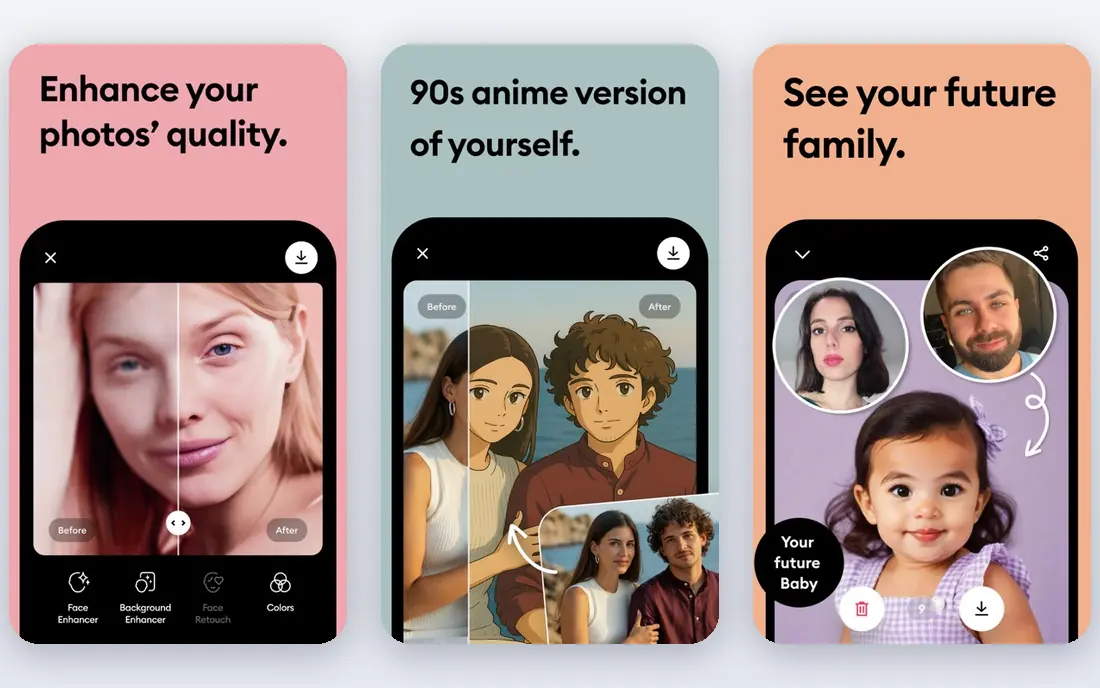
Our first look at Remini starts with who it serves best. It is the face-restoration specialist. Remini sharpens faces in old, blurry or low-resolution photos better than general enhancers.
The catch is the free limit: regular use needs a subscription. It fits people restoring family photos or improving portraits. Check the current pricing page before you commit, since plans in this category change often, and use the free plan or trial to confirm the fit with your own work.
Before you pay for Remini, run one real task through it, such as a full document, a full trip plan or a full project, and judge it on that result rather than on the marketing page.
- Strong face restoration
- Easy mobile app
- Free processing with limits
- Free tier limits processing and adds waiting times
- Subscription for full use
Fotor
Ideal for: General enhancement plus editing
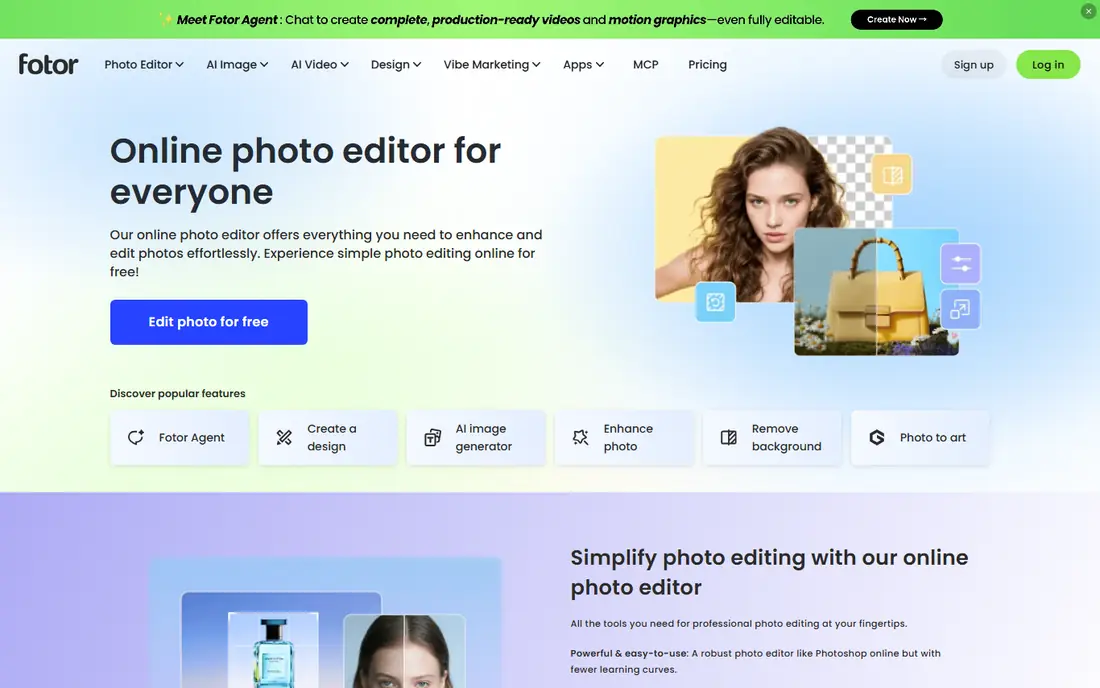
For many readers, Fotor will be the most practical choice on this list. It is the all-round free enhancer with editing included. Fotor enhances a photo and lets you crop, adjust and add text without switching apps.
The catch is that the best exports and features sit on paid plans. It fits creators who enhance and edit in one place. Check the current pricing page before you commit, since plans in this category change often, and use the free plan or trial to confirm the fit with your own work.
A useful test for Fotor is to try the exact workflow you will repeat weekly, then check how long it takes and whether the output needs heavy fixing before it is usable.
- Enhancer plus full photo editor
- Free tier is usable
- Templates and batch tools
- Some features and higher resolutions need a paid plan
- Ads on free tier
Upscale.media
Ideal for: Upscaling images for web
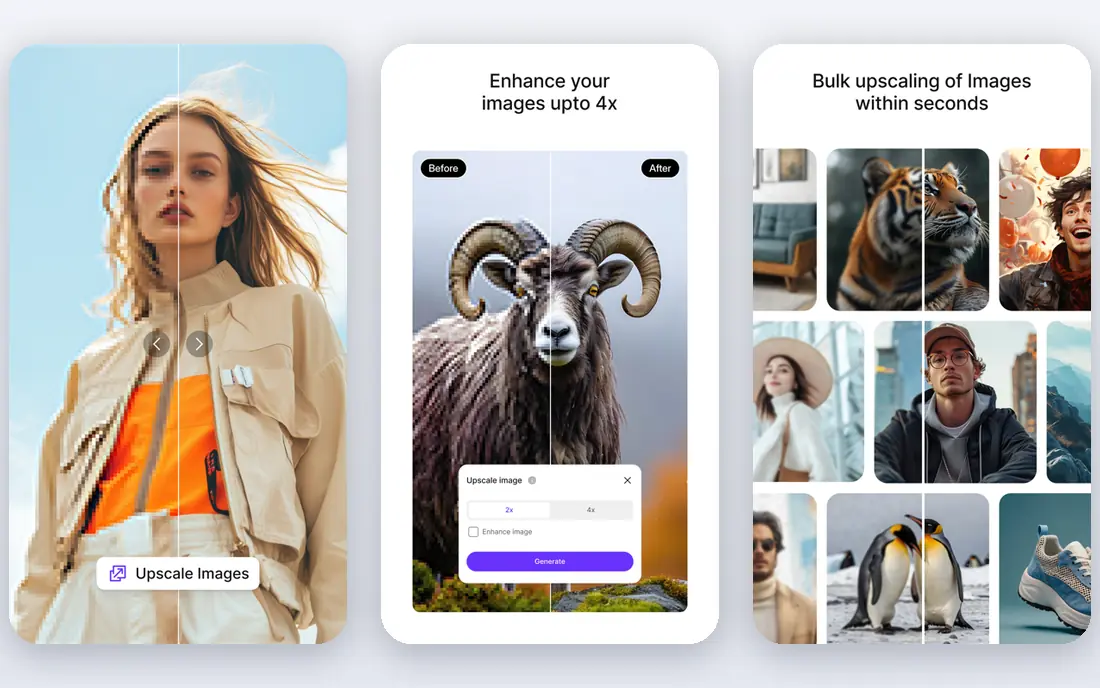
Next up is Upscale.media, which takes a different approach to the same job. It is the simplest tool for making an image larger and sharper. Upscale.media upscales images with one upload and no complex settings.
The catch is scope: it upscales, but it is not a full photo editor. It fits bloggers and sellers who need larger web images fast. Check the current pricing page before you commit, since plans in this category change often, and use the free plan or trial to confirm the fit with your own work.
When you trial Upscale.media, note what is missing as well as what works, since the missing piece often decides whether a tool survives past the first month.
- Free upscaling up to higher resolutions
- Simple drag-and-drop
- No account for basic use
- Enhancement depth is below full editors
- Batch features are paid
Lets Enhance
Ideal for: High-quality upscaling
Lets Enhance earns its place here for a specific kind of user. It is the quality-first upscaler for professional use. Lets Enhance produces clean, detailed upscales and handles batches well.
The catch is credits: free credits run out quickly on larger jobs. It fits photographers and businesses upscaling images regularly. Check the current pricing page before you commit, since plans in this category change often, and use the free plan or trial to confirm the fit with your own work.
We would also check support and documentation for Lets Enhance during the trial, since a tool you cannot get help with becomes expensive in staff time even when the subscription looks cheap.
- Strong upscaling quality
- Batch processing
- API for businesses
- Free credits are limited
- Pricing is credit-based
VanceAI
Ideal for: AI enhancement suite
If the options so far have not fit, VanceAI is worth a closer look. It is the suite option when one enhancer is not enough. VanceAI offers separate tools for sharpening, denoising, portraits and product photos.
The catch is credits: costs depend on how many images and tools you use. It fits users with varied enhancement jobs. Check the current pricing page before you commit, since plans in this category change often, and use the free plan or trial to confirm the fit with your own work.
Before you pay for VanceAI, run one real task through it, such as a full document, a full trip plan or a full project, and judge it on that result rather than on the marketing page.
- Range of enhancers for photos, portraits and products
- Batch tools
- API options
- Credit-based pricing can confuse
- Free credits are limited
Topaz Photo AI
Ideal for: Professional photo quality
Topaz Photo AI is the option we point to when a reader has a clear priority in mind. It is the professional-grade enhancer for serious photographers. Topaz Photo AI sharpens, denoises and upscales while preserving natural detail better than web tools.
The catch is price and platform: it is paid desktop software. It fits photographers who enhance images as part of paid work. Check the current pricing page before you commit, since plans in this category change often, and use the free plan or trial to confirm the fit with your own work.
A useful test for Topaz Photo AI is to try the exact workflow you will repeat weekly, then check how long it takes and whether the output needs heavy fixing before it is usable.
- Best-in-class sharpening and denoising
- Works as standalone and plugin
- Keeps detail well
- Paid desktop software, not a free web tool
- Needs a capable computer
PicWish
Ideal for: Enhancement plus background tools
Another strong contender is PicWish, and it stands out for one clear reason. It pairs enhancement with background removal in one free-friendly tool. PicWish enhances photos and removes backgrounds, which suits product and social images.
The catch is credits: heavy use needs a paid plan. It fits sellers and creators preparing product and social photos. Check the current pricing page before you commit, since plans in this category change often, and use the free plan or trial to confirm the fit with your own work.
When you trial PicWish, note what is missing as well as what works, since the missing piece often decides whether a tool survives past the first month.
- Enhancer plus background removal and editing
- Free tier for light use
- Simple interface
- Free credits are limited
- Advanced features need a subscription
Cutout.pro
Ideal for: Upscaling and background removal
We round out the list with Cutout.pro, which fills a gap the others leave open. It is a handy free web tool for quick fixes. Cutout.pro upscales images and removes backgrounds without installing software.
The catch is free limits on resolution and volume. It fits users who need occasional quick enhancements online. Check the current pricing page before you commit, since plans in this category change often, and use the free plan or trial to confirm the fit with your own work.
We would also check support and documentation for Cutout.pro during the trial, since a tool you cannot get help with becomes expensive in staff time even when the subscription looks cheap.
- Free upscaling and background tools
- Simple web interface
- Batch options
- Free tier limits resolution and volume
- Some tools are paid
BeFunky
Ideal for: Enhancement with creative editing
BeFunky rounds out our shortlist with a focused set of strengths. It is the creative editor with enhancement built in. BeFunky lets you enhance a photo and then apply effects, text and templates in the same session.
The catch is specialisation: dedicated enhancers beat it on difficult photos. It fits casual creators who want enhancement plus creative editing. Check the current pricing page before you commit, since plans in this category change often, and use the free plan or trial to confirm the fit with your own work.
Before you pay for BeFunky, run one real task through it, such as a full document, a full trip plan or a full project, and judge it on that result rather than on the marketing page.
- Photo editor with enhancer tools
- Templates and effects
- Free tier is broad
- Enhancer is part of a larger editor, not a specialist
- Ads on free tier
How we picked these
We compared official feature pages, pricing pages, app store listings, privacy policies and public reviews for each product, and kept only products that exist, work today and truly fit the topic. We favoured clear pricing, a usable free plan or trial, and honest limits over long feature lists. Where a price could not be verified on the vendor site, we wrote See website rather than guessing.
We did not claim hands-on testing we did not do. Instead, we weighed what each vendor documents, what reviewers report in practice, and where each product falls short, so the trade-offs below are stated plainly.
How to enhance a photo without ruining it
Start from the highest-resolution original you have, and enhance once rather than stacking tools. Compare the result at full size, watch for plastic-looking skin and lost detail, and keep the original file untouched.
Frequently asked questions
What is the best free photo enhancer?
Remini suits faces and old photos, while Fotor suits general enhancement with editing tools. Upscale.media suits users who mainly need a larger, sharper image.
Can a free tool really improve a blurry photo?
Free tools can sharpen and upscale moderately blurry photos, but they cannot recover detail that was never captured. Results are best on slightly soft or low-resolution images.
Do free photo enhancers add watermarks?
Some do, especially on free exports, while others limit resolution instead. Check the export terms before editing photos you plan to publish.
Is it safe to upload personal photos to enhancer sites?
Reputable tools publish privacy policies, but avoid uploading sensitive photos to unknown sites. Prefer tools with clear data-deletion policies for personal images.
What is the difference between enhancing and upscaling?
Enhancing improves sharpness, colour and detail, while upscaling increases pixel size. The best tools do both, but upscaling alone can make a photo larger without making it look better.