Best Free SEO Analysis Tools in 2026: 8 Tools Compared

- 1
 Google Search ConsoleReal Google search dataVisit
- 2
 Ahrefs Webmaster ToolsFree site audit and backlinksVisit
- 3
 Google AnalyticsTraffic and behavior dataVisit
- 4
 Semrush Free ToolsFree keyword and audit checksVisit
- 5
 Screaming FrogTechnical site crawlVisit
- Google Search Console is the essential free SEO tool, since it shows real search performance data from Google itself.
- Ahrefs Webmaster Tools and Semrush free tools add site audits and keyword data, while Screaming Frog covers technical crawls.
- Free tiers limit reports, keywords or crawled URLs, so use several free tools together rather than one alone.
- Our pick for most site owners is Google Search Console plus Ahrefs Webmaster Tools, with Screaming Frog for technical audits.
- Paid tools add scale and history, but a small site can do solid SEO analysis entirely free with the tools below.
Quick comparison
| Product | Ideal for | Price from | Free version | |
|---|---|---|---|---|
| Google Search Console | Real Google search data | Free | Yes | Visit |
| Ahrefs Webmaster Tools | Free site audit and backlinks | Free | Yes | Visit |
| Google Analytics | Traffic and behavior data | Free | Yes | Visit |
| Semrush Free Tools | Free keyword and audit checks | Free | Yes | Visit |
| Screaming Frog | Technical site crawl | Free | Yes | Visit |
 Ubersuggest Free | Keyword ideas and site audit | Free | Yes | Visit |
 Moz Free Tools | Domain and keyword checks | Free | Yes | Visit |
 PageSpeed Insights | Speed and Core Web Vitals | Free | Yes | Visit |
The best free SEO analysis tools
Free SEO tools can cover the essentials: search performance, site audits, keyword ideas, backlinks and speed. The tools below are genuinely free, not just trials, though free tiers have limits. We compared official feature pages, free tier limits and public reviews.
Google Search Console
Ideal for: Real Google search data
Google Search Console is the first tool every site owner should set up, because it shows real search data from Google: which queries bring clicks, which pages rank, indexing problems, mobile usability and Core Web Vitals. It is completely free for sites you verify, and no third-party tool can replace its first-party data.
It only shows data for your own sites, not competitors, so pair it with Ahrefs or Semrush free tools for competitor and keyword research. If you do nothing else in SEO, set up Search Console and check its performance and coverage reports monthly.
- Real clicks, impressions and queries from Google
- Indexing and coverage reports
- Completely free
- Data is limited to your own verified sites
- No competitor keyword data
Ahrefs Webmaster Tools
Ideal for: Free site audit and backlinks

Ahrefs Webmaster Tools gives site owners a free site audit, backlink data and keyword data for sites they verify, using Ahrefs data. The audit flags technical issues, broken links and on-page problems, while backlink reports show who links to you. For a small site, that is a powerful free combination.
Competitor research and full keyword tools need a paid Ahrefs plan, so free users get depth on their own sites only. Pair it with Search Console for the fullest free picture of your site's health and search performance.
- Free site audit
- Backlink data for your sites
- Keyword data for verified sites
- Limited to verified sites
- Competitor data needs a paid plan
Google Analytics
Ideal for: Traffic and behavior data

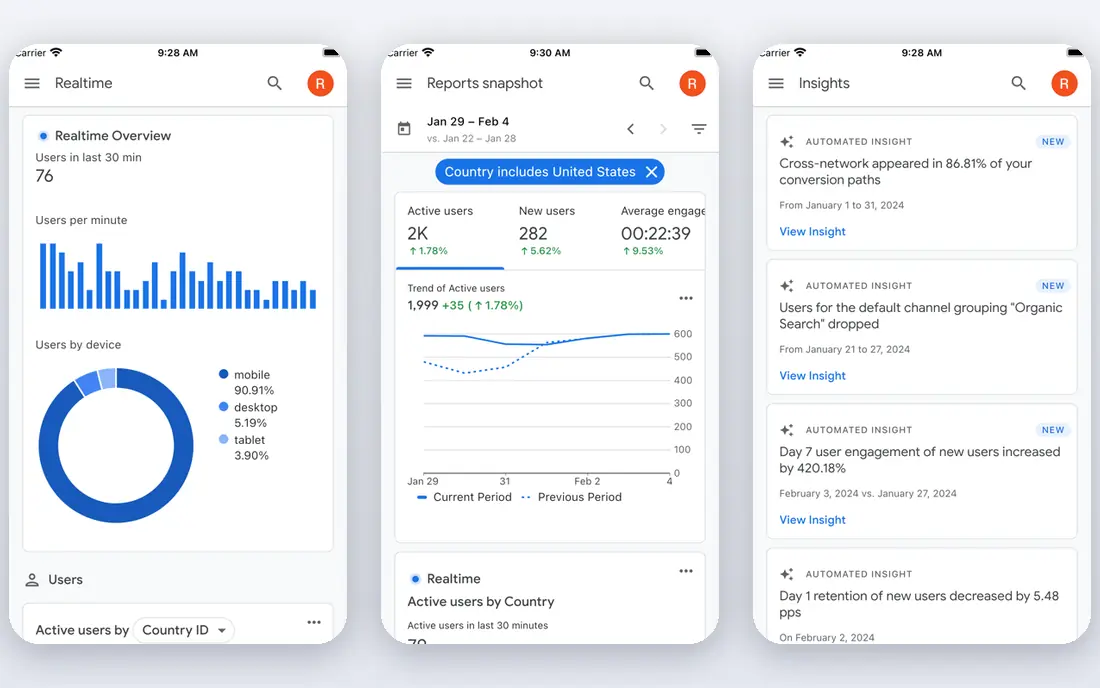
Google Analytics shows what visitors do after they arrive: which pages they visit, how long they stay, where they come from, and which goals they complete. It integrates with Search Console, so you can see search queries alongside behavior. The standard version is free, with generous limits for most small sites.
It is not a ranking or keyword tool, so use it alongside Search Console and Ahrefs for SEO analysis. Privacy settings, consent and data retention need care, especially under GDPR and US state privacy laws. For understanding traffic quality, Analytics is essential.
- Free traffic and behavior analytics
- Integrates with Search Console
- Goal and conversion tracking
- Not an SEO ranking tool
- Setup and privacy settings need care
Semrush Free Tools
Ideal for: Free keyword and audit checks
Semrush free tools let anyone run limited keyword overviews, domain checks and site audits without paying. The keyword database is large, and even a few free reports a day can answer a specific question, such as a keyword's volume or a competitor's top pages. A free account is a good way to test Semrush before paying.
Daily report limits are the main constraint, so a free user cannot run a full audit program on Semrush alone. Use it for targeted checks, and rely on Search Console and Ahrefs Webmaster Tools for ongoing monitoring.
- Free keyword overview and site audit limits
- Domain overview checks
- Large keyword database
- Free account limits reports per day
- Full features need a paid plan
Screaming Frog
Ideal for: Technical site crawl
Screaming Frog SEO Spider is the technical audit tool in this list. The free version crawls up to 500 URLs, finding broken links, redirect chains, missing titles, duplicate content and other technical issues that hurt rankings. It runs on your desktop and produces exportable reports for fixes.
The 500 URL cap means large sites need the paid license, priced around $279 per year, for full crawls. For a small or medium site, the free crawl covers the whole site and is the fastest way to find technical problems.
- Free crawl up to 500 URLs
- Finds broken links, redirects and metadata issues
- Fast desktop tool
- Free version caps at 500 URLs
- Needs a desktop install
Ubersuggest Free
Ideal for: Keyword ideas and site audit
Ubersuggest offers free keyword ideas, site audits and content suggestions with a beginner-friendly interface. It suits a small business owner or blogger who wants keyword volume, difficulty estimates and site health without learning a complex suite. The free tier allows a few searches per day.
Data depth and accuracy are below Ahrefs and Semrush, and free limits mean heavy users need a paid plan. For occasional keyword ideas and a quick site health check, Ubersuggest free is convenient.
- Free keyword ideas and site audit limits
- Content ideas
- Easy for beginners
- Free searches are limited per day
- Data depth below Ahrefs and Semrush
Moz Free Tools
Ideal for: Domain and keyword checks
Moz free tools include domain authority checks, limited Keyword Explorer searches and Link Explorer checks, which help a beginner gauge a site's authority and find keyword ideas. Domain Authority is a third-party metric, not a Google ranking factor, but it is useful for rough comparisons.
Free query limits are tight, so Moz free suits occasional checks rather than daily research. Pair it with Search Console for your own site data and Ahrefs free tools for audits, and use Moz for quick authority and keyword spot checks.
- Free domain authority checks
- Keyword explorer limits
- Link explorer limits
- Free account limits queries
- Full suite needs a paid plan
PageSpeed Insights
Ideal for: Speed and Core Web Vitals
PageSpeed Insights, from Google, reports Core Web Vitals and speed for any URL, with field data from real users and lab data from a simulated load, plus specific suggestions to improve. Speed affects user experience and can affect rankings, so a slow page found here deserves attention.
It covers speed only, not keywords, backlinks or content, so use it alongside Search Console and an audit tool. Many fixes, such as image compression and script delays, need a developer, but the report prioritizes them clearly.
- Free speed and Core Web Vitals reports
- Field and lab data
- Specific fix suggestions
- Speed only, not rankings or keywords
- Fixes may need a developer
How we picked these
We compared official feature pages and free tier limits for SEO analysis tools available in October 2026. We favored tools that are genuinely free, not just trials, with real data for a user's own site or keyword research. We left out tools we could not verify as live or free.
What to check before you rely on free tools
Free tiers limit data in specific ways: Search Console covers only your sites, Ahrefs free covers only verified sites, Semrush and Moz limit daily reports, and Screaming Frog caps free crawls at 500 URLs. Knowing each limit lets you combine tools to cover the gaps, rather than expecting one free tool to do everything.
Start with fixes that matter
Prioritize fixes by impact: indexing errors that block pages, broken links, slow core pages, and missing titles on important pages. A long audit list is less useful than five fixes that restore traffic or improve a key page, so work through issues in that order.
Try before you commit to a full rollout
Most tools in this list offer a free tier or a trial, and the smartest use of that trial is a small, realistic test rather than a tour of every feature. Pick one real job, such as a single project, a single campaign, or a single workflow your team runs every week, and run it end to end in the trial. Invite the people who will actually use the tool daily, not just the person choosing it, and ask them to complete that job without help. Note where they get stuck, how long the job takes compared with your current method, and whether the result is good enough to share with a client or a manager. Check support response times during the trial too, since a fast answer during a trial often predicts the help you will get later. At the end of the trial, compare the real time saved and the real cost per user against the plan you would buy, and only then decide whether the upgrade is worth it for your team.
Frequently asked questions
What is the best free SEO analysis tool?
Google Search Console is our pick, because it shows real Google search data for your site free. Pair it with Ahrefs Webmaster Tools for audits and backlinks, and Screaming Frog for technical crawls.
Can I do SEO analysis completely free?
Yes, for a small site. Search Console, Ahrefs Webmaster Tools, Google Analytics, Screaming Frog free and PageSpeed Insights together cover performance, audits, traffic and speed without paying.
What is the difference between Search Console and Analytics?
Search Console shows how Google search finds and ranks your pages, including queries, clicks and indexing. Analytics shows what visitors do on your site after arriving, including pages visited, time on site and conversions.
How often should I check SEO tools?
Check Search Console weekly for new errors or traffic changes, and run a full audit monthly or after a site change. Daily checks suit large sites or active campaigns, but weekly is enough for most small sites.
When should I pay for an SEO tool?
Pay when free limits slow you down: large sites over 500 URLs, competitor research at scale, historical ranking data, or many keywords to track. Until then, free tools cover most small-site needs.