The 6 Best Generative AI Video Tools to Shortlist in 2026

- Number one here is Pika, a fit for quick social clips.
- One limit worth knowing about Pika: shorter clips than Kling.
- The cheapest monthly starting price in the list is $8 per month, offered by Pika.
- Hailuo suits stylized and cinematic short clips.
- A free plan is available from 4 of the 6 tools: Pika, PixVerse, Luma, Hailuo.
Direct answer
If you need quick social clips, Pika is the first tool to look at here. Synthesia is the stronger choice for Avatar-led training and business video, while PixVerse suits quick effects and template-driven clips. Prices, free plans and limits for all 6 tools follow.
Quick comparison
| Product | Ideal for | Price from | Free version | |
|---|---|---|---|---|
 Pika | Quick social clips | $8 a month | Yes | Visit |
 Synthesia | Avatar-led training and business video | $29 per month | Free trial | Visit |
 PixVerse | Quick effects and template-driven clips | $10 per month | Yes | Visit |
 Luma | Multi-model creative workspace | $30 a month | Yes | Visit |
 Runway | Pro editing suite with generative video | $15 a month | Free trial | Visit |
 Hailuo | Stylized and cinematic short clips | $9.99 a month | Yes | Visit |
The 6 tools in detail
Short on time? The summary and table above give the quick view of 6 generative AI video tools, and the profiles that follow give the detail behind each entry.
Pika
Ideal for: Quick social clips

In short, Pika is for fast social clips. Pika aims at speed and simplicity. More specifically, premium plans start at $8 a month.
Limits to weigh: Less fine control than Runway.
A free level lets new users try generation before paying, though free output carries limits. The honest catch is scope. Price to start with Pika: $8 per month. Free access exists with Pika.
- Now links up with ChatGPT
- Straightforward interface for short-form content
- Shorter clips than Kling
Synthesia
Ideal for: Avatar-led training and business video

Choose Synthesia for Avatar-led training and business video. Rather than generating cinematic scenes, it produces presenter-led videos from a script, with AI avatars speaking in more than 140 languages. Beyond that, for firms that require plenty of training or explainer videos in several languages, though, it replaces a slow and expensive production process with a quick one.
Also, plans start at $29 a month. The honest catch is fit. Synthesia will not make a short film or a product commercial in the cinematic sense. Its avatars, whereas improved, still read as corporate presenters. Starting cost for Synthesia: $29 per month. Free plan details: Free trial.
Trade-offs to know: Avatar style can feel corporate.
- Capable enterprise compliance
- Realistic AI avatars in 140+ languages
- Made for presenters, not cinematic scenes
PixVerse
Ideal for: Quick effects and template-driven clips
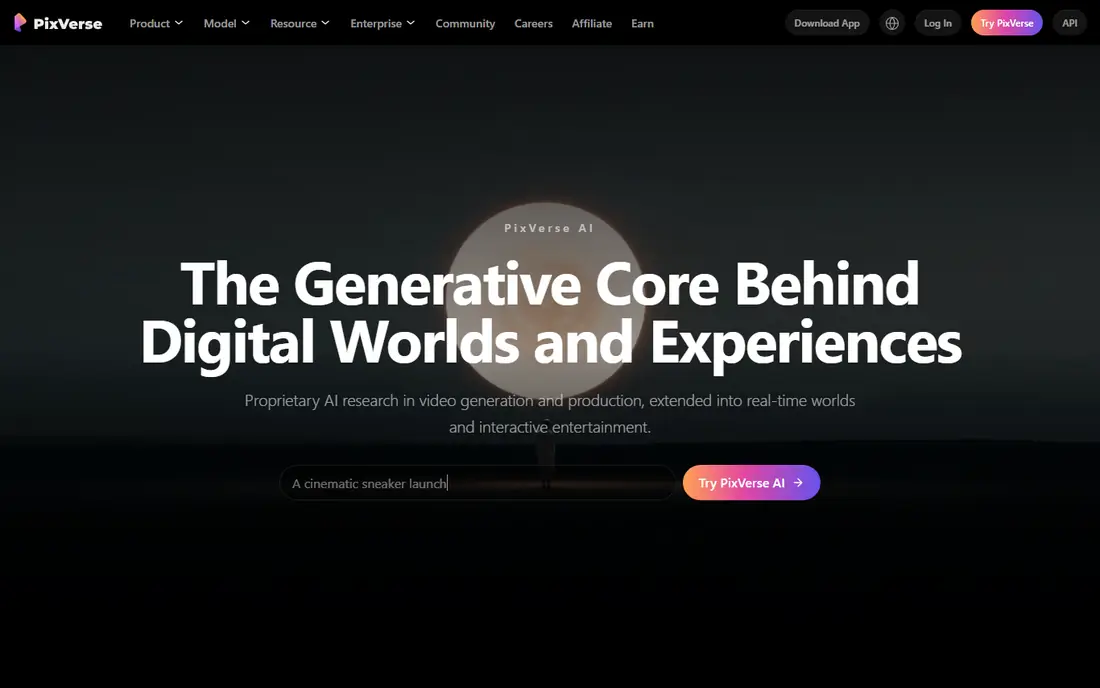
Where PixVerse fits: quick effects and template-driven clips. PixVerse merges fast generation with a deep library of effects and templates, which makes it a favorite for viral-style clips, transitions, and anime-flavored visuals. Its newer V6 model targets cinematic production and API use, whereas the consumer product keeps daily free credits for casual creators.
From a buyer's view, premium plans start around $10 a month. More specifically, PixVerse favors speed and templates over the fine-grained direction that Runway gives you, so creators with a precise vision may feel constrained. On top of that, for quick, eye-catching clips without a ramp-up time, it is a solid choice. PixVerse starts at: $10 per month. You can start on PixVerse without paying.
Where it falls short: Enterprise focus may sideline casual users.
- Large template and effects library
- Daily free credits
- More template-driven than director-controlled
Luma
Ideal for: Multi-model creative workspace
Think of Luma for multi-model creative workspace. Luma has moved beyond its original Dream Machine into an agent-driven creative workspace. For everyday use, for teams that want one workspace spanning models and media types, the consolidation may be worth it.
Limits to weigh: Credit-based pricing needs careful tracking.
More specifically, the Plus plan begins at $30 a month with 10,000 credits, and higher levels scale steeply. For solo creators on a budget, that is hard to justify. At $30 a month, Luma costs more than double most rivals here. Its credit system means heavy video work can burn through an allowance. Starting cost for Luma: $30 per month. Luma includes a free tier.
- Access to Luma and external models
- Solid consistency tools
- Highest entry price on this list
Runway
Ideal for: Pro editing suite with generative video
Runway was built for Pro editing suite with generative video. Its Gen-4.5 model produces clips from text and images. The same workspace offers timeline editing, masking, tracking, and upscaling, so you can move from a generated clip toward a finished piece without exporting to another editor.
In daily use, if you want one workspace for generation and editing, Runway still leads. In practice, for filmmakers and agencies, that combination matters more than any single model benchmark. Heavy users should watch credit burn during the trial period before settling on a level. What you pay to start with Runway: $15 per month. As for free access: Free trial.
Where it falls short: Monthly plan costs more than annual billing recommends.
- Full editing suite alongside generation
- Frame-level control tools
- Credit math takes learning
Hailuo
Ideal for: Stylized and cinematic short clips
Think of Hailuo for stylized and cinematic short clips. The honest catch is transparency.
For creators who value motion quality and fast, refined social clips, it is a solid mid-priced choice. Starting cost for Hailuo: $9.99 per month. Hailuo offers a free plan.
Downsides: Pricing details are less transparent than rivals.
- Template-driven effects for social trends
- Solid motion quality for short clips
- Short default clip lengths
Selection criteria
For each of the 6 tools we noted price, free plan or trial, fit for generative AI video tools and the main limit, using vendor pages and documentation. Seat minimums, billing terms and add-ons can move the real cost, so the starting prices here are a guide and not a quote. Position on the page reflects fit for a typical buyer first, with price clarity and free access breaking ties. Treat it as a guide, not a ruling.
Questions to settle before buying
- Check the vendor page for the current price: Pika starts at $8 per month here, and seats or billing terms can move it.
- Read the fine print on the free plans from Pika, PixVerse, Luma and Hailuo; seat, project and feature caps differ.
- Use real work to test the free trial from Synthesia and Runway, rather than a demo project.
- Before choosing Pika, weigh its main limit: shorter clips than Kling.
- Find out whether the entry plan of Hailuo covers your must-haves or only a trimmed-down version.
- Verify that exporting from PixVerse is possible on your plan and covers all your records.
Frequently asked questions
What is the cheapest option for generative AI video tools in this list?
On published monthly entry prices, Pika is the lowest here at $8 per month. Entry price is only part of the cost, because seats, add-ons and billing terms can change the total.
Do these tools publish their prices?
Yes. Every tool from Pika to Hailuo shows a starting price, though seats, add-ons and billing terms still change the final cost.
Which options for generative AI video tools have a free plan?
On this list, Pika, PixVerse, Luma and Hailuo include a free plan. Caps on seats, usage or features are common, so test the free plan against your real workload. Several others offer a trial instead.
What is the best generative AI video tool overall?
Pika is the pick this page puts first, mainly for quick social clips. If your situation differs, Synthesia suits Avatar-led training and business video, and PixVerse suits quick effects and template-driven clips. Compare price and limits before you decide.
Do I need video editing experience to use these tools?
Runway and Luma offer deeper editing tools, but you can generate clips in all of them with a prompt alone and learn the advanced features later.
Is Pika the right pick for everyone comparing generative AI video tools?
No single tool suits every team. Pika comes first because it fits fast social clips, while Synthesia suits Avatar-led training and business video and PixVerse suits fast effects and template-driven clips. Match the tool to your own size, budget and workflow before deciding.