This list puts Autodesk Maya first for 3D animation and visual effects. Adobe Animate is the stronger choice for 2D animation and interactive content, while Adobe After Effects suits motion graphics and compositing. The remaining 3 options are covered below with prices and limits.
Ainotely put together this guide to graphic design software for animation for readers who want a clear shortlist without reading every vendor page. It compares 6 tools on starting price, free plans, who each one suits and where each one falls short.
Key takeaways
The list opens with Autodesk Maya, aimed at 3D animation and visual effects.
No starting price is shown for any of the 6 tools, Autodesk Maya and Moho included, so plan time for sales calls.
Neither Autodesk Maya nor Moho, nor any of the other 4 tools, has a permanent free plan; trials and quotes are the norm.
One limit worth knowing about Adobe Animate: Flash output is legacy.
Moho is the one to check for efficient 2D animation.
Autodesk Maya makes the most sense for 3D animation and visual effects. Autodesk Maya is professional 3D animation and VFX software for creating expansive worlds, complicated characters, and realistic effects. It is widely used in film, television, and game production for its solid modeling, rigging, and animation toolset.
Watch-outs: Steep ramp-up time.
It is not a strong match for straightforward 2D motion graphics or fast cartoon animation. Worth adding: for procedural workflows, Houdini provides a different approach, while Cinema 4D supplies a more accessible entry into 3D motion design. Autodesk Maya does not show a starting price in this comparison, so check the vendor site for current pricing. Free access: Not stated.
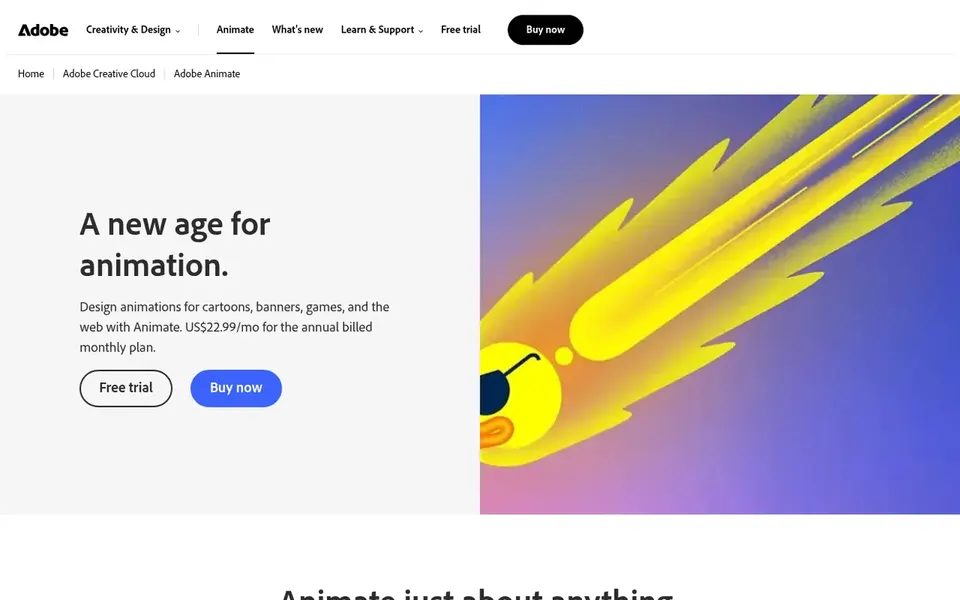
Adobe Animate works best for 2D animation and interactive content. Animate's Flash heritage means some outputs are less relevant today, and it is not designed for complicated 3D or high-end compositing.
Honest limits: Restricted 3D capabilities.
It bundles tools for puppet design and tweening, making it right for web animation and interactive content. Choose Animate for web-friendly 2D and fast cartoon production. This comparison lists no price for Adobe Animate; ask the vendor. Free options: Not stated.
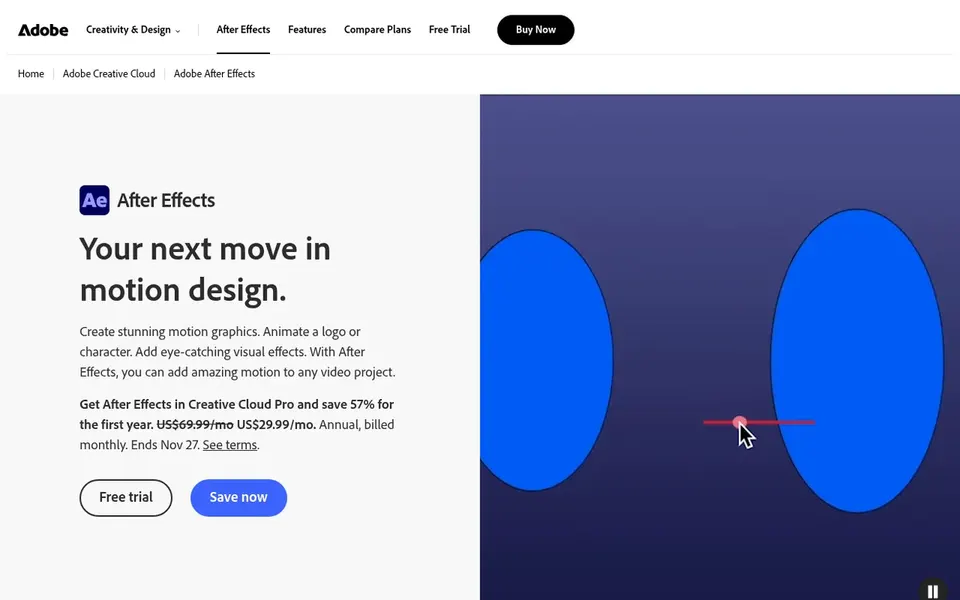
Pick Adobe After Effects if this describes you: motion graphics and compositing. It suits designers who require to produce animated titles, transitions, and effects, and who work within the Adobe ecosystem.
Honest limits: Subscription required.
It also demands a capable computer and a ramp-up time. Adobe After Effects shows no starting price here, so confirm the cost on the vendor site. Free access: Not stated.
Cinema 4D is a good fit for 3D motion graphics and design. Cinema 4D is a 3D modeling, animation, and rendering application known for its accessibility and integration with motion graphics workflows. It is commonly used for broadcast design, product visualization, and abstract animation.
Points against: Subscription-based.
From a buyer's view, if your focus is procedural effects or high-end simulation, consider Houdini; for character-centric 3D, Maya is more specialized. Cinema 4D is less suited for advanced character animation and complicated VFX compared with Maya or Houdini. It also needs a subscription. Check the vendor site for Cinema 4D pricing; none is listed in this comparison. Free access: Not stated.
For procedural animation and effects, Houdini is a natural candidate. Houdini is procedural content creation software for film, TV, game development, and more.
Where it is weaker: Node-based workflow may intimidate.
Houdini's procedural approach is feature-rich but has a steep ramp-up time, making it less approachable for beginners or straightforward motion graphics. It is also resource-intensive. This comparison lists no price for Houdini; ask the vendor. Trial and free access: Not stated.
Moho is built with efficient 2D animation in mind. Moho is professional 2D animation software that is perfect for hobbyists and professional animators looking for a more efficient alternative when creating quality animations.
Drawbacks to consider: Less industry-standard than Harmony.
It suits animators who want a balance of power and simplicity. Moho shows no starting price here, so confirm the cost on the vendor site. Free plan details: Not stated.
Confirm the entry price with every vendor: no tool from Autodesk Maya to Moho shows a fixed starting price.
Before choosing Autodesk Maya, weigh its main limit: steep learning curve.
Confirm you can export your data from Adobe After Effects, so leaving later does not mean losing records.
Find out whether the entry plan of Autodesk Maya covers your must-haves or only a trimmed-down version.
Run a one or two week pilot of Houdini with the people who will use it every day.
How we picked
Pricing pages, product documentation and feature lists were the main sources, and every entry carries at least one honest drawback. Where a vendor does not publish a price, the entry says quote. Where a price depends on seats or billing term, the entry says so. Tools are placed by general fit for graphic design software for animation, with price clarity and free access as tie-breakers. A different team can reasonably rank them differently.
Every price and plan detail on this page comes from the vendors’ own websites. We did not run hands-on tests unless the text says so, and we do not publish star ratings or review scores. See how we score and our disclosure.
Keep your shortlist in one place
Paste prices, trial dates and notes from this guide into Ainotely, our AI note app. It files them into a topic and pulls out tasks like “cancel trial by Friday”. Free 7-day trial, no card needed.
No. None of the tools, from Autodesk Maya to Moho, shows a fixed starting price here, so budget time for quotes.
Which software is best for 3D animation?
This list starts with Autodesk Maya, which fits 3D animation and visual effects. For other needs, Adobe Animate is aimed at 2D animation and interactive content, and Adobe After Effects at motion graphics and compositing. Check each tool's price and main limit first.
Does any tool for graphic design software for animation here have a free plan?
A permanent free plan is not offered by Autodesk Maya, Moho or the other tools here. Plan a short evaluation period instead.
How are the tools for graphic design software for animation ordered?
Autodesk Maya sits first and Moho last because the order follows typical fit for graphic design software for animation, then price clarity and free access. It is a judgement call, so read each profile for fit and limits.
What is the best animation software for beginners?
Autodesk Maya is the pick this page puts first, mainly for 3D animation and visual effects. If your situation differs, Adobe Animate suits 2D animation and interactive content, and Adobe After Effects suits motion graphics and compositing. Compare price and limits before you decide.
Is Autodesk Maya the right pick for everyone comparing graphic design software for animation?
No single tool suits every team. Autodesk Maya comes first because it fits 3D animation and visual effects, while Adobe Animate suits 2D animation and interactive content and Adobe After Effects suits motion graphics and compositing. Match the tool to your own size, budget and workflow before deciding.