Best Gratitude Journal App in 2026: 8 Apps Compared

- 1
 Day OneFull journalingVisit
- 2
 Five Minute JournalFive-minute practiceVisit
- 3
 GratitudeGuided gratitudeVisit
- 4
 PresentlySimple gratitude listsVisit
- 5
 365 GratitudeDaily gratitude communityVisit
- Day One and Journey suit full journaling, with Day One leaning to Apple devices and Journey to cross-platform use.
- Five Minute Journal and Gratitude suit short daily practice, with prompts that take only a few minutes.
- Presently and 365 Gratitude suit simple, focused gratitude lists without extra journal features.
- Reflectly and Happyfeed suit mood-linked journaling, with Reflectly adding AI prompts and Happyfeed adding photos.
Quick comparison
| Product | Ideal for | Price from | Free version | |
|---|---|---|---|---|
| Day One | Full journaling | See website | Yes | Visit |
| Five Minute Journal | Five-minute practice | See website | Yes | Visit |
| Gratitude | Guided gratitude | See website | Yes | Visit |
| Presently | Simple gratitude lists | Free | Yes | Visit |
| 365 Gratitude | Daily gratitude community | See website | Yes | Visit |
 Journey | Cross-platform journal | See website | Yes | Visit |
 Reflectly | Mood and AI prompts | See website | Yes | Visit |
 Happyfeed | Photo gratitude journal | See website | Yes | Visit |
The best gratitude journal app
We compared official feature pages, pricing pages, and app listings to find gratitude journal apps with a real daily practice, good prompts, and a usable free tier in October 2026.
Day One
Ideal for: Full journaling
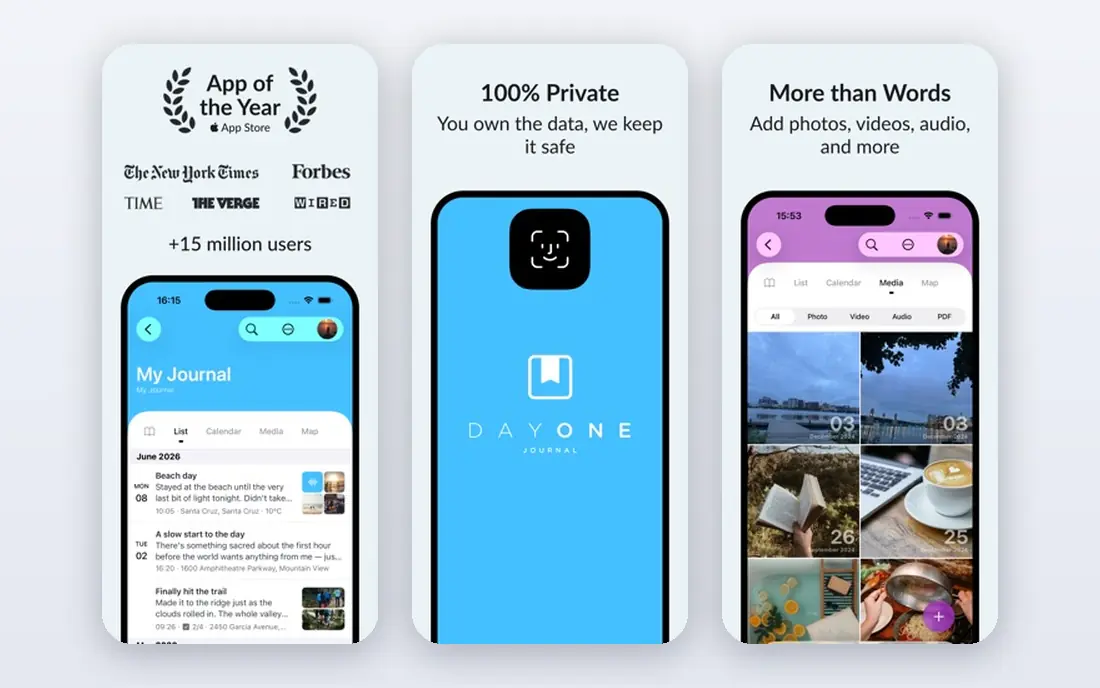
Day One is a full journaling app that works well for gratitude, with entries that can include photos, location, weather, and tags. Templates, including gratitude prompts, help you start an entry without staring at a blank page. Privacy options such as passcode and encryption suit users who write personal reflections.
The app is strongest on Apple devices, though it also works elsewhere, and full features need a paid plan. Still, for users who want gratitude inside a broader journal, Day One is our pick for depth and polish.
- Rich journaling with photos and location
- Templates
- Strong privacy options
- Best on Apple devices
- Full features need a paid plan
Five Minute Journal
Ideal for: Five-minute practice
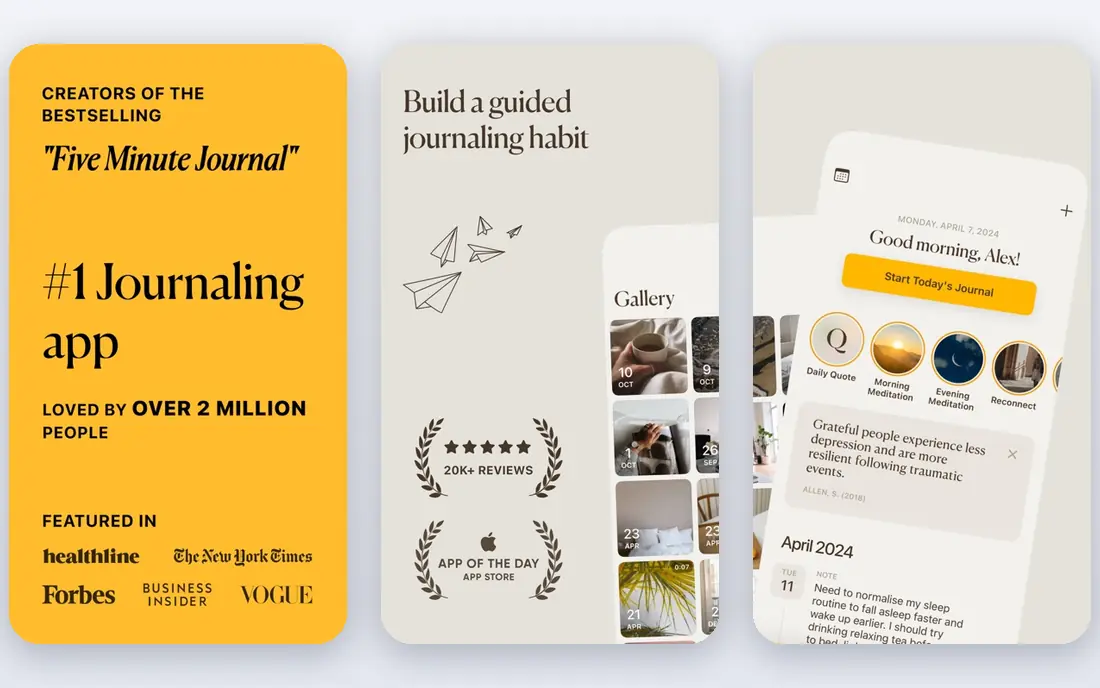
The Five Minute Journal app follows the well-known paper journal structure, with morning prompts for gratitude and intentions and evening prompts for highlights and lessons. That short, fixed format takes about five minutes a day, which makes it easy to keep as a habit. The clean design keeps the focus on writing, not on features.
The app is thinner than Day One for photos and long entries, and the physical journal is a separate product. Still, for a short, proven daily practice, the Five Minute Journal app is our pick.
- Morning and evening prompts
- Proven five-minute structure
- Clean design
- App features are thinner than Day One
- Physical journal is a separate product
Gratitude
Ideal for: Guided gratitude
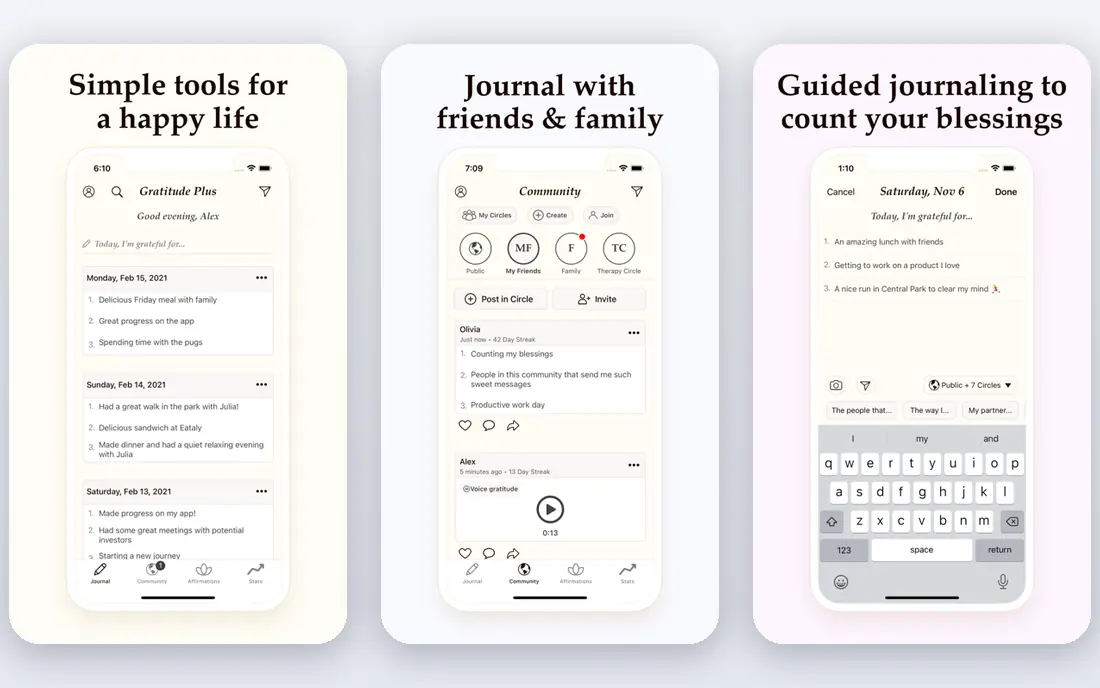
The Gratitude app combines daily prompts with affirmations, vision boards, and mood tracking, giving users more than a blank list. Prompts vary each day, which helps avoid repeating the same three items, and vision boards link gratitude to longer-term goals. Mood tracking shows whether practice lines up with better days.
Some features need a paid plan, and the design can feel busy next to Presently's simplicity. Still, for users who want guided variety, the Gratitude app is our pick for a full-featured gratitude practice.
- Daily prompts and affirmations
- Vision boards
- Mood tracking
- Some features need a paid plan
- Design can feel busy
Presently
Ideal for: Simple gratitude lists
Presently is a simple, free gratitude app that asks you to list what you are grateful for each day, with reminders to keep the habit going. There is no account needed for basic use, and the design stays out of the way. That simplicity suits users who want a quick daily list without prompts, boards, or social features.
There are no photo, mood, or long journal features, so users who want more will need another app. Still, for a free, no-fuss gratitude habit, Presently is our pick.
- Simple and free
- Daily reminders
- No account needed for basic use
- No photo or mood features
- Very basic design
365 Gratitude
Ideal for: Daily gratitude community
365 Gratitude pairs daily prompts with a community where users can share gratitude and support each other. Streaks and challenges help keep the habit going, especially in the first month when a new routine is fragile. Prompts cover different life areas, from health to work to relationships, which helps you notice good things beyond the obvious.
Community activity varies, and full features need a paid plan. Still, for users who stay motivated through social support, 365 Gratitude is our pick for a community-based practice.
- Daily prompts
- Community support
- Streaks and challenges
- Community features vary
- Full features need a paid plan
Journey
Ideal for: Cross-platform journal
Journey is a cross-platform journal that works on phone, web, and desktop, with photos, location, and templates for gratitude entries. That flexibility suits users who write on different devices during the day. Sync keeps entries available everywhere, and templates help structure gratitude practice.
Gratitude templates are less central here than in a dedicated gratitude app, so you may need to set up your own prompts. Full features also need a paid plan. Still, for journaling across devices, Journey is our pick.
- Works on phone, web, and desktop
- Photos and location
- Templates
- Full features need a paid plan
- Gratitude templates are less central
Reflectly
Ideal for: Mood and AI prompts
Reflectly uses AI-guided prompts to help you reflect on your day, linking mood tracking with journaling in a clean, modern design. Prompts adapt to your mood and entries, which can surface topics you might not choose yourself. That guided approach suits users who find blank pages hard to start.
AI prompts can feel generic at times, and full features need a paid plan. Still, for mood-linked journaling with guidance, Reflectly is our pick for a modern, friendly design.
- AI-guided journaling prompts
- Mood tracking
- Clean, modern design
- AI prompts may feel generic
- Full features need a paid plan
Happyfeed
Ideal for: Photo gratitude journal
Happyfeed turns gratitude into a photo habit, asking you to capture one happy moment each day with a photo and a short note. That visual record builds into a feed of good days that is pleasant to look back on, especially during a hard week. Daily reminders keep the habit going, and the design stays simple and joyful.
It is a smaller app with fewer features than Day One or Journey, and there are no long-form journal tools. Still, for a photo-based gratitude habit, Happyfeed is our pick for a light, visual practice.
- Photo-based gratitude entries
- Daily reminders
- Simple, joyful design
- Smaller app with fewer features
- No long-form journal tools
How we picked these
We compared official feature pages, pricing pages, and app listings for gratitude journal apps live in October 2026. We favored apps with a clear daily gratitude practice, whether short prompts, full journaling, or photo entries, and a usable free tier. We left out generic note apps with no gratitude prompts or structure.
What to check before you choose
Start with how much time you want to spend. Five minutes suits the Five Minute Journal, Presently, or Happyfeed, while longer reflection suits Day One, Journey, or Reflectly. A practice that fits your day will last longer than an ambitious one you skip.
Next, check privacy. Journal entries are personal, so confirm passcode, encryption, and export options before writing sensitive entries. Day One and Journey offer stronger privacy and export tools than simpler apps.
Finally, keep prompts varied. Repeating the same three gratitudes each day dulls the practice, so use an app with rotating prompts or a community, such as Gratitude or 365 Gratitude, if you find yourself repeating entries.
Before you commit to one option, spend a short trial period with your top two choices from this list. Use each one for a real task from your own work or daily routine, not just a demo, and note where you get stuck, what feels slow, and which features you actually open twice. Check the official pricing page again at that point, since free plans and paid tiers change, and confirm that the plan you need covers the users, projects, or devices you will use. Read the privacy and support pages too, especially for tools that hold personal or work data, and confirm how to export your work if you later switch. A tool that fits your routine in a two-week trial is a far better choice than a more powerful option you avoid opening, so let daily use, not a feature list alone, decide your final pick for best gratitude journal app.
Frequently asked questions
What is the best gratitude journal app overall?
Day One is our pick for full journaling, while the Five Minute Journal is our pick for a short daily practice. Presently suits a free, simple list, and Happyfeed suits a photo-based habit. Pick by time and style, not by feature count alone.
Is there a free gratitude journal app?
Yes, Presently is free, and Day One, Five Minute Journal, Gratitude, 365 Gratitude, Journey, Reflectly, and Happyfeed all have free tiers. Paid plans mainly add templates, sync, and extra prompts. Start free and pay only if you use the extra features.
How long should a gratitude journal entry take?
Five minutes is enough for a short practice, with three gratitudes and one reflection. Longer journaling can take fifteen minutes or more, but consistency matters more than length. A short daily entry beats a long weekly one for building a habit.
Does gratitude journaling actually help?
Research links regular gratitude practice with better mood and life satisfaction for many people, though results vary. The practice works best when entries are specific and varied, rather than repeated generic items. It is a well-being habit, not a treatment for serious mental health issues.
Can I use a gratitude app with photos?
Yes, Day One, Journey, and Happyfeed all support photo entries, with Happyfeed built around one photo a day. Photo entries make it easier to look back on good moments and keep the practice visual and enjoyable.
How do I pick between the free and paid plans in this list?
Start with the free plan or trial for any best gratitude journal app option that offers one, and use it for at least two weeks on real tasks. Upgrade only when you hit a clear limit, such as a missing feature, a user cap, or a storage limit, rather than paying on day one for features you may never use. Compare the paid tier against the next option in this list as well, since a different tool's free plan may already cover what the first tool charges for.