Best House Apps in 2026: 8 Options Compared

- Zillow and Redfin lead for searching homes for sale in the US.
- Realtor.com suits buyers who want listings close to MLS data.
- Homes.com and Trulia add neighborhood and school context.
- Check listing freshness, since some apps show sold or pending homes longer.
Quick comparison
| Product | Ideal for | Price from | Free version | |
|---|---|---|---|---|
 Zillow | Widest home search and tools | Free | Yes | Visit |
 Redfin | Listings plus agent services | Free | Yes | Visit |
 Realtor.com | Listings close to MLS data | Free | Yes | Visit |
 Trulia | Neighborhood focused home search | Free | Yes | Visit |
 Homes.com | Neighborhood and school context | Free | Yes | Visit |
 Apartments.com | Rentals including houses for rent | Free | Yes | Visit |
 Compass | Agent led search with market data | Free | Yes | Visit |
 Rocket Homes | Search linked to Rocket Mortgage | Free | Yes | Visit |
The best best house apps
House apps help you search listings, estimate values, and plan a move. The apps below cover buying, renting, and researching neighborhoods, with different strengths in listing data and tools.
Zillow
Ideal for: Widest home search and tools
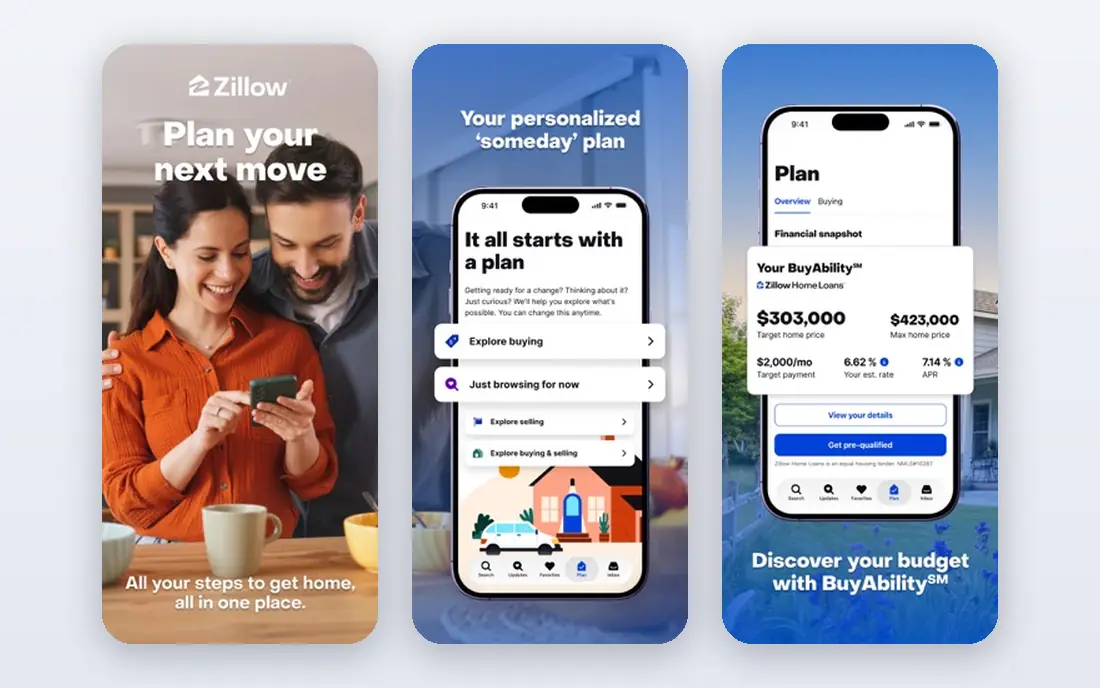
Zillow offers the widest home search in the US, with buy and rent listings, Zestimate values, and tools for payments and affordability. Its filters and alerts help buyers track markets closely. The app is polished and fast.
Some listings stay visible after they go pending, and agent contacts include paid leads. For the widest search, Zillow is our pick.
- Large listing coverage
- Zestimate values
- Rent and buy search
- Some listings update slowly
- Agent leads are paid ads
Redfin
Ideal for: Listings plus agent services
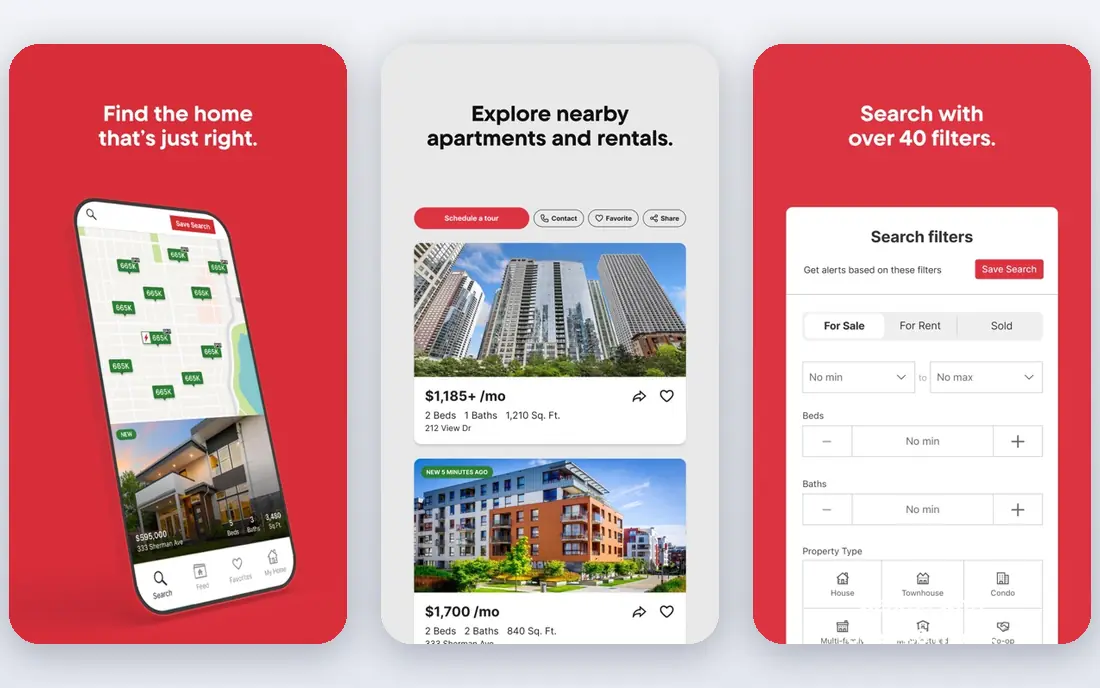
Redfin pairs listings with its own agents, tour scheduling, and data tools. Its listings update quickly in covered markets, and its site shows sale history clearly. Buyers who want an agent plus search in one place will like it.
Agent coverage varies by market, and estimates are still models. For listings plus agents, Redfin is a strong choice.
- Fresh listings
- Redfin agents
- Tour scheduling
- Agent coverage varies by market
- Estimate accuracy varies
Realtor.com
Ideal for: Listings close to MLS data
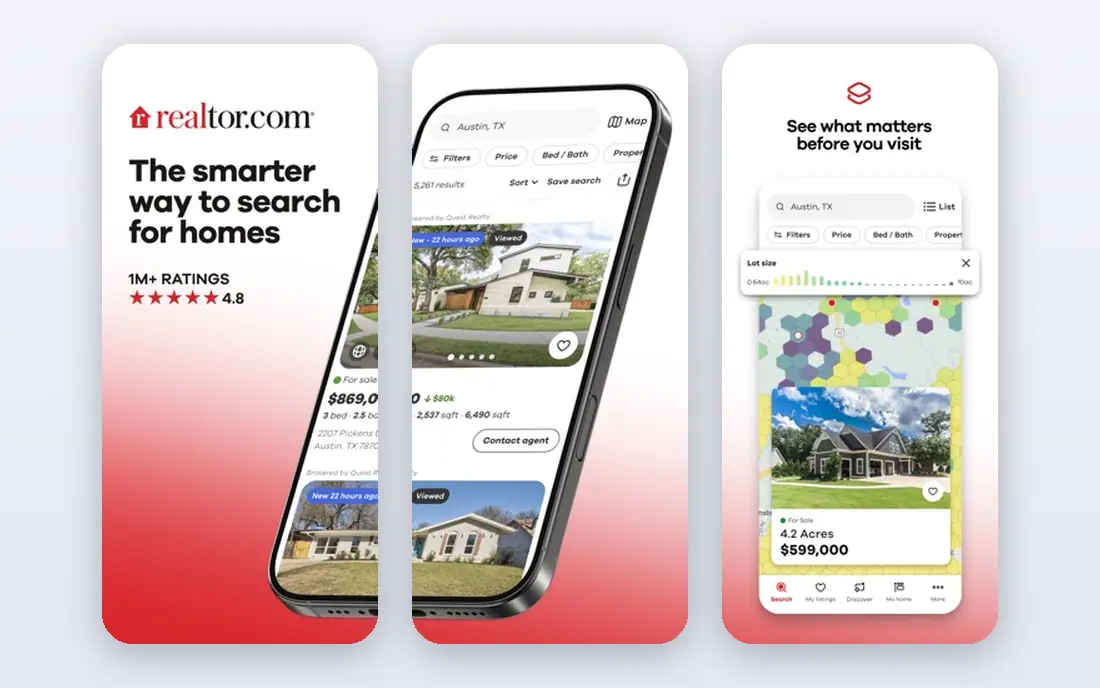
Realtor.com draws listings close to MLS data, which helps freshness and accuracy in many markets. Neighborhood data, school info, and price history support research. It suits buyers who want reliable listing data.
Some tools need signup, and agent contacts include promoted leads. For MLS close listings, Realtor.com is a solid pick.
- MLS linked listings
- Fresh updates
- Neighborhood data
- Some tools need signup
- Agent leads are promoted
Trulia
Ideal for: Neighborhood focused home search
Trulia, part of Zillow Group, emphasizes neighborhood insights including crime, schools, and commute data alongside listings. It suits buyers who weigh location heavily. The search experience is friendly.
Listing freshness varies, and its data overlaps Zillow. For neighborhood research, Trulia is useful.
- Neighborhood insights
- Crime and school data
- Zillow network listings
- Listing freshness varies
- Owned by Zillow Group
Homes.com
Ideal for: Neighborhood and school context
Homes.com focuses on neighborhood guides, school data, and clean listing pages. It suits buyers researching areas as much as homes. The interface stays uncluttered.
Coverage is smaller than Zillow, and agent contacts include promoted leads. For area research, Homes.com is a good companion app.
- Neighborhood guides
- School data
- Clean listing pages
- Coverage is smaller than Zillow
- Agent leads are promoted
Apartments.com
Ideal for: Rentals including houses for rent
Apartments.com covers rentals well, including houses for rent, with filters for beds, price, and pet policy. Some listings offer 3D tours. Renters will find a large catalog.
Buy listings are limited, and some rental listings are dated. For renting a house, it is a strong choice.
- Large rental listings
- House filters
- 3D tours on some listings
- Buy listings are limited
- Some listings are dated
Compass
Ideal for: Agent led search with market data
Compass pairs listings with its agent network and market insights, plus collections for saving and sharing homes. It suits buyers who want an agent relationship from the start. The design is polished.
It leans agent led, so pure DIY searchers may prefer Zillow. Coverage varies by market. For agent led search, Compass is a good option.
- Agent network
- Market insights
- Collections for saved homes
- Agent focus means less DIY depth
- Coverage varies
Rocket Homes
Ideal for: Search linked to Rocket Mortgage
Rocket Homes links home search to Rocket Mortgage, with affordability tools that show monthly costs. It suits buyers who need financing guidance alongside search. The integration simplifies pre approval steps.
The mortgage focus may not suit cash buyers, and coverage varies. For financed buyers, Rocket Homes is convenient.
- Mortgage links
- Affordability tools
- Listing search
- Mortgage focus may not suit cash buyers
- Coverage varies
How we picked these
We compared official feature pages and app store listings for each app, checking listing coverage, search filters, alerts, and estimate tools. We favored apps that state their data sources and update listings promptly. We did not claim hands-on testing; our comparison rests on published features and public reviews.
We also checked whether each option is still offered and supported, and we left out products with unclear pricing, broken pages, or a poor fit for the topic. Where a price or free tier could not be confirmed from the vendor site, we wrote See website rather than guessing. Readers should still check the vendor page before buying, since prices and plans change.
How to search for a house with apps
Set alerts early and refine often. Good alerts tell you about new listings in your price range before they get many views. Refine filters for beds, baths, and commute as you learn what matters. Too broad an alert becomes noise, while too narrow an alert misses good homes.
Use estimates as a starting point only. Automated home values can be off, especially for unique homes or fast moving markets. Compare recent sales of similar homes and ask an agent for a comparative market analysis before making an offer.
Research neighborhoods beyond the listing. School data, crime statistics, commute times, and flood risk all affect a home value and daily life. Use the neighborhood tools in these apps, then visit at different times of day before deciding.
Talk to an agent before you tour seriously. Apps help you find homes, but agents arrange tours, explain contracts, and negotiate. Interview two or three agents, and check their recent sales in your target area.
Before you pay, confirm the total cost for the first year, including any add ons, renewal prices, and fees that only appear at checkout. A low starting price can hide a higher renewal rate, and a free tier can limit the feature you need most. Write down the features you will use weekly, and pay only for those.
After you choose, give the option a fair trial with your real workload, not just a quick tour. Set a reminder to review it after two to four weeks, and note what worked, what annoyed you, and what you never used. That review tells you whether to keep, upgrade, or switch before a renewal locks you in.
If the option disappoints, switch sooner rather than later. Export your data first, check whether you can keep your account history or settings, and confirm any cancellation terms. A good provider makes leaving straightforward, and a difficult exit is itself useful information about the service.
Talk to people who already use the option before you commit, especially for a business purchase. A short conversation with a current user reveals support quality, setup effort, and daily friction that marketing pages omit. Ask what surprised them after the first month, since early impressions often differ from longer use.
Keep a simple record of why you chose the option, including the price you were quoted and the features that mattered. That note makes renewal talks easier and helps a colleague or future you understand the decision. If the price rises or a key feature changes, the note shows whether the original reasons still hold.
Finally, plan the first week of use before you pay. List the setup steps, the data you need to move, and the people who need access. A clear first week plan turns a promising choice into a working routine, and it exposes missing features while you can still change your mind.
Save the vendor support page and the cancellation instructions in the same place as your receipt. When something goes wrong, you will want support details at hand rather than searching for them under pressure. A tidy record saves time and keeps a small problem from becoming a long one.
Keep notes on the first month of use, including any issues and how support handled them. Those notes give you clear evidence if you need a refund, an upgrade, or a switch, and they help you advise a friend or colleague who asks about the same choice later.
Frequently asked questions
What is the best house app?
Zillow is our pick for the widest search and tools, while Redfin suits buyers who want agent services plus listings. Realtor.com is strong for listings close to MLS data. Your market and whether you buy or rent decide the winner.
Which app has the most accurate home values?
No estimate is exact. Zillow Zestimates, Redfin Estimates, and Realtor.com values all use models that can miss unique features or recent changes. Use them as a guide, then compare recent similar sales and ask an agent for an analysis.
Are house apps free?
Yes, searching and alerts are free on the major apps. Revenue comes from agent advertising and services. Be aware that some agent contacts are paid leads, so research agents before choosing one.
Can I buy a house through an app?
You can search, tour, and start offers through some apps, especially Redfin, but buying still involves contracts, inspections, financing, and closing steps that need professionals. Use the app to find and track, and professionals to close.
What is the best app for renting a house?
Zillow Rental Manager, Apartments.com, and Realtor.com rentals all cover house rentals well. Filter by house type, check landlord reviews where available, and tour in person before signing a lease.
How often should I review my choice?
Review it at least once a year, and sooner if your needs, budget, or team size change. Prices, features, and policies shift over time, and a better fit may appear. A short yearly check, comparing your current option with two alternatives, keeps you from paying for features you no longer use.