6 Strong HR Software for Healthcare Organizations in 2026

- Top of the list is Deputy, which targets budget shift scheduling with published prices.
- None of the 6 tools, from Deputy to QGenda, has a free plan, so budget for a subscription or use a trial.
- Expect to ask for a quote from HealthStream, OnShift and QGenda; the other tools show a starting price.
- For provider scheduling at health-system scale, QGenda is worth a look.
- What to know about symplr first: starting price is a floor and modules add cost.
Direct answer
For budget shift scheduling with published prices, Deputy is where this list starts. Alternatives: symplr for all-in-one healthcare workforce product, and UKG Ready for full HR suite with payroll and scheduling. Prices, free plans and limits for all 6 tools follow.
Quick comparison
| Product | Ideal for | Price from | Free version | |
|---|---|---|---|---|
 Deputy | Budget shift scheduling with published prices | 5 dollars per user a month | No | Visit |
 symplr | All-in-one healthcare workforce product | 6,500 dollars a year | No | Visit |
 UKG Ready | Full HR suite with payroll and scheduling | 21 dollars per employee a month | No | Visit |
 HealthStream | Learning, competency, and credentialing | Quote | No | Visit |
 OnShift | Senior care and post-acute workforce management | Quote | No | Visit |
 QGenda | Provider scheduling at health-system scale | Quote | No | Visit |
The best HR software for healthcare organizations
Ainotely put together this guide to HR software for healthcare organizations for readers who want a clear shortlist without reading every vendor page. It compares 6 tools on starting price, free plans, who each one suits and where each one falls short.
Deputy
Ideal for: Budget shift scheduling with published prices
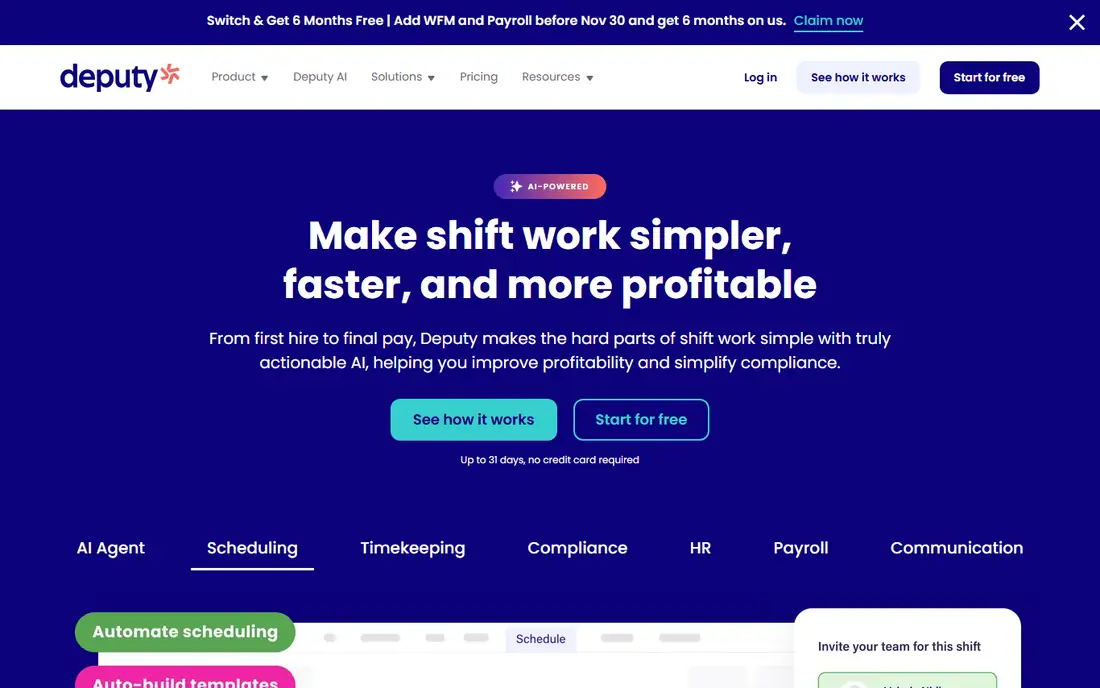
Deputy works best for budget shift scheduling with published prices. Deputy is the budget pick and the only tool here with completely published per-user pricing. As for the details, Lite costs 5 dollars per user a month, Core costs 6.50 dollars, and Pro costs 9 dollars, on annual billing, with a 30 dollar monthly minimum spend on monthly plans.
What to check first: analytics are premium add-ons; HR, messaging.
Core layers on auto-scheduling, demand forecasting, and wage budgets, which is the level most healthcare teams need. For everyday use, the limits are real: Deputy does not process payroll natively and exports timesheets instead. The HR, messaging, and analytics extras cost 2 dollars, 1.95 dollars, and 1.50 dollars per user. Deputy pricing: 5 dollars per user per month. Deputy has no permanent free option.
- Cheapest published prices here
- Auto-scheduling and demand forecasting from Core
- 30 dollar monthly minimum spend
symplr
Ideal for: All-in-one healthcare workforce product
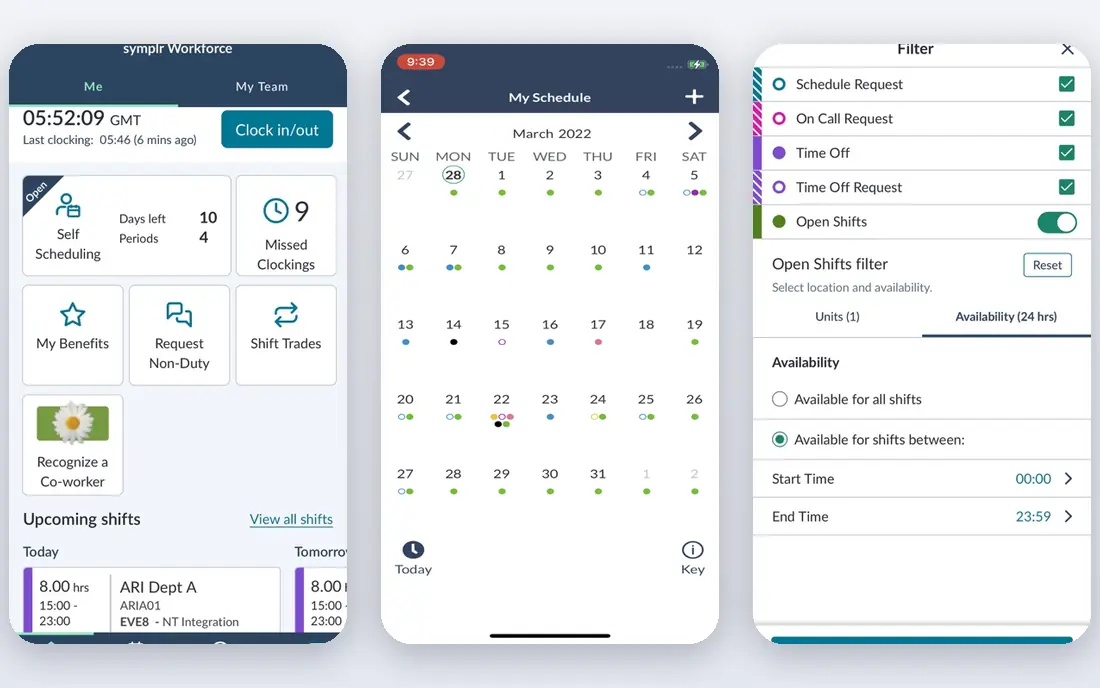
For all-in-one healthcare workforce product, symplr is a natural candidate. symplr takes the broadest view in this guide: scheduling, timekeeping, clinical communication, credentialing, contract management, and vendor access in one centralized system.
symplr cost at the entry level: 6,500 dollars per year. symplr has no free plan.
Where it is weaker: Starting price is a floor and modules add cost.
- Vendor management in one system
- Clinical communication, credentialing
- Enterprise-shaped implementation
UKG Ready
Ideal for: Full HR suite with payroll and scheduling

Choose UKG Ready for full HR suite with payroll and scheduling. Buy UKG Ready when you want one HR system for the entire employee lifecycle.
Limits to weigh: No free trial; Implementation fees run 40 to 70 percent of first-year software fees.
The starting price for UKG Ready: 21 dollars per employee per month. UKG Ready does not include a free plan.
- Full employee lifecycle in one system
- Deep payroll with shift differentials
- No published vendor pricing
HealthStream
Ideal for: Learning, competency, and credentialing
HealthStream was built for learning, competency, and credentialing. HealthStream is the learning and workforce development system most US hospitals already know. It earns its place here since competency and credentialing are HR jobs in healthcare, not side tasks.
Limits to weigh: Learning and credentialing focus means scheduling is a separate product.
Its hStream system includes mandatory training, clinical competency assessment, resuscitation programs, and continuing education, whereas CredentialStream runs provider credentialing, privileging, and enrollment with license and expiry tracking. That combination matters when a hospital has to prove every clinician on a unit is current before a shift starts. Pricing is quote-based with no published rates, and the sale is enterprise-shaped. Pricing for HealthStream is quote based, so budget talks start with the vendor. No free plan comes with HealthStream.
- Deepest healthcare learning and competency library
- CredentialStream tracks licenses and privileging
- Quote-only pricing with no published rates
OnShift
Ideal for: Senior care and post-acute workforce management
Think of OnShift for senior care and post-acute workforce management. OnShift is a human capital management system designed for the senior care industry, now a brand under ShiftKey. It is the pick for post-acute and long-term care facilities.
Limits to weigh: Quote-only pricing with no published rates.
It spans recruiting, scheduling, and employee engagement across the full staff lifecycle, which matters in a sector where turnover is high and every open shift risks a coverage gap. For everyday use, the focus is the tradeoff: OnShift is tailored for senior care workforce management, so a hospital looking for physician scheduling should look at QGenda instead. On top of that, the scheduling tools handle mobile scheduling, shift swapping, and workforce optimization that cut unnecessary expense whereas keeping staffing levels consistent. Pricing for OnShift is quote based, so budget talks start with the vendor. OnShift has no permanent free option.
- Capable in post-acute care
- Engagement across the staff lifecycle
- Enterprise-shaped sale
QGenda
Ideal for: Provider scheduling at health-system scale
Think of QGenda for provider scheduling at health-system scale. The system handles scheduling plus credentialing, time tracking, capacity, and residency management, though modules are sold separately. More specifically, buy QGenda when you run a health system with complicated provider rules, and budget for the quote to reflect your provider count and module list.
Strengths: Credentialing, time.
QGenda is the standard for provider scheduling in large healthcare organizations, and it is the pick when the schedule itself is the problem. Its automatic scheduler works around vacations, rotations, skills, and full-time-equivalent rules to build an optimized schedule quick, across more than 30 specialties. QGenda does not publish a starting price; ask for a quote. There is no free plan with QGenda.
Where it falls short: No published pricing.
- Rules-based automatic scheduling across 30-plus specialties
- Serves more than 3,000 healthcare customers
- Implementation is a multi-month project
Where the options differ
Healthcare HR software has to solve problems general HR tools never see. From a buyer's view, clinicians need credentialing and license tracking with expiry dates, since an expired license means a provider cannot work a shift. For everyday use, provider scheduling runs on rules: vacations, rotations, call coverage, full-time-equivalent targets, and specialty requirements that a generic rota tool cannot express.
The 2026 NSI retention report puts the national RN turnover rate at 17.6 percent and the average cost of losing one bedside RN at 60,090 dollars. That is why the tools here are judged on credentialing, provider scheduling, and labor cost control, not on generic HR features. The other split is audience.
Choosing HR software for healthcare organizations: what matters
Check five things before you sign. In practice, first, pricing unit: confirm whether you pay per employee, per provider, or per user, since a 500 dollar per-provider price is a different budget from a 21 dollar per-employee price. For everyday use, second, credentialing: confirm the tool tracks licenses, certifications, and expiry dates, and whether credentialing is included or a separate module.
Also, third, implementation: ask how long rollout takes and what services cost, since fees can reach 40 to 70 percent of first-year software fees. From a buyer's view, fifth, fit: confirm the tool is made for your setting, hospital, senior care, or clinic, since a physician scheduler and a care-home scheduler solve different problems.
What to expect to pay for HR software for healthcare organizations
On Deputy Core the bill is 200 times 6.50 dollars, which is 1,300 dollars per month or 15,600 dollars per year. In practice, on UKG Ready at its 21 dollar starting point the bill is 4,200 dollars per month or 50,400 dollars per year, and analyst estimates put usual UKG Ready bundles at 25 to 33 dollars per employee a month, which is 60,000 to 79,200 dollars per year. symplr starts at 6,500 dollars per year, though modules and headcount move the real price above that starting point. More specifically, the comparison is not apples to apples.
Beyond that, UKG Ready prices per employee for a full HR suite with payroll and benefits.
How we chose
Ainotely looked at what each vendor publishes: pricing, plan limits, feature coverage for HR software for healthcare organizations and stated drawbacks. No hands-on testing is claimed. Figures are shown as the vendors publish them. Billing terms, seat minimums and add-ons can change the real cost. Order on the page follows fit for the typical buyer first, then price transparency and free access. Your own requirements should decide the final pick.
Before you commit
- Get a written quote from HealthStream, OnShift and QGenda; the list shows no starting price for them.
- Before choosing Deputy, weigh its main limit: no native payroll.
- Compare total cost, not headline price: for symplr, add extra seats, add-ons and any usage-based charges.
- A short pilot of OnShift with your real workflow tells you more than a feature table.
- Ask UKG Ready whether prices are locked for the first term and what happens at renewal.
Frequently asked questions
How are the tools for HR software for healthcare organizations ordered?
The order follows typical fit for HR software for healthcare organizations, with Deputy first and QGenda last, then price clarity and free access. It is editorial judgement, not a score, so another team could rank the tools differently.
Does any tool for HR software for healthcare organizations here have a free plan?
A permanent free plan is not offered by Deputy, QGenda or the other tools here. Plan a short evaluation period instead.
Can I try these tools before paying?
Not by default. None of the tools, from Deputy to QGenda, lists a free plan or a free trial here, so ask each vendor for a demo before committing.
Is Deputy the right pick for everyone comparing HR software for healthcare organizations?
No single tool suits every team. Deputy comes first because it fits budget shift scheduling with published prices, while symplr suits all-in-one healthcare workforce platform and UKG Ready suits full HR suite with payroll and scheduling. Match the tool to your own size, budget and workflow before deciding.