Best hurricane app in 2026: 8 Options Compared

- 1
 MyRadardetailed radar mapsVisit
- 2
 RadarScopeserious storm watchersVisit
- 3
 Windywind and storm forecastsVisit
- 4
 The Weather Channeleveryday storm alertsVisit
- 5
 AccuWeatherhourly storm guidanceVisit
- Our pick for most people is MyRadar, because it covers detailed radar maps with a clear feature set and a free option to try first.
- 6 of the 8 options on this list offer a free plan, so you can test the core features before you pay for anything.
- Prices and free tier limits change often, so check the official pricing page linked for each product before you buy or sign up.
- The best choice depends on your main use case, not on the longest feature list, so start with the best for note in the comparison table.
Quick comparison
| Product | Ideal for | Price from | Free version | |
|---|---|---|---|---|
| MyRadar | detailed radar maps | Free | Yes | Visit |
| RadarScope | serious storm watchers | See website | No | Visit |
| Windy | wind and storm forecasts | Free | Yes | Visit |
| The Weather Channel | everyday storm alerts | Free | Yes | Visit |
| AccuWeather | hourly storm guidance | Free | Yes | Visit |
 Storm Shield | voice storm alerts | See website | No | Visit |
 National Hurricane Center | official hurricane tracking and forecasts | Free | Yes | Visit |
 Zoom Earth | live storm imagery | Free | Yes | Visit |
The best hurricane apps
Choosing among hurricane apps is easier when you compare what each option actually does, what it costs, and where it falls short. We reviewed official feature pages, pricing pages, app store listings, privacy policies, and public reviews for the options below, and we did not claim hands-on testing that did not happen. The result is a shortlist that mixes well known names with smaller options that serve a specific need well. Our pick for most people is MyRadar. It fits detailed radar maps, and it gives new users a clear way to start without a confusing setup. The other seven options each suit a different priority, from lower cost to a narrower focus, so read the best for line for each one and match it to the job you need done.
MyRadar
Ideal for: detailed radar maps
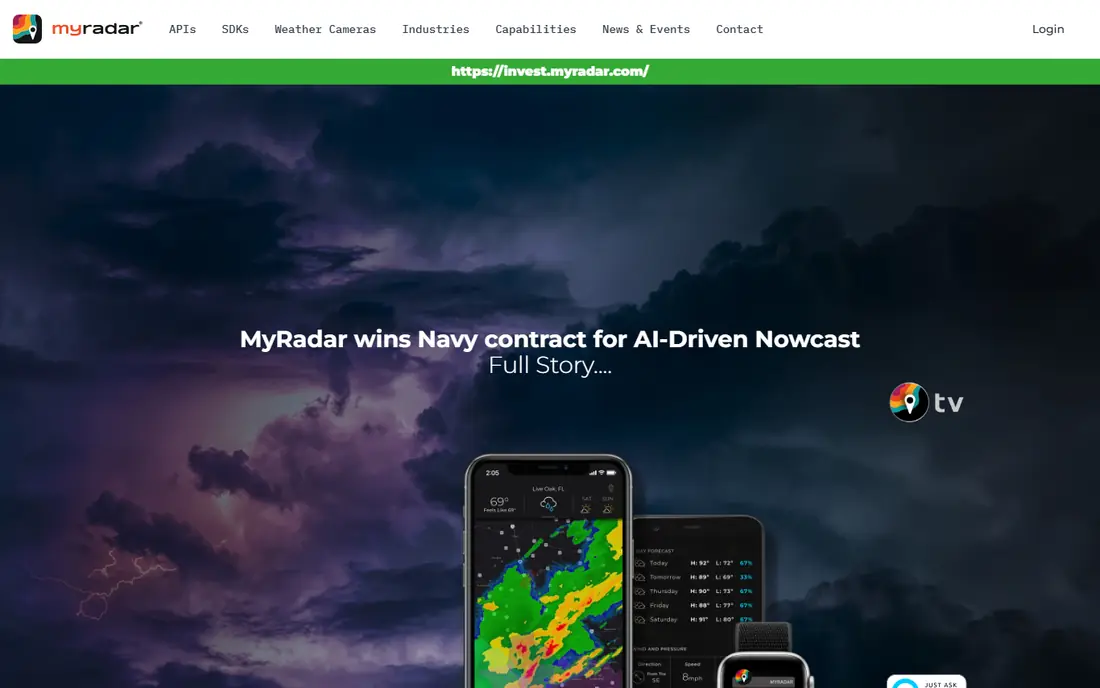
MyRadar stands out for detailed radar maps. In our review of its official feature pages, pricing, and app store listing, clear radar layers came across as the main draw, while fast map loading adds practical value for everyday use. Readers who want detailed radar maps will find a clear starting point here, and the setup is straightforward enough for most people to try without a long learning period. The honest catch is some advanced features need a paid upgrade, and some advanced features need a paid upgrade may also matter depending on how you use it. That does not rule MyRadar out. It simply means you should check the current plan page and the free tier limits before you commit, and compare it with one or two others on this list if price or a specific feature is your top priority.
- Clear radar layers
- Fast map loading
- Storm tracking tools
- Some advanced features need a paid upgrade
RadarScope
Ideal for: serious storm watchers
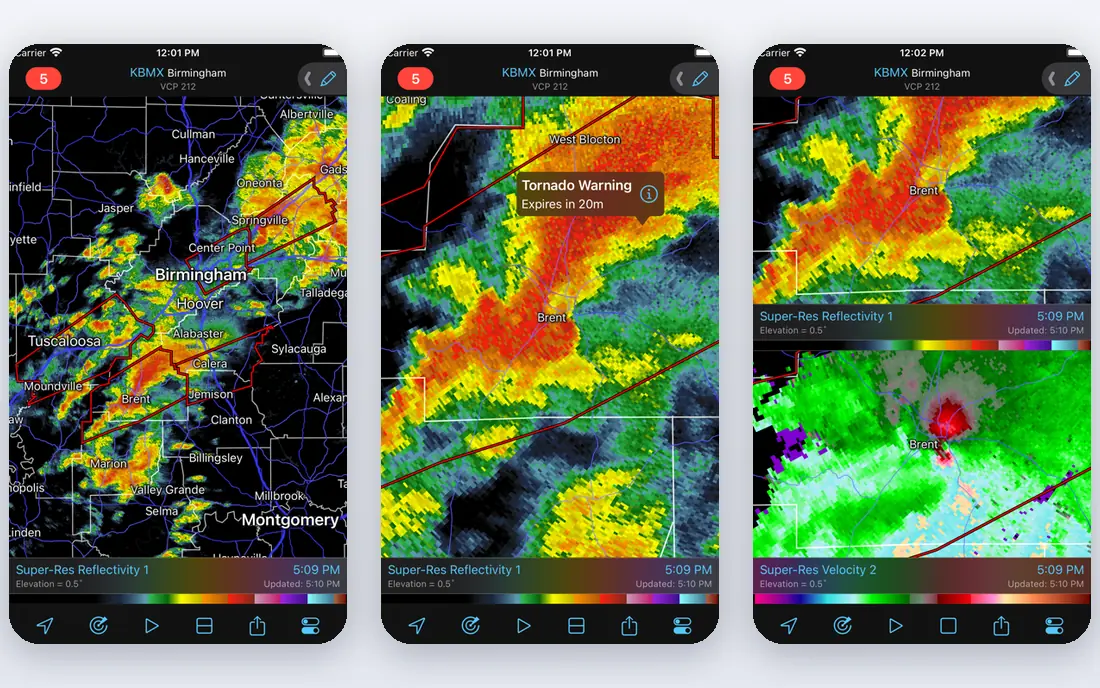
For readers focused on serious storm watchers, RadarScope deserves a close look. Its official pages point to high resolution radar data as a central strength, and storm cell details helps explain why it keeps appearing in this category. It is not the right fit for every reader, but for the use case in its best for line, it covers the basics well and leaves room to grow. No product on this list is perfect, and RadarScope is no exception. learning curve for new users is the main drawback we noted, with paid app as a second point to check. If neither point blocks your main use case, the strengths above still make it worth trying, starting with the free tier or trial where one is offered.
- High resolution radar data
- Storm cell details
- Trusted by weather watchers
- Learning curve for new users
- Paid app
Windy
Ideal for: wind and storm forecasts
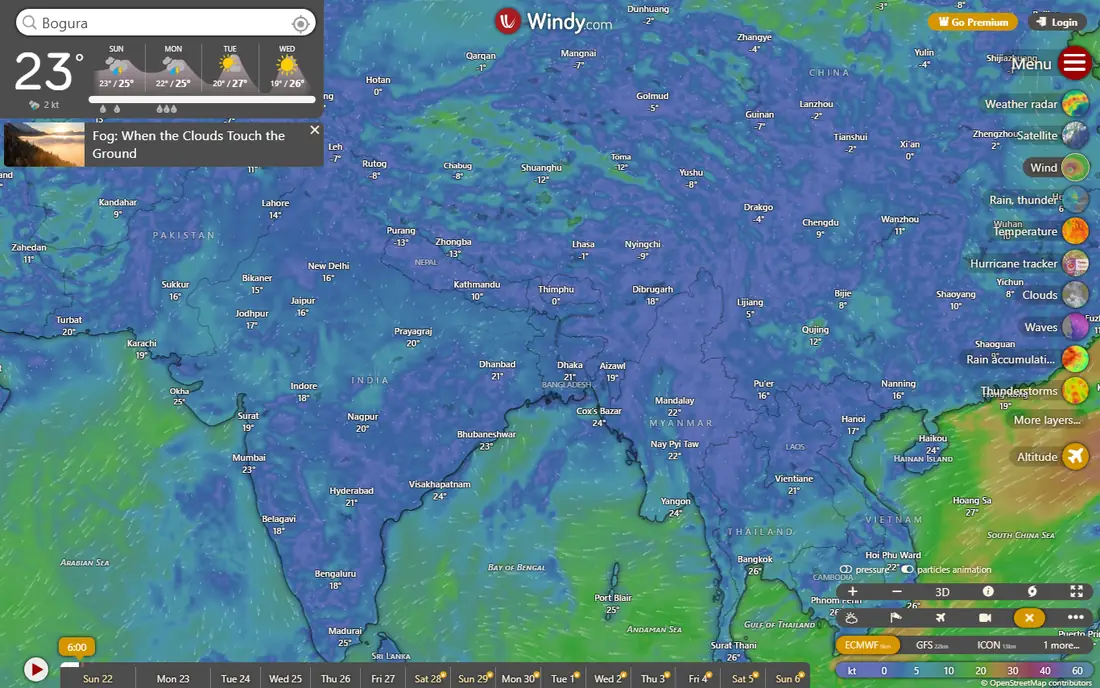
We included Windy because it fits wind and storm forecasts in a direct way. The standout detail from its official material is detailed wind maps, supported by multiple forecast models. That combination makes it a practical choice for readers who want a tool that does its main job well, without asking them to learn a large set of extra features first. Before you choose Windy, weigh interface can feel busy at first against what you actually need. some layers need care to read is worth a second look too, especially if you plan to use the product daily. Readers who accept those limits will likely be happy, while readers who need the missing piece should look at the next options on this list.
- Detailed wind maps
- Multiple forecast models
- Global coverage
- Interface can feel busy at first
- Some layers need care to read
The Weather Channel
Ideal for: everyday storm alerts
The Weather Channel is a useful option for everyday storm alerts, and its official feature pages make the case clearly. local alerts is the first thing most readers will notice, and hurricane tracking maps adds depth once you start using it regularly. It belongs on a shortlist for this topic, even if the final choice depends on price and personal preference. The trade off with The Weather Channel is clear: strong value for everyday storm alerts, balanced by ads in the free version. some features need a subscription adds a further limit to check. Our advice is to test the free version or the trial first, read the current pricing page, and only upgrade once you know the product fits your routine.
- Local alerts
- Hurricane tracking maps
- Video updates
- Ads in the free version
- Some features need a subscription
AccuWeather
Ideal for: hourly storm guidance
AccuWeather stands out for hourly storm guidance. In our review of its official feature pages, pricing, and app store listing, minute by minute precipitation outlook came across as the main draw, while severe weather alerts adds practical value for everyday use. Readers who want hourly storm guidance will find a clear starting point here, and the setup is straightforward enough for most people to try without a long learning period. The honest catch is premium features sit behind a subscription, and alert settings need review may also matter depending on how you use it. That does not rule AccuWeather out. It simply means you should check the current plan page and the free tier limits before you commit, and compare it with one or two others on this list if price or a specific feature is your top priority.
- Minute by minute precipitation outlook
- Severe weather alerts
- Local forecasts
- Premium features sit behind a subscription
- Alert settings need review
Storm Shield
Ideal for: voice storm alerts
For readers focused on voice storm alerts, Storm Shield deserves a close look. Its official pages point to spoken severe weather warnings as a central strength, and location based alerts helps explain why it keeps appearing in this category. It is not the right fit for every reader, but for the use case in its best for line, it covers the basics well and leaves room to grow. No product on this list is perfect, and Storm Shield is no exception. paid app is the main drawback we noted, with limited to alerting rather than full forecasting as a second point to check. If neither point blocks your main use case, the strengths above still make it worth trying, starting with the free tier or trial where one is offered.
- Spoken severe weather warnings
- Location based alerts
- Works in the background
- Paid app
- Limited to alerting rather than full forecasting
National Hurricane Center
Ideal for: official hurricane tracking and forecasts
We included National Hurricane Center because it fits official hurricane tracking and forecasts in a direct way. The standout detail from its official material is official storm forecasts, supported by forecast cones. That combination makes it a practical choice for readers who want a tool that does its main job well, without asking them to learn a large set of extra features first. Before you choose National Hurricane Center, weigh no app store app, website focused against what you actually need. information is official and technical is worth a second look too, especially if you plan to use the product daily. Readers who accept those limits will likely be happy, while readers who need the missing piece should look at the next options on this list.
- Official storm forecasts
- Forecast cones
- Public advisories
- No app store app, website focused
- Information is official and technical
Zoom Earth
Ideal for: live storm imagery
Zoom Earth is a useful option for live storm imagery, and its official feature pages make the case clearly. near real time satellite imagery is the first thing most readers will notice, and rain radar adds depth once you start using it regularly. It belongs on a shortlist for this topic, even if the final choice depends on price and personal preference. The trade off with Zoom Earth is clear: strong value for live storm imagery, balanced by forecast detail is lighter than dedicated weather apps. needs a steady connection adds a further limit to check. Our advice is to test the free version or the trial first, read the current pricing page, and only upgrade once you know the product fits your routine.
- Near real time satellite imagery
- Rain radar
- Fire and storm overlays
- Forecast detail is lighter than dedicated weather apps
- Needs a steady connection
How we picked these
We started with products that exist and work in October 2026 and that truly fit the topic, then we compared their official feature pages, pricing pages, app store listings, privacy policies, and public reviews. We favoured options with clear pricing, a usable free tier or trial where one is offered, and a clear statement of who the product is for. We left out products that did not fit the topic, even when they were popular in a nearby category. We also weighed honest drawbacks, because a list that only praises products is not useful. Where a price could not be verified from the vendor site or app store listing, we wrote See website rather than guessing. Readers should still check the linked official site before buying, since plans, limits, and availability change over time.
What to check before you choose
Start with your main job
The fastest way to narrow this list is to name the one job you need done most often. For hurricane apps, that job might be daily use, occasional use, or a single project. Match that job to the best for line in the table, then shortlist two or three options. A product with a longer feature list is not automatically better if its core job does not match yours, and a simpler product can be the better buy when it does the main task well.
Price, free tier, and limits
Check three price details before you pay: the starting price, what the free plan actually includes, and what happens when you hit a limit. Some free plans are generous for light use and tight for heavy use, while some paid plans only make sense when you use the product every week. Look for per user pricing, per month billing, and any add on fees, and compare the total cost for a full year rather than the first month alone.
Fit, support, and privacy
Fit covers device support, ease of use, and how well the product works with tools you already use. Support matters when something goes wrong, so check whether help is by email, chat, or phone, and whether guides are clear. Privacy matters too, so read the privacy policy for data collection, sharing, and deletion options, especially for products that handle personal, financial, or health information.
Mistakes to avoid
A common mistake is paying for the top plan before testing the free tier, which can lock you into features you never use. Another mistake is trusting a single review or a single price claim without checking the official site. Take a short trial, test the feature you care about most, check cancellation terms, and only then commit. If a product promises results that sound too good to be true, treat that promise with care and look for independent evidence.
Frequently asked questions
What is the best best hurricane app?
For most people, MyRadar is a strong starting point because it fits detailed radar maps and offers a way to try it before paying. The right answer still depends on your budget, your device, and how often you plan to use it, so compare the best for notes in the table before you decide.
Is there a free best hurricane app?
Yes, 6 of the options on this list offer a free plan, though free tiers usually limit features, storage, or usage. Check the free plan line for each product and the official pricing page to see whether the free tier covers your main use case.
How much does a best hurricane app cost?
Costs vary widely across this list, from free plans to quote based business pricing. Where we could not verify a current price from the vendor site, we wrote See website, and we recommend comparing the yearly total, not just the monthly headline price.
Which best hurricane app is best for beginners?
Beginners should start with an option that has a clear interface and a free tier, and MyRadar is a good first test for that reason. Try the free version for a week, test the feature you need most, and only upgrade if the limits start to get in your way.
How did you choose these hurricane apps?
We compared official feature pages, pricing pages, app store listings, privacy policies, and public reviews, and we favoured products that truly fit the topic with clear pricing. We did not claim hands-on testing that did not happen, and we noted honest drawbacks for each product.