Best Identity Theft Restoration Services in 2026: 8 Services Compared

- 1
 AuraAll-in-one identity protectionVisit
- 2
 LifeLockNorton-backed restorationVisit
- 3
 Identity GuardIBM-powered monitoringVisit
- 4
 IdentityForceDeep monitoring and restorationVisit
- 5
 Experian IdentityWorksCredit bureau-backed protectionVisit
- Our pick for most people is Aura, because it covers all-in-one identity protection with the fewest trade-offs in this group.
- There is no strong free tier across this whole group, so check the trial terms on the official site before you commit to a paid plan.
- LifeLock is the best second look when Aura does not fit, since it serves norton-backed restoration rather than the same audience.
- Prices and plan limits change often, so confirm the current terms on each vendor site and read the fine print on limits, renewals and cancellation.
Quick comparison
| Product | Ideal for | Price from | Free version | |
|---|---|---|---|---|
| Aura | All-in-one identity protection | See website | Free trial | Visit |
| LifeLock | Norton-backed restoration | See website | No | Visit |
| Identity Guard | IBM-powered monitoring | See website | No | Visit |
| IdentityForce | Deep monitoring and restoration | See website | Free trial | Visit |
| Experian IdentityWorks | Credit bureau-backed protection | See website | No | Visit |
 IDShield | Restoration with legal help | See website | No | Visit |
 McAfee | Security suite with identity tools | See website | Free trial | Visit |
 Zander | Restoration-focused value plan | See website | No | Visit |
The best identity theft restoration services
Choosing among options for best identity theft restoration services comes down to fit, not fame. We compared official feature pages, pricing pages, app store listings, privacy policies and public reviews for each option below, and we weighed what you actually get on the entry plan against what stays behind a paywall. Aura leads this list because it handles all-in-one identity protection well for the widest range of readers, but the right choice depends on your budget, your team size and how much hand-holding you want. Read the shortlist with your own situation in mind. A cheaper tool that you actually use beats a powerful one that sits untouched, and a plan that looks cheap on the monthly line can cost more once add-ons and limits are counted. Take notes as you read, and shortlist two or three options to test before you decide. A note on privacy and security: identity services hold sensitive personal data, so verify how each provider stores, shares and deletes your information before signing up. Use strong unique passwords, turn on two-factor authentication, and never share full credentials, Social Security numbers or banking logins with a service unless the task clearly requires it and the channel is verified.
Aura
Ideal for: All-in-one identity protection
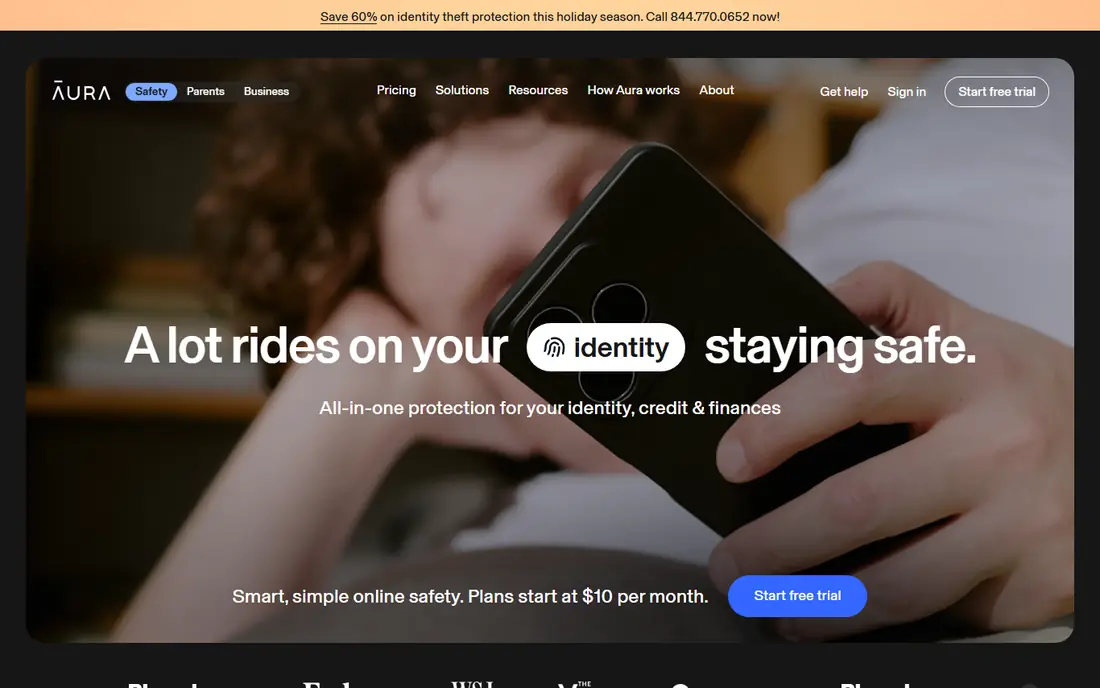
Aura bundles identity monitoring, VPN and antivirus with restoration support, so one plan covers several layers of protection. Its family plans suit households that want every member covered under one account. For readers focused on all-in-one identity protection, the appeal is monitoring, VPN and antivirus in one plan. That strength matters in daily use, because it is the part you will notice every week, not a feature you open once and forget. Compare it against the rest of the list on that one point first, then look at price, platform support and how the company handles your data. The honest weakness is full features need higher tiers. pricing rises after intro periods Try it on a real task before you pay, and check whether the entry plan covers the feature you actually need.
- Monitoring, VPN and antivirus in one plan
- Restoration support
- Family plans
- Full features need higher tiers
- Pricing rises after intro periods
LifeLock
Ideal for: Norton-backed restoration
LifeLock, part of Norton, is the best-known identity restoration brand, with dedicated specialists and a protection package for covered losses. Its long history means restoration processes are well practiced for common fraud types. For readers focused on norton-backed restoration, the appeal is long-running restoration service. That strength matters in daily use, because it is the part you will notice every week, not a feature you open once and forget. Compare it against the rest of the list on that one point first, then look at price, platform support and how the company handles your data. Watch out for pricing is tiered. some features need top plans If you can live with that limit, the rest of the package is easy to recommend for its audience.
- Long-running restoration service
- Million-dollar protection package
- Norton security bundle
- Pricing is tiered
- Some features need top plans
Identity Guard
Ideal for: IBM-powered monitoring
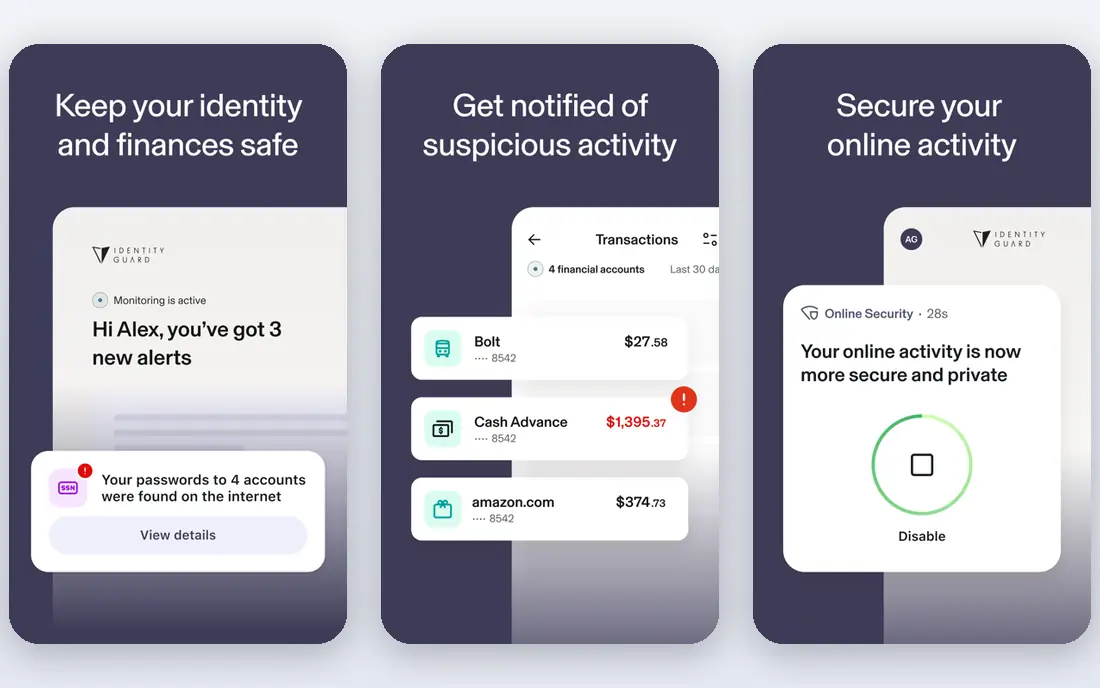
Identity Guard uses IBM technology for monitoring, with alerts and restoration help when identity misuse is found. Its alerts explain what changed and what to do, which helps during a stressful fraud event. For readers focused on ibm-powered monitoring, the appeal is iBM Watson-based monitoring. That strength matters in daily use, because it is the part you will notice every week, not a feature you open once and forget. Compare it against the rest of the list on that one point first, then look at price, platform support and how the company handles your data. The catch is interface is simpler than rivals. some features need higher tiers If that trade-off is acceptable for how you work, this is a solid choice, and a short trial will tell you more than any review can.
- IBM Watson-based monitoring
- Restoration help
- Clear alerts
- Interface is simpler than rivals
- Some features need higher tiers
IdentityForce
Ideal for: Deep monitoring and restoration
IdentityForce monitors a wide range of sources, including court records and social media, with restoration specialists for victims. Its depth suits people who want the widest net for early warning. For readers focused on deep monitoring and restoration, the appeal is thorough monitoring including court and social. That strength matters in daily use, because it is the part you will notice every week, not a feature you open once and forget. Compare it against the rest of the list on that one point first, then look at price, platform support and how the company handles your data. The honest weakness is pricing is mid to high. app experience varies Try it on a real task before you pay, and check whether the entry plan covers the feature you actually need.
- Thorough monitoring including court and social
- Restoration specialists
- Family plans
- Pricing is mid to high
- App experience varies
Experian IdentityWorks
Ideal for: Credit bureau-backed protection
Experian IdentityWorks comes from a credit bureau, so its credit monitoring and locks are direct and fast. Its restoration support helps victims work through credit freezes, disputes and fraud alerts. For readers focused on credit bureau-backed protection, the appeal is direct Experian credit monitoring. That strength matters in daily use, because it is the part you will notice every week, not a feature you open once and forget. Compare it against the rest of the list on that one point first, then look at price, platform support and how the company handles your data. Watch out for best for credit-focused users. non-credit monitoring is thinner If you can live with that limit, the rest of the package is easy to recommend for its audience.
- Direct Experian credit monitoring
- Restoration support
- Credit locks
- Best for credit-focused users
- Non-credit monitoring is thinner
IDShield
Ideal for: Restoration with legal help
IDShield pairs identity restoration with access to legal consultation, which helps when fraud creates legal paperwork. Its family plans cover households that want one provider for everyone. For readers focused on restoration with legal help, the appeal is restoration plus legal consultation. That strength matters in daily use, because it is the part you will notice every week, not a feature you open once and forget. Compare it against the rest of the list on that one point first, then look at price, platform support and how the company handles your data. The catch is legal help has limits. pricing is per member If that trade-off is acceptable for how you work, this is a solid choice, and a short trial will tell you more than any review can.
- Restoration plus legal consultation
- Monitoring
- Family plans
- Legal help has limits
- Pricing is per member
McAfee
Ideal for: Security suite with identity tools
McAfee bundles identity monitoring and restoration with its security suite, covering devices and identity in one subscription. Its breadth suits households that want antivirus and identity help from one vendor. For readers focused on security suite with identity tools, the appeal is antivirus plus identity monitoring. That strength matters in daily use, because it is the part you will notice every week, not a feature you open once and forget. Compare it against the rest of the list on that one point first, then look at price, platform support and how the company handles your data. The honest weakness is identity features vary by plan. suite can feel heavy Try it on a real task before you pay, and check whether the entry plan covers the feature you actually need.
- Antivirus plus identity monitoring
- Restoration support
- Device coverage
- Identity features vary by plan
- Suite can feel heavy
Zander
Ideal for: Restoration-focused value plan
Zander focuses on restoration at a low price, with specialists who handle the calls and paperwork after identity theft. Its value suits people who mainly want expert help if theft happens, rather than full monitoring. For readers focused on restoration-focused value plan, the appeal is low-cost restoration focus. That strength matters in daily use, because it is the part you will notice every week, not a feature you open once and forget. Compare it against the rest of the list on that one point first, then look at price, platform support and how the company handles your data. Watch out for monitoring is lighter than rivals. no security suite extras If you can live with that limit, the rest of the package is easy to recommend for its audience.
- Low-cost restoration focus
- Specialist help
- Simple plans
- Monitoring is lighter than rivals
- No security suite extras
How we picked these
We started from the topic itself and kept only products that exist and work today and truly fit it. For each one we checked the official homepage, the pricing page and the free tier, and we read app store listings, privacy policies and public reviews where they were relevant. Products with a homepage we could not verify were left out, and prices we could not verify are shown as See website rather than guessed. We favored a mix of well-known leaders and strong smaller options, and we weighed entry price, free tier, platform coverage and honest weaknesses. No product here paid for its place, and we did not claim hands-on testing we did not do. What follows is a comparison of published facts, so you can check any claim on the vendor site before you buy.
Choosing identity theft restoration help
Start by deciding whether you need monitoring, restoration or both, and check what each plan actually covers, including stolen funds protection limits. Read the terms for restoration scope, since some plans exclude certain fraud types. Next, check alert quality, support hours and whether a real specialist handles your case. Compare two finalists on restoration process detail and on total cost after any intro pricing ends.
Frequently asked questions
What is identity theft restoration?
Restoration is the process of reversing fraud after identity theft, including disputing accounts, clearing records and restoring credit. Services assign specialists to handle calls and paperwork for victims.
What is the difference between monitoring and restoration?
Monitoring watches for signs of misuse and alerts you early, while restoration fixes the damage after theft occurs. The best services offer both, since early alerts reduce restoration work.
Do these services prevent identity theft?
No service can prevent all identity theft, despite marketing claims, but monitoring and credit freezes reduce risk and speed detection. A credit freeze at each bureau is free and highly effective.
How long does restoration take?
Simple cases resolve in weeks, while complex cases with many accounts can take months. A restoration specialist speeds the process by handling disputes and follow-ups.
Should I freeze my credit?
Yes, freezing credit at Equifax, Experian and TransUnion is free and blocks most new-account fraud. Unfreeze temporarily when you apply for credit, then refreeze.