Agfa Apogee leads the list, best for Prepress workflow with imposition. Alternatives: OneVision Speedflow for PDF automation across print workflows, and Kodak Prinergy for integrated commercial print workflow. The full list of 5 tools follows, with prices and free plan facts.
Ainotely put together this guide to imposition software for digital printing for readers who want a clear shortlist without reading every vendor page. It compares 5 tools on starting price, free plans, who each one suits and where each one falls short.
Key takeaways
Agfa Apogee is the opening pick, best for Prepress workflow with imposition.
Agfa Apogee, Quite Imposing Plus and the 3 others all sell by quote; expect sales conversations before you see a price.
Quite Imposing Plus suits Acrobat-based PDF imposition.
A permanent free plan is missing from all 5 tools, Agfa Apogee and Quite Imposing Plus included; plan for a trial or a premium start.
Agfa Apogee is a good fit for Prepress workflow with imposition. Agfa Apogee is a prepress and production workflow platform within Agfa's digital printing portfolio.
Watch-outs: Needs workflow planning to deploy.
It takes care of job preparation tasks including imposition as part of a managed workflow, which fits commercial printers that want imposition tied to automation and output control. On top of that, small shops with basic imposition needs may prefer a more straightforward Acrobat-based choice. No starting price is listed for Agfa Apogee here; confirm pricing on the vendor site. Free options: Not stated.
OneVision Speedflow is designed for PDF automation across print workflows. It fits operations handling varied incoming files.
The system handles more than imposition, so teams should map their processes before adopting it. OneVision Speedflow shows no starting price here, so confirm the cost on the vendor site. Trial and free access: Not stated.
The main drawbacks: Broader automation scope than imposition alone.
Kodak Prinergy is built with integrated commercial print workflow in mind. The product is broader and heavier than a focused imposition plug-in, so small shops with straightforward needs may find it more than required.
Points against: Bigger footprint than a straightforward imposition tool.
It fits operations running varied, repeatable jobs. Check the vendor site for Kodak Prinergy pricing; none is listed in this comparison. Free access: Not stated.
Heidelberg Prinect is aimed squarely at Press-connected production workflows. Heidelberg Prinect is a workflow family spanning prepress, press and post-press for offset and digital print operations.
On top of that, standalone digital shops needing only imposition should weigh whether a focused tool is a better match. For everyday use, Prinect is a substantial system, and its most solid benefits appear when it is connected to compatible presses and shop infrastructure. Heidelberg Prinect does not show a starting price in this comparison, so check the vendor site for current pricing. Trial and free access: Not stated.
The main drawbacks: Wide system that needs configuration.
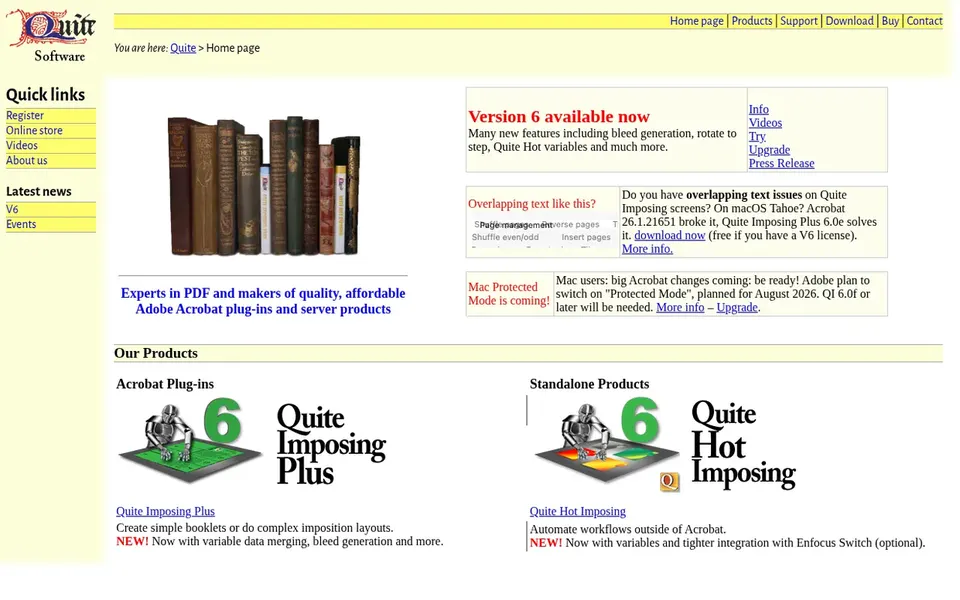
Quite Imposing Plus makes the most sense for Acrobat-based PDF imposition. Since it lives inside Acrobat, it relies on that application and is not aimed at unattended, high-volume automation across numerous jobs.
Points against: Tied to the Acrobat environment.
Shops that require automatic job intake, ganging at scale or tight integration with a production workflow should look at a dedicated imposition or automation product instead. Quite Imposing Plus is a PDF imposition plug-in that brings imposition, page arrangement and booklet tools straight inside Adobe Acrobat. Quite Imposing Plus shows no starting price here, so confirm the cost on the vendor site. Free plan details: Not stated.
Ask each vendor, from Agfa Apogee to Quite Imposing Plus, for a written quote; none of them publishes a starting price.
Read the limits listed for Agfa Apogee first: needs workflow planning to deploy.
Pick one real project and run it in Kodak Prinergy first; a small pilot shows fit faster than a checklist.
Map your must-have features to a specific Heidelberg Prinect plan before you compare prices.
Check whether Agfa Apogee bills monthly or annually, and what cancelling early costs.
How we picked
Selection started from tools commonly considered for imposition software for digital printing, then narrowed to 5 that have clear pricing information or a clear quote process. Where a price is missing, the vendor does not list one publicly or ties it to a quote. Always confirm before budgeting. The sequence is a judgement call: typical use case first, then pricing transparency, then free access. Use the profiles to check fit.
Every price and plan detail on this page comes from the vendors’ own websites. We did not run hands-on tests unless the text says so, and we do not publish star ratings or review scores. See how we score and our disclosure.
Keep your shortlist in one place
Paste prices, trial dates and notes from this guide into Ainotely, our AI note app. It files them into a topic and pulls out tasks like “cancel trial by Friday”. Free 7-day trial, no card needed.
No. None of the tools, from Agfa Apogee to Quite Imposing Plus, shows a fixed starting price here, so budget time for quotes.
How are the tools for imposition software for digital printing ordered?
The order follows typical fit for imposition software for digital printing, with Agfa Apogee first and Quite Imposing Plus last, then price clarity and free access. It is editorial judgement, not a score, so another team could rank the tools differently.
Is Agfa Apogee the right pick for everyone comparing imposition software for digital printing?
No single tool suits every team. Agfa Apogee comes first because it fits Prepress workflow with imposition, while OneVision Speedflow suits PDF automation across print workflows and Kodak Prinergy suits integrated commercial print workflow. Match the tool to your own size, budget and workflow before deciding.
Does any tool for imposition software for digital printing here have a free plan?
A permanent free plan is not offered by Agfa Apogee, Quite Imposing Plus or the other tools here. Plan a short evaluation period instead.