Inbound Call Center Software Buyer's Guide: 6 Tools for 2026

- 1
 CallRailMarketing teams tracking inbound call sourcesVisit
- 2
 Freshcaller (Freshworks)Teams already using Freshworks productsVisit
- 3
 OomaSmall firms wanting straightforward inbound handlingVisit
- 4
 GrasshopperSolopreneurs and micro companiesVisit
- 5
 CloudTalkSMBs running inbound support and salesVisit
- CallRail takes the first slot, best suited to marketing teams tracking inbound call sources.
- For teams that require inbound calling live quick, JustCall is worth a look.
- CallRail comes with a trade-off: analytics-first, not a full call center.
- Neither CallRail nor JustCall, nor any of the other 4 tools, has a permanent free plan; trials and quotes are the norm.
- Pricing across the list, from CallRail to JustCall, is by quote only.
Direct answer
CallRail leads the list, best for marketing teams tracking inbound call sources. Freshcaller (Freshworks) is the stronger choice for teams already using Freshworks products, while Ooma suits small firms wanting straightforward inbound handling. All 6 tools are compared below on price, free plan and limits.
Quick comparison
| Product | Ideal for | Price from | Free version | |
|---|---|---|---|---|
| CallRail | Marketing teams tracking inbound call sources | See website | Free trial | Visit |
| Freshcaller (Freshworks) | Teams already using Freshworks products | See website | Free trial | Visit |
| Ooma | Small firms wanting straightforward inbound handling | See website | Free trial | Visit |
| Grasshopper | Solopreneurs and micro companies | See website | Free trial | Visit |
| CloudTalk | SMBs running inbound support and sales | See website | Free trial | Visit |
 JustCall | Teams that require inbound calling live quick | See website | Free trial | Visit |
The 6 tools in detail
Choosing inbound call center software usually comes down to price, fit and limits. This Ainotely guide sets 6 tools side by side on those three points, with the facts kept short and checkable.
CallRail
Ideal for: Marketing teams tracking inbound call sources
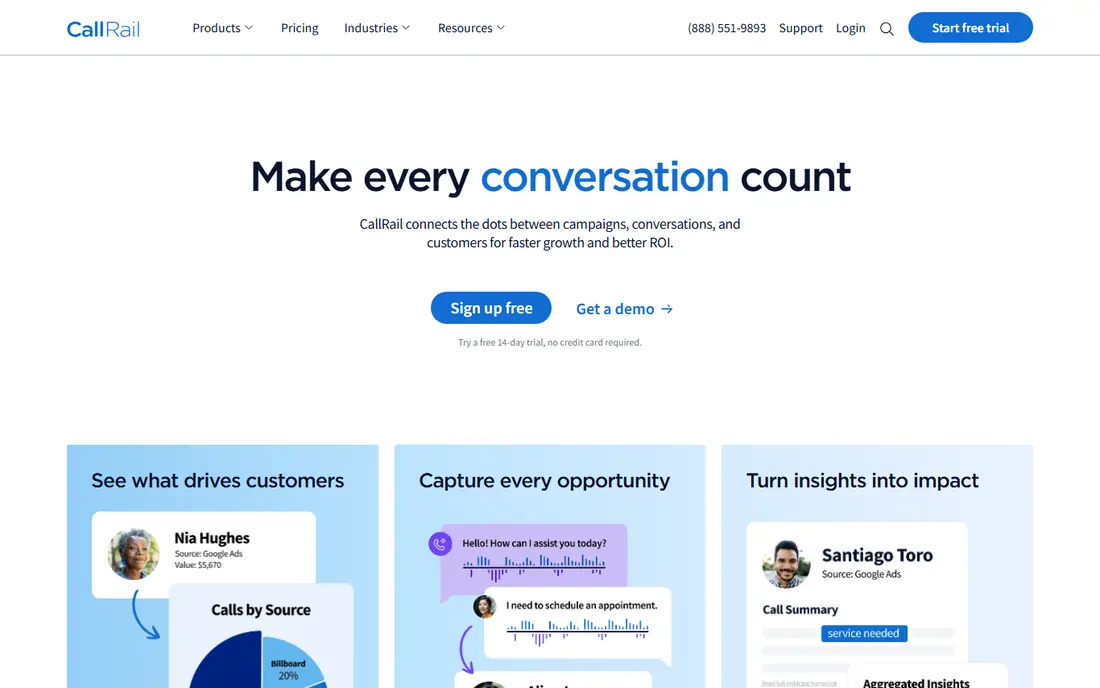
CallRail was built for marketing teams tracking inbound call sources. CallRail approaches inbound from the marketing side: which campaigns, keywords, and pages drive phone calls, and what happens on those calls. From a buyer's view, for companies where the phone is the conversion, this attribution is gold.
It is not an agent desktop or routing engine. From a buyer's view, pair it with a call center tool when you need both attribution and operations. Call recording, transcription, and AI scoring help teams understand lead quality, whereas integrations push data to CRMs and ad systems. Check the vendor site for CallRail pricing; none is listed in this comparison. As for free access: Free trial.
Downsides: Agent features entry-level; Per-minute costs add up.
- Very good call attribution
- Keyword-level tracking
- Analytics-first
Freshcaller (Freshworks)
Ideal for: Teams already using Freshworks products

In short, Freshcaller (Freshworks) is for teams already using Freshworks products. Inside a Freshworks shop, the native integration makes it the obvious pick. For everyday use, for support teams, the ticket-call integration is genuinely handy.
Where it shines: Fast setup.
For everyday use, calls, tickets, and customer records share one interface, so agents never swivel between systems. Also, pricing is low-cost and setup is fast, with local numbers, IVR, and call routing handling the essentials. Freshcaller (Freshworks) does not show a starting price in this comparison, so check the vendor site for current pricing. Free access: Free trial.
Trade-offs to know: Thinner outside Freshworks.
- A decent match for support teams
- Native Freshdesk integration
- Advanced features restricted
Ooma
Ideal for: Small firms wanting straightforward inbound handling
In short, Ooma is for small firms wanting straightforward inbound handling. For offices that require to route calls to the right person and never miss a customer, it includes the essentials.
Ooma provides small firms professional inbound handling without complexity: virtual receptionist, call routing, and voicemail in a system anyone can administer. Check the vendor site for Ooma pricing; none is listed in this comparison. Free access: Free trial.
Points against: Not for large teams. Upsides: Decent call quality.
- Very simple to use
- Affordable
- Features trail specialists
Grasshopper
Ideal for: Solopreneurs and micro companies
Grasshopper was built for Solopreneurs and micro firms. Grasshopper is the virtual phone system for the smallest companies: a business number that routes to your mobile, with greetings, extensions, and voicemail transcription.
Points against: Not a real call center.
Upsides: Budget-friendly.
It makes a one-person company sound like ten. Check the vendor site for Grasshopper pricing; none is listed in this comparison. Free plan details: Free trial.
- Very straightforward
- Fast setup
- Very restricted features
CloudTalk
Ideal for: SMBs running inbound support and sales
For SMBs running inbound support and sales, CloudTalk is a natural candidate. CloudTalk provides small and mid-size teams a proper inbound call center without telecom complexity: local and toll-free numbers in plenty of countries, skills-based routing, IVR menus, and queue callbacks. As for the details, call recording, tagging, and sentiment analysis help managers coach.
Where it is weaker: Advanced enterprise features restricted.
Best features of CloudTalk: Simple setup with decent call quality.
As for the details, CRM integrations with HubSpot, Salesforce, Pipedesk, and others pop customer records on incoming calls and log outcomes automatically. For SMB inbound teams that require to sound professional from day one, CloudTalk is a leading choice. This comparison lists no price for CloudTalk; ask the vendor. Free plan details: Free trial.
- Solid CRM integrations
- Competitive pricing
- Analytics depth trails leaders
JustCall
Ideal for: Teams that require inbound calling live quick
Choose JustCall for teams that require inbound calling live fast. JustCall gets teams taking calls within minutes: pick numbers, set up routing, invite agents, and the inbound operation is running.
Trade-offs to know: Advanced routing entry-level.
Worth adding: built-in SMS complements voice for confirmations and callbacks, which fits sales and support teams that mix channels lightly. JustCall shows no starting price here, so confirm the cost on the vendor site. Free options: Free trial.
- Decent automation workflows
- SMS built in
- Interface less refined than some rivals
More on inbound call center software
Unlike outbound dialers or full omnichannel suites, inbound-focused tools optimize for the caller experience and agent efficiency on incoming volume. The comparisons below focus on tools where inbound calling is the core strength instead of an afterthought.
How these tools were picked
Pricing pages, product documentation and feature lists were the main sources, and every entry carries at least one honest drawback. Where a price is missing, the vendor does not list one publicly or ties it to a quote. Always confirm before budgeting. The sequence is a judgement call: typical use case first, then pricing transparency, then free access. Use the profiles to check fit.
What to check before you buy
- Request quotes from CallRail, JustCall and the others; the list shows no fixed prices.
- Take the trial from CallRail, Freshcaller (Freshworks), Ooma and others and push a live task through it before you pay.
- Read the limits listed for CallRail first: analytics-first, not a full call center.
- Pick one real project and run it in CloudTalk first; a small pilot shows fit faster than a checklist.
- Add up seats, add-ons and usage charges for Grasshopper before comparing it with cheaper entries.
Frequently asked questions
Do these tools publish their prices?
No. None of the tools, from CallRail to JustCall, shows a fixed starting price here, so budget time for quotes.
How much does inbound call center software cost?
Expect roughly $20 to $60 per agent a month for SMB tools, more for enterprise products, plus per-minute charges for toll-free and international calls.
Do we need a full contact center or just inbound calling?
If over 80 percent of interactions are incoming calls, an inbound-focused tool is more straightforward and less expensive. Add omnichannel systems when chat, email, and social volumes justify the complexity.
Can I try these options before paying?
Often, yes. CallRail, Freshcaller (Freshworks), Ooma and others offer a free trial. Use your own data and a real task during the test, and check what the free tier or trial limits before you rely on it.
How are the tools for inbound call center software ordered?
CallRail sits first and JustCall last because the order follows typical fit for inbound call center software, then price clarity and free access. It is a judgement call, so read each profile for fit and limits.
How do we cut hold times without hiring more agents?
Start with callbacks: offering a callback rather than a hold queue cuts perceived wait to zero for plenty of callers. Next, fix the IVR so callers reach the right skill group on the first try; misrouted calls inflate deal with time. Finally, use queue analytics to staff accurately to actual patterns instead of averages. Most operations cut average wait substantially before adding a single head.