This list puts Rocket.Chat first for defense and government collaboration. Listed starting prices: Slack from $4.38 per user a month. For a different need, Slack covers Teams wanting secure chat with automation and Cisco Webex App covers enterprises with Cisco infrastructure. Details, prices and limits for the rest of the 6 tools are below.
This Ainotely guide covers 6 options for instant messaging for business security. Each profile lists a starting price, free plan details, strengths and drawbacks, so you can drop poor fits quickly.
Key takeaways
Number one here is Rocket.Chat, a fit for defense and government collaboration.
One limit worth knowing about Cisco Webex App: wide product surface can complicate rollout.
Free plans exist at 2 of 6 tools (Slack, Cisco Webex App).
The lowest published monthly entry price here is $4.38 per user per month, from Slack.
Rocket.Chat is built with defense and government collaboration in mind. Choose Rocket.Chat when cross-agency, governed collaboration is the priority. Its homepage notes that agencies and allies can work together without switching systems.
Security buyers in the public sector get a product shaped around governed collaboration across organizational boundaries. Its defense and government focus may be more than an usual small business needs, and deployment needs a security review to match internal policy. Check the vendor site for Rocket.Chat pricing; none is listed in this comparison. On free options: Not stated.
Points against: Specialized positioning may exceed small-team needs.
Best for: Teams wanting secure chat with automation
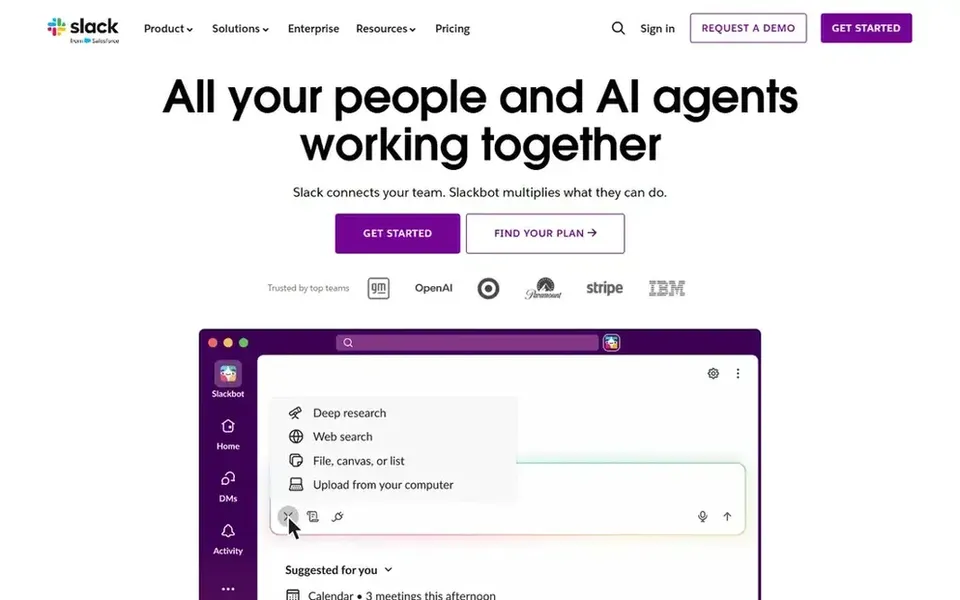
Slack serves Teams wanting secure chat with automation. Choose it when secure collaboration and automation matter more than infrastructure control. Getting the most from its security settings needs deliberate workspace governance.
Beyond that, security-minded buyers get granular workspace administration, structured channels and integrations that let teams keep sensitive conversations within defined spaces whereas automating routine work. Slack is cloud-hosted, so organizations needing on-premises or air-gapped deployment must look elsewhere. Beyond that, Slack positions itself as an AI work product for managing projects, automating workflows and connecting teams securely. Its homepage flags productivity and time savings. Starting cost for Slack: $4.38 per user per month. Slack offers a free plan.
Drawbacks to consider: Costs scale with workspace size.
Cisco Webex App works best for enterprises with Cisco infrastructure. Cisco Webex App is an AI-powered collaboration product spanning messaging, meetings, customer experience and devices. Its homepage notes adoption by leading global brands.
Limits to weigh: Value relies on Cisco ecosystem alignment.
Organizations without Cisco infrastructure may not capture its full value. As for the details, consider a more straightforward messenger if you only need secure chat instead of an integrated collaboration suite. Cisco Webex App shows no starting price here, so confirm the cost on the vendor site. Cisco Webex App includes a free tier.
Mattermost is aimed squarely at regulated and air-gapped environments. Its homepage describes zero-trust collaboration, automation and AI in private cloud, self-hosted and air-gapped environments, aimed at regulated enterprises. Organizations without dedicated IT capacity may find cloud-hosted choices simpler to run.
Limits to weigh: Less turnkey than cloud-hosted tools.
Pick Mattermost when infrastructure control and air-gapped operation are mandatory instead of optional. Self-hosting shifts operational responsibility to your team, including updates and hardening. From a buyer's view, for security teams that must control infrastructure and data residency straight, this deployment adaptability is the core draw. Mattermost shows no starting price here, so confirm the cost on the vendor site. Free options: Not stated.
Best for: Organizations standardized on Microsoft 365
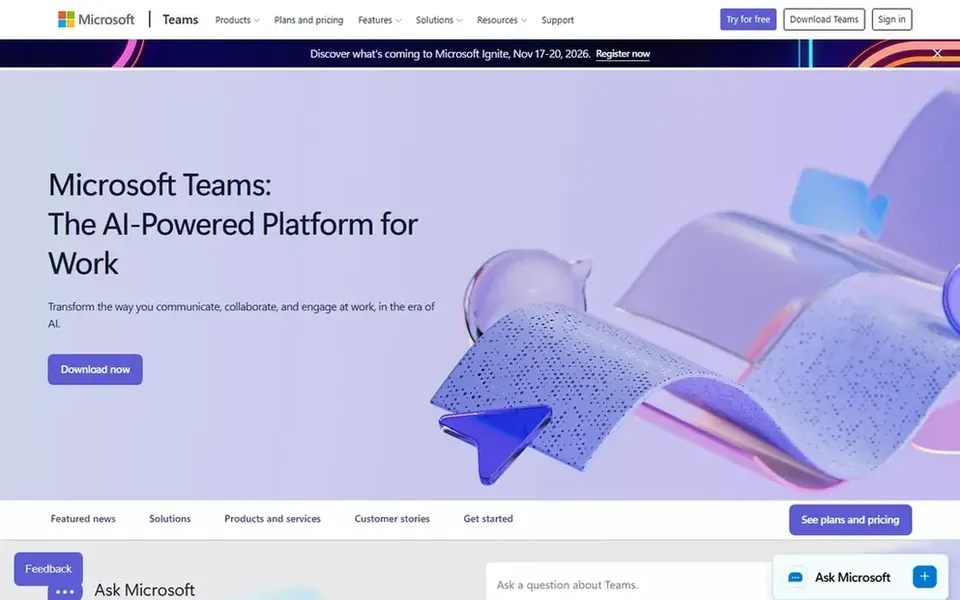
Choose Microsoft Teams for organizations standardized on Microsoft 365. Microsoft Teams is a collaboration hub that keeps chat, meetings, calling and files together in one workspace. Its homepage stresses natural connection, organization and bringing ideas to life.
Trade-offs to know: Feature depth can overwhelm new users.
The tradeoff is dependence on the Microsoft ecosystem: teams outside it may find the experience heavier than a standalone chat tool. Administration also needs planning to keep channels and external access tidy. This comparison lists no price for Microsoft Teams; ask the vendor. Free access: Not stated.
For Teams already using Zoom Workplace, Zoom Team Chat is a natural candidate. Choose it when Zoom is already central to your workflow and you prefer consolidation over a separate messaging vendor. As a messaging product, Team Chat may not match dedicated systems on advanced collaboration features.
Beyond that, Zoom Team Chat brings instant messaging into the Zoom Workplace product, letting teams link and collaborate anytime, anywhere. Its homepage stresses smooth integration with Zoom meetings. No starting price is listed for Zoom Team Chat here; confirm pricing on the vendor site. Free options: Not stated.
What to check first: Best value inside the Zoom ecosystem.
Confirm the entry price on the vendor page. For Rocket.Chat, Cisco Webex App, Mattermost and others that means a quote rather than a fixed price.
Check what the free option really includes: Slack and Cisco Webex App offer a free plan, and usage caps differ.
Before choosing Rocket.Chat, weigh its main limit: specialized positioning may exceed small-team needs.
Read the plan comparison for Mattermost carefully; key features often start on a higher tier.
Test the integrations you rely on with Slack before committing; some connectors sit on upper tiers.
How we picked
For each of the 6 tools we noted price, free plan or trial, fit for instant messaging for business security and the main limit, using vendor pages and documentation. Where a vendor does not publish a price, the entry says quote. Where a price depends on seats or billing term, the entry says so. The order reflects how well each tool fits the most common buying scenario for instant messaging for business security, then price clarity, then free plan access. It is a starting point, not a verdict.
Every price and plan detail on this page comes from the vendors’ own websites. We did not run hands-on tests unless the text says so, and we do not publish star ratings or review scores. See how we score and our disclosure.
Keep your shortlist in one place
Paste prices, trial dates and notes from this guide into Ainotely, our AI note app. It files them into a topic and pulls out tasks like “cancel trial by Friday”. Free 7-day trial, no card needed.
Is Rocket.Chat the right pick for everyone comparing instant messaging for business security?
No single tool suits every team. Rocket.Chat comes first because it fits defense and government collaboration, while Slack suits Teams wanting secure chat with automation and Cisco Webex App suits enterprises with Cisco infrastructure. Match the tool to your own size, budget and workflow before deciding.
What is the cheapest option for instant messaging for business security in this list?
On published monthly entry prices, Slack is the lowest here at $4.38 per user per month. Entry price is only part of the cost, because seats, add-ons and billing terms can change the total. All 6 picks in this instant messaging for business security comparison show their pricing, free plan details and main limits on the cards above.
Which options for instant messaging for business security have a free plan?
On this list, Slack and Cisco Webex App include a free plan. Caps on seats, usage or features are common, so test the free plan against your real workload.
How do I evaluate messaging security before buying?
Start with hosting and data residency, then review admin controls for external sharing and retention. Check identity integration and compliance documentation, and run a pilot with a small team.
How are the tools for instant messaging for business security ordered?
Rocket.Chat sits first and Zoom Team Chat last because the order follows typical fit for instant messaging for business security, then price clarity and free access. It is a judgement call, so read each profile for fit and limits.