Best Interactive Ebook Software in 2026: 8 Tools Compared

- 1
 KotobeeInteractive books and coursesVisit
- 2
 Book CreatorClassroom and author booksVisit
- 3
 FlippingBookFlipbook catalogsVisit
- 4
 PubHTML5Flipbook publishingVisit
- 5
 DesignrrFast content-to-ebook designVisit
- Kotobee and Book Creator suit educators and authors who want interactive books with quizzes and media.
- FlippingBook and PubHTML5 lead for flipbook-style catalogs and magazines.
- Designrr and Canva fit marketers who turn content into designed ebooks fast.
- Issuu and Joomag suit publishers who want hosted magazines and analytics.
- Check export formats, since interactive features may not survive every format.
Quick comparison
| Product | Ideal for | Price from | Free version | |
|---|---|---|---|---|
| Kotobee | Interactive books and courses | See website | Free trial | Visit |
| Book Creator | Classroom and author books | See website | Yes | Visit |
| FlippingBook | Flipbook catalogs | See website | Free trial | Visit |
| PubHTML5 | Flipbook publishing | See website | Yes | Visit |
| Designrr | Fast content-to-ebook design | See website | Free trial | Visit |
 Canva | Designed ebooks and guides | See website | Yes | Visit |
 Issuu | Hosted magazines and analytics | See website | Yes | Visit |
 Joomag | Publisher magazines and catalogs | See website | Free trial | Visit |
The best interactive ebook software
We compared official feature pages, pricing pages, and public reviews for eight interactive ebook tools. Interactivity can mean quizzes, video, audio, links, or flipbook navigation, and the best tool depends on whether readers use apps, browsers, or EPUB readers.
Kotobee
Ideal for: Interactive books and courses

Kotobee lets authors build interactive ebooks with video, audio, quizzes, and questions, then publish to reader apps on many platforms. Educators and training teams value the way quizzes and media sit inside the book, not as separate links. The author tool handles layout, chapters, and interactive widgets.
Advanced features take learning, and pricing varies by plan and users. For an interactive course book or training manual, Kotobee offers depth that simple PDF tools lack. Test a sample book on your target devices before committing.
- Interactive EPUB features
- Quizzes and media
- Reader apps for many platforms
- Learning curve for advanced features
- Pricing varies by plan
Book Creator
Ideal for: Classroom and author books

Book Creator gives teachers, students, and authors a simple way to make books with text, images, audio, and video. The interface suits classrooms, where learners create books without design training. Sharing and classroom libraries help teachers collect and review student work.
Advanced EPUB and print options are lighter than Kotobee, and the free plan limits book counts. For classroom and simple author books, Book Creator is friendly and fast. Check school plan limits for larger classes.
- Simple book creation
- Media and drawing tools
- Classroom features
- Advanced publishing options are limited
- Free plan limits books
FlippingBook
Ideal for: Flipbook catalogs
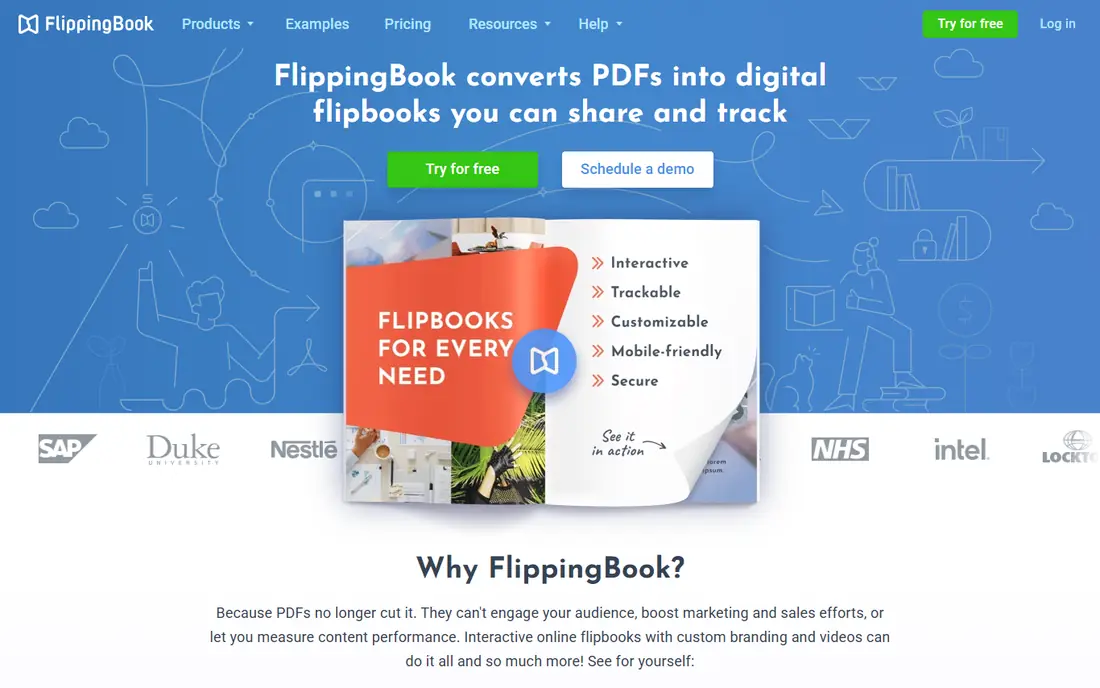
FlippingBook turns PDFs into polished flipbooks with page-turn effects, links, video embeds, and lead capture forms. Catalogs, magazines, and reports look professional in a browser, and analytics show which pages readers view. Teams value the branded viewer and sharing options.
Flipbooks are browser-based, so they suit marketing and catalogs more than EPUB reading apps. For a catalog, lookbook, or report that readers open in a browser, FlippingBook is a leading choice. Compare plans for page counts and branding.
- Polished flipbook viewer
- Links, video, and lead forms
- Analytics
- Best for browser reading
- EPUB interactivity is not the focus
PubHTML5
Ideal for: Flipbook publishing
PubHTML5 offers free flipbook publishing from PDFs, with templates, links, and media embeds. Authors and marketers can publish magazines, catalogs, and guides quickly, then share links or embed books on sites. The free plan makes it easy to test flipbook publishing.
Free books carry PubHTML5 branding, and advanced analytics and customization need paid plans. For a low-cost start in flipbook publishing, PubHTML5 is practical. Check download and branding limits before using it for client work.
- Free flipbook publishing
- Templates
- Link and media embeds
- Free plan includes branding
- Advanced features need paid plans
Designrr
Ideal for: Fast content-to-ebook design
Designrr turns blog posts, Word documents, and other content into designed ebooks quickly, with templates for lead magnets and guides. Marketers value speed: import content, pick a template, and export a polished PDF or flipbook. The tool suits teams that publish guides often.
True interactivity such as quizzes is lighter than Kotobee, since Designrr focuses on designed PDFs. For a marketing ebook or lead magnet, speed matters more than quizzes, and Designrr delivers. Test template flexibility with your brand styles.
- Fast import from blogs and docs
- Templates
- PDF and flipbook export
- Interactivity is lighter than Kotobee
- Design control varies by template
Canva
Ideal for: Designed ebooks and guides
Canva lets anyone design ebooks with templates, images, and links, without design training. Marketers and authors can build guides, workbooks, and lead magnets fast, then export as PDF or share online. Collaboration helps teams review pages together.
EPUB export and long-book features are lighter than Kotobee, so Canva suits shorter designed guides best. For a visually polished marketing ebook, Canva is hard to beat for ease and templates. Check free versus Pro asset limits.
- Huge template library
- Easy design
- Links and media embeds
- EPUB export is limited
- Long-book tools are lighter
Issuu
Ideal for: Hosted magazines and analytics
Issuu hosts magazines, catalogs, and books with a clean reader, analytics, and embed options. Publishers value discovery on the Issuu platform plus sharing on their own sites. Links and video embeds add interactivity to browser reading.
The reader is browser-based, so EPUB app features differ. Free plans carry limits and branding. For a publisher that wants hosted distribution and reader data, Issuu is a strong platform. Compare plans for downloads and branding.
- Hosted publishing and discovery
- Analytics
- Embeds and links
- Reader experience is browser-based
- Branding limits on free plan
Joomag
Ideal for: Publisher magazines and catalogs
Joomag offers interactive magazine and catalog publishing with embeds, lead forms, and CRM links. Publishers can design issues, track readers, and capture leads from the same platform. The tool suits B2B publishers and marketing teams with regular issues.
Pricing varies by plan, and advanced features take learning. For a publisher with recurring issues and lead goals, Joomag combines publishing and marketing tools well. Test the editor with a real issue before signing.
- Magazine and catalog publishing
- Interactive embeds
- CRM and lead tools
- Pricing varies by plan
- Learning curve for advanced features
How we picked these
We compared official feature pages, pricing pages, and public reviews for interactive ebook tools in October 2026. We favored tools with clear interactive features, including quizzes, media, links, or flipbook navigation, plus usable export and sharing options, and we mixed education, marketing, and publishing options. We did not claim hands-on testing, and we list prices as shown on vendor sites, using See website where pricing varies.
What to check before you buy
Start with where readers will open the book. EPUB apps support some interactivity, browsers support flipbooks and embeds, and PDFs limit quizzes and media. Then test a sample book on your target devices, since a feature that works on desktop may fail on a phone or e-reader.
Next, check export formats and ownership. Confirm you can export EPUB, PDF, or HTML as needed, and whether interactive features survive export. Check branding, analytics, and lead capture for marketing books, and classroom or licensing limits for education. Finally, test the author workflow with a real chapter, including images, video, and quizzes, before migrating a full book.
A final check before you commit
Adoption matters as much as features, so check training, help docs, and support hours before you sign. Teams with staff in several time zones need support that covers their working hours, while smaller teams may prefer a vendor with strong guides and a responsive chat channel. Ask how onboarding works, who owns setup, and what happens when a key user leaves, since knowledge gaps after rollout cause many failed deployments. Good vendors answer these questions plainly and in writing.
Check how each finalist handles growth, including more users, more data, and new locations or teams, since a tool that fits today may strain in a year. Ask about plan thresholds, performance at higher volumes, and whether upgrades require migration or just a plan change, since forced migrations disrupt work. Also ask about downgrade options, since teams shrink as well as grow, and flexible plans protect budgets in quiet periods. A tool with a smooth path up and down is easier to live with than one that locks you into a single size.
Rollout works best in stages, so plan a pilot group, a feedback round, and a wider launch, rather than switching the whole team at once. The pilot group should include sceptical users as well as enthusiasts, since sceptics find real flaws that fans overlook, and their approval later helps wider adoption. Collect feedback on speed, clarity, and missing features after two weeks, fix what can be fixed through settings or training, and only then expand. A staged rollout takes a little longer, but it avoids the all-at-once disruption that turns teams against a tool before it has a fair chance.
Also check references from firms of similar size and in a similar line of work, since a vendor that serves large enterprises well may still struggle with small-team needs, and the reverse is true as well. Ask references about onboarding time, support responsiveness, and the one feature they wish worked better, since those answers reveal patterns that no demo will show. If a vendor hesitates to provide references, or only offers very large customers, treat that as useful information about fit for your size. Two short reference calls often save weeks of trial and error, and they give your team confidence that the choice rests on real user experience rather than polished sales material alone.
Frequently asked questions
What makes an ebook interactive?
Interactivity can include quizzes, video, audio, links, pop-ups, or flipbook navigation. The right type depends on whether readers use EPUB apps, browsers, or PDF readers.
Can I export interactive ebooks as EPUB?
Yes, with tools such as Kotobee, though interactive features vary by reader app. Flipbook tools such as FlippingBook and PubHTML5 focus on browser reading instead of EPUB.
Which tool is best for classroom ebooks?
Book Creator suits classrooms with simple creation and media tools, while Kotobee suits structured courses with quizzes and tracking. Choose based on age group and course needs.
Do flipbook tools work on phones?
Yes, most flipbook readers adapt to phones and tablets, though page-turn effects suit larger screens better. Test catalogs on phones before publishing.
Can I track readers of my ebook?
Hosted tools such as FlippingBook, Issuu, and Joomag offer analytics for views, pages, and links. EPUB files read offline give far less tracking data.