7 Best Interior Design Project Management Software Options for 2026

- 1
 Houzz ProDesigners and remodelers who also want Houzz marketplace leadsVisit
- 2
 IvyDesign businesses wanting procurementVisit
- 3
 Design ManagerResidential businesses wanting project management plus designer-specific accountingVisit
- 4
 Mydoma StudioBoutique businesses and solo designersVisit
- 5
 ProgramaStudios whose work centers on FF&E schedules and procurementVisit
- The list opens with Houzz Pro, aimed at designers and remodelers who also want Houzz marketplace leads.
- Studio Designer is the one to check for established businesses needing real accounting inside the project tool.
- Houzz Pro, DesignFiles: these are the 2 tools out of 7 that offer a free plan.
- The lowest published monthly entry price here is $47-$59/user/month, from Programa.
Direct answer
Start with Houzz Pro if you need designers and remodelers who also want Houzz marketplace leads. For a different need, Ivy covers Design businesses wanting procurement, billing, and time tracking in one place and Design Manager covers residential businesses wanting project management plus designer-specific accounting. Details, prices and limits for the rest of the 7 tools are below.
Quick comparison
| Product | Ideal for | Price from | Free version | |
|---|---|---|---|---|
| Houzz Pro | Designers and remodelers who also want Houzz marketplace leads | $99/month (Design, 1 user; Pro $199/month) | Yes | Visit |
| Ivy | Design businesses wanting procurement | See website (not published) | Free trial | Visit |
| Design Manager | Residential businesses wanting project management plus designer-specific accounting | $79/user/month | Free trial (7 days) | Visit |
| Mydoma Studio | Boutique businesses and solo designers | $58/user/month (billed yearly; $64 per month) | Free trial (15 days) | Visit |
| Programa | Studios whose work centers on FF&E schedules and procurement | $47-$59/user/month (annual vs per month billing) | Free trial (7 days) | Visit |
 DesignFiles | Solo designers and small businesses | $55/month (e-Design; Full Service $75/month) | Yes | Visit |
 Studio Designer | Established businesses needing real accounting inside the project tool | $69/user/month (billed yearly; $79 per month) | No | Visit |
Interior Design Project Management Software profiles
Ainotely put together this guide to interior design project management software for readers who want a clear shortlist without reading every vendor page. It compares 7 tools on starting price, free plans, who each one suits and where each one falls short.
Houzz Pro
Ideal for: Designers and remodelers who also want Houzz marketplace leads
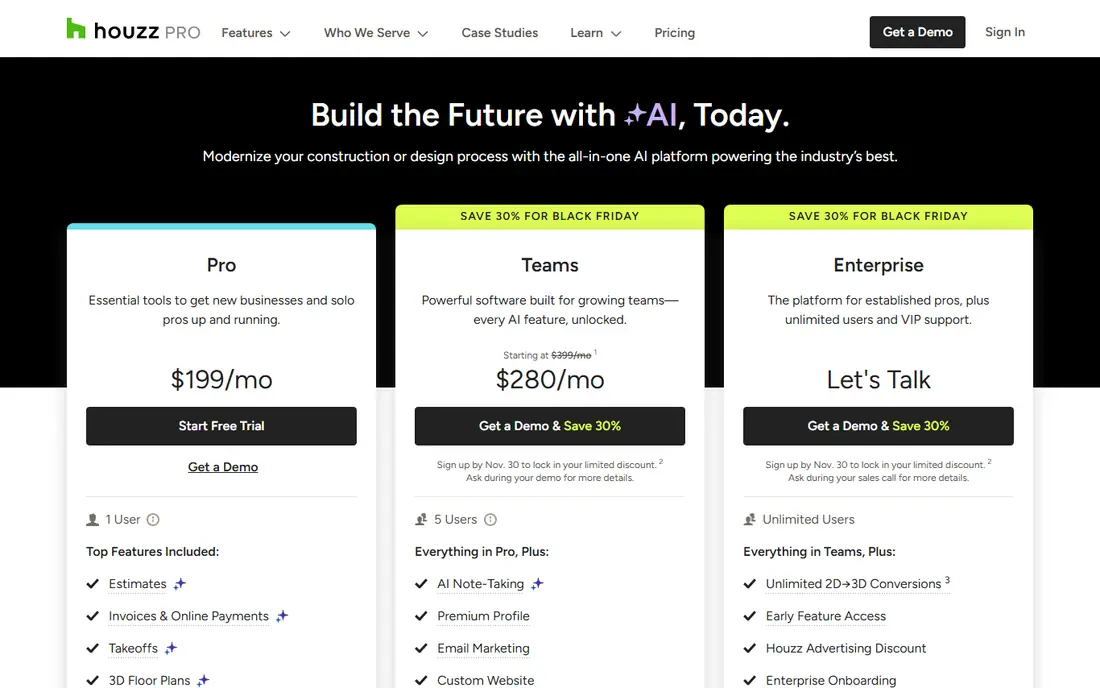
Houzz Pro was built for designers and remodelers who also want Houzz marketplace leads. Pro at $199 layers on takeoffs, bid management, change orders, budget management, and contracts. In practice, the marketplace connection cuts both ways.
Where it is weaker: Extra users cost $50 per user a month on the lower levels, which layers on up for teams.
For everyday use, if your leads already come from Houzz, running your projects on the same product is convenient. Teams plans start at $399 with unlimited users, and a free plan handles the 3D floor planner, estimates, and invoicing. More specifically, if they do not, you are paying for an ecosystem you may not use, and the extra-user fee of $50 a month per user on Design and Pro plans makes team pricing less friendly than per-seat competitors. Entry price for Houzz Pro: $99/month. Houzz Pro has a free plan.
- Published
- Budget management
- The platform is aimed at the Houzz ecosystem, so designers who avoid the marketplace pay for reach they do not use
Ivy
Ideal for: Design businesses wanting procurement
Ivy makes the most sense for Design firms wanting procurement, billing, and time tracking in one place. Ivy, now part of Houzz, is the business-management layer numerous design businesses adopted before Houzz Pro existed. Worth adding: the open question is the future.
As for the details, Ivy publishes no prices at all, which makes comparison shopping impossible without a sales call. Houzz acquired Ivy in 2018, and Houzz Pro is now the product Houzz actively develops and prices transparently. Existing Ivy users with working setups have little reason to move. Ivy shows no starting price here, so confirm the cost on the vendor site. Free plan details: Free trial.
Where it falls short: No published pricing, so costs only emerge through the sales process.
- QuickBooks Online sync keeps accounting connected
- Now backed by Houzz since its 2018 acquisition
- Product development pace is unclear, with the Houzz Pro system now being Houzz's primary software focus
Design Manager
Ideal for: Residential businesses wanting project management plus designer-specific accounting
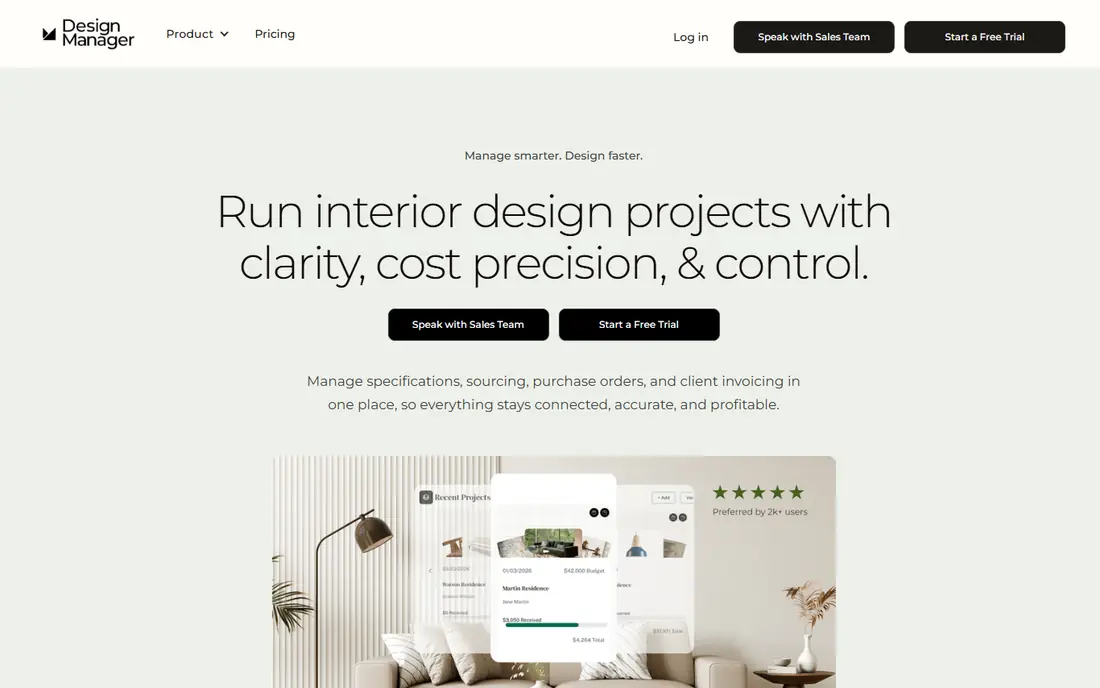
Design Manager serves residential businesses wanting project management plus designer-specific accounting. The pitch is simplicity: one price, $79 per user a month, including project management, specifications, purchasing, product clipper, accounting, online payments, time billing, and free support. Item-level margin tracking and live profitability reports keep the focus on the number that matters.
Where it is weaker: Optimized for US-based businesses, with some features not aimed at international use.
As for the details, the boundaries are geographic and modular. Worth adding: the 7-day trial opens every feature, so evaluation takes an afternoon instead of a sales cycle. Design Manager cost at the entry level: $79/user/month. On free options: Free trial (7 days).
- Project management, purchasing, accounting
- Time billing in a single per-user price with no levels
- Showroom and data collection modules cost additional on top of the subscription
Mydoma Studio
Ideal for: Boutique businesses and solo designers
Mydoma Studio targets boutique businesses and solo designers who keep their books in QuickBooks. Mydoma is that tool, and the shared parent company means a firm can move up to Studio Designer later without starting over. More specifically, the onboarding fee and the missing accounting depth are the limits to weigh.
As for the details, Mydoma Studio is the more straightforward sibling in the Studio Designer family, designed for designers who run their books in QuickBooks. From a buyer's view, where Studio Designer replaces your accounting, Mydoma complements it: you get project management, product sourcing, proposals, time tracking, and client communication, whereas the ledger stays where it is. As for the details, if your books are straightforward and your projects are not, this is the right size. The starting price for Mydoma Studio: $58/user/month. Trial and free access: Free trial (15 days).
Where it is weaker: Designers wanting built-in accounting should look at Studio Designer or Design Manager instead. Where Mydoma Studio stands out: Project management, sourcing, proposals.
- More straightforward than Studio Designer with the same parent company, so migration paths exist
- Time tracking without forcing you off QuickBooks
- A one-time onboarding fee of $450 applies on top of subscriptions
Programa
Ideal for: Studios whose work centers on FF&E schedules and procurement
Pick Programa if this describes you: studios whose work centers on FF&E schedules and procurement. The honest limitation is the seat math: a 12-person studio pays $564 to $708 per month, which puts it in Studio Designer territory without the accounting depth. The company prices around $47 per user a month billed yearly ($59 monthly), with a 7-day free trial that needs no credit card and no annual contract to start.
Limits to weigh: Per-user pricing of $47 to $59 layers on up quick for teams of ten or more.
Strengths: Specification schedules; client dashboards. Client dashboards provide clients one branded link for live specs, mood boards, comments, and date-stamped approvals, whereas invoicing and payments run inside the same system. Programa is the specification-first system: schedules, spec sheets, and procurement tracking that update in live. Programa cost at the entry level: $47-$59/user/month. Trial and free access: Free trial (7 days).
- 7-day free trial with no credit card required
- Mood boards
- Procurement and accounting depth are lighter than Studio Designer or Design Manager
DesignFiles
Ideal for: Solo designers and small businesses
Think of DesignFiles for solo designers and small businesses wanting design, sourcing, and billing in one platform. Recent pricing from the company's own blog puts the e-Design plan at $55 a month and Full Service at $75, with additional users at $30 per user a month, plus a free account level and a 90-day money-back guarantee that makes trying it low-risk.
Drawbacks to consider: Pricing is not published on a standard pricing page, so you have to read the blog or book a call for current numbers.
Best features of DesignFiles: 90-day money-back guarantee lowers the risk of switching.
The tradeoff is financial depth. Price to start with DesignFiles: $55/month. DesignFiles offers a free plan.
- 3D floor plans, proposals
- Plans scale from e-design to full service, with extra seats at a modest fee
- Reporting and accounting depth trail tools like Studio Designer and Design Manager
Studio Designer
Ideal for: Established businesses needing real accounting inside the project tool
Studio Designer was built for established firms needing real accounting inside the project tool. Studio Designer has been the default back office for established US design businesses for two decades, and it displays in the accounting depth.
This is not a project app with invoicing bolted on; it is a full accounting system with project management built around it. Worth adding: time tracking and billing, purchasing, proposals, client portals, and custom financial reports all run from one database, which means margin reporting reflects actual costs rather than guesses. What you pay to start with Studio Designer: $69/user/month. No free plan comes with Studio Designer.
Points against: The priciest per-seat choice on this list once the monthly rate and onboarding fees apply.
- Item-based project management that tracks hundreds of details per project
- Full accounting (general ledger, proposals, purchasing, time billing) aimed at how design businesses operate
- Setup and migration demand real effort
Selection criteria
Pricing pages, product documentation and feature lists were the main sources, and every entry carries at least one honest drawback. Seat minimums, billing terms and add-ons can move the real cost, so the starting prices here are a guide and not a quote. Position on the page reflects fit for a typical buyer first, with price clarity and free access breaking ties. Treat it as a guide, not a ruling.
What to confirm before you sign up
- Confirm the entry price on the vendor page. For Ivy that means a quote rather than a fixed price.
- Look at free plan limits closely: Houzz Pro and DesignFiles have one, and the caps decide whether it is usable for real work.
- Use real work to test the free trial from Ivy, Design Manager, Mydoma Studio and Programa, rather than a demo project.
- Read the limits listed for Houzz Pro first: extra users cost $50 per user a month on the lower tiers, which brings up for teams.
- List the apps you already depend on and check that Mydoma Studio supports each one on the plan you would buy.
- Run a one or two week pilot of Houzz Pro with the people who will use it every day.
Frequently asked questions
Is Houzz Pro good for interior designers?
Houzz Pro is a solid all-in-one for designers and remodelers, with transparent pricing ($99-$199/month), a free plan, and deep project, estimating, and invoicing tools. Its primary advantage is the Houzz marketplace connection for leads.
What is the cheapest option for interior design project management software in this list?
On published monthly entry prices, Programa is the lowest here at $47-$59/user/month. Entry price is only part of the cost, because seats, add-ons and billing terms can change the total.
Which options for interior design project management software have a free plan?
Houzz Pro and DesignFiles offer a free plan in this list. Free plans usually cap users, projects or features, so check the limits on the vendor page. Several others offer a trial instead.
Is Houzz Pro the right pick for everyone comparing interior design project management software?
No single tool suits every team. Houzz Pro comes first because it fits designers and remodelers who also want Houzz marketplace leads, while Ivy suits Design firms wanting procurement, billing, and time tracking in one place and Design Manager suits residential firms wanting project management plus designer-specific accounting. Match the tool to your own size, budget and workflow before deciding.
Do I need accounting inside my design software?
Businesses with staff, inventory, and real margin tracking benefit from Studio Designer, Design Manager, or Houzz Pro. Designers who are happy with QuickBooks should pick a tool that syncs with it or stays out of the ledger, like Mydoma Studio, Programa, or DesignFiles.
Do these tools publish their prices?
Not all of them. Ivy publishes no starting price, so expect a quote request for it. The rest, Houzz Pro included, show a starting price, though seats and billing terms still change the final cost.