7 Internal Newsletter Software Options Ranked for 2026

- 1
 PoliteMailMeasurement inside OutlookVisit
- 2
 SnapCommsReaching deskless workersVisit
- 3
 CerklAI-personalized newslettersVisit
- 4
 NewsweaverInternal email expertiseVisit
- 5
 ContactMonkeyOutlook and Gmail newslettersVisit
- The list opens with PoliteMail, aimed at measurement inside Outlook.
- No starting price is shown for any of the 7 tools, PoliteMail and Workshop included, so plan time for sales calls.
- Neither PoliteMail nor Workshop, nor any of the other 5 tools, has a permanent free plan; trials and quotes are the norm.
- What to know about Newsweaver first: now part of Poppulo, Future as standalone unclear, Interface aging.
Direct answer
Start with PoliteMail if you need measurement inside Outlook. SnapComms fits reaching deskless workers; Cerkl fits AI-personalized newsletters. The full list of 7 tools follows, with prices and free plan facts.
Quick comparison
| Product | Ideal for | Price from | Free version | |
|---|---|---|---|---|
| PoliteMail | Measurement inside Outlook | See website | No | Visit |
| SnapComms | Reaching deskless workers | See website | No | Visit |
| Cerkl | AI-personalized newsletters | See website | No | Visit |
| Newsweaver | Internal email expertise | See website | Free trial | Visit |
| ContactMonkey | Outlook and Gmail newsletters | See website | Free trial | Visit |
 Staffbase | Full employee comms suite | See website | No | Visit |
 Workshop | Newsletter craft and analytics | See website | Free trial | Visit |
Internal Newsletter Software compared in detail
Ainotely put together this guide to internal newsletter software for readers who want a clear shortlist without reading every vendor page. It compares 7 tools on starting price, free plans, who each one suits and where each one falls short.
PoliteMail
Ideal for: Measurement inside Outlook
PoliteMail is a good fit for measurement inside Outlook. PoliteMail has measured internal email from inside Outlook for years. Its analytics remain among the deepest: read time, attention, and engagement by segment, all without leaving the email client.
Worth adding: teams that have moved to Gmail or want modern templates will find it limiting. But for Outlook-centric enterprises where proving communication effectiveness matters, for compliance, for leadership reporting, PoliteMail's measurement depth is unmatched. In practice, the focus is measurement first, design second. PoliteMail does not show a starting price in this comparison, so check the vendor site for current pricing. No free plan comes with PoliteMail.
- Deep Outlook integration
- A decent match for regulated industries
- Outlook-dependent, Interface traditional, Less design flair
SnapComms
Ideal for: Reaching deskless workers
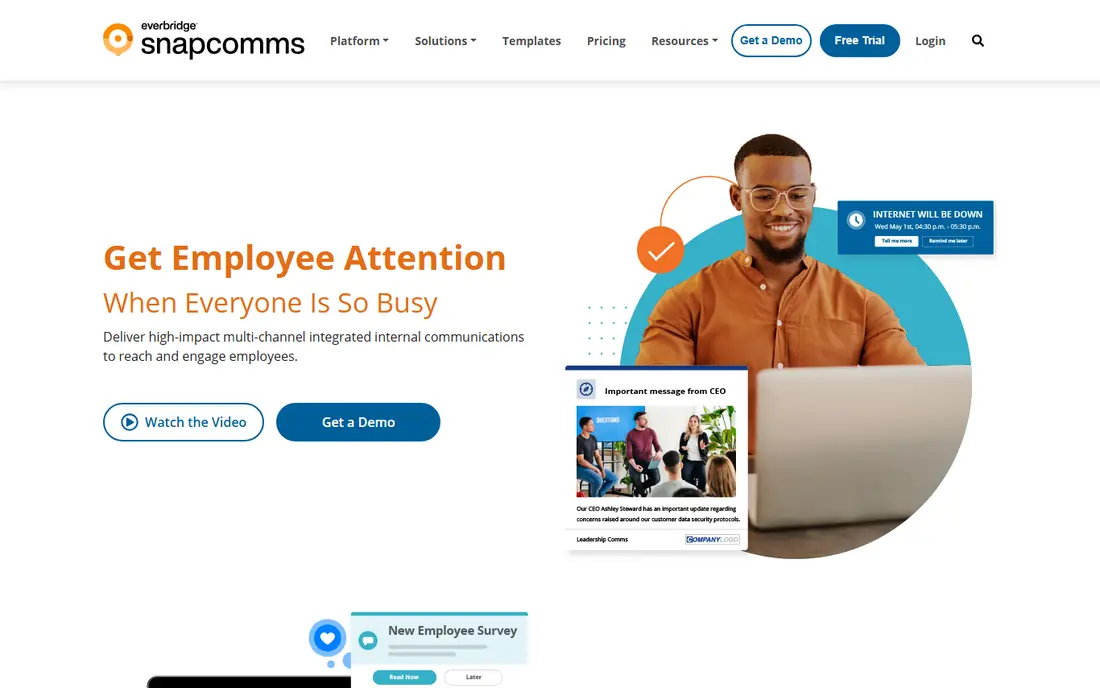
SnapComms is designed for reaching deskless workers. The newsletter features are thinner than the email specialists. But as the reach layer for the unreached workforce, SnapComms does something the inbox tools cannot.
Main advantages: A decent match for frontline workers.
In practice, used carelessly, pop-ups become the boy who cried wolf, so governance matters. On top of that, SnapComms solves the hardest internal comms problem: reaching people who do not read email. SnapComms does not show a starting price in this comparison, so check the vendor site for current pricing. SnapComms has no permanent free option.
- Desktop alerts cut through
- Multi-channel delivery
- Can feel intrusive if misused, Narrower newsletter features, Pricing not published
Cerkl
Ideal for: AI-personalized newsletters

Cerkl works best for AI-personalized newsletters. Cerkl flips the newsletter model: rather than one email for everyone, each employee gets a personalized digest of the content relevant to them, assembled by AI from company sources. Organizations with solid top-down messaging cultures may resist the personalization, since leadership cannot guarantee everyone sees the same message.
Where it falls short: Less suited to top-down comms.
On top of that, analytics display what content works across the organization. The promise is less email overload and higher engagement, since people open what applies to them. Cerkl does not show a starting price in this comparison, so check the vendor site for current pricing. Cerkl has no free tier.
Highlights: Decent analytics.
- AI personalization per employee
- Modern approach
- Newer approach needs buy-in, Pricing not published
Newsweaver
Ideal for: Internal email expertise
Newsweaver makes the most sense for internal email expertise. Templates, targeting, and analytics reflect that experience, and the customer base bundles major enterprises. In practice, for teams that want proven newsletter expertise, Newsweaver's heritage counts.
Reasons to shortlist it: Solid analytics.
What to check first: Now part of Poppulo.
Beyond that, the free trial lets teams test the approach. But the product's internal comms DNA remains valuable. Pricing for Newsweaver is not stated here, so ask the vendor for current figures. Free plan details: Free trial.
- Deep internal comms expertise
- Decent templates and targeting
- Future as standalone unclear, Interface aging
ContactMonkey
Ideal for: Outlook and Gmail newsletters
ContactMonkey is built with Outlook and Gmail newsletters in mind. ContactMonkey's insight is that employees live in their inbox, so the newsletter should too. In practice, event management and surveys round out the internal comms toolkit.
The plugin works inside Outlook and Gmail, letting comms teams build beautiful emails, send to targeted lists, and track opens, clicks, and read time per employee. The analytics answer the questions that matter: who read the CEO update, which offices ignore safety notices, what content actually engages. On top of that, pricing scales per employee, which brings up at large firms. Check the vendor site for ContactMonkey pricing; none is listed in this comparison. Free options: Free trial.
Points against: Needs IT for setup. What ContactMonkey does well: Works inside Outlook and Gmail.
- Very good email analytics
- Simple template builder
- Email-centric, less multichannel, Pricing per employee
Staffbase
Ideal for: Full employee comms suite
Staffbase is aimed squarely at full employee comms suite. Staffbase is the full employee experience product where newsletters are one channel alongside the app, intranet, and digital signage. In practice, the mobile app reaches frontline and deskless workers who never open email, which is the strategic reason to buy the suite instead of a newsletter tool.
Downsides: Suite complexity, Enterprise pricing.
In daily use, the breadth means more implementation than a point option, and pricing is enterprise. As for the details, Staffbase leads that conversation. No starting price is listed for Staffbase here; confirm pricing on the vendor site. There is no free plan with Staffbase. Reasons to shortlist it: Excellent mobile app.
- Complete comms system
- A decent match for frontline workers
- Newsletter is one module
Workshop
Ideal for: Newsletter craft and analytics
In short, Workshop is for newsletter craft and analytics. Workshop concentrates on doing the newsletter itself exceptionally well: a modern builder, smart targeting, and analytics that present real engagement instead of vanity opens. In daily use, the user experience reflects a product built recently, without legacy constraints.
What users get: Solid analytics.
On top of that, Comms teams that take pride in their craft appreciate the design quality. In daily use, the free trial makes evaluation simple. Also, as a newer vendor, the ecosystem and enterprise proof points are thinner. No starting price is listed for Workshop here; confirm pricing on the vendor site. Free options: Free trial.
- Simple audience targeting
- Beautiful email builder
- Newer vendor, Smaller ecosystem, Email-focused
Worth knowing about internal newsletter software
Every company has one: the all-staff email that goes to everyone and gets read by no one. It fails for predictable reasons. The category has grown sophisticated.
Also, modern tools send from inside Outlook or Gmail so messages arrive as real email, personalize content by department or location, track exactly who opened what, and plug into the intranet, Teams, and Slack.
Selection criteria
We compared the tools on published pricing, free plan or trial availability, feature coverage for internal newsletter software, and the limits each vendor documents. Where a vendor does not publish a price, the entry says quote. Where a price depends on seats or billing term, the entry says so. The sequence is a judgement call: typical use case first, then pricing transparency, then free access. Use the profiles to check fit.
What to confirm before you sign up
- Request quotes from PoliteMail, Workshop and the others; the list shows no fixed prices.
- Use real work to test the free trial from Newsweaver, ContactMonkey and Workshop, rather than a demo project.
- Read the limits listed for PoliteMail first: Outlook-dependent, Interface traditional, Less design flair.
- Ask Workshop which support channels and response times come with the plan you would buy.
- Before rolling out Newsweaver, verify the integrations your workflow depends on.
Frequently asked questions
How are the tools for internal newsletter software ordered?
PoliteMail sits first and Workshop last because the order follows typical fit for internal newsletter software, then price clarity and free access. It is a judgement call, so read each profile for fit and limits.
What is a decent open rate for internal newsletters?
Well-targeted internal newsletters commonly see 60 to 80 percent open rates, far above marketing email. Benchmark against your own history instead of industry averages.
Should internal newsletters be mandatory reading?
You cannot mandate attention, only delivery. The better approach is making the newsletter worth reading through relevance and brevity, then measuring who engages. For truly critical messages, use targeted urgent channels instead of the newsletter.
What is internal newsletter software?
Software for creating, sending, and measuring employee newsletters. It usually contains templates, audience targeting, email analytics, and integrations with Outlook, Gmail, or broader comms products.
Can I try these options before paying?
Often, yes. Newsweaver, ContactMonkey and Workshop offer a free trial. Use your own data and a real task during the test, and check what the free tier or trial limits before you rely on it.
Is PoliteMail the right pick for everyone comparing internal newsletter software?
No single tool suits every team. PoliteMail comes first because it fits measurement inside Outlook, while SnapComms suits reaching deskless workers and Cerkl suits AI-personalized newsletters. Match the tool to your own size, budget and workflow before deciding.