Best Invoice Generator Software in 2026: 8 Options Compared

- 1
 WaveFreelancers who want free invoicingVisit
- 2
 Zoho InvoiceSmall businesses that want free, polished invoicingVisit
- 3
 Invoice2goTrades and field workers who invoice on a phoneVisit
- 4
 FreshBooksService businesses that want invoicing plus time trackingVisit
- 5
 Square InvoicesBusinesses already using Square for paymentsVisit
- Our pick for most people is Wave, thanks to its balance of features, ease of use and value for freelancers who want free invoicing.
- Zoho Invoice is the strongest alternative when small businesses that want free, polished invoicing matters more than a general all-round fit.
- Free and trial options exist, including Invoice2go, so you can test the core experience before paying.
- We compared invoice templates, payment acceptance, reminders, recurring invoices, expense and tax handling, reporting and pricing.
- Check pricing, free plan terms and the exact features you need on the official site before you subscribe, since plans change.
Quick comparison
| Product | Ideal for | Price from | Free version | |
|---|---|---|---|---|
| Wave | Freelancers who want free invoicing | See website | Yes | Visit |
| Zoho Invoice | Small businesses that want free, polished invoicing | See website | Yes | Visit |
| Invoice2go | Trades and field workers who invoice on a phone | See website | Free trial | Visit |
| FreshBooks | Service businesses that want invoicing plus time tracking | See website | Free trial | Visit |
| Square Invoices | Businesses already using Square for payments | See website | Yes | Visit |
 QuickBooks | Businesses that want invoicing inside full accounting | See website | Free trial | Visit |
 Xero | Small businesses that want cloud accounting with invoicing | See website | Free trial | Visit |
 HoneyBook | Creative and service businesses that want client flow tools | See website | Free trial | Visit |
The best invoice generator software
Invoice software should do more than make a pretty PDF, it should track what is owed, send reminders, accept payments and keep records tidy for tax time. The tools below range from free invoice makers to full accounting platforms with invoicing built in.
Wave
Ideal for: Freelancers who want free invoicing
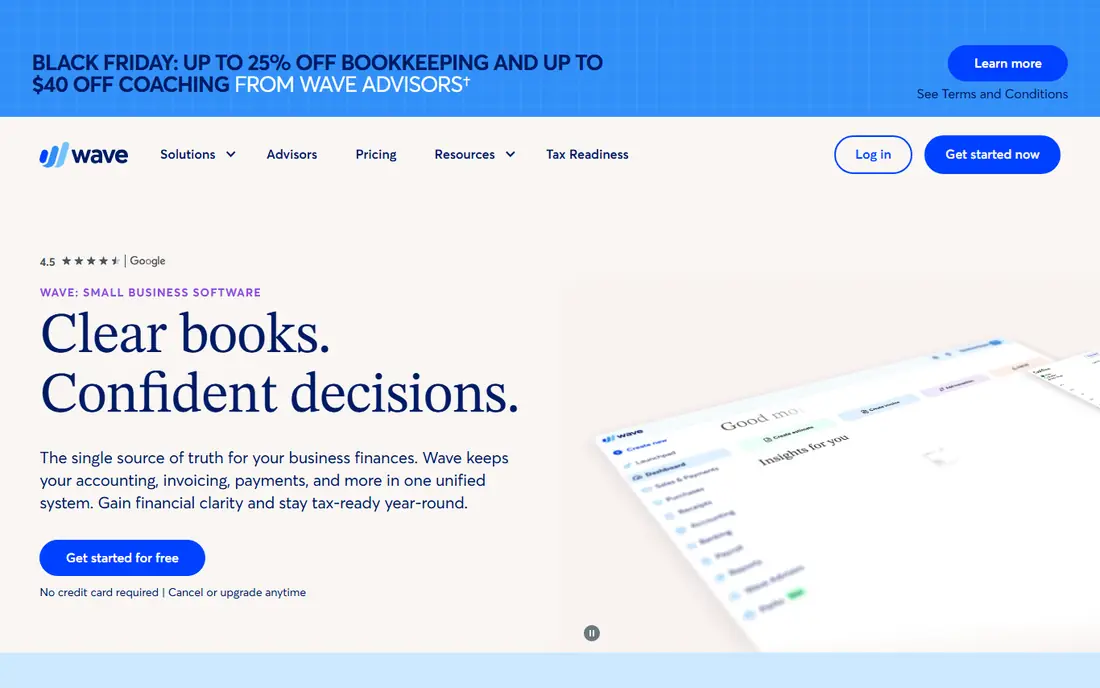
Wave offers free invoicing with templates, payment acceptance and basic accounting, which makes it a strong starting point for freelancers. It suits solo workers who want to send professional invoices without a monthly subscription. Its dashboard tracks what is owed and paid at a glance.
The trade-offs are payment processing fees and limited advanced features, since Wave is simpler than a full accounting platform. For a freelancer with straightforward invoicing needs, though, its free model is hard to beat.
For readers who want freelancers who want free invoicing, Wave is a sensible shortlist pick, provided the limits above feel acceptable. Compare its pricing page and trial terms before you commit, and check that it covers the exact workflow you need on day one.
- Free invoicing
- Payment acceptance
- Basic accounting
- Payment processing fees apply
- Advanced features are limited
Zoho Invoice
Ideal for: Small businesses that want free, polished invoicing
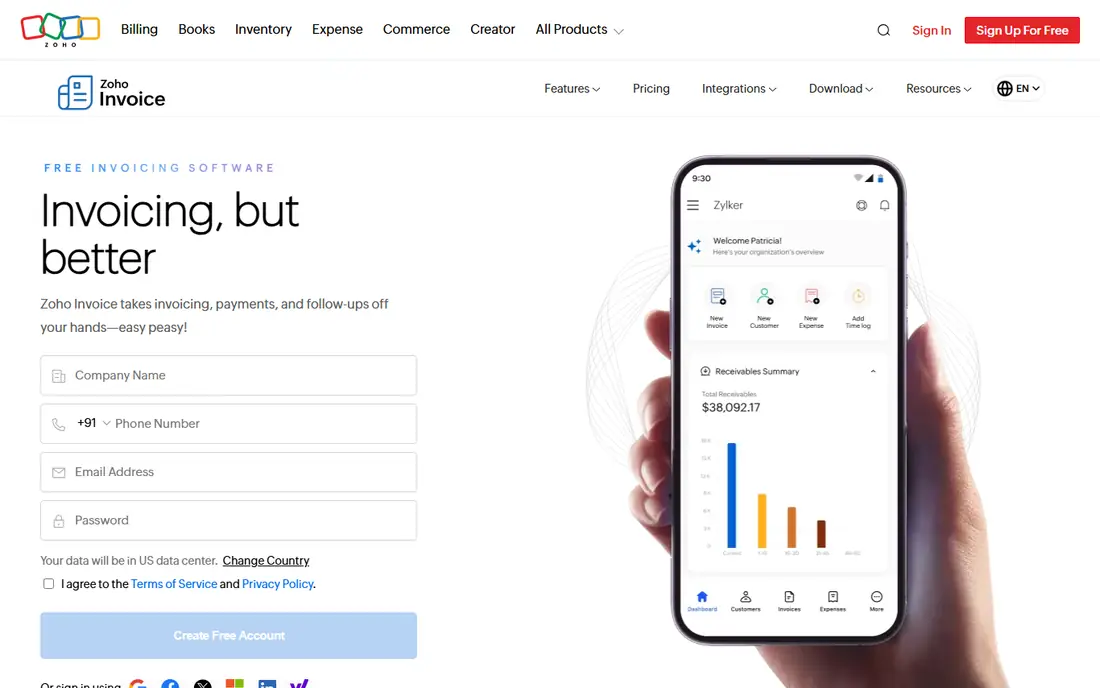
Zoho Invoice gives small businesses a polished free plan with templates, reminders, recurring invoices and payment acceptance. It suits businesses that want professional invoicing without paying, and its features are stronger than many free rivals. Its client portal also lets customers view and pay invoices easily.
The limit is ecosystem and support, since it sits inside the wider Zoho world and support can be slower than on a paid platform. For free invoicing with real depth, though, Zoho Invoice is one of the best options available.
For readers who want small businesses that want free, polished invoicing, Zoho Invoice is a sensible shortlist pick, provided the limits above feel acceptable. Compare its pricing page and trial terms before you commit, and check that it covers the exact workflow you need on day one.
- Free plan with strong features
- Templates
- Reminders and payments
- Part of a wider Zoho ecosystem
- Support can be slower
Invoice2go
Ideal for: Trades and field workers who invoice on a phone
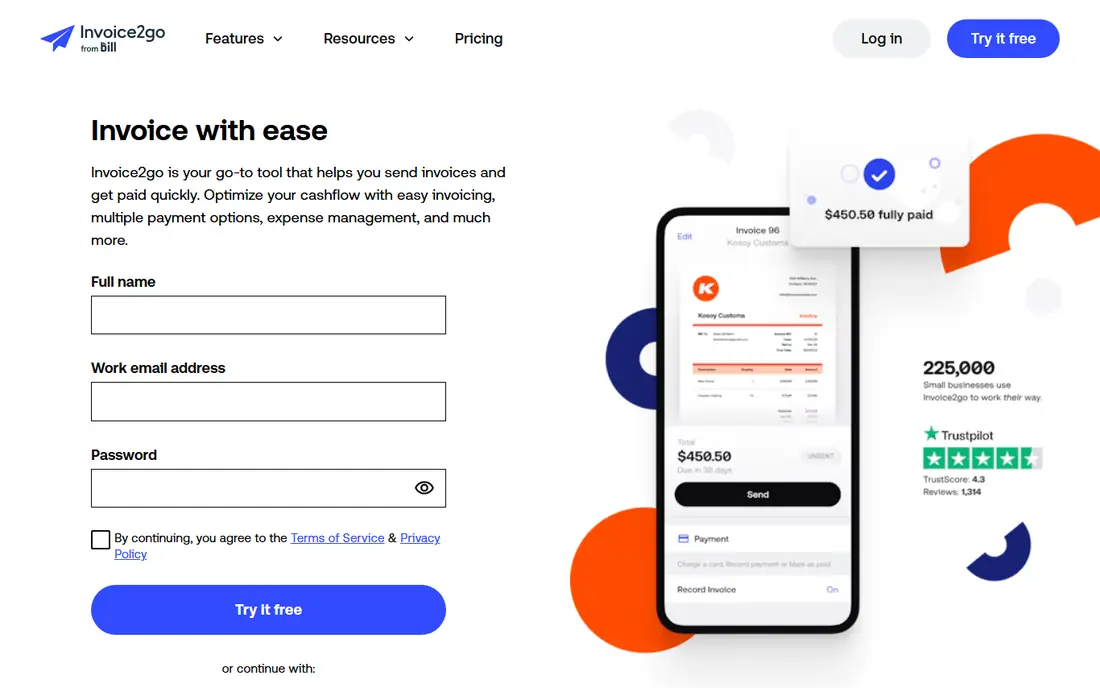
Invoice2go is built for trades and field workers who invoice from a phone, with estimates, job tracking and payment links in a mobile-first app. It suits electricians, cleaners, builders and other on-site workers who need to send an invoice before leaving a job. Its templates look professional without much effort.
The trade-offs are subscription access for full use and lighter desktop tools. For mobile invoicing on the job, though, its focus on field work makes it a practical pick.
For readers who want trades and field workers who invoice on a phone, Invoice2go is a sensible shortlist pick, provided the limits above feel acceptable. Compare its pricing page and trial terms before you commit, and check that it covers the exact workflow you need on day one.
- Mobile-first invoicing
- Estimates and jobs
- Payment links
- Subscription needed for full use
- Desktop tools are lighter
FreshBooks
Ideal for: Service businesses that want invoicing plus time tracking
FreshBooks combines polished invoicing with time tracking, expenses and payment acceptance, which suits service businesses that bill by the hour. Its interface is friendly, and clients can pay invoices online with little friction. For a consultancy, agency or creative business, that combination is very useful.
The limits are client-based pricing and lighter accounting depth than QuickBooks. If you need full double-entry accounting, a dedicated accounting platform may suit you better, but for invoicing-led businesses FreshBooks is excellent.
For readers who want service businesses that want invoicing plus time tracking, FreshBooks is a sensible shortlist pick, provided the limits above feel acceptable. Compare its pricing page and trial terms before you commit, and check that it covers the exact workflow you need on day one.
- Polished invoices
- Time tracking
- Expenses and payments
- Pricing rises with clients
- Accounting depth is lighter than QuickBooks
Square Invoices
Ideal for: Businesses already using Square for payments
Square Invoices suits businesses already using Square, because invoices, payments and sales records stay in one system. Customers can pay by card from the invoice, and reminders help chase late payments automatically. For a Square seller, adding invoices is a natural step.
The trade-off is that its best value comes inside Square, and advanced accounting still needs another tool. If you already take payments through Square, though, its invoices are a simple and effective addition.
For readers who want businesses already using square for payments, Square Invoices is a sensible shortlist pick, provided the limits above feel acceptable. Compare its pricing page and trial terms before you commit, and check that it covers the exact workflow you need on day one.
- Invoices inside Square
- Card payments
- Reminders
- Best inside Square
- Advanced accounting needs another tool
QuickBooks
Ideal for: Businesses that want invoicing inside full accounting
QuickBooks is the full accounting choice for businesses that want invoicing alongside bookkeeping, expenses, payroll and tax reports. It suits established small businesses that need their invoices to flow straight into accounts without manual entry. Its reporting depth is a major strength at tax time.
The drawbacks are subscription cost and a learning curve for new users, since QuickBooks is a full accounting system rather than a simple invoice maker. For a business that has outgrown free invoicing, though, it is a sensible long-term platform.
For readers who want businesses that want invoicing inside full accounting, QuickBooks is a sensible shortlist pick, provided the limits above feel acceptable. Compare its pricing page and trial terms before you commit, and check that it covers the exact workflow you need on day one.
- Invoicing plus full accounting
- Payments
- Tax reports
- Subscription cost
- Learning curve for new users
Xero
Ideal for: Small businesses that want cloud accounting with invoicing
Xero combines cloud accounting with polished invoicing, bank reconciliation and reporting, which suits small businesses that want accounts and invoices in one place. Its interface is clean, and its app marketplace adds payroll, payments and inventory tools. For a growing business, Xero scales well.
The limits are subscription cost and add-on needs, since some features require extra apps. If you want a cloud accounting platform with strong invoicing, Xero is one of the most widely supported choices, especially outside the US.
For readers who want small businesses that want cloud accounting with invoicing, Xero is a sensible shortlist pick, provided the limits above feel acceptable. Compare its pricing page and trial terms before you commit, and check that it covers the exact workflow you need on day one.
- Cloud accounting
- Polished invoices
- Bank reconciliation
- Subscription cost
- Some features need add-ons
HoneyBook
Ideal for: Creative and service businesses that want client flow tools
HoneyBook suits creative and service businesses that want invoices, proposals, contracts and client communication in one flow. It helps photographers, designers, planners and consultants move a client from enquiry to payment without juggling separate tools. Its client portal keeps everything tidy for both sides.
The trade-off is accounting depth, since its bookkeeping features are basic compared with QuickBooks or Xero. For a client-service business where proposals and contracts matter as much as invoices, HoneyBook is a strong all-in-one choice.
For readers who want creative and service businesses that want client flow tools, HoneyBook is a sensible shortlist pick, provided the limits above feel acceptable. Compare its pricing page and trial terms before you commit, and check that it covers the exact workflow you need on day one.
- Invoices plus proposals and contracts
- Client portal
- Automation
- Pricing is subscription based
- Accounting features are basic
How we picked these
We compared official feature pages, pricing pages, app store listings, privacy policies and public reviews for each option, and we focused on products that exist and work in October 2026 and truly fit the topic. We looked for a mix of well-known leaders and strong smaller options, rather than a list of near-identical tools. We compared invoice templates, payment acceptance, reminders, recurring invoices, expense and tax handling, reporting and pricing. We did not claim hands-on testing that did not happen, and where a price or free tier could not be verified from the vendor site, we wrote See website rather than guessing a number.
Choosing the right option for you
Start with how you get paid, because an invoice tool that cannot accept cards or bank payments will slow you down. Check which payment methods your clients actually use, and pick a tool that supports those without awkward workarounds.
Set up recurring invoices and automatic reminders early, since chasing late payments is one of the biggest time drains for freelancers and small businesses. A tool that sends polite, automatic reminders will pay for itself quickly.
Keep your invoice records organised from the start, with consistent numbering, client details and tax information. Good software makes this automatic, which saves stress when tax season arrives.
Before you decide, make a short list of three must-have features and one deal-breaker, then test only the two or three options that meet that list. A focused trial will tell you more than a week of comparing feature tables, and it keeps the decision tied to your real work rather than to marketing claims.
Frequently asked questions
What are the best best invoice generator software?
The best choice depends on your needs, but Wave suits most people, while Zoho Invoice is stronger for small businesses that want free, polished invoicing. Start with your must-have features, then trial the top two options before paying.
Is there a free option for best invoice generator software?
Yes, several options here offer a free plan or a free trial, including Invoice2go. Free plans usually limit advanced features, so check which tools you actually need before judging a free tier.
How much do best invoice generator software cost?
Costs vary widely, and many vendors use quote-based pricing, so the pricing page is the reliable source. Where we could not verify a current price, we wrote See website rather than guessing, and you should get a written quote for team plans.
Which option is best for beginners?
Wave is the easiest starting point for most beginners, thanks to its clear setup and guidance. If you want the simplest possible tool, look at the free or trial options first and choose the one whose interface feels clearest to you.
How should I choose between these options?
List your top three needs, check integrations and pricing for those needs, and run a short trial with real work. The option that handles your daily tasks smoothly, with support you can reach, is usually the right pick, even if a rival has a longer feature list.