Best Invoice Management in Accounting Software in 2026: 8 Tools Compared

- 1
 QuickBooks OnlineSmall businesses that want invoicing plus full accountingVisit
- 2
 XeroSmall businesses that want clean invoicing and accountingVisit
- 3
 FreshBooksService businesses that want invoicing firstVisit
- 4
 Zoho BooksSmall businesses that want affordable invoicing and accountingVisit
- 5
 Sage AccountingSmall businesses that want Sage invoicing and accountingVisit
- QuickBooks Online stands out for small businesses that want invoicing plus full accounting, which makes it a strong starting point for that need.
- Xero stands out for small businesses that want clean invoicing and accounting, which makes it a strong starting point for that need.
- FreshBooks stands out for service businesses that want invoicing first, which makes it a strong starting point for that need.
- Zoho Books stands out for small businesses that want affordable invoicing and accounting, which makes it a strong starting point for that need.
- Prices and free plans vary widely across this list, so check the vendor pricing page for your team size or usage before you commit.
Quick comparison
| Product | Ideal for | Price from | Free version | |
|---|---|---|---|---|
| QuickBooks Online | Small businesses that want invoicing plus full accounting | $38 per month | Free trial | Visit |
| Xero | Small businesses that want clean invoicing and accounting | $20 per month | Free trial | Visit |
| FreshBooks | Service businesses that want invoicing first | $19 per month | Free trial | Visit |
| Zoho Books | Small businesses that want affordable invoicing and accounting | Free | Yes | Visit |
| Sage Accounting | Small businesses that want Sage invoicing and accounting | $7.50 per month | Free trial | Visit |
 Wave | Very small businesses that want free invoicing | Free | Yes | Visit |
 BILL | Businesses that want invoice plus bill pay automation | See website | No | Visit |
 Melio | Small businesses that want simple bill pay and invoicing | Free | Yes | Visit |
The best invoice management in accounting software
We compared official feature pages, pricing pages, app store listings, privacy policies, and public reviews to build this list, and we focused on tools that truly fit best invoice management in accounting software rather than general tools with a passing connection. The eight options below cover different budgets, team sizes, and priorities, so start with the best-for notes and read the full write-up for any tool that matches your situation.
QuickBooks Online
Ideal for: Small businesses that want invoicing plus full accounting
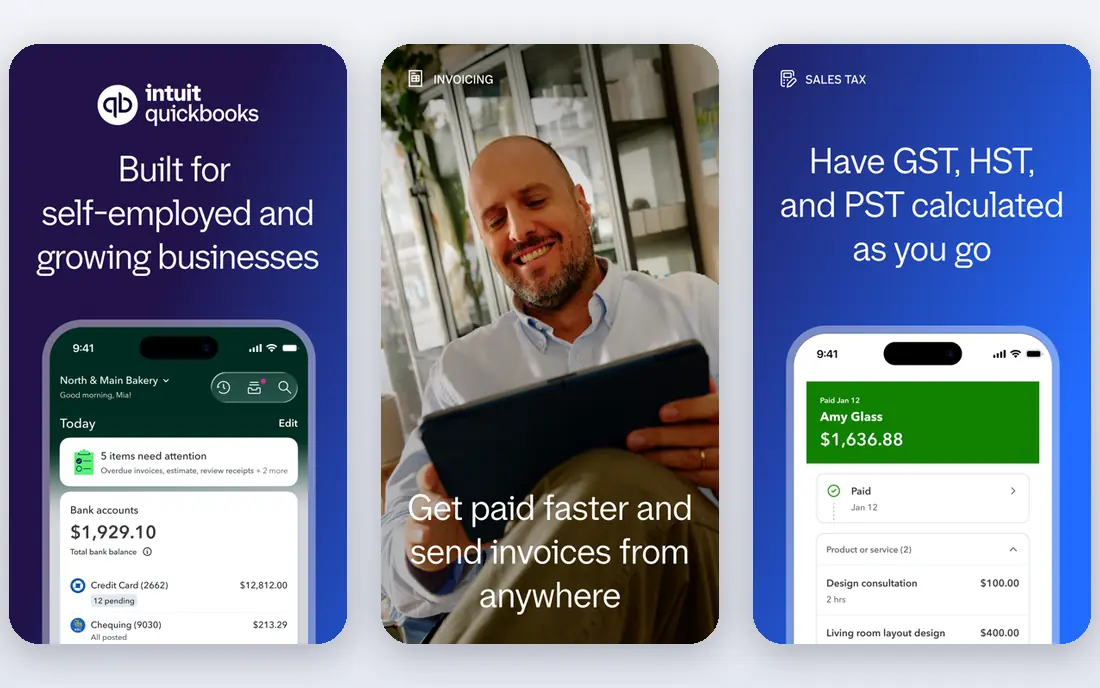
QuickBooks Online pairs invoicing with full accounting, so invoices, payments, expenses, and reports live in one system. Businesses can send professional invoices, accept online payments, track overdue bills, and see cash flow without separate tools. Starting at $38 per month, it suits firms that need accounting depth, not just invoices.
Features vary by plan and the price is higher than invoice-only tools. For businesses that want invoicing inside real accounting software, QuickBooks is the default pick. Check which plan includes the payment and tracking features you need.
Before you commit, check the current pricing page and trial terms for your team size, since plans change and the right tier depends on how many people will actually use the tool daily.
- Invoicing, payments, and accounting in one system
- Huge accountant ecosystem
- Starts at $38 per month
- Features vary by plan
Xero
Ideal for: Small businesses that want clean invoicing and accounting
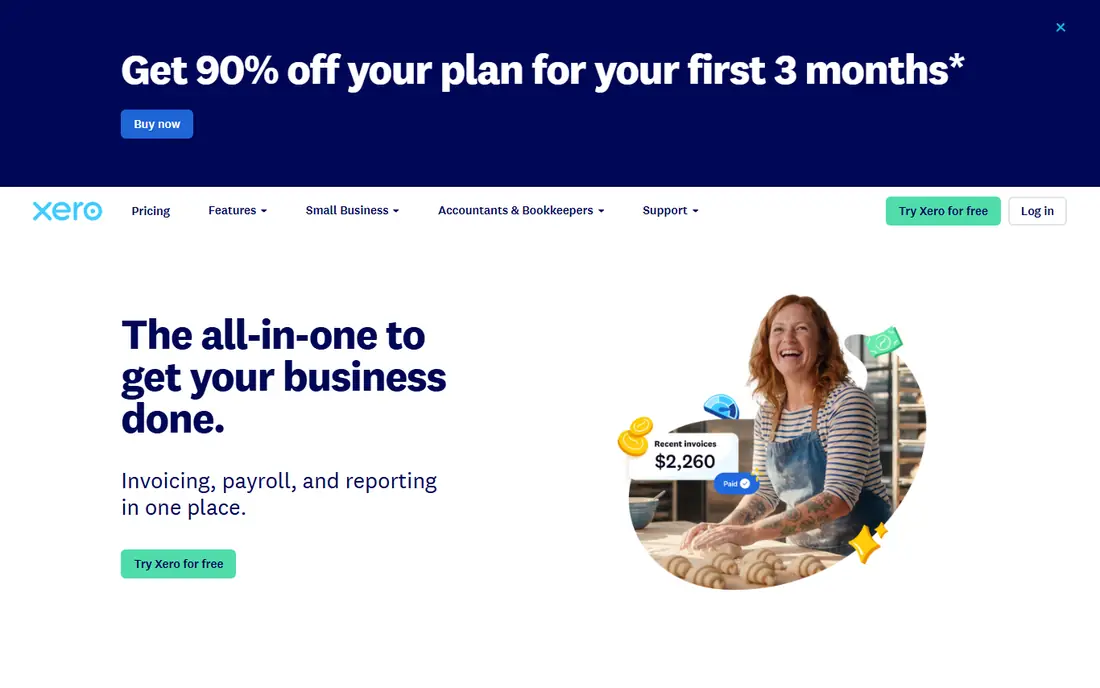
Xero offers clean invoicing, online payments, expense tracking, and bank reconciliation starting at $20 per month. Its interface is pleasant, its app ecosystem is wide, and accountants worldwide know it well. Invoice tracking shows what is sent, viewed, and overdue at a glance.
Payroll depth varies by region and features vary by plan. For small businesses that want invoicing plus accounting with a clean design, Xero is a strong alternative to QuickBooks. Test bank feeds for your bank before committing.
Before you buy, run a short trial with your real data and your real workflow, since a demo with sample data hides the friction points that matter once the whole team is involved.
- Clean invoicing, online payments, and bank reconciliation
- Strong app ecosystem
- Payroll is limited in some regions
- Pricing varies by plan
FreshBooks
Ideal for: Service businesses that want invoicing first
FreshBooks puts invoicing first, with professional invoices, time tracking, expenses, and client portals that service businesses love. Starting at $19 per month, it suits freelancers and service firms whose main need is getting paid promptly and looking professional. Automated reminders chase overdue invoices politely.
Accounting depth is lighter than QuickBooks or Xero, so firms with complex books may need more. For service businesses where invoicing is the core job, FreshBooks ease and client experience stand out. Check accounting reports against your accountant's needs.
Before you decide, confirm integration with the tools you already use and check what support hours and onboarding help are included, since those details matter more than a feature list once you are live.
- Excellent invoicing and time tracking for services
- Easy client experience
- Accounting depth is lighter than QuickBooks or Xero
Zoho Books
Ideal for: Small businesses that want affordable invoicing and accounting
Zoho Books gives small businesses invoicing, payments, expenses, and accounting, with a free tier for firms under revenue limits. It suits budget-conscious businesses, especially those using other Zoho apps, since data flows between books, CRM, and inventory. Invoice customization and tracking are solid.
Free tier limits apply and value is highest inside Zoho. For small businesses that want capable invoicing and accounting at low cost, Zoho Books is hard to beat. Confirm free tier eligibility for your revenue and users.
Before you commit, ask for a quote that covers every user, module, and add-on you need, and compare that total against at least one other tool on this list for the same scope.
- Free tier available
- Invoicing, payments, and accounting
- Zoho integrations
- Free tier limits
- Best inside Zoho ecosystem
Sage Accounting
Ideal for: Small businesses that want Sage invoicing and accounting
Sage Accounting, formerly Sage Business Cloud, offers invoicing, payments, and accounting starting at $7.50 per month in some plans. It suits small businesses that want a low-cost, established accounting brand with invoice tracking and bank reconciliation. Sage ecosystem tools add payroll and inventory where needed.
Interface and features vary by region, so check your country's version. For price-conscious small businesses, Sage Accounting starting price is attractive. Compare invoice features against FreshBooks and Zoho Books before deciding.
Before you commit, check the current pricing page and trial terms for your team size, since plans change and the right tier depends on how many people will actually use the tool daily.
- Low starting price
- Invoicing, payments, and accounting
- Sage ecosystem
- Interface and features vary by region
Wave
Ideal for: Very small businesses that want free invoicing
Wave offers free invoicing and accounting for very small businesses, with professional invoices, payment links, and basic reports. It suits freelancers and tiny firms that need to send invoices and track income without monthly fees. Setup takes minutes and the interface is simple.
Accounting depth is limited and payment processing fees apply when clients pay online. For a very small business starting out, Wave free invoicing is a genuine help. As complexity grows, move to QuickBooks, Xero, or Zoho Books.
Before you buy, run a short trial with your real data and your real workflow, since a demo with sample data hides the friction points that matter once the whole team is involved.
- Free invoicing and accounting
- Simple and easy to use
- Accounting depth is limited
- Payment processing fees apply
BILL
Ideal for: Businesses that want invoice plus bill pay automation
BILL, formerly Bill.com, automates accounts payable and receivable, with invoice capture, approvals, and payments that reduce manual entry. Businesses use it alongside accounting software to handle bills and invoices at scale, with audit trails and approval controls. That automation suits firms with high invoice volumes.
Pricing is quote-based and BILL complements rather than replaces accounting software. For firms drowning in bills and invoices, BILL automation saves real time. Smaller firms with few invoices may find QuickBooks or Xero sufficient alone.
Before you decide, confirm integration with the tools you already use and check what support hours and onboarding help are included, since those details matter more than a feature list once you are live.
- Accounts payable and receivable automation
- Strong approval workflows
- Quote-based pricing
- Accounting software still needed alongside
Melio
Ideal for: Small businesses that want simple bill pay and invoicing
Melio gives small businesses free tools for paying bills and sending invoices, with scheduling and payment options that help cash flow. It suits firms that want simple payables and receivables without a full accounting switch. QuickBooks and Xero integrations keep books in sync.
Accounting features are limited, so Melio pairs with accounting software rather than replacing it. For small businesses that want free, simple bill pay and invoicing, Melio is a practical addition. Check payment fees and timing for your vendors.
Before you commit, ask for a quote that covers every user, module, and add-on you need, and compare that total against at least one other tool on this list for the same scope.
- Free bill pay and invoicing tools
- Easy payments to vendors
- Accounting features are limited
- Best paired with accounting software
How we picked these
We started from the topic itself and looked for products that genuinely serve it, not tools that mention it in passing. For each candidate we checked the vendor's own feature and pricing pages, app store listings where relevant, privacy and security pages, and public user reviews, and we dropped any product we could not verify as real and available in October 2026.
We then compared the remaining tools on fit for the stated need, pricing transparency, free or trial options, ease of adoption, and honest weaknesses. Every list below mixes well-known leaders with strong smaller options, and every write-up names a real trade-off, since no tool is best for every team.
Getting paid faster with better invoicing
Start with your invoice workflow, not the feature list. How you create, approve, send, and chase invoices decides which tool fits, so map that flow and test it in each trial. A tool that looks good but slows approvals will delay payment.
Next, check payment options and fees. Card, bank, and payment link fees vary, and faster payment often justifies a small fee. Confirm which methods your clients actually use before choosing a payment setup.
Finally, tie invoicing to accounting and cash flow. Invoices should update books and cash forecasts automatically, without rekeying. A system that shows overdue totals and expected receipts helps owners manage cash, not just send bills.
Frequently asked questions
What is invoice management in accounting software?
It covers creating, sending, tracking, and collecting invoices inside accounting software, so sales, payments, and books stay linked. Good tools show overdue invoices, automate reminders, and accept online payments.
Should small businesses use invoicing software or full accounting software?
Full accounting software like QuickBooks or Xero is better once expenses, taxes, and reports matter. Invoice-only tools suit freelancers with very simple finances, but most growing firms need accounting depth.
Is there free invoice software?
Yes. Wave offers free invoicing and accounting, Zoho Books has a free tier, and Melio offers free bill pay and invoicing tools. Payment processing fees still apply when clients pay online.
How do automated reminders help?
Reminders chase overdue invoices politely and consistently, which speeds payment without awkward calls. Most tools here let you customize reminder timing and tone.
Can invoice tools accept online payments?
Yes, most integrate with card and bank payments, often for a processing fee. Online payment links on invoices typically get paid faster than invoices that require checks or transfers.