Best Invoicing Options in Accounting Software in 2026: 8 Tools Compared

- 1
 QuickBooks OnlineInvoicing plus accountingVisit
- 2
 XeroClean invoicing and accountingVisit
- 3
 FreshBooksPolished service invoicesVisit
- 4
 Zoho BooksAffordable invoicingVisit
- 5
 SageDesktop and cloud invoicingVisit
- QuickBooks and Xero lead for invoicing inside full accounting with strong automation.
- FreshBooks and Zoho Books suit service firms that want simple, polished invoices.
- Sage and Wave fit firms that want desktop depth or free invoicing basics.
- Square Invoices and BILL suit firms that want payment-first invoicing or bill automation.
- Check recurring invoices, reminders, and payment fees before choosing.
Quick comparison
| Product | Ideal for | Price from | Free version | |
|---|---|---|---|---|
| QuickBooks Online | Invoicing plus accounting | See website | Free trial | Visit |
| Xero | Clean invoicing and accounting | See website | Free trial | Visit |
| FreshBooks | Polished service invoices | See website | Free trial | Visit |
| Zoho Books | Affordable invoicing | See website | Yes | Visit |
| Sage | Desktop and cloud invoicing | See website | Free trial | Visit |
 Wave | Free invoicing basics | See website | Yes | Visit |
 Square Invoices | Payment-first invoicing | See website | Yes | Visit |
 BILL | Bill and invoice automation | See website | Free trial | Visit |
The best invoicing options in accounting software
We compared official feature pages, pricing pages, and public reviews for eight accounting tools, judging invoicing by templates, recurring billing, reminders, payment options, and how invoices flow into accounting. Good invoicing should cut chasing and errors, not just look neat.
QuickBooks Online
Ideal for: Invoicing plus accounting

QuickBooks Online offers strong invoicing inside full accounting, with templates, recurring invoices, reminders, and payment links. Invoices flow directly into income, taxes, and reports, which cuts manual entry. Accountants widely support QuickBooks, helping at year end.
Invoice customization and automation depth vary by tier. For a small firm that wants invoicing plus real accounting, QuickBooks Online is the standard choice. Compare tiers for recurring invoices and payment features.
- Strong invoice templates and automation
- Recurring invoices
- Payment links
- Pricing rises with features
- Invoice customization varies by tier
Xero
Ideal for: Clean invoicing and accounting
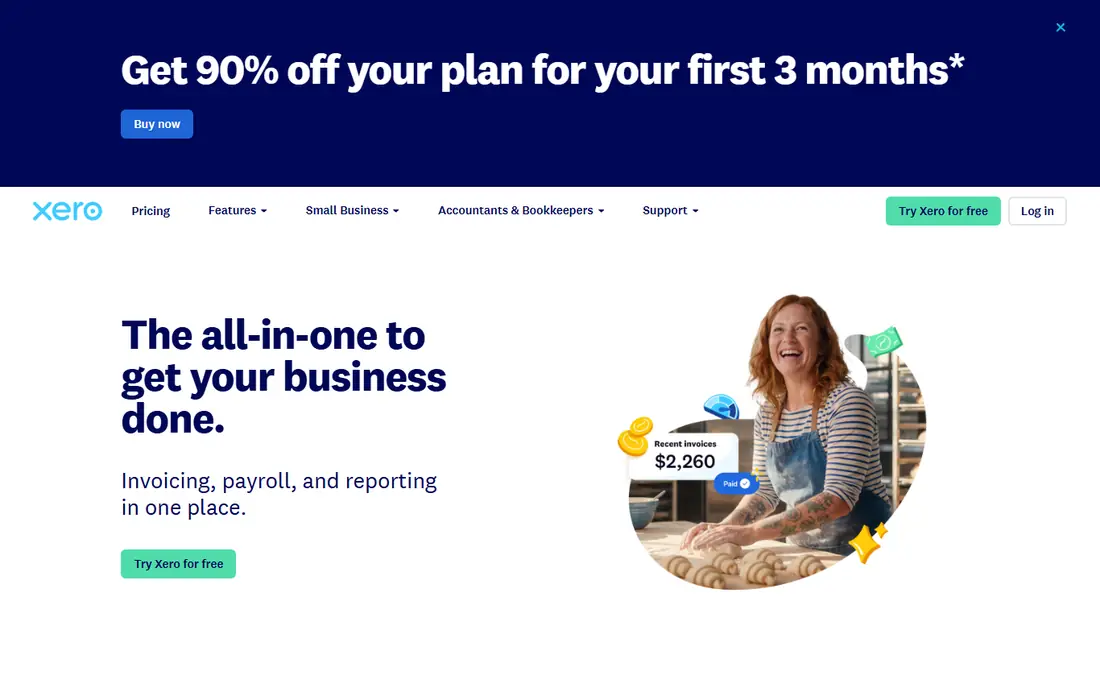
Xero offers clean invoicing with templates, recurring invoices, reminders, and online payments, inside a tidy accounting system. Bank feeds and reconciliation link invoice payments to books automatically. Multi-currency invoicing helps firms with international clients.
Payment provider options vary by region, and advanced invoicing features sit on higher plans. For a firm that wants clean invoices plus accounting, Xero is a strong alternative to QuickBooks. Test payment setup for your region during a trial.
- Clean invoice design
- Recurring invoices
- Bank feeds and reconciliation
- Payment options vary by region
- Advanced invoicing needs higher plans
FreshBooks
Ideal for: Polished service invoices
FreshBooks suits service firms with polished invoices, time tracking, expenses, and payment reminders in one flow. Clients get clear invoices with online payment options, while owners track who has paid and who is overdue. The interface is friendly for non-accountants.
Full accounting depth is lighter than QuickBooks or Xero. For a service firm whose main need is professional invoices plus time billing, FreshBooks is a strong fit. Check client limits by plan.
- Polished invoices
- Time and expense billing
- Reminders and payments
- Full accounting is lighter
- Pricing rises with clients
Zoho Books
Ideal for: Affordable invoicing
Zoho Books offers affordable invoicing with templates, recurring invoices, reminders, and a client portal, inside cloud accounting. Small firms get core billing without a large fee, and links to Zoho CRM and Inventory help wider work. The free plan suits very small firms.
Accountant support is narrower than QuickBooks in the United States. For a small firm that wants low-cost invoicing plus accounting, Zoho Books offers good value. Check free plan limits for invoices and users.
- Affordable invoicing
- Recurring bills
- Client portal
- Zoho links
- Accountant support is narrower
- Advanced features vary by plan
Sage
Ideal for: Desktop and cloud invoicing
Sage offers invoicing across desktop and cloud products, including Sage 50 and Sage Business Cloud, with accounting depth and reporting. Firms can choose desktop control or cloud access, with invoices flowing into ledgers and reports. The range suits firms with established Sage workflows.
The product range can confuse buyers, since invoicing features differ by product. For a Sage-centered firm, choosing the right Sage product gives invoicing plus accounting depth. Confirm which product fits your invoicing and reporting needs.
- Invoicing with accounting depth
- Desktop and cloud options
- Reporting
- Product range can confuse buyers
- Pricing varies by product
Wave
Ideal for: Free invoicing basics
Wave gives small firms free invoicing with simple templates, plus free accounting basics. Owners can send invoices, track payments, and accept card payments through paid processing. The interface suits very small firms that handle their own books.
Recurring invoices and automation are lighter than QuickBooks or FreshBooks. For a tiny firm that needs free invoicing basics, Wave is practical. Growing firms will likely need paid tools for recurring billing and reminders.
- Free invoicing and accounting
- Simple templates
- Payment processing
- Recurring and automation features are lighter
- Support is mainly online
Square Invoices
Ideal for: Payment-first invoicing
Square Invoices offers free invoicing with payment processing, suited to firms that already use Square for payments. Owners can send invoices, accept cards, and track payments from the Square dashboard. Links to Square POS and online stores help retail and service firms.
Full accounting needs another tool, since Square Invoices focuses on billing and payments. For a firm that values fast payment collection over full accounting, Square Invoices is a convenient choice. Check payment fees and recurring options.
- Free invoicing with payments
- Simple setup
- Square ecosystem links
- Full accounting needs another tool
- Recurring features vary
BILL
Ideal for: Bill and invoice automation
BILL automates accounts payable and receivable workflows, including invoice capture, approvals, and payments, with sync to QuickBooks, Xero, and other accounting systems. Firms drowning in bills and invoices value the approval trails and automation. The tool suits firms where several people handle billing.
BILL alone is not full accounting, so it pairs with an accounting system. For a firm that needs invoice automation plus approvals, BILL cuts manual work sharply. Check sync behavior with your accounting tool before buying.
- Invoice and bill automation
- Approvals
- Accounting sync
- Not a standalone accounting system
- Pricing is per user
How we picked these
We compared official feature pages, pricing pages, and public reviews for accounting tools in October 2026. We judged invoicing by templates, recurring billing, reminders, payment options, and accounting flow, and we mixed full accounting, free, payment-first, and automation options. We did not claim hands-on testing, and we list prices as shown on vendor sites, using See website where pricing varies.
What to check before you buy
Start with billing style. Recurring, project, hourly, and one-time invoices need different features, so test each style with real examples. Then check payment options and fees, since card fees and payout timing affect cash flow. Confirm reminders, late fees, and client portal experience by sending a sample invoice to yourself.
Next, check how invoices flow into accounting, taxes, and reports, since manual re-entry defeats the purpose. Confirm multi-currency, tax, and discount handling for your clients. Finally, run a trial with real invoices for a month, measure payment speed and chasing time, and confirm support before committing.
A final check before you commit
Adoption matters as much as features, so check training, help docs, and support hours before you sign. Teams with staff in several time zones need support that covers their working hours, while smaller teams may prefer a vendor with strong guides and a responsive chat channel. Ask how onboarding works, who owns setup, and what happens when a key user leaves, since knowledge gaps after rollout cause many failed deployments. Good vendors answer these questions plainly and in writing.
Check how each finalist handles growth, including more users, more data, and new locations or teams, since a tool that fits today may strain in a year. Ask about plan thresholds, performance at higher volumes, and whether upgrades require migration or just a plan change, since forced migrations disrupt work. Also ask about downgrade options, since teams shrink as well as grow, and flexible plans protect budgets in quiet periods. A tool with a smooth path up and down is easier to live with than one that locks you into a single size.
Budget holders often ask for a single recommendation, but a short ranked list with reasons serves the team better than a forced single winner. Rank your top three by fit for daily work, total yearly cost, and support quality, and state plainly where each one falls short, so decision makers see trade-offs instead of a sales pitch. If the top choice is rejected on price, the second choice should already be tested and ready, which avoids a rushed purchase later. Keep the ranking with the trial notes, since it becomes the baseline for the next review cycle and for onboarding new staff who ask why this tool was chosen.
Also check references from firms of similar size and in a similar line of work, since a vendor that serves large enterprises well may still struggle with small-team needs, and the reverse is true as well. Ask references about onboarding time, support responsiveness, and the one feature they wish worked better, since those answers reveal patterns that no demo will show. If a vendor hesitates to provide references, or only offers very large customers, treat that as useful information about fit for your size. Two short reference calls often save weeks of trial and error, and they give your team confidence that the choice rests on real user experience rather than polished sales material alone.
Frequently asked questions
Which accounting software has the best invoicing?
QuickBooks Online and Xero lead for invoicing inside full accounting, while FreshBooks leads for polished service invoices. Zoho Books offers strong value, and Wave offers free basics.
Can accounting software send recurring invoices?
Yes, most tools on this list support recurring invoices, including QuickBooks, Xero, FreshBooks, and Zoho Books. Check whether recurring features sit on your plan tier.
Do invoices include online payment options?
Most tools offer card and bank payment links, with fees per transaction. Square Invoices focuses on payments, while QuickBooks and Xero integrate several payment providers.
Can clients pay invoices online?
Yes, clients usually pay through a portal or payment link on the invoice. Check payout timing, fees, and supported methods for your clients and regions.
Should I use invoicing software alone or full accounting?
Use invoicing alone if billing is your only need, with tools such as Square Invoices or Wave. Use full accounting if you also track expenses, taxes, and reports, with QuickBooks, Xero, or Zoho Books.