Top 8 IT Project Management Tools for 2026, Compared

- 1
 ClickUpFeature depth for the priceVisit
- 2
 WrikeComplicated workflows and approvalsVisit
- 3
 Teamwork.comClient-facing IT services workVisit
- 4
 JiraAgile software and IT teamsVisit
- 5
 SmartsheetSpreadsheet-style enterprise planningVisit
- This list starts with ClickUp, which is built for feature depth for the price.
- Before buying Jira, weigh this: configuration can become a full-time job.
- ServiceNow suits enterprise portfolio management.
- 6 of the 8 tools have a free plan, including ClickUp, Wrike, Teamwork.com and Jira.
- The cheapest monthly starting price in the list is $9 per user/month, offered by ClickUp.
Direct answer
ClickUp comes first here, mainly for feature depth for the price. Wrike is better for complicated workflows and approvals, and Teamwork.com is better for client-facing IT services work. Prices, free plans and limits for all 8 tools follow.
Quick comparison
| Product | Ideal for | Price from | Free version | |
|---|---|---|---|---|
| ClickUp | Feature depth for the price | $9 per user/month (billed annually) | Yes | Visit |
| Wrike | Complicated workflows and approvals | See website | Yes | Visit |
| Teamwork.com | Client-facing IT services work | See website | Yes | Visit |
| Jira | Agile software and IT teams | See website | Yes | Visit |
| Smartsheet | Spreadsheet-style enterprise planning | See website | No | Visit |
 Linear | Quick issue tracking for product teams | See website | Yes | Visit |
 Asana | Cross-team projects and goals | $10.99 per user/month (billed yearly) | Yes | Visit |
 ServiceNow | Enterprise portfolio management | See website | No | Visit |
IT Project Management Tools profiles
Short on time? The summary and table above give the quick view of 8 IT project management tools, and the profiles that follow give the detail behind each entry.
ClickUp
Ideal for: Feature depth for the price

ClickUp works best for feature depth for the price. ClickUp has so numerous features that new teams spend weeks configuring it, and the interface can feel busy. If you want maximum capability per dollar, ClickUp wins.
Performance with very large workspaces has been a historical complaint, though it has improved. On top of that, if your team wants a tool that works from day one with minimal setup, Asana or Linear will get you there quicker. From a buyer's view, premium plans start at $9 per user a month billed yearly for the Core level, with Business at $17. ClickUp cost at the entry level: $9 per user/month. A free plan is available with ClickUp.
Downsides: Setup takes live. Main advantages: Enormous feature set for the money.
- Chat and goals built in
- Genuinely handy free plan
- The breadth builds a ramp-up time
Wrike
Ideal for: Complicated workflows and approvals
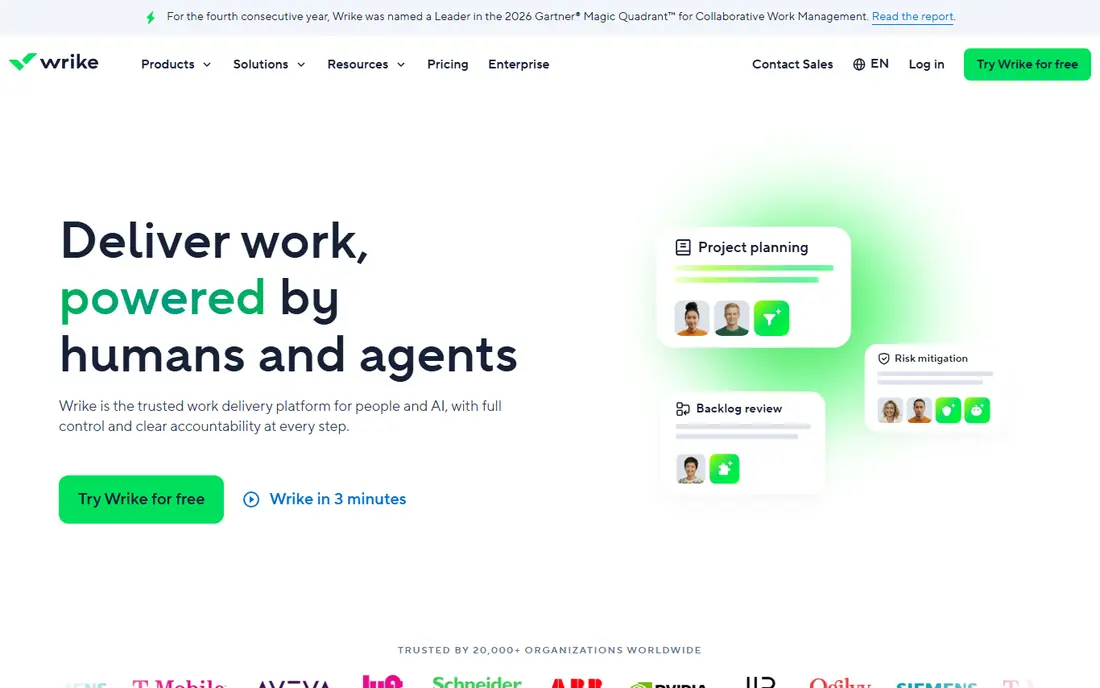
Wrike makes the most sense for complicated workflows and approvals. Wrike sits between team task tools and enterprise PPM. Its strengths are custom workflows, dynamic request forms and approval chains, which suit IT teams that deliver projects for internal clients with formal intake.
From a buyer's view, IT service delivery teams like the request-to-delivery pipeline: a form records the request, automation routes it. The project runs with approvals at each gate. On top of that, teams commonly outgrow the Team plan rapidly and find the Business level substantially more costly. The main limit is the pricing jump between levels. Check the vendor site for Wrike pricing; none is listed in this comparison. A free plan is available with Wrike.
Downsides: Interface takes time to master.
- Capable custom workflows and request forms
- Strong resource management
- The jump from Team to Business level is steep
Teamwork.com
Ideal for: Client-facing IT services work

Teamwork.com works best for client-facing IT services work. Client users get restricted, branded access without seeing internal workings.
The workload and profitability views help services leaders see which projects make money and which do not. No starting price is listed for Teamwork.com here; confirm pricing on the vendor site. Teamwork.com offers a free plan.
Where it falls short: Less suited to pure internal IT.
- Client-friendly permissions
- Built for agencies and client services
- Some features need higher levels
Jira
Ideal for: Agile software and IT teams
In short, Jira is for agile software and IT teams. Jira is the tool most IT teams compare everything else against. Thousands of marketplace apps extend Jira into test management, time tracking, portfolio planning and ITSM.
Limits to weigh: Non-technical users frequently struggle with it.
The native integration with Bitbucket, GitHub and CI pipelines ties work items to code automatically. More specifically, the free plan spans up to 10 users, which makes it simple for a small team to start. On top of that, Jira instances grow complicated, and somebody has to own the configuration, permissions and cleanup. The honest catch is administrative weight. The workflow engine is very adaptable: custom issue types, fields, screens and automation rules let you model anything from bug triage to change management. Check the vendor site for Jira pricing; none is listed in this comparison. Jira offers a free plan.
- Deep agile reporting
- The industry standard for Scrum and Kanban
- Configuration can become a full-time job
Smartsheet
Ideal for: Spreadsheet-style enterprise planning
Where Smartsheet fits: spreadsheet-style enterprise planning. Smartsheet looks like a spreadsheet and acts like a project system, which is exactly why large IT organizations adopt it. In practice, the base license is only the start.
Premium apps for resource management, dynamic views and advanced reporting add 20 to 50 percent to the contract. Beyond that, underneath, it supplies automation, resource management, proofing and portfolio-level reporting through Control Center. For everyday use, the honest drawback is cost structure. Pricing for Smartsheet is not stated here, so ask the vendor for current figures. No free plan comes with Smartsheet.
Where it is weaker: No free plan.
- Capable for portfolio reporting and governance
- Enterprise controls
- Premium extras inflate the contract
Linear
Ideal for: Quick issue tracking for product teams
Linear is designed for quick issue tracking for product teams. Linear is the issue tracker that engineering teams switch to when Jira feels slow and heavy. It is quick, keyboard-driven and opinionated: cycles instead of sprints, triage flows, and a clean interface that developers actually enjoy.
Where it is weaker: Less adaptable for non-engineering work.
More specifically, the honest catch is scope. Beyond that, Linear is aimed at product development; it is not a general project management tool for marketing campaigns or facilities projects. It lacks the enterprise governance, portfolio reporting and compliance features of ServiceNow or Smartsheet. Beyond that, the free plan handles small teams, and premium plans are straightforward per-user pricing. Linear does not show a starting price in this comparison, so check the vendor site for current pricing. Linear has a free plan.
- Opinionated workflow
- Very quick and keyboard-driven
- Fewer enterprise governance features
Asana
Ideal for: Cross-team projects and goals
For cross-team projects and goals, Asana is a natural candidate. Asana is the work management product IT teams pick when the work spans engineering, marketing, operations and leadership. For everyday use, automations, forms and custom fields include most workflow needs without code.
From a buyer's view, the interface is refined enough that non-technical stakeholders adopt it without training. Also, at 100-plus users that brings up rapidly. On top of that, for IT specifically, Asana does well for project intake, sprint-adjacent planning and cross-functional initiatives like system migrations where half the participants are not engineers. On top of that, the free Personal plan is genuinely handy for small teams, so start there and upgrade when a specific limit bites. Entry price for Asana: $10.99 per user/month. Asana offers a free plan.
What to check first: Advanced features sit behind higher levels.
- Goals and portfolios tie work to strategy
- Ample free Personal plan
- Per-user cost climbs quick at scale
ServiceNow
Ideal for: Enterprise portfolio management
ServiceNow is designed for enterprise portfolio management. ServiceNow Strategic Portfolio Management is a different category from the tools above. It is aimed at enterprises that require to handle demand, portfolios, resources, roadmaps and financials across hundreds of projects, with deep ties into ServiceNow's ITSM, ITOM and asset management modules.
Honest limits: Quote-based enterprise pricing.
Get the implementation scope fixed in the contract. Pricing is quote-based and implementations run as formal programs with consultants. A 20-person IT team should not buy ServiceNow SPM; it is for organizations where portfolio governance is a full-time function. Also, the honest reality is that this is a major enterprise purchase. No starting price is listed for ServiceNow here; confirm pricing on the vendor site. ServiceNow has no permanent free option.
- Full strategic portfolio management
- Assets and finance
- Implementations are major programs
How the list was put together
For each of the 8 tools we noted price, free plan or trial, fit for IT project management tools and the main limit, using vendor pages and documentation. Treat prices as a snapshot: vendors change plans often, so check the vendor site for the figure that applies today. The sequence is a judgement call: typical use case first, then pricing transparency, then free access. Use the profiles to check fit.
Pre-purchase checklist
- Confirm the entry price on the vendor page. For Wrike, Teamwork.com, Jira and others that means a quote rather than a fixed price.
- Read the fine print on the free plans from ClickUp, Wrike, Teamwork.com and others; seat, project and feature caps differ.
- Before choosing ClickUp, weigh its main limit: the breadth creates a learning curve.
- Confirm the exact Asana plan that includes your must-have features.
- Check the integration list for ClickUp against the tools you run today, and note which ones need a higher plan.
Frequently asked questions
Which tool is a good match for an IT team running Scrum?
ClickUp is the pick this page puts first, mainly for feature depth for the price. If your situation differs, Wrike suits complicated workflows and approvals, and Teamwork.com suits client-facing IT services work. Compare price and limits before you decide.
Can I try these options before paying?
Often, yes. ClickUp, Wrike, Teamwork.com and others have a free plan. Use your own data and a real task during the test, and check what the free tier or trial limits before you rely on it.
Do these tools publish their prices?
Not all of them. Wrike, Teamwork.com, Jira and others publish no starting price, so expect a quote request for those. The rest, ClickUp included, show a starting price, though seats and billing terms still change the final cost.
How are the tools for IT project management tools ordered?
ClickUp sits first and ServiceNow last because the order follows typical fit for IT project management tools, then price clarity and free access. It is a judgement call, so read each profile for fit and limits.
What is the cheapest option for IT project management tools in this list?
On published monthly entry prices, ClickUp is the lowest here at $9 per user/month. Entry price is only part of the cost, because seats, add-ons and billing terms can change the total.