Best Janitorial Software with Payroll Management in 2026: 8 Tools Compared

- 1
 Janitorial ManagerCleaning companies that want job tracking plus payroll linksVisit
- 2
 SweptCleaning firms that want cleaner communication and time trackingVisit
- 3
 CleanGuruCleaning businesses that want bidding plus operationsVisit
- 4
 JobberField service firms that want quotes, scheduling, and payroll linksVisit
- 5
 Housecall ProCleaning and home service firms that want an all-in-one appVisit
- Janitorial Manager stands out for cleaning companies that want job tracking plus payroll links, which makes it a strong starting point for that need.
- Swept stands out for cleaning firms that want cleaner communication and time tracking, which makes it a strong starting point for that need.
- CleanGuru stands out for cleaning businesses that want bidding plus operations, which makes it a strong starting point for that need.
- Jobber stands out for field service firms that want quotes, scheduling, and payroll links, which makes it a strong starting point for that need.
- Prices and free plans vary widely across this list, so check the vendor pricing page for your team size or usage before you commit.
Please note: This article is for general information only and is not tax advice. Payroll tax and labor rules vary by location, so speak to a qualified professional before you decide.
Quick comparison
| Product | Ideal for | Price from | Free version | |
|---|---|---|---|---|
| Janitorial Manager | Cleaning companies that want job tracking plus payroll links | See website | No | Visit |
| Swept | Cleaning firms that want cleaner communication and time tracking | See website | No | Visit |
| CleanGuru | Cleaning businesses that want bidding plus operations | See website | No | Visit |
| Jobber | Field service firms that want quotes, scheduling, and payroll links | $49 per month | No | Visit |
| Housecall Pro | Cleaning and home service firms that want an all-in-one app | $49 per month | No | Visit |
 ZenMaid | Maid services that want simple scheduling and payroll links | See website | No | Visit |
 MaidCentral | Maid services that want operations plus payroll | See website | No | Visit |
 Service Autopilot | Larger cleaning firms that want automation and payroll | See website | No | Visit |
The best janitorial software with payroll management
We compared official feature pages, pricing pages, app store listings, privacy policies, and public reviews to build this list, and we focused on tools that truly fit best janitorial software with payroll management rather than general tools with a passing connection. The eight options below cover different budgets, team sizes, and priorities, so start with the best-for notes and read the full write-up for any tool that matches your situation.
Janitorial Manager
Ideal for: Cleaning companies that want job tracking plus payroll links
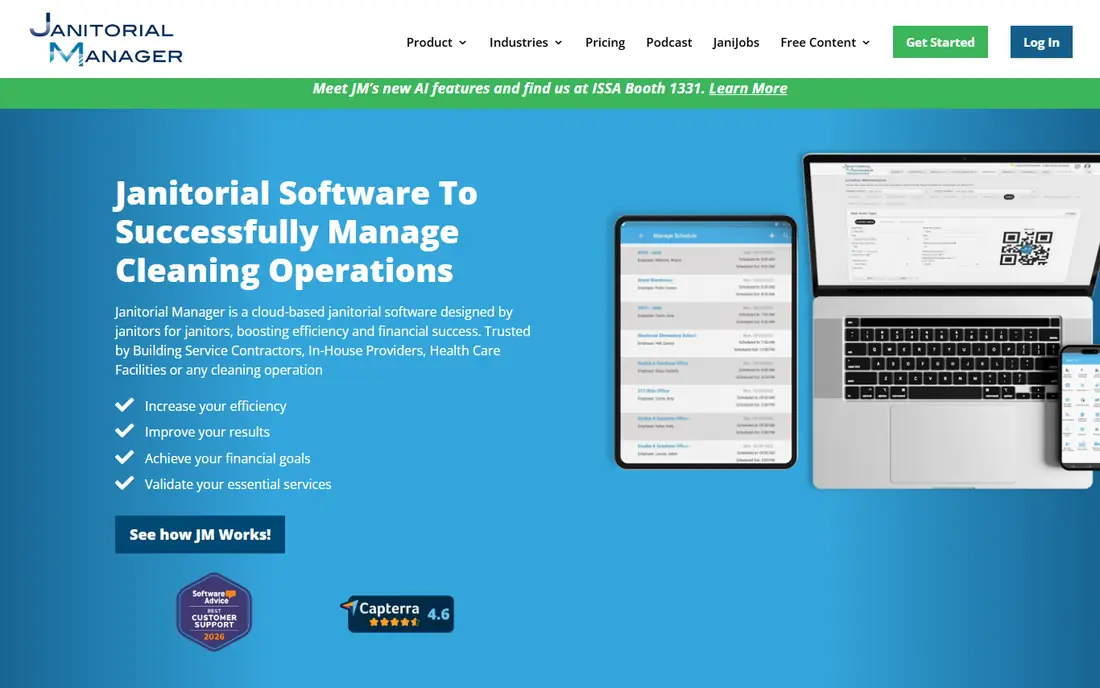
Janitorial Manager is built for cleaning businesses, with job scheduling, time tracking, inspections, and supply tracking in one place. Payroll works through integrations with payroll providers, so hours flow from time tracking into pay without rekeying. That janitorial focus shows in features like site inspections and quality scores.
Payroll itself is not native, so firms need a payroll partner alongside it. Pricing is quote-based. For cleaning companies that want operations built for their work plus a payroll link, Janitorial Manager is the most tailored option here.
Before you commit, check the current pricing page and trial terms for your team size, since plans change and the right tier depends on how many people will actually use the tool daily.
- Built for janitorial work
- Inspections, time tracking, and payroll integrations
- Payroll is via integration, not native
- Pricing is quote-based
Swept
Ideal for: Cleaning firms that want cleaner communication and time tracking
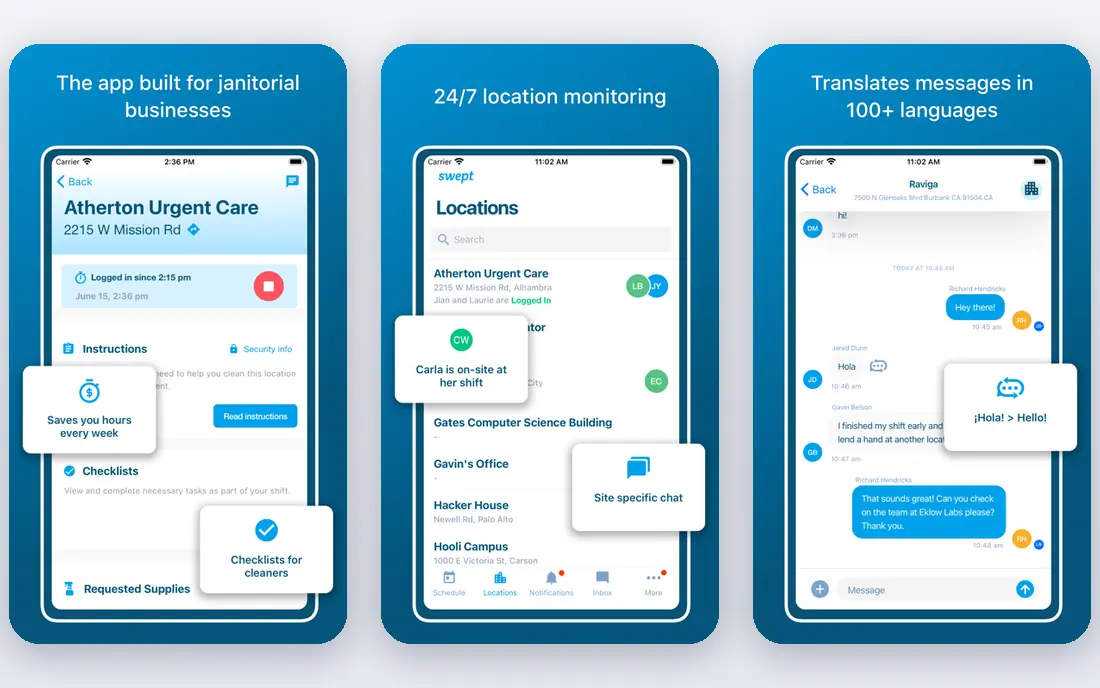
Swept gives cleaning companies scheduling, time tracking, and team messaging designed for cleaners in the field. Supervisors can message staff, track hours, and manage sites from one app, and payroll integrations carry hours into pay. The communication tools help when cleaners work alone at different sites.
Payroll is integration-based rather than native, and Swept is a smaller vendor than Jobber or Housecall Pro. For cleaning firms whose biggest pain is reaching and tracking field staff, Swept communication and time tools stand out. Confirm your payroll provider integrates before buying.
Before you buy, run a short trial with your real data and your real workflow, since a demo with sample data hides the friction points that matter once the whole team is involved.
- Janitorial scheduling, time tracking, and team messaging
- Payroll integrations
- Payroll via integration
- Smaller vendor than Jobber
CleanGuru
Ideal for: Cleaning businesses that want bidding plus operations
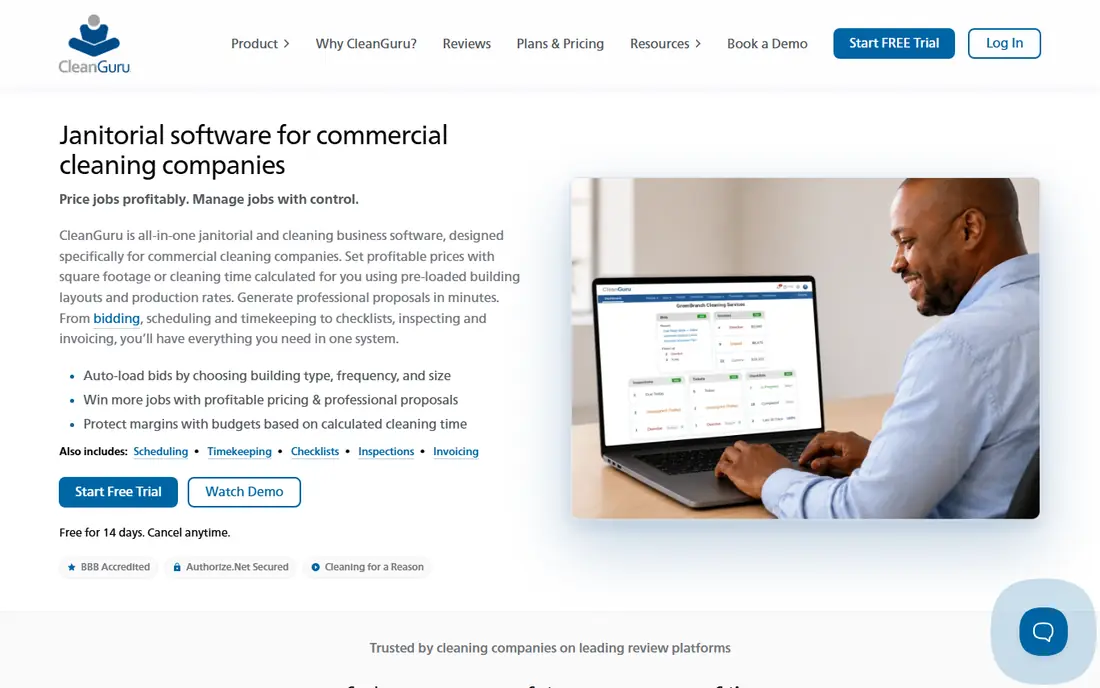
CleanGuru serves cleaning businesses with bidding calculators, scheduling, time tracking, and job costing. Its bidding tools help firms price jobs from square footage and task lists, which matters for winning contracts at sustainable rates. Time data feeds payroll integrations for accurate pay.
Payroll is not native, and the interface is functional rather than polished. For firms that bid often and need job costing tied to hours, CleanGuru covers the commercial side well. Pair it with a payroll provider that accepts its time exports.
Before you decide, confirm integration with the tools you already use and check what support hours and onboarding help are included, since those details matter more than a feature list once you are live.
- Cleaning-specific bidding, scheduling, and time tools
- Payroll integrations
- Payroll via integration
- Interface is functional rather than modern
Jobber
Ideal for: Field service firms that want quotes, scheduling, and payroll links
Jobber is a popular field service platform with quotes, scheduling, invoicing, and time tracking, used by many cleaning firms. Hours tracked in Jobber can flow to payroll integrations, and invoicing ties job revenue to labor time. Starting at $49 per month, pricing is clear and the mobile app is strong.
Jobber is not janitorial-specific, so inspection and quality tools are thinner than Janitorial Manager. Payroll is integration-based. For cleaning firms that also do other field work, or that value invoicing and quoting depth, Jobber is a versatile pick.
Before you commit, ask for a quote that covers every user, module, and add-on you need, and compare that total against at least one other tool on this list for the same scope.
- Quotes, scheduling, invoicing, and time tracking
- Payroll integrations
- Payroll is via integration
- Janitorial-specific features are limited
Housecall Pro
Ideal for: Cleaning and home service firms that want an all-in-one app
Housecall Pro gives cleaning and home service firms scheduling, dispatch, invoicing, and customer communication in one app. Time tracking feeds payroll integrations, and the mobile experience suits cleaners moving between sites. Starting at $49 per month, it is accessible for small firms.
Payroll is not native, and costs rise as features are added. For small cleaning businesses that want one app for bookings, jobs, and invoices plus a payroll link, Housecall Pro is easy to adopt. Check which payroll integrations are supported in your state.
Before you commit, check the current pricing page and trial terms for your team size, since plans change and the right tier depends on how many people will actually use the tool daily.
- Scheduling, dispatch, invoicing, and payroll integrations
- Strong mobile app
- Payroll via integration
- Pricing rises with features
ZenMaid
Ideal for: Maid services that want simple scheduling and payroll links
ZenMaid is built for maid and residential cleaning services, with scheduling, time tracking, and client management shaped around recurring cleans. Time data can feed payroll through integrations or exports, keeping pay accurate for hourly cleaners. The interface is simple and quick to learn.
Scope is narrower than Jobber or Housecall Pro, and payroll is not native. For maid services that mainly need scheduling and time tracking with a payroll link, ZenMaid simplicity is a strength. Larger commercial cleaning firms may need Janitorial Manager depth instead.
Before you buy, run a short trial with your real data and your real workflow, since a demo with sample data hides the friction points that matter once the whole team is involved.
- Built for maid services
- Scheduling, time tracking, and payroll exports
- Smaller scope
- Payroll via integration or export
MaidCentral
Ideal for: Maid services that want operations plus payroll
MaidCentral serves maid services with scheduling, client management, and payroll-related tools in one platform. It aims to cover the full maid business workflow, from booking and dispatch to pay, which reduces the number of separate tools a small firm juggles. Reporting ties revenue to labor costs.
The focus is maid services specifically, so commercial janitorial firms may find less fit, and pricing is quote-based. For maid businesses that want operations and payroll closer together, MaidCentral is worth a demo. Ask exactly which payroll functions are native versus integrated.
Before you decide, confirm integration with the tools you already use and check what support hours and onboarding help are included, since those details matter more than a feature list once you are live.
- Maid service operations, scheduling, and payroll features
- Focused on maid services
- Pricing is quote-based
Service Autopilot
Ideal for: Larger cleaning firms that want automation and payroll
Service Autopilot offers scheduling, automation, invoicing, and dispatch for field service firms including cleaning companies. Automations handle reminders, follow-ups, and recurring jobs, while time tracking feeds payroll integrations. Larger firms benefit most from its automation depth.
The learning curve is steeper than ZenMaid or Jobber, and pricing is quote-based. For cleaning firms with enough volume to benefit from automation, Service Autopilot can save real admin time. Smaller firms may prefer a simpler tool to start.
Before you commit, ask for a quote that covers every user, module, and add-on you need, and compare that total against at least one other tool on this list for the same scope.
- Automation, scheduling, and invoicing for field services
- Payroll integrations
- Learning curve
- Pricing is quote-based
How we picked these
We started from the topic itself and looked for products that genuinely serve it, not tools that mention it in passing. For each candidate we checked the vendor's own feature and pricing pages, app store listings where relevant, privacy and security pages, and public user reviews, and we dropped any product we could not verify as real and available in October 2026.
We then compared the remaining tools on fit for the stated need, pricing transparency, free or trial options, ease of adoption, and honest weaknesses. Every list below mixes well-known leaders with strong smaller options, and every write-up names a real trade-off, since no tool is best for every team.
Getting payroll right for hourly cleaning teams
Start with time collection at the site. Cleaners work alone, often at night, so mobile clock-ins, GPS or site verification, and easy corrections matter more than back-office features. Test clock-in with real cleaners, not just managers, before you buy.
Next, confirm the payroll link end to end. Ask how hours, overtime, and site differentials flow into your payroll provider, and what happens when a time entry is corrected after payroll runs. A clean export beats a broken integration every time.
Finally, weigh inspection and quality tools alongside payroll. Payroll accuracy keeps staff paid, but inspections keep contracts, and janitorial-specific tools cover both. Compare total cost including the payroll subscription, and involve a supervisor in the trial.
Frequently asked questions
Do janitorial tools include payroll, or just link to it?
Most link to payroll providers rather than running payroll natively. Hours flow from time tracking into payroll software, so check which providers integrate before you choose.
Why does time tracking matter so much for cleaning payroll?
Cleaners are usually hourly and work at many sites, so accurate clock-ins and site hours decide pay. Good time tracking prevents disputes and keeps labor costs tied to each job.
Can these tools handle multiple cleaning sites?
Yes. Scheduling, site checklists, and inspections are core features for most tools here, with Janitorial Manager and Swept built most directly around multi-site cleaning work.
How much does janitorial software cost?
Jobber and Housecall Pro start at $49 per month, while others use quote-based pricing. Add payroll provider costs on top, since payroll is usually a separate subscription.
Should a small cleaning firm use janitorial-specific software?
If cleaning is your only business, yes, since inspection and site tools fit your work. If you also do other field services, a general tool like Jobber may cover more of your business.