Shortlist: 7 Best Kanban Board Software Options for 2026

- Notion is the opening pick, best for flexible docs plus boards.
- Monday suits visual work management.
- A fair warning about Asana: Kanban is one view among plenty of.
- No starting price is published for Businessmap and Monday; expect a quote.
Direct answer
For adaptable docs plus boards, Notion is where this list starts. Asana is better for Kanban plus project views, and Businessmap is better for serious Kanban method. The other 4 tools in the list cover narrower or pricier cases.
Quick comparison
| Product | Ideal for | Price from | Free version | |
|---|---|---|---|---|
 Notion | Adaptable docs plus boards | Free | Yes | Visit |
 Asana | Kanban plus project views | Free | Yes | Visit |
 Businessmap | Serious Kanban method | See website | No | Visit |
 Jira | Software team kanban | Free | Yes | Visit |
 Trello | Straightforward visual kanban | Free | Yes | Visit |
 KanbanFlow | Focused lean kanban | Free | Yes | Visit |
 Monday | Visual work management | See website | No | Visit |
Tool-by-tool breakdown
If you are comparing Kanban board software, this page covers 7 tools in one place: what each is best for, what it costs to start, whether it has a free plan, and the main limit to know about.
Notion
Ideal for: Adaptable docs plus boards
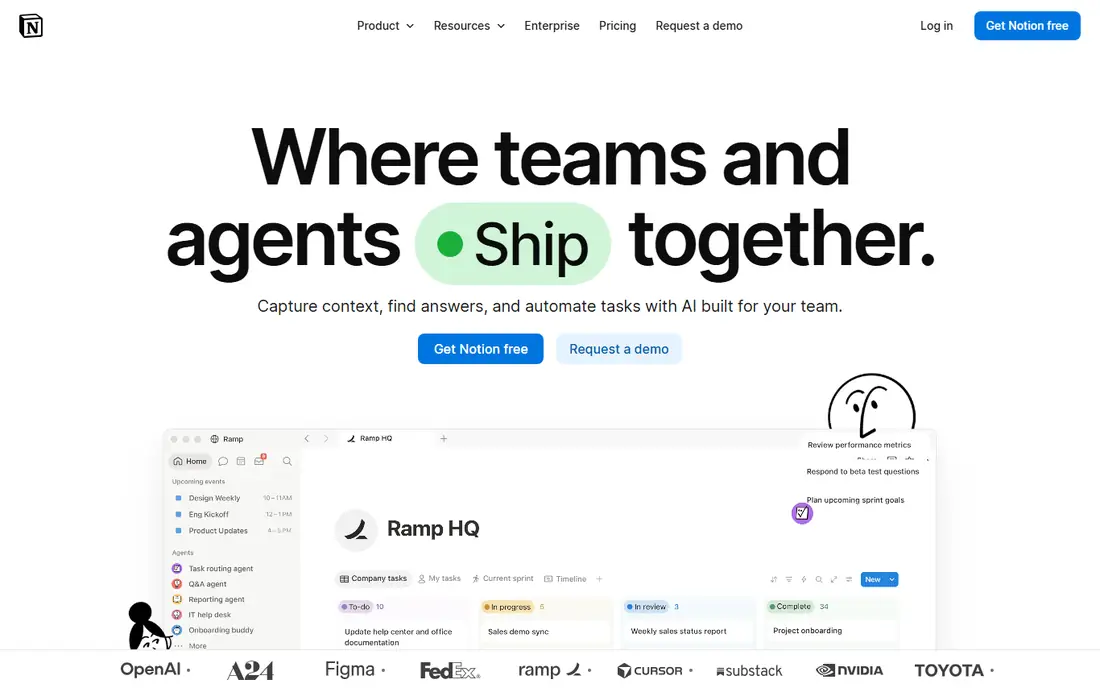
Notion targets adaptable docs plus boards. Notion's board view turns any database into a kanban board, living alongside docs, wikis, and project pages. Worth adding: teams that already run on Notion get kanban without another tool; cards can hold rich content, relations, and rollups.
Large boards can feel slow. Notion is a workspace with kanban, not kanban software. But for teams whose work lives in Notion already, the board view spans daily task management well enough that a separate tool is unnecessary. Entry price for Notion: Free. Notion has a free plan.
Where it is weaker: Performance with large databases.
- Boards inside a full workspace
- Ample free level
- Kanban features are entry-level
Asana
Ideal for: Kanban plus project views
Asana serves Kanban plus project views. The design is clean, onboarding is smooth, and the free level includes small teams.
On top of that, for teams that want kanban as their daily view but need other views for planning, Asana's adaptability wins. Asana pricing: Free. Asana includes a free tier.
Points against: Premium features paywalled.
- Clean design
- Well suited to cross-functional teams
- Kanban is one view among many
Businessmap
Ideal for: Serious Kanban method
Businessmap targets serious Kanban method. But for companies adopting Kanban at scale, with several teams and the need for flow metrics, Businessmap is the most methodologically serious tool available.
Watch-outs: Priced for organizations.
Businessmap shows no starting price here, so confirm the cost on the vendor site. There is no free plan with Businessmap.
- True Kanban methodology support
- Portfolio-level boards
- Overkill for straightforward boards
Jira
Ideal for: Software team kanban
Where Jira fits: software team kanban. Jira's kanban boards live inside a complete development workflow: issues, sprints, releases, and integrations with Bitbucket and GitHub.
Non-technical teams commonly find Jira heavy; the configuration choices that developers love become overhead for everyone else. It is kanban for teams that ship code. Price to start with Jira: Free. Jira includes a free tier.
Where it is weaker: Overkill for non-technical teams.
Main advantages: Free for small teams.
- Capable automation
- Aimed at development workflows
- Complexity overhead
Trello
Ideal for: Straightforward visual kanban
Trello was built for straightforward visual kanban. Complicated projects outgrow it: dependencies, workload management, and advanced reporting need premium levels or other tools.
In daily use, anyone understands it in minutes, which is why it spread through teams that would never touch "project management software." The free level is genuinely handy, power-ups add integrations, and templates include everything from editorial calendars to hiring pipelines. More specifically, simplicity is the feature. Entry price for Trello: Free. You can start on Trello without paying.
Drawbacks to consider: Limited for complicated projects.
- Immediately understandable
- Huge template library
- Advanced features need premium levels
KanbanFlow
Ideal for: Focused lean kanban
KanbanFlow is built with focused lean kanban in mind. KanbanFlow keeps kanban lean: boards with WIP limits, swimlanes, and a built-in Pomodoro timer for focused work sessions. From a buyer's view, for individuals and small teams practicing lean workflows, KanbanFlow's simplicity and price are refreshing.
On top of that, time tracking integrates naturally with the board. On top of that, the design presents its age, and the integration ecosystem is smaller than the big products. Price to start with KanbanFlow: Free. A free plan is available with KanbanFlow.
What to check first: Fewer integrations.
- Low-cost premium
- Clean focused interface
- Dated design
Monday
Ideal for: Visual work management
In short, Monday is for visual work management. There is no free level, and per-seat pricing climbs as teams grow. But for teams that want kanban boards as part of a vibrant, configurable workspace, Monday's visual appeal and adaptability are solid draws.
Monday's kanban view sits inside a colorful, highly configurable work product. Teams build boards that match their exact process, automate status changes and notifications, and view work as kanban, Gantt, calendar, or dashboard. Check the vendor site for Monday pricing; none is listed in this comparison. Monday does not include a free plan.
Points against: No free level.
- Highly visual and configurable
- Wide templates
- Pricing per seat layers on up
How we chose
Selection started from tools commonly considered for Kanban board software, then narrowed to 7 that have clear pricing information or a clear quote process. Figures are shown as the vendors publish them. Billing terms, seat minimums and add-ons can change the real cost. Position on the page reflects fit for a typical buyer first, with price clarity and free access breaking ties. Treat it as a guide, not a ruling.
Questions to settle before buying
- Get a written quote from Businessmap and Monday; the list shows no starting price for them.
- Check what the free option really includes: Notion, Asana, Jira and others offer a free plan, and usage caps differ.
- Before choosing Notion, weigh its main limit: Kanban features are entry-level.
- Price Trello for your actual team size; headline prices rarely include add-ons or overage.
- A short pilot of Asana with your real workflow tells you more than a feature table.
Frequently asked questions
Which options for Kanban board software have a free plan?
Notion, Asana, Jira, Trello and KanbanFlow offer a free plan in this list. Free plans usually cap users, projects or features, so check the limits on the vendor page.
What is the difference between kanban and scrum?
Scrum organizes work into fixed-length sprints with defined roles and ceremonies. In practice, Kanban fits continuing operational work; scrum fits project-based development.
Can kanban work for non-software teams?
Absolutely. Marketing teams track campaigns, HR tracks hiring pipelines, editorial teams track content, and sales teams track deals on kanban boards. The method (visualize, limit WIP, run flow) applies to any knowledge work. The software does not care what the cards represent.
Do these tools publish their prices?
Not all of them. Businessmap and Monday publish no starting price, so expect a quote request for those. The rest, Notion included, show a starting price, though seats and billing terms still change the final cost.
How are the tools for Kanban board software ordered?
Notion sits first and Monday last because the order follows typical fit for Kanban board software, then price clarity and free access. It is a judgement call, so read each profile for fit and limits.
How many cards should be on a board?
A board with fifty cards is a database, not a workflow. Active work in progress should fit the team's capacity (roughly one to two cards per person in Doing).