This list puts HubSpot Service Hub first for expanding teams blending service and knowledge. Listed starting prices: Zendesk from $19 agent/month premium yearly. Guru fits governed knowledge for trustworthy AI answers; ServiceNow Field Service Management fits knowledge tied to field service workflows. All 5 tools are compared below on price, free plan and limits.
Choosing knowledge base software for field technicians usually comes down to price, fit and limits. This Ainotely guide sets 5 tools side by side on those three points, with the facts kept short and checkable.
Key takeaways
Number one here is HubSpot Service Hub, a fit for growing teams blending service and knowledge.
One limit worth knowing about Guru: focused on knowledge governance, not field workflows.
Zendesk has the lowest monthly starting price in this list: $19 agent/month premium yearly.
Zendesk is the one to check for help center content linked to support tickets.
Best for: Expanding teams blending service and knowledge
HubSpot Service Hub is built with expanding teams blending service and knowledge in mind. HubSpot Service Hub is an AI-powered customer service system for expanding teams that want to transform customer experience. It comes with knowledge base capabilities so teams can publish articles and help content alongside service tools.
The main drawbacks: Field service features are restricted.
From a buyer's view, Service Hub is not a field service management product, so dispatch and on-site workflows are outside its scope. For everyday use, if technicians need mobile work orders and scheduling, a dedicated field service tool may serve better. Check the vendor site for HubSpot Service Hub pricing; none is listed in this comparison. Free plan details: Not stated.
Best for: Governed knowledge for trustworthy AI answers
Pick Guru if this describes you: governed knowledge for trustworthy AI answers. Guru is a governed knowledge layer for enterprise AI that structures, governs and continuously improves knowledge so AI answers can be trusted.
Where it falls short: Centred on knowledge governance, not field workflows.
Worth adding: Guru concentrates on knowledge governance instead of field service management, so scheduling and work order features are not part of it. From a buyer's view, for field technicians, it can help ensure that the procedures and answers they receive are accurate and up to date. No starting price is listed for Guru here; confirm pricing on the vendor site. Trial and free access: Not stated.
Best for: Knowledge tied to field service workflows
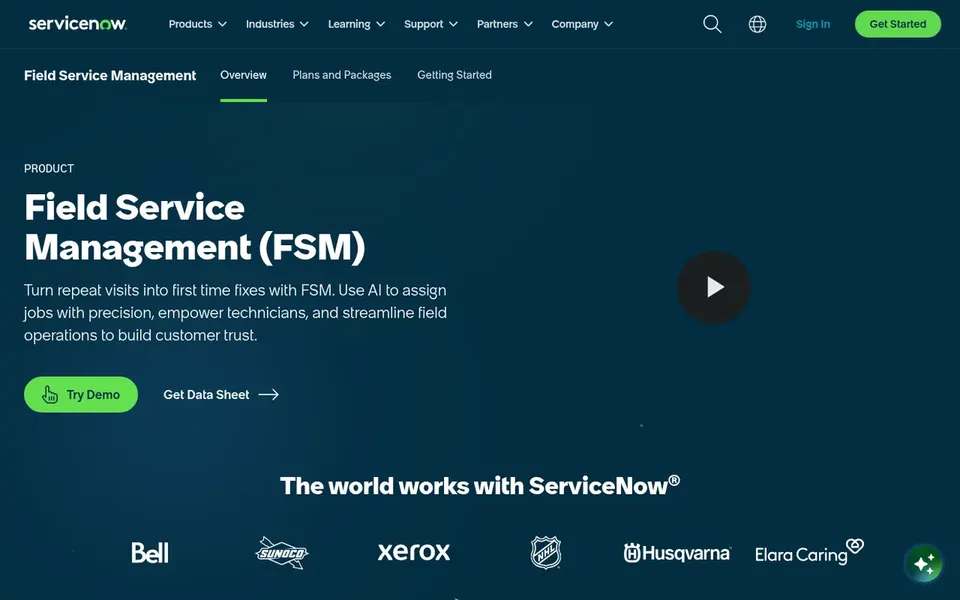
In short, ServiceNow Field Service Management is for knowledge tied to field service workflows. ServiceNow Field Service Management is a system for managing field service work with digital workflows that let employees work the way they want.
Beyond that, teams with structured field operations and a need for workflow-driven service delivery fit it best. ServiceNow Field Service Management shows no starting price here, so confirm the cost on the vendor site. As for free access: Not stated.
Limits to weigh: Configuration can be complicated.
For structured documentation with AI search, Document360 is a natural candidate. It fits teams that want a dedicated, well-structured knowledge base for procedures and troubleshooting guides that field technicians can search rapidly.
Document360 is not a ticketing or field service system, so it will not run work orders or dispatch. Document360 does not show a starting price in this comparison, so check the vendor site for current pricing. Free plan details: Not stated.
Trade-offs to know: Needs content planning to stay organized.
Best for: Help center content linked to support tickets
Pick Zendesk if this describes you: help center content linked to support tickets. Zendesk is an AI-powered customer service system that pairs ticketing with help center content so support teams can resolve issues efficiently.
Starting cost for Zendesk: $19 agent/month premium yearly. On free options: Free trial.
Watch-outs: Knowledge features center on customer support.
Get a written quote from HubSpot Service Hub, Guru, ServiceNow Field Service Management and Document360; the list shows no starting price for them.
Run a trial of Zendesk with real work before paying for a year; your own workflow is the best test.
Before choosing HubSpot Service Hub, weigh its main limit: Field service features are restricted.
Work out what HubSpot Service Hub costs with your real seat count, add-ons and usage, not just the entry price.
Confirm the exact Zendesk plan that includes your must-have features.
How we picked
Each tool was reviewed on what its vendor publishes: price, plan limits, core features and stated drawbacks. We did not run hands-on tests. Figures are shown as the vendors publish them. Billing terms, seat minimums and add-ons can change the real cost. Position on the page reflects fit for a typical buyer first, with price clarity and free access breaking ties. Treat it as a guide, not a ruling.
Every price and plan detail on this page comes from the vendors’ own websites. We did not run hands-on tests unless the text says so, and we do not publish star ratings or review scores. See how we score and our disclosure.
Keep your shortlist in one place
Paste prices, trial dates and notes from this guide into Ainotely, our AI note app. It files them into a topic and pulls out tasks like “cancel trial by Friday”. Free 7-day trial, no card needed.
Is HubSpot Service Hub the right pick for everyone comparing knowledge base software for field technicians?
No single tool suits every team. HubSpot Service Hub comes first because it fits growing teams blending service and knowledge, while Guru suits governed knowledge for trustworthy AI answers and ServiceNow Field Service Management suits knowledge tied to field service workflows. Match the tool to your own size, budget and workflow before deciding.
Is a field service product necessary for knowledge management?
If technicians primarily need documentation, a dedicated knowledge base may suffice. A field service system helps when knowledge must link to work orders and scheduling.
What is the cheapest option for knowledge base software for field technicians in this list?
On published monthly entry prices, Zendesk is the lowest here at $19 agent/month premium yearly. Entry price is only part of the cost, because seats, add-ons and billing terms can change the total. For the full picture, the cards above cover all 5 entries of this knowledge base software for field technicians list, including price, free plan and limits.
How are the tools for knowledge base software for field technicians ordered?
The order follows typical fit for knowledge base software for field technicians, with HubSpot Service Hub first and Zendesk last, then price clarity and free access. It is editorial judgement, not a score, so another team could rank the tools differently.
What should field technicians look for in knowledge base software?
Quick search, mobile access and accurate, well-governed content matter most. Integration with service workflows helps technicians find answers without leaving their work tools.
How does Guru differ from a standard knowledge base?
Guru emphasizes governance so AI answers can be trusted, structuring and continuously improving knowledge. Standard knowledge bases focus more on authoring and publishing content.