Law Firm Time Tracking Software: 6 Options Side by Side (2026)

- 1
 CosmoLexSmall and midsize businesses that want practice management with built in business and trust accountingVisit
- 2
 SmokeballDocument heavy businesses that want automatic time capture from Word and OutlookVisit
- 3
 ClioMost businesses that want matters, time, billing and trust in one systemVisit
- 4
 TimeSolvBusinesses that already have case management and want a dedicated time and billing systemVisit
- 5
 LeanLawBusinesses that run QuickBooks Online and want legal billing and trust accounting on top of itVisit
- Top of the list is CosmoLex, which targets small and midsize businesses that want practice management with built in business and trust accounting.
- TimeSolv comes with a trade-off: prices conflict across sources, with third party pages listing 43 dollars for Pro and 58 dollars for Legal, so confirm your band in writing.
- The cheapest monthly starting price in the list is $34.95/user/mo, Legal plan, monthly billing, offered by TimeSolv.
- Neither CosmoLex nor PracticePanther, nor any of the other 4 tools, has a permanent free plan; trials and quotes are the norm.
Direct answer
CosmoLex comes first here, mainly for small and midsize businesses that want practice management. For a different need, Smokeball covers document heavy businesses that want automatic time capture from Word and Outlook and Clio covers most businesses that want matters, time, billing and trust in one system. The other 3 tools in the list cover narrower or pricier cases.
Quick comparison
| Product | Ideal for | Price from | Free version | |
|---|---|---|---|---|
| CosmoLex | Small and midsize businesses that want practice management with built in business and trust accounting | $49/user/mo, Launch plan, annual billing ($59 billed per month) | Free trial (10 days) | Visit |
| Smokeball | Document heavy businesses that want automatic time capture from Word and Outlook | Quote | Free trial | Visit |
| Clio | Most businesses that want matters, time, billing and trust in one system | $49/user/mo, Starter plan, annual billing; higher tiers quote only | Free trial (7 days) | Visit |
| TimeSolv | Businesses that already have case management and want a dedicated time and billing system | $34.95/user/mo, Legal plan, per month billing ($31.46 on annual billing) | Free trial | Visit |
| LeanLaw | Businesses that run QuickBooks Online and want legal billing and trust accounting on top of it | $55/user/mo, Core plan; Pro $75/user/mo | Free trial | Visit |
 PracticePanther | Solo and small businesses that want a quick to learn system with clear published prices | $49/user/mo, Solo plan, annual billing ($59 billed monthly) | Free trial (7 days) | Visit |
Our 6 picks for law firm time tracking software
Ainotely put together this guide to law firm time tracking software for readers who want a clear shortlist without reading every vendor page. It compares 6 tools on starting price, free plans, who each one suits and where each one falls short.
CosmoLex
Ideal for: Small and midsize businesses that want practice management with built in business and trust accounting
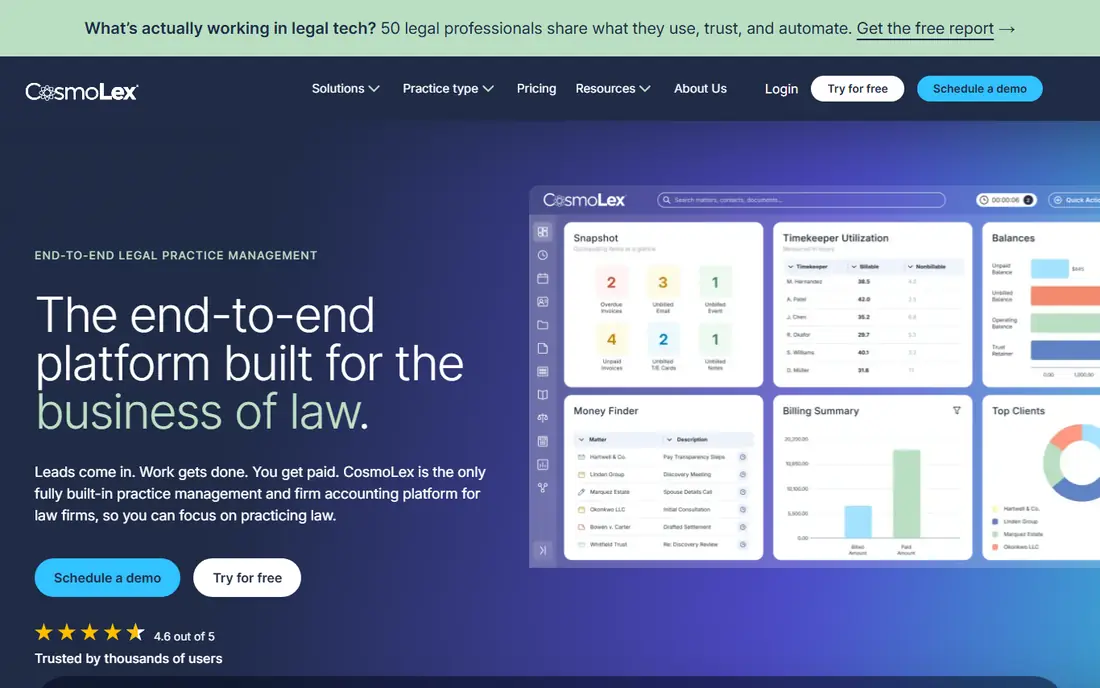
CosmoLex makes the most sense for small and midsize businesses that want practice management with built in business and trust accounting. The Launch plan at 49 dollars per user a month on annual billing is a fair entry point for a small firm.
The main drawbacks: Core at 99 dollars and Pro at 129 dollars.
But a firm that needs fuller accounting should budget for Core at 99 dollars or Pro at 129 dollars. The starting price for CosmoLex: $49/user/mo, Launch plan, annual billing. Free plan details: Free trial (10 days).
- Built in general ledger and trust accounting
- Practice management and billing in one system
- Full accounting sits in the higher plans
Smokeball
Ideal for: Document heavy businesses that want automatic time capture from Word and Outlook

Smokeball is a good fit for document heavy businesses that want automatic time capture from Word and Outlook. Third party pages report Bill near 49 dollars and Boost near 89 dollars per user a month, with Grow and Prosper+ sold by quote.
Watch-outs: The vendor pricing page presents plan names with no dollar figures.
The vendor page presents no dollar figures. More specifically, the form library, with more than 20,000 legal forms, cuts drafting time on form heavy work. There is no fixed entry price for Smokeball; pricing comes through a quote. As for free access: Free trial.
What works well: AutoTime automatic capture.
- Document automation
- Large legal form library
- AutoTime sits in the higher levels or as an add-on
Clio
Ideal for: Most businesses that want matters, time, billing and trust in one system

Clio is built with most businesses that want matters, time, billing and trust in one system in mind. Lawyers can start a timer from a matter, enter time in six minute increments, and edit entries with notes that carry through to the pre-bill.
Clio cost at the entry level: $49/user/mo, Starter plan, annual billing. On free options: Free trial (7 days).
Downsides: intake is a separate product that brings cost. Where Clio stands out: Wide practice management.
- Large integration library
- Timers and matter based entry
- Higher levels are quote only
TimeSolv
Ideal for: Businesses that already have case management and want a dedicated time and billing system
For businesses that already have case management and want a dedicated time and billing system, TimeSolv is a natural candidate. Ask for a quote that states seat count, billing cycle and e-billing fees.
What works well: trust accounting.
Price to start with TimeSolv: $34.95/user/mo, Legal plan, monthly billing. Free options: Free trial.
- No case management bloat
- Offline capture with TimeSync
- Prices conflict across sources, with third party pages listing 43 dollars for Pro and 58 dollars for Legal, so confirm your band in writing
LeanLaw
Ideal for: Businesses that run QuickBooks Online and want legal billing and trust accounting on top of it
LeanLaw works best for businesses that run QuickBooks Online and want legal billing and trust accounting on top of it. Older pages list Core at 40 or 45 dollars, whereas the vendor and its own guides now list 55 dollars for Core and 75 dollars for Pro.
Points against: it has no case management.
What you pay to start with LeanLaw: $55/user/mo, Core plan. Trial and free access: Free trial.
- LEDES billing on Pro
- Two way QuickBooks Online sync
- It needs a separate QuickBooks Online subscription
PracticePanther
Ideal for: Solo and small businesses that want a quick to learn system with clear published prices
PracticePanther serves solo and small businesses that want a simple to pick up system with clear published prices. PracticePanther includes matters, calendars, documents, time tracking, billing and payments in a clean layout that new staff learn quick. Business Pro at 114 dollars adds PantherAccounting Plus, with trust and operating accounting.
Worth adding: the Solo plan at 49 dollars per user a month on annual billing fits a solo lawyer, whereas Essential at 69 dollars and Business at 89 dollars add custom fields, security roles, intake forms and LEDES billing. From a buyer's view, a firm that needs trust accounting should price Business Pro, not Solo. What you pay to start with PracticePanther: $49/user/mo, Solo plan, annual billing. Free plan details: Free trial (7 days).
Reasons to shortlist it: simple matter and time entry.
- Intake forms and e-signature on higher levels
- Native payments
- Full trust accounting is restricted to Business Pro at 114 dollars per user a month, which is 65 dollars more than the entry plan
Law Firm Time Tracking Software pricing explained
The plan with trust accounting, LEDES billing or workflow automation typically costs 89 to 130 dollars per user a month. A five lawyer firm at 89 dollars per user a month pays 445 dollars a month, or 5,340 dollars a year, before taxes and processing. Also, payment processing is a separate cost.
Annual billing typically saves about 10 to 20 percent against monthly billing, which is 120 dollars per user a year on a 50 dollar plan. Worth adding: implementation fees also vary.
How to choose law firm time tracking software
Start with the billing model, not the feature list. More specifically, a firm that works on contingency needs cost tracking and case expenses. Also, write down the three billing situations the firm manages most, then test each shortlisted tool against those three cases in a trial.
More specifically, check who will use it every day, since partners, associates and support staff record time in different ways. Integration is the next test. Worth adding: the time tool must pass entries to billing without retyping, and billing must pass payments to accounting without a manual export.
On top of that, ask how long setup takes, what migration costs, and whether training is included. A trial should bundle a real invoice run, since month end is when weak billing tools fail.
Where the options differ
A general timer records minutes. On top of that, if the app is slow or cannot work offline, entries get written from memory at the end of the week, and that is when hours go missing.
How we built this list
Pricing pages, product documentation and feature lists were the main sources, and every entry carries at least one honest drawback. Plan names, prices and limits change often. Treat the figures here as a starting point and verify them with the vendor. The ranking is editorial: typical fit first, then clear pricing, then free access. If your needs are unusual, read the profiles rather than relying on position.
Questions to settle before buying
- Ask Smokeball for a written quote, since no starting price is shown.
- Use real work to test the free trial from CosmoLex, Smokeball, Clio and others, rather than a demo project.
- Before choosing CosmoLex, weigh its main limit: full accounting sits in the higher plans, Core at 99 dollars and Pro at 129 dollars.
- Let daily users try CosmoLex on real work; their feedback beats any feature checklist.
- Make sure LeanLaw lets you export your data in a format another tool can read.
Frequently asked questions
How much does law firm time tracking software cost a month?
Most businesses pay 49 to 59 dollars per user a month for an entry plan, and 89 to 130 dollars for a mid level plan with trust accounting or LEDES billing. A five user firm on a mid level plan at 89 dollars pays 445 dollars a month before taxes and payment processing. Card processing frequently layers on about 2.99 percent plus 30 cents per payment. Compare the full first year cost, not the headline price.
Does any tool for law firm time tracking software here have a free plan?
No tool in this list, CosmoLex and PracticePanther included, has a permanent free plan. Several tools offer a trial. Trials and quotes are the usual route, so plan a short evaluation period.
Is CosmoLex the right pick for everyone comparing law firm time tracking software?
No single tool suits every team. CosmoLex comes first because it fits small and midsize firms that want practice management, while Smokeball suits document heavy firms that want automatic time capture from Word and Outlook and Clio suits most firms that want matters, time, billing and trust in one system. Match the tool to your own size, budget and workflow before deciding.
How are the tools for law firm time tracking software ordered?
The order follows typical fit for law firm time tracking software, with CosmoLex first and PracticePanther last, then price clarity and free access. It is editorial judgement, not a score, so another team could rank the tools differently.
What is the cheapest option for law firm time tracking software in this list?
On published monthly entry prices, TimeSolv is the lowest here at $34.95/user/mo, Legal plan, monthly billing. Entry price is only part of the cost, because seats, add-ons and billing terms can change the total.