Best Live Chat Software With CRM Integration

- Intercom and LiveChat both start at $19 per seat or user per month, with AI tools that answer chats before an agent steps in.
- Zoho SalesIQ is the cheapest subscription pick at $7 per operator per month on annual billing, with a free plan for 3 operators.
- Crisp and tawk.to offer free plans, and HubSpot includes live chat in its free CRM, so small teams can start at no cost.
- Zendesk puts live chat in its Suite plans from $55 per agent per month, which suits teams that also need ticketing and help desk tools.
Quick comparison
| Product | Ideal for | Price from | Free version | |
|---|---|---|---|---|
 Intercom | Teams that want AI first support | $19 per seat/month | Free trial (14 days) | Visit |
 LiveChat | Small teams that want simple chat | $19 per user/month (billed annually) | Free trial (14 days) | Visit |
 Zoho SalesIQ | Zoho users that want low cost chat | $7 per operator/month (billed annually) | Yes | Visit |
 Zendesk | Teams that need chat plus ticketing | $55 per agent/month (billed annually) | Free trial | Visit |
 Crisp | Small teams that want flat pricing | $45 per month | Yes | Visit |
 HubSpot | Teams that already use HubSpot CRM | $10 per seat/month | Yes | Visit |
 tawk.to | Teams that want chat at no cost | $0 per month | Yes | Visit |
The best live chat software with CRM integration
Intercom
Ideal for: Teams that want AI first support

Intercom is built around AI first support. Every plan includes Fin, its AI agent, which answers live chat, email and in-app messages, and hands off to a human when needed. Fin costs $0.99 per outcome, counted when a customer confirms the issue is resolved or stops asking for more help. The Essential plan costs $19 per seat per month, down from $29, and includes unlimited live chat, support email, in-app chats, banners and tooltips. A 14 day free trial with no credit card required covers all features, including Fin and add-ons.
The CRM side works through Intercom's own customer data and its integrations, including Salesforce, so chat history and customer records sit together. Advanced at $85 per seat per month adds multiple inboxes, workflow automation, round robin assignment and a multilingual help center, while Expert at $132 adds single sign-on, service level agreements and multibrand support. The main cost risk is usage: Fin outcomes, WhatsApp, SMS and phone are charged per use, so a busy team should watch the monthly usage bill next to the seat price.
- Fin AI Agent answers chats automatically
- All plans include unlimited live chat
- Fin costs $0.99 per resolved outcome on top of seats
- Advanced plans climb to $85 and $132 per seat
LiveChat
Ideal for: Small teams that want simple chat
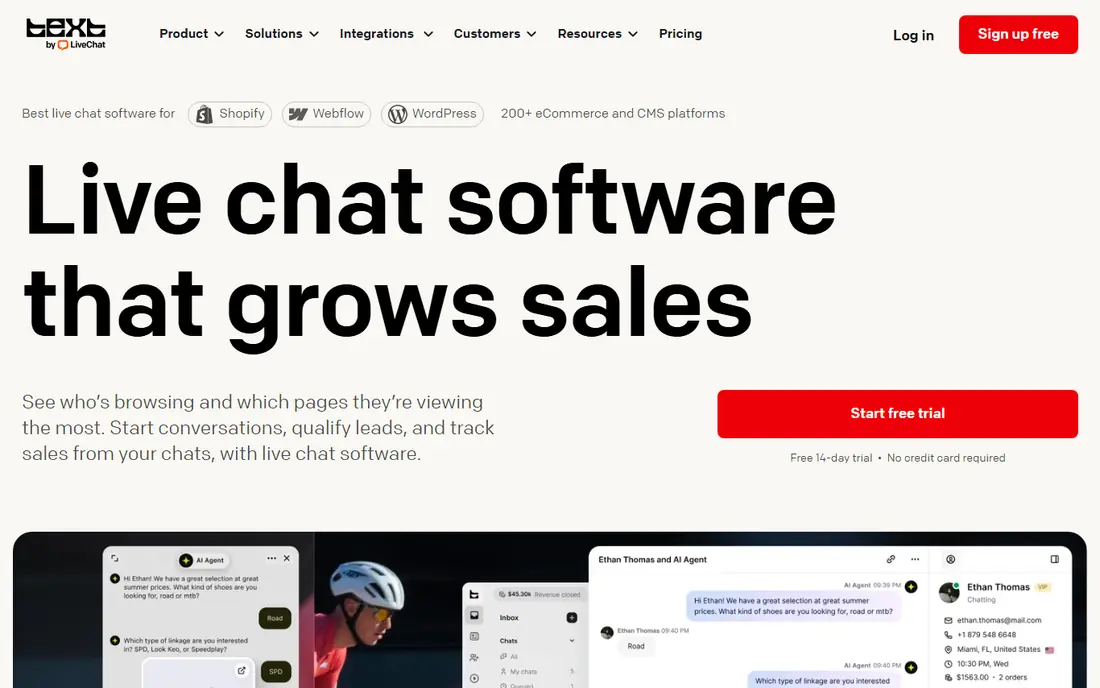
LiveChat is the long standing live chat tool from the team behind HelpDesk and ChatBot, now offered to new customers as Text plans on the same pricing page. The Essential plan costs $19 per user per month on annual billing, or $25 month to month, and includes the website chat widget, a shared inbox, ticketing, an AI Agent with 10 resolutions a month, and tracking for 50 live visitors. Growth at $79 per user per month adds 10 AI Agents, 200 AI resolutions a month, 400 live visitors and unlimited conversation history. A 14 day free trial needs no credit card.
LiveChat connects with CRM tools such as HubSpot and Salesforce, so chats can be tied to contacts, deals and tickets, and the widget also works with Shopify for order data. The Essential plan keeps conversation and file history for 60 days, which is the main limit for teams that need long records. Multilingual support and extra AI resolution packs cost more, with 50 extra resolutions at $49.50. For a small team that wants chat running in minutes, LiveChat is one of the simplest starts here.
- Simple per user pricing
- AI Agent included on every plan
- New trials now use Text plans, so legacy LiveChat plan names differ
- Conversation history is 60 days on Essential
Zoho SalesIQ
Ideal for: Zoho users that want low cost chat
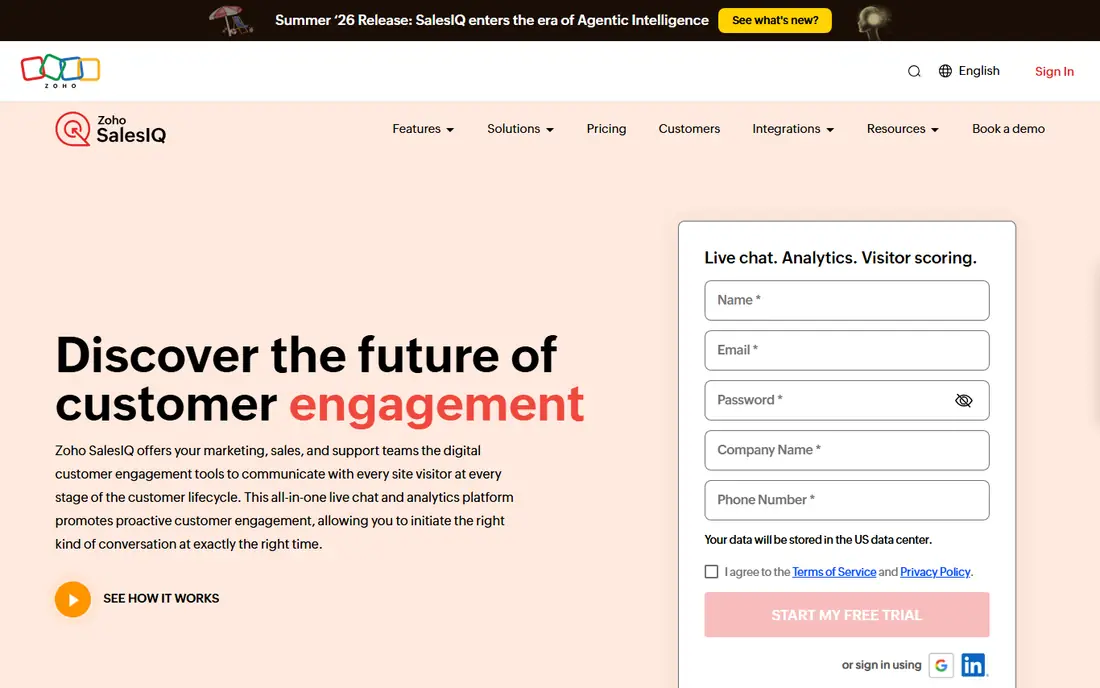
Zoho SalesIQ is the cheapest subscription pick in this list. The Basic plan costs $7 per operator per month on annual billing, or $10 month to month, with 1,000 operator chat sessions, 50,000 tracked visitors and 1 chatbot. Professional costs $12.75 per operator per month on annual billing with unlimited operator chats and 5 chatbots, and Enterprise costs $20. The free plan covers 3 operator licenses with 10,000 tracked visitors a month, which is enough for a very small team to run live chat at no cost.
The CRM link is the reason to pick SalesIQ over a standalone chat widget. It is part of the Zoho family, so it connects with Zoho CRM, and it is included in Zoho One and Zoho CRM Plus bundles. Visitor intelligence shows location, traffic source and pages visited, and lead and company scoring ranks prospects by their behaviour. Messaging channels cover WhatsApp, Instagram, Facebook Messenger, Telegram, Line and WeChat, and the tool adds audio and video calls inside the chat window. The caps to watch are bot sessions per plan and the fact that AI agents run on an AI provider you connect yourself.
- Free plan covers 3 operators
- Deep integration with Zoho CRM
- Chatbots and bot sessions are capped per plan
- AI agents need a connected AI provider
Zendesk
Ideal for: Teams that need chat plus ticketing
Zendesk is a full customer service suite, and live chat comes through its messaging tools inside the Suite plans. Suite Team costs $55 per agent per month on annual billing, or $69 month to month, and adds AI agents, omnichannel routing and prebuilt reporting to the core ticketing tools. Suite Professional at $115 per agent per month adds advanced automation and AI driven insights, while Suite Enterprise adds governance, security and Copilot, the AI assistant. The cheaper Support Team plan at $19 per agent per month covers email and ticketing only, so chat buyers should start at Suite Team.
The CRM connection is native: Zendesk keeps customer records, conversation history and tickets in one workspace, and it integrates with Salesforce and other CRMs. Omnichannel routing sends each chat to the right agent by skill, capacity and ticket priority, and intelligent triage classifies incoming requests automatically. A free trial is available, and startups can apply for a 6 month trial of the Suite for up to 50 agents. The main cost watch is add-ons: Copilot costs $50 per agent per month, and voice and other usage features are billed on consumption above plan allowances.
- Messaging and live chat sit inside a full support suite
- Strong routing and reporting
- Live chat needs the Suite plans, not the $19 Support Team plan
- Copilot costs $50 per agent extra
Crisp
Ideal for: Small teams that want flat pricing
Crisp charges a flat rate per workspace instead of per seat, which makes budgeting simple for a growing team. The free plan costs $0 and includes the website chat widget, a shared inbox, mobile apps and 2 seats. Mini costs $45 per month with 4 seats, shortcuts, chat triggers and a shared email inbox. Essentials at $95 per month adds 10 seats, an omnichannel inbox with WhatsApp Business, Instagram DMs and SMS, a workflow automation builder, an AI chatbot and a knowledge base. Plus at $295 per month covers 20 or more seats with ticketing, white labelling and advanced analytics. Every new account gets a 14 day free trial of any plan.
Crisp connects with HubSpot, Pipedrive, Zoho CRM and Salesforce, so chat conversations can sync with customer records in the CRM a team already uses. The flat price is the draw, but the caps matter: Mini covers 5,000 customer profiles, Essentials covers 50,000, and the free plan covers only 100. Teams that outgrow a tier move up a flat step rather than adding per seat charges, which keeps the maths simple but makes the jumps bigger.
- Flat price per workspace, not per seat
- Free plan includes 2 seats
- Mini plan caps at 4 seats and 5,000 customer profiles
- WhatsApp and omnichannel need Essentials
HubSpot
Ideal for: Teams that already use HubSpot CRM
HubSpot is the natural pick for teams that already run their CRM on HubSpot, because live chat is included in the free CRM and every chat lands on the visitor contact record without any integration work. The free plan includes live chat with HubSpot branding, conversational bots with limited features, Facebook Messenger integration and up to 3 canned snippets. Service Hub plans remove branding and add ticketing, calling, knowledge base tools and automation, with the pricing page listing Service Hub from $10 per seat per month in its published offer data. Service Hub Starter includes 500 HubSpot Credits, Professional includes 3,000 and Enterprise includes 5,000, and credits power AI agents and features across the platform.
The CRM link is the strongest here, since chat, email, tickets, deals and contact history share one record, and the free plan is genuinely usable for a small team. The limits are that the free plan keeps HubSpot branding on the chat widget, caps snippets at 3 and email templates at 3, and advanced features such as skill based routing, reply recommendations and service level agreements sit on the higher Service Hub tiers. Teams that already use HubSpot should start with the free plan and only move up when the limits bite.
- Live chat is free inside the free CRM
- Chats land directly on contact records
- Branding stays on the free plan
- Advanced chat features need Service Hub tiers
tawk.to
Ideal for: Teams that want chat at no cost
tawk.to is free for life, with unlimited agents, live chat, a knowledge base, ticketing and a built-in Contacts CRM that tracks visitors and conversations. The vendor explains its model openly: revenue comes from optional extras, not from charging for the chat software itself. Removing the small Powered by tawk.to branding costs $29 per month, AI Assist, its chatbot, starts at $29 per month with a free tier for low volume sites, and a hired agent service costs $1 per hour for teams that do not want to answer chats themselves. Support is available 24 hours a day, 7 days a week.
The CRM angle is different from the other tools here. Instead of syncing with an outside CRM, tawk.to includes its own Contacts CRM, ticket management and in-chat payments, so a small business can run chat, contacts and tickets in one free account. The trade-off is depth: there is no native sync with Salesforce or HubSpot, so teams that need chat data inside an existing CRM will need a workaround or a different tool. For a small team that wants live chat at no cost and can live with the built-in CRM, tawk.to is the cheapest real option in this list.
- Free for life with unlimited agents
- Built-in Contacts CRM and ticketing
- No native deep CRM sync with tools such as Salesforce
- Branding removal costs $29 per month
How we chose
We compared the vendor pricing pages, plan feature lists and support documents for each tool on 2026-11-11. We checked the entry price on each pricing page, whether a free plan or trial exists, and how each tool connects chat to customer records. Two prices were corroborated from vendor-page reads dated 22 October 2026 rather than rendered directly on the day: Zoho SalesIQ Basic at $7 per operator per month on annual billing, and HubSpot Service Hub from $10 per seat per month as listed in the pricing page offer data. We did not claim hands-on testing. Tools were picked because they combine live chat with a real CRM link, from free plans to full support suites.
What to check before you buy
Check the CRM link first, because that is the point of this list. HubSpot and Zoho SalesIQ connect natively to their own CRMs, Crisp and LiveChat sync with HubSpot, Salesforce, Pipedrive and Zoho CRM, and tawk.to relies on its own built-in Contacts CRM. Next, check the billing unit: per seat, per user, per operator and flat per workspace all produce different totals, so work out the cost for your team size. Check chat session caps, visitor tracking limits and conversation history, since several tools cap these on entry plans. Check AI costs too, because Intercom charges $0.99 per Fin outcome and Crisp and LiveChat cap AI resolutions per plan.
| Team size and budget | Best starting point |
|---|---|
| Solo or 2 people, $0 budget | tawk.to free, or HubSpot free CRM with live chat |
| Small team, 2 to 5 agents, under $50 per month | Zoho SalesIQ Basic at $7 per operator, or Crisp Mini at $45 |
| Growing team, 5 to 15 agents, $50 to $300 per month | Intercom Essential at $19 per seat, or LiveChat Essential at $19 per user |
| Large team, 15 or more agents, over $300 per month | Zendesk Suite Team from $55 per agent, or Intercom Advanced |
| Team already on a CRM | HubSpot for HubSpot users, Zoho SalesIQ for Zoho users |
Frequently asked questions
Which live chat software has the best CRM integration?
HubSpot has the closest link, because live chat is part of the free CRM and every chat lands on the contact record with email, tickets and deals. Zoho SalesIQ is the closest for Zoho users, since it connects natively with Zoho CRM and comes in Zoho One and Zoho CRM Plus. Crisp, LiveChat and Intercom sync with outside CRMs such as HubSpot, Salesforce, Pipedrive and Zoho CRM. The best choice depends on which CRM your team already uses.
Is there a free live chat tool with CRM features?
Yes. tawk.to is free for life with unlimited agents, live chat, ticketing and a built-in Contacts CRM. HubSpot includes live chat in its free CRM, with chats stored on contact records. Crisp has a free plan with 2 seats and a shared inbox, and Zoho SalesIQ has a free plan for 3 operators. Free plans cover small teams well, but they cap seats, profiles or history, so check the limits before you rely on them.
How much does live chat with CRM integration cost per month?
A 5 person team on Zoho SalesIQ Basic costs $35 a month on annual billing, at $7 per operator. The same team on Intercom Essential costs $95 a month at $19 per seat, and on LiveChat Essential costs $95 a month at $19 per user. Crisp Mini costs a flat $45 a month for up to 4 seats. Zendesk Suite Team costs $275 a month for 5 agents at $55 each. tawk.to and HubSpot free plans cost nothing to start.
Do I need a separate CRM if I use Intercom or Zendesk?
No, not always. Intercom keeps customer data and conversation history in its own workspace and connects with Salesforce for teams that need it. Zendesk keeps customer records, tickets and chat history in one workspace as well. Both work as a support CRM on their own. Teams with a sales CRM such as HubSpot or Salesforce should check the sync, so chat data still reaches the sales records their team works from.
What is the difference between per seat and flat workspace pricing?
Per seat pricing charges for each agent who answers chats, so Intercom at $19 per seat costs $95 a month for 5 agents. Flat workspace pricing charges one price for the whole workspace, so Crisp Mini costs $45 a month for up to 4 seats no matter how many chats they handle. Per seat pricing grows with the team, while flat pricing stays fixed until you hit a seat or profile cap and move to the next tier.
Which tool is best for a small team that wants AI chat first?
Intercom is the strongest AI first pick, since Fin answers chats on every plan and costs $0.99 per resolved outcome, with a 14 day free trial that includes Fin and add-ons. LiveChat includes an AI Agent on every plan, with 10 resolutions a month on Essential and 200 on Growth. Crisp includes AI credits on its subscription plans, from about 90 automated conversations on Mini to 450 on Essentials. Compare the AI caps, since they decide the real monthly cost.