Best log management tools in 2026: 7 Options Compared

- Datadog and Splunk suit larger teams that want logs alongside metrics and traces.
- Elastic suits teams that want open source search power and control over hosting.
- Graylog suits teams that want open source log management with a simpler setup.
- Loggly, Papertrail and Sumo Logic suit smaller teams that want fast hosted search.
Quick comparison
| Product | Ideal for | Price from | Free version | |
|---|---|---|---|---|
 Datadog | teams that want logs with metrics and traces | See website | Free trial | Visit |
 Splunk | enterprises that want deep log analytics | See website | Free trial | Visit |
 Elastic | teams that want open search and control | See website | Free trial | Visit |
 Graylog | teams that want open source log management | See website | Yes | Visit |
 Loggly | small teams that want hosted log search | See website | Free trial | Visit |
 Papertrail | teams that want simple live log tailing | See website | Free trial | Visit |
 Sumo Logic | teams that want cloud log analytics | See website | Free trial | Visit |
The best log management tools
Log management tools collect, search and alert on the log lines that applications and servers produce, so engineers can find faults quickly. We compared official product pages, pricing pages, documentation and public reviews, focusing on ingestion, search speed, alerting, retention and pricing model. Pricing is often based on data volume, so we note the model rather than quoting a figure we could not confirm.
Datadog
Ideal for: teams that want logs with metrics and traces
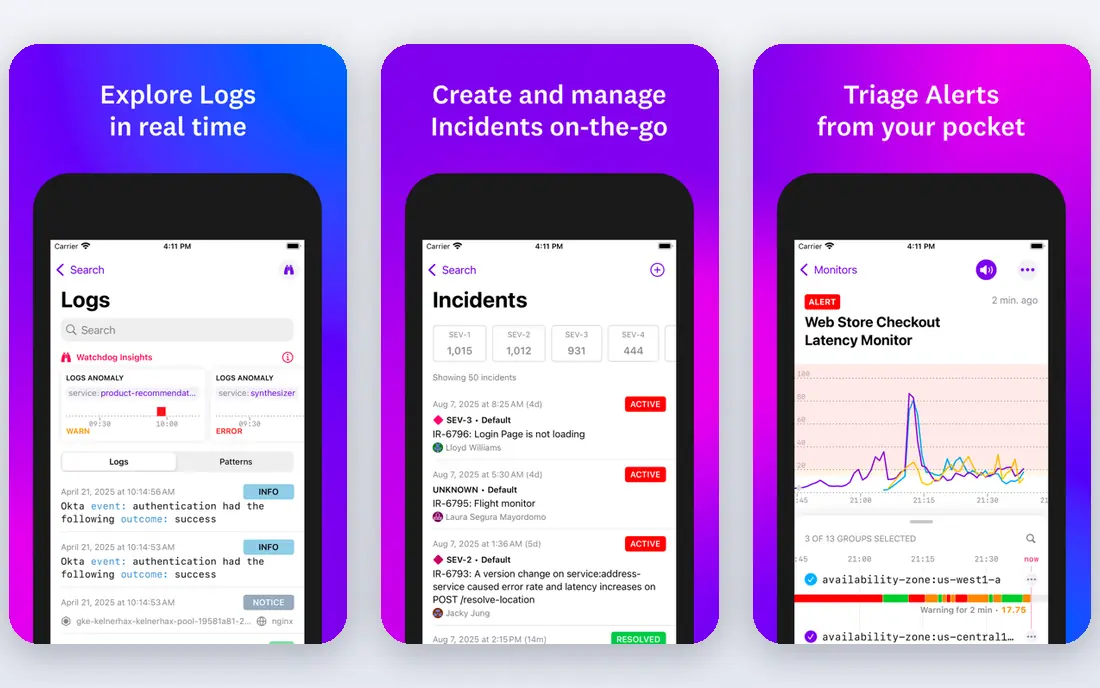
Datadog combines log management with infrastructure monitoring, application performance and security tools in one platform. Engineers can move from a log line to a metric chart or a trace for the same request, which shortens fault finding. Its integration library covers cloud services, containers and common applications.
Before you pay, check the limits that apply to your own use, including seats, storage, monthly usage and support hours. A plan that looks generous on the headline page can still cap the one feature you rely on most, so read the plan comparison page rather than the marketing summary. A trial or free tier is the safest way to test this, and it also shows whether support answers promptly when you need help.
Volume based pricing can grow quickly for chatty services, and the breadth of products takes time to learn. Set ingestion controls and retention policies early, and monitor log volume by service before the bill surprises you.
- Logs plus metrics and traces
- Strong search
- Many integrations
- Volume pricing can grow fast
- Breadth takes learning
Splunk
Ideal for: enterprises that want deep log analytics
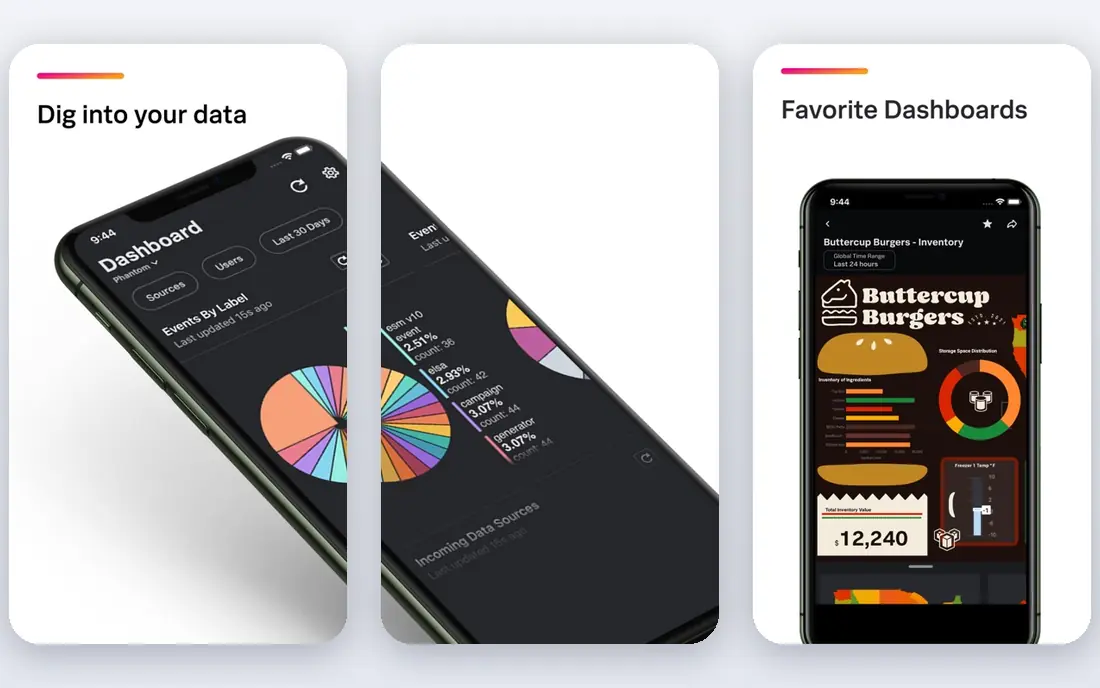
Splunk is a long established log analytics platform used by large enterprises for operations and security. Its search language supports complex queries, dashboards and alerts across huge data volumes. Security teams also use it for detection and investigation, which suits organisations that want one platform for both uses.
The price on the headline page is only part of the cost, so check renewal pricing, per-seat charges and any paid add-ons before you commit. Free tiers help for light use, but they often cap the features that matter once work grows, and trials end on a fixed date whether you have finished testing or not. Set a reminder before a trial ends, and confirm cancellation steps in advance so you are not locked into a plan you no longer need.
Enterprise pricing and the search language learning curve make it heavy for small teams. Budget for training and for a pilot on real log volume, and confirm whether cloud or self hosted pricing fits your deployment.
- Powerful search language
- Enterprise scale
- Security use cases
- Enterprise pricing
- Learning curve for search language
Elastic
Ideal for: teams that want open search and control

Elastic, built on Elasticsearch, gives teams powerful full text search across logs, with Kibana dashboards and alerting. Teams can self host the open source core or use Elastic Cloud for managed hosting. That flexibility suits teams that want control over data location and retention.
Pricing is where many readers get caught out, so look past the headline figure and check what the plan actually includes for your level of use. Seats, usage limits, add-ons and renewal terms can change the real monthly cost, and a cheaper plan that lacks one feature you need is not a saving. If a free tier or trial is offered, use it for real work before paying, and confirm how cancellation works while you still have time to change your mind.
Self hosting needs real operational effort for cluster health, upgrades and scaling, and a large cluster needs expertise. Start with a managed trial if your team is small, and test search speed on your real daily volume.
- Powerful search
- Open source core
- Flexible deployment
- Self hosting needs effort
- Scaling needs expertise
Graylog
Ideal for: teams that want open source log management
Graylog is an open source log management platform with structured search, dashboards and alerting, aimed at teams that want a clear alternative to larger suites. It handles syslog and application logs well, and its open core keeps licence costs low for self hosted use. Small and mid sized engineering teams often start here.
Before you pay, check the limits that apply to your own use, including seats, storage, monthly usage and support hours. A plan that looks generous on the headline page can still cap the one feature you rely on most, so read the plan comparison page rather than the marketing summary. A trial or free tier is the safest way to test this, and it also shows whether support answers promptly when you need help.
Setup, scaling and maintenance fall on your team for the open version, and some enterprise features are paid. Test ingestion from your main sources, and confirm retention and archiving meet your compliance needs.
- Open source core
- Structured search
- Alerting
- Setup needs effort
- Enterprise features are paid
Loggly
Ideal for: small teams that want hosted log search
Loggly, part of SolarWinds, offers hosted log search with a simple setup path for small teams. You send logs from apps and servers and search them in a web interface, with dashboards and alerts for common patterns. That simplicity suits teams that need log search without running a cluster.
The price on the headline page is only part of the cost, so check renewal pricing, per-seat charges and any paid add-ons before you commit. Free tiers help for light use, but they often cap the features that matter once work grows, and trials end on a fixed date whether you have finished testing or not. Set a reminder before a trial ends, and confirm cancellation steps in advance so you are not locked into a plan you no longer need.
Retention and volume limits on lower plans can force upgrades as logs grow, and its feature range is narrower than Datadog or Splunk. Check retention for your compliance needs, and confirm alerting covers your key failure patterns.
- Simple hosted setup
- Fast search
- SolarWinds backing
- Retention limits on lower plans
- Feature range is narrower
Papertrail
Ideal for: teams that want simple live log tailing
Papertrail focuses on simple log aggregation with live tailing, fast search and alerts, and it is known for a setup that takes minutes. Small teams and solo developers use it to watch deploys and faults in real time without a complex platform. Its web interface keeps the most used actions close at hand.
Pricing is where many readers get caught out, so look past the headline figure and check what the plan actually includes for your level of use. Seats, usage limits, add-ons and renewal terms can change the real monthly cost, and a cheaper plan that lacks one feature you need is not a saving. If a free tier or trial is offered, use it for real work before paying, and confirm how cancellation works while you still have time to change your mind.
Analytics depth is basic compared with larger platforms, and retention on lower plans is short. It suits live fault finding more than long term analysis, so pair it with archiving if you need months of history.
- Very simple setup
- Live tail
- Fast search
- Basic analytics
- Retention is short on lower plans
Sumo Logic
Ideal for: teams that want cloud log analytics
Sumo Logic is a cloud native log analytics platform covering observability and security, with scalable ingestion for cloud and container workloads. Its dashboards, alerts and search help teams spot trends across services. It suits cloud first teams that want a managed platform without hosting a cluster.
Before you pay, check the limits that apply to your own use, including seats, storage, monthly usage and support hours. A plan that looks generous on the headline page can still cap the one feature you rely on most, so read the plan comparison page rather than the marketing summary. A trial or free tier is the safest way to test this, and it also shows whether support answers promptly when you need help.
Volume based pricing needs careful forecasting, and its query language takes time to learn. Run a pilot on a real service, set ingestion filters for noisy logs, and compare the cost at your forecast volume.
- Cloud native analytics
- Security and observability
- Scalable ingestion
- Pricing is volume based
- Query language takes learning
How we picked these
We compared official feature pages, pricing pages, app store listings, privacy policies and public reviews for each option in this guide. We kept only products that exist and work in October 2026 and that fit the topic directly, and we checked that each official homepage loads and belongs to the product named. Prices and free tiers are taken from the vendor site where we could verify them, and we wrote See website where a price could not be confirmed, rather than guessing. Our pick in each guide reflects fit for ordinary readers, not a claim of hands-on testing, and we note the honest limits of each option alongside its strengths.
How to choose a log management tool
Start by measuring daily log volume and listing the sources that matter most, since volume drives price on most platforms. Send a sample of real logs to a trial and test the searches you run during an incident, not just the demo queries. Check how long logs are kept, how alerts reach the on call team, and whether the tool links logs to metrics or traces.
Compare total cost at your forecast volume, including ingestion, retention and any security features, and confirm data residency if you operate in regulated markets. Set up parsing and filtering for noisy services early, since a small number of chatty services often produce most of the volume. A tool that your on call team actually opens during incidents is worth more than a feature rich platform they avoid.
Frequently asked questions
What is the best log management tool?
Datadog and Splunk suit larger teams that want logs with metrics or security analytics, while Elastic and Graylog suit teams that want open source control. Loggly and Papertrail suit small teams that want simple hosted search, and Sumo Logic suits cloud first teams.
How much does log management cost?
Most platforms price by data volume ingested and retention period, so cost depends on how chatty your services are. Filtering noisy logs and setting sensible retention can cut the bill sharply. Use a trial with real volume to forecast cost.
What is the difference between logs, metrics and traces?
Logs record events with detail, metrics show numbers over time such as error rates, and traces follow a single request across services. Together they help engineers find a fault, measure its impact and trace its cause. Modern observability platforms combine all three.
How long should logs be kept?
Retention depends on compliance, security and debugging needs, with many teams keeping hot searchable logs for days or weeks and archiving older logs for months. Check legal and security requirements for your industry before setting a short retention period.
Can small teams use log management tools?
Yes, hosted tools such as Papertrail and Loggly offer free tiers or trials that suit small teams and solo developers. Start with one key service, set alerts for errors, and expand coverage as the system grows.