Best Marketing Calendar Software in 2026: 6 Tools Compared

- 1
 AsanaLaunch-driven teams that plan campaigns as projects with dependenciesVisit
- 2
 PlanableAgencies and teams where clients must approve every postVisit
- 3
 Monday.comMarketing teams that think in boards and want the calendar as a viewVisit
- 4
 StoryChiefContent teams that plan from brief to multichannel publishVisit
- 5
 CoScheduleSocial-led marketing teams that want a calendar aimed at publishingVisit
- This list starts with Asana, which is built for launch-driven teams that plan campaigns as projects with dependencies.
- CoSchedule has the lowest monthly starting price in this list: $29/month billed annually.
- For teams that want tasks, docs, chat and calendar in one workspace, ClickUp is worth a look.
- A free plan is available from 3 of the 6 tools: Asana, Monday.com, ClickUp.
- One limit worth knowing about Planable: pricing is not published on the vendor homepage during research.
Direct answer
For launch-driven teams that plan campaigns as projects with dependencies, Asana is where this list starts. Alternatives: Planable for agencies and teams where clients must approve every post, and Monday.com for marketing teams that think in boards and want the calendar as a view. The full list of 6 tools follows, with prices and free plan facts.
Quick comparison
| Product | Ideal for | Price from | Free version | |
|---|---|---|---|---|
| Asana | Launch-driven teams that plan campaigns as projects with dependencies | See website | Yes | Visit |
| Planable | Agencies and teams where clients must approve every post | See website | Not stated | Visit |
| Monday.com | Marketing teams that think in boards and want the calendar as a view | See website | Yes | Visit |
| StoryChief | Content teams that plan from brief to multichannel publish | See website | Free trial | Visit |
| CoSchedule | Social-led marketing teams that want a calendar aimed at publishing | $29/month billed annually ($39 per month) for Starter; Professional $49/month billed annually ($59 per month); Suite custom | Free trial | Visit |
 ClickUp | Teams that want tasks, docs, chat and calendar in one workspace | See website | Yes | Visit |
Marketing Calendar Software compared in detail
Choosing marketing calendar software usually comes down to price, fit and limits. This Ainotely guide sets 6 tools side by side on those three points, with the facts kept short and checkable.
Asana
Ideal for: Launch-driven teams that plan campaigns as projects with dependencies

Asana was built for launch-driven teams that plan campaigns as projects with dependencies. Buy this when the calendar's job is coordinating launches, not posting to Instagram.
As for the details, the AI teammates and shared work graph push it toward bigger operations where agents and humans share the plan. Also, like Monday, it plans the work but does not publish the posts; social teams still need a scheduling layer. This comparison lists no price for Asana; ask the vendor. Asana offers a free plan.
Downsides: Per-seat pricing scales fast with team size.
- Solid template ecosystem and AI teammates that work inside real workflows
- Portfolios roll several campaigns into one executive view
- Social scheduling is not native and needs integrations
Planable
Ideal for: Agencies and teams where clients must approve every post
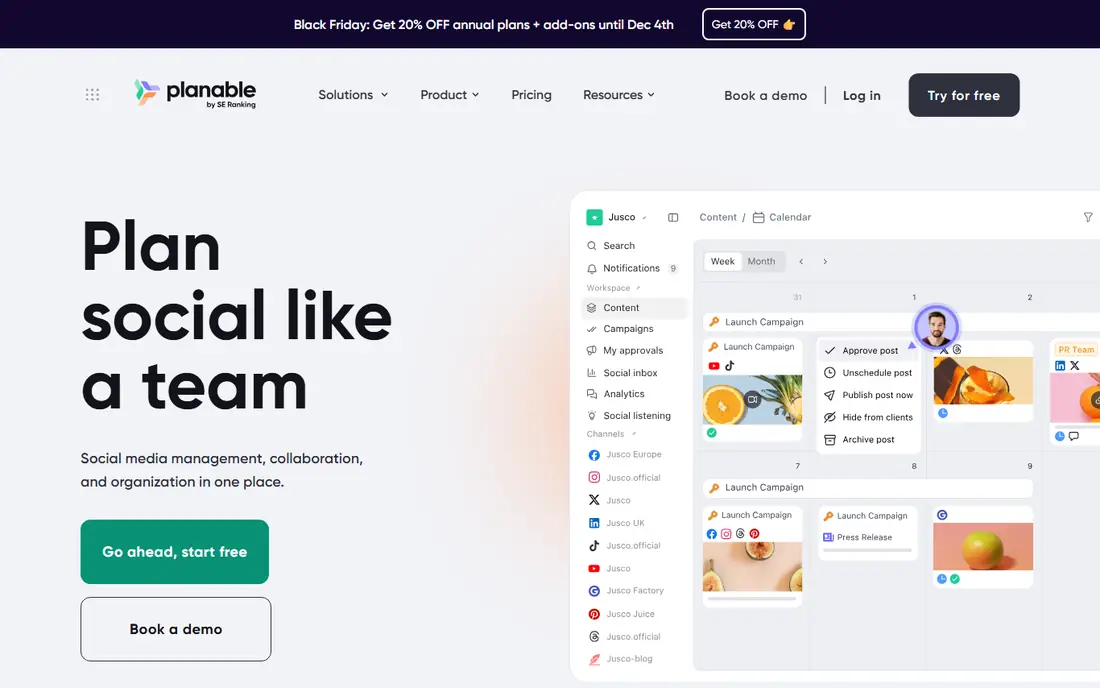
Planable is a good fit for agencies and teams where clients must approve every post. Planable is the approval people's calendar. From a buyer's view, buy this when the calendar's bottleneck is getting content approved, not creating it.
Where it is weaker: Pricing is not published on the vendor homepage during research.
For everyday use, the main limit is that the approval workflow is the entire pitch. For everyday use, one-time share links let clients review without accounts. The approval workflow is the product's core, with one-click green lights and a kanban approvals tab so nothing skips review. Planable shows no starting price here, so confirm the cost on the vendor site. Free plan details: Not stated.
Strengths: Configurable multi-step approval workflows clients can use without training.
- Calendar, feed
- Grid and list views with real post previews
- Made for approval workflows, so solo creators get less value
Monday.com
Ideal for: Marketing teams that think in boards and want the calendar as a view
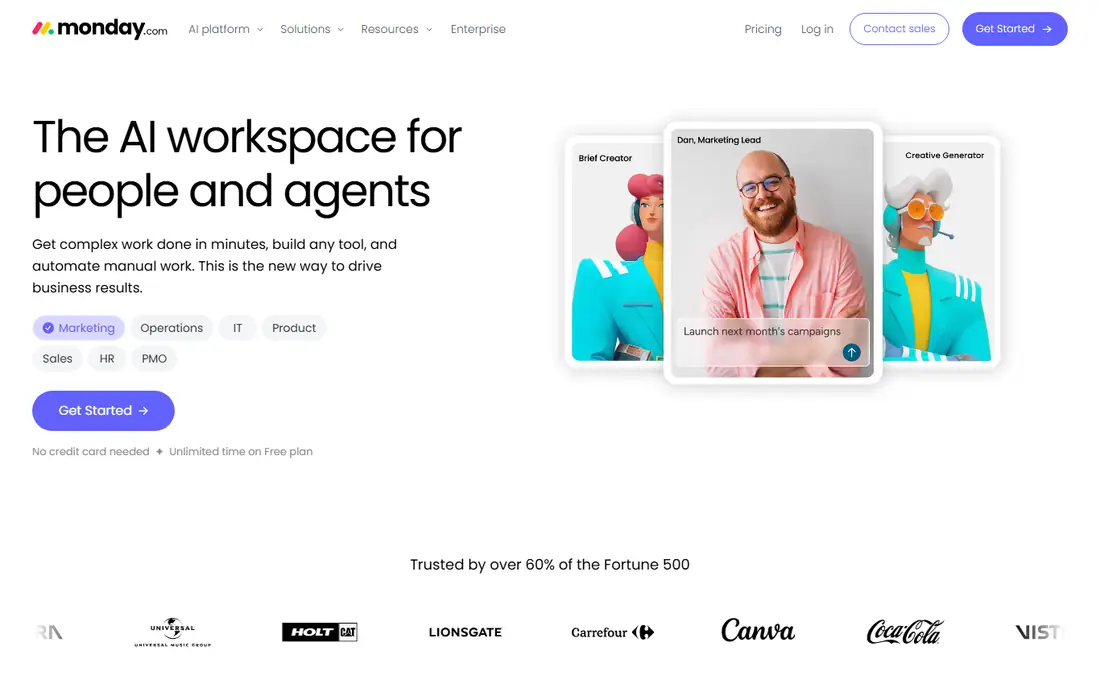
Monday.com is built with marketing teams that think in boards and want the calendar as a view in mind. Pricing is per seat with minimums, and the features marketing teams want (timeline views, automations, integrations) sit above the entry level. On top of that, campaigns live as boards with owners, dates, statuses and assets.
The calendar view renders the entire plan at once. Worth adding: the strength is adaptability: content pillars, channels, formats and funnel stages become columns, and automations move items through review stages without manual chasing. Also, buy this when the calendar must also run the work behind the posts. Beyond that, the main limit is that it is a general product wearing a marketing hat. The vendor homepage advertises a free plan with unlimited time, which is a genuine on-ramp. This comparison lists no price for Monday.com; ask the vendor. Monday.com includes a free tier.
Downsides: Deep marketing features need the higher tiers.
Where Monday.com stands out: email and file tools.
- Huge template library and 20-plus column types for content metadata
- Calendar view turns any campaign board into a shared schedule
- No published pricing found on the vendor homepage during research, so budgeting needs a quote
StoryChief
Ideal for: Content teams that plan from brief to multichannel publish
StoryChief serves content teams that plan from brief to multichannel publish. Plans, briefs, drafts, reviews, publishing and performance attach to the same campaign, and AI prepares drafts and recommendations whereas humans edit and approve before anything goes live. A team that only needs social scheduling will find lighter tools less expensive and more straightforward.
The main drawbacks: Smaller teams may underuse the campaign and analytics depth.
In daily use, buy this when the calendar must include the entire content pipeline from idea to published result. The main limit is that it is a content marketing system, not just a calendar, and the pricing reflects that through a sales process. This comparison lists no price for StoryChief; ask the vendor. Free plan details: Free trial.
- One workflow from planning and briefing through drafting
- Review and multichannel publishing
- The full system exceeds what a social-only team needs
CoSchedule
Ideal for: Social-led marketing teams that want a calendar aimed at publishing
CoSchedule is a good fit for social-led marketing teams that want a calendar designed for publishing. ReQueue picks up evergreen posts and reshares them on quiet days, which is the kind of automation that actually cuts weekly workload.
Suite is custom-quoted for larger teams. Starting cost for CoSchedule: $29/month billed annually. Free plan details: Free trial.
Points against: Pricing scales with users and profiles (Starter permits 1 user and 3 profiles; Smaller teams may find it more structured than they need.
- Purpose-built marketing calendar with drag-and-drop scheduling across 11 social networks
- ReQueue automatically reshares evergreen posts to fill gaps
- X/Twitter profiles cost $16 each a month on top of base plans
ClickUp
Ideal for: Teams that want tasks, docs, chat and calendar in one workspace
ClickUp is designed for teams that want tasks, docs, chat and calendar in one workspace. For a marketing calendar, that means campaign tasks, briefs and the calendar view share one home. The free-forever level with no credit card required is genuinely usable for small teams.
As for the details, pricing is not published on the homepage, and the premium levels are where the serious permissions and automation live. For everyday use, buy this when the team wants fewer tools, not just a better calendar. For everyday use, ClickUp's pitch is consolidation: the marketing calendar, the docs behind it, the team chat about it and the AI that summarizes it all live in one workspace. Beyond that, the main limit is sprawl. Doing everything means the interface carries everything, and teams that want a simple calendar can find the workspace heavy. ClickUp shows no starting price here, so confirm the cost on the vendor site. Free access exists with ClickUp.
Downsides: The everything-in-one-workspace approach can feel cluttered.
- Chat and AI built into the same workspace as the tasks
- Calendar, list
- Advanced permissions and controls sit on premium plans
More on marketing calendar software
The job of marketing calendar software is three things at once: a single view of everything scheduled, a workflow that moves each item from idea to published, and accountability for who owns what. Beyond that, most marketing teams eventually need one of each.
How we chose
We compared the tools on published pricing, free plan or trial availability, feature coverage for marketing calendar software, and the limits each vendor documents. Seat minimums, billing terms and add-ons can move the real cost, so the starting prices here are a guide and not a quote. The sequence is a judgement call: typical use case first, then pricing transparency, then free access. Use the profiles to check fit.
Before you commit
- Confirm the entry price on the vendor page. For Asana, Planable, Monday.com and others that means a quote rather than a fixed price.
- Check what the free option really includes: Asana, Monday.com and ClickUp offer a free plan, and usage caps differ.
- Use real work to test the free trial from StoryChief and CoSchedule, rather than a demo project.
- Read the limits listed for Asana first: no published pricing on the vendor homepage during research.
- Before rolling out CoSchedule, verify the integrations your workflow depends on.
- Price Monday.com for your actual team size; headline prices rarely include add-ons or overage.
Frequently asked questions
Can I try these options before paying?
Often, yes. Asana, Monday.com and ClickUp have a free plan and StoryChief and CoSchedule offer a free trial. Use your own data and a real task during the test, and check what the free tier or trial limits before you rely on it.
Do these tools publish their prices?
Not all of them. Asana, Planable, Monday.com and others publish no starting price, so expect a quote request for those. The rest, CoSchedule included, show a starting price, though seats and billing terms still change the final cost.
What is the cheapest option for marketing calendar software in this list?
On published monthly entry prices, CoSchedule is the lowest here at $29/month billed annually. Entry price is only part of the cost, because seats, add-ons and billing terms can change the total.
How are the tools for marketing calendar software ordered?
The order follows typical fit for marketing calendar software, with Asana first and ClickUp last, then price clarity and free access. It is editorial judgement, not a score, so another team could rank the tools differently.