Best MDR Software for Small Business Security in 2026: 8 Tools Compared

- 1
 HuntressSmall businesses and MSPsVisit
- 2
 CrowdStrike Falcon CompleteBusinesses wanting top-tier responseVisit
- 3
 Sophos MDRSophos firewall and endpoint usersVisit
- 4
 Bitdefender MDRSmall teams wanting managed securityVisit
- 5
 Arctic WolfBusinesses wanting concierge securityVisit
- Huntress is our first suggestion for most buyers, because its balance of features, pricing clarity, and support is hard to beat for the topic at hand.
- CrowdStrike Falcon Complete suits buyers who want a lower starting price or a simpler setup, while Sophos MDR fits teams that need more depth in one specific area.
- Prices and free tiers vary widely, so check the vendor pricing page for the plan that includes the features you actually need, rather than judging by the headline price alone.
- Run a trial with your own data and your own workflow before you pay for a year, since setup effort and day-to-day ease only show up in real use.
Quick comparison
| Product | Ideal for | Price from | Free version | |
|---|---|---|---|---|
| Huntress | Small businesses and MSPs | See website | Free trial | Visit |
| CrowdStrike Falcon Complete | Businesses wanting top-tier response | See website | No | Visit |
| Sophos MDR | Sophos firewall and endpoint users | See website | Free trial | Visit |
| Bitdefender MDR | Small teams wanting managed security | See website | Free trial | Visit |
| Arctic Wolf | Businesses wanting concierge security | See website | No | Visit |
 SentinelOne Vigilance | Businesses wanting AI endpoint protection | See website | Free trial | Visit |
 Rapid7 MDR | Teams wanting detection plus vulnerability insight | See website | Free trial | Visit |
 Blackpoint Cyber | Small businesses and MSP partners | See website | Free trial | Visit |
The best MDR software for small business security
These eight managed detection and response services pair security software with a human team that watches alerts, investigates threats, and responds around the clock. We compared official feature pages, pricing pages, app-store listings, privacy policies, and public reviews to sort out where each option earns its place.
Huntress
Ideal for: Small businesses and MSPs
Huntress is built for small businesses that have no security staff of their own. Its managed endpoint detection is explained in plain reporting, so owners can see what was found and what was done. For most buyers, the deciding factor is not the longest feature list but the fit with daily work, the total price, and how much setup the team can handle. The catch is scope: the focus is endpoints, so businesses needing deep network monitoring should check coverage carefully. If that trade-off fits your budget and your tolerance for setup, it is worth a trial before you commit the whole team. For a small business without a security team, the service behind the software matters as much as the software itself.
- Built for small teams
- Managed endpoint detection
- Clear reporting for non-experts
- Focus is endpoints, not full network monitoring
- Pricing by quote
CrowdStrike Falcon Complete
Ideal for: Businesses wanting top-tier response
CrowdStrike Falcon Complete is the premium managed option for businesses that want a full response team. It combines the Falcon platform with analysts who isolate, investigate, and remediate threats, backed by strong threat intelligence. A tool that looks strong on a pricing page can still disappoint if onboarding is slow, support is thin, or the plan that holds the needed feature sits two tiers up. The catch is price: it sits at the premium end, and very small businesses may pay for depth they rarely use. Put it on a shortlist if its strengths match your main use case, and test it with real data during the trial period. For a small business without a security team, the service behind the software matters as much as the software itself.
- Full managed response with isolation and remediation
- Strong threat intelligence
- Mature platform
- Premium pricing
- May be more than a very small business needs
Sophos MDR
Ideal for: Sophos firewall and endpoint users
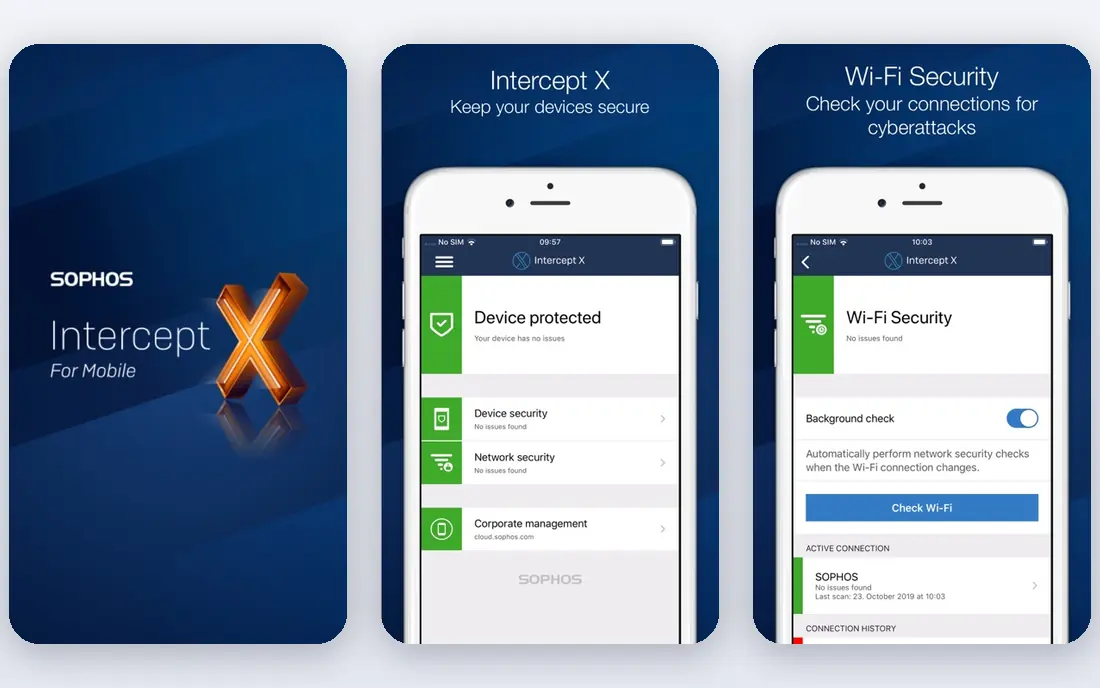
Sophos MDR suits businesses already running Sophos endpoints or firewalls. Its analysts watch alerts around the clock and can act on threats, with service tiers that scale from essentials to full response. We gave extra weight to clear pricing, honest limits, and products that explain what happens to your data when you leave. The catch is ecosystem fit: it delivers most value to businesses already invested in Sophos products. It earns a place on the shortlist when its main strength lines up with the job you will ask it to do every week. For a small business without a security team, the service behind the software matters as much as the software itself.
- Managed service with 24/7 team
- Integrates with Sophos products
- Tiered service levels
- Best value inside the Sophos ecosystem
- Pricing by quote
Bitdefender MDR
Ideal for: Small teams wanting managed security
Bitdefender MDR pairs its strong endpoint protection with a managed security team. That combination gives small teams detection plus human response without hiring analysts. For most buyers, the deciding factor is not the longest feature list but the fit with daily work, the total price, and how much setup the team can handle. The catch is transparency: pricing is quote-based, and its MDR brand is less established than the biggest names. Try it first with a small group, so you learn how it behaves before you roll it out more widely. For a small business without a security team, the service behind the software matters as much as the software itself.
- Managed detection plus response
- Strong endpoint protection
- Clear tiers
- Pricing by quote
- Smaller MDR brand than some rivals
Arctic Wolf
Ideal for: Businesses wanting concierge security
Arctic Wolf sells a concierge model: a named security team that knows your environment. It pulls telemetry from endpoints, networks, and cloud tools, and its team guides response and compliance work. A tool that looks strong on a pricing page can still disappoint if onboarding is slow, support is thin, or the plan that holds the needed feature sits two tiers up. The catch is onboarding: getting full value takes time to tune, and pricing is only by quote. If that trade-off fits your budget and your tolerance for setup, it is worth a trial before you commit the whole team. For a small business without a security team, the service behind the software matters as much as the software itself.
- Concierge security team model
- Broad telemetry
- Compliance support
- Pricing by quote
- Onboarding takes time
SentinelOne Vigilance
Ideal for: Businesses wanting AI endpoint protection
SentinelOne Vigilance adds managed threat hunting to its AI-driven endpoint platform. Automated response can isolate threats quickly, while analysts hunt for deeper compromise. We gave extra weight to clear pricing, honest limits, and products that explain what happens to your data when you leave. The catch is price and coverage: it works best when SentinelOne agents are deployed widely across the business. Put it on a shortlist if its strengths match your main use case, and test it with real data during the trial period. For a small business without a security team, the service behind the software matters as much as the software itself.
- AI-driven endpoint protection with managed threat hunting
- Fast automated response
- Premium pricing
- Best with SentinelOne agents deployed widely
Rapid7 MDR
Ideal for: Teams wanting detection plus vulnerability insight
Rapid7 MDR brings vulnerability and cloud context into managed detection. That context helps analysts judge which alerts matter most, rather than treating every alert equally. For most buyers, the deciding factor is not the longest feature list but the fit with daily work, the total price, and how much setup the team can handle. The catch is breadth: the wider Rapid7 platform can feel like a lot for a small team that only wants managed detection. It earns a place on the shortlist when its main strength lines up with the job you will ask it to do every week. For a small business without a security team, the service behind the software matters as much as the software itself.
- Managed detection with vulnerability and cloud context
- Strong analytics
- Pricing by quote
- Platform breadth can overwhelm small teams
Blackpoint Cyber
Ideal for: Small businesses and MSP partners
Blackpoint Cyber is built around MSPs and the small businesses they protect. Its team responds around the clock across network and endpoint signals, with reporting aimed at non-expert owners. A tool that looks strong on a pricing page can still disappoint if onboarding is slow, support is thin, or the plan that holds the needed feature sits two tiers up. The catch is scale: it is a smaller brand than the global rivals, so check references in your region before signing. Try it first with a small group, so you learn how it behaves before you roll it out more widely. For a small business without a security team, the service behind the software matters as much as the software itself.
- Built for MSPs and small businesses
- 24/7 response
- Network and endpoint coverage
- Smaller brand than global rivals
- Pricing by quote
How we picked these
We started from the vendor's own feature and pricing pages, then checked app-store listings and public reviews for signs of trouble, such as slow support, confusing pricing, or features that only appear on higher plans. Products that no longer exist, that had no working official homepage, or that did not truly fit the topic were left out, even when they were well known in a nearby category. We also weighed who each product is built for. A strong enterprise tool can be a poor pick for a small team, and a simple free tool can be a poor pick for a regulated workplace. The list below mixes well-known leaders with smaller options, so you can match the pick to your size, budget, and tolerance for setup work.
How to choose MDR for a small business
Start with coverage: endpoints, email, cloud apps, and identity. A service that only watches laptops will miss attacks that arrive through email or a cloud account, so check what is actually monitored before comparing prices. Ask how response works in practice. Who isolates a device, who calls you at 2 a.m., and how fast? Get the service level in writing, and check whether remediation is included or billed separately.
Shortlist checklist
- Write down the two or three jobs the tool must do every week, and test exactly those jobs in the trial.
- Check the total price for your team size, including any add-ons, seats, or usage charges that sit outside the headline plan.
- Ask how you export your data, what happens at cancellation, and how support responds when something breaks.
- Confirm privacy, security, and compliance terms fit your workplace rules before you move real customer or staff data into the tool. Shortlist two or three providers, ask for a trial or proof of value, and confirm the monthly price for your device count, including any onboarding fees.
Frequently asked questions
What should I look for first when comparing best mdr software for small business security?
Start with the job you need done most often, then check whether the plan you can afford includes it. Look at total price for your team size, setup effort, and how data can be exported. A trial with real work will tell you more than a feature list, so test the exact workflow you will use every week.
Is there a good free option for best mdr software for small business security?
Some products on this list offer a free plan or a free trial, but free plans usually limit seats, storage, or advanced features. Check the free plan line for each product above, and treat a free tier as a way to test fit rather than a promise that it will cover a growing team.
How much should I expect to pay?
Pricing varies by seats, usage, and plan tier, and several vendors on this list only publish custom quotes. Use the starting price column as a guide, then get a written quote for your team size before you budget. Watch for add-ons that are charged separately from the headline plan.
Can I switch later if I pick the wrong one?
In most cases yes, but switching costs time and effort, especially if your data is hard to export. Before you buy, confirm export options and contract length, and keep a copy of your data in a format you control. A short initial term lowers the risk of being stuck with a poor fit.
How do I know a vendor is trustworthy?
Look for clear pricing, a readable privacy policy, security documentation, and responsive support. Check recent public reviews for repeated complaints about billing or support, and prefer vendors that explain data handling in plain language rather than hiding it in vague terms.