Best Mileage Tracker Apps in 2026: 8 Apps Compared

- MileIQ offers the simplest automatic tracking, with 40 free drives a month, while Everlance adds expenses and tax tools.
- Stride is genuinely free for gig workers, which suits occasional drivers who do not want a subscription.
- TripLog and Timeero suit teams that reimburse staff, because admin controls and approval workflows matter there.
- This is not tax advice. Keep a complete log with dates, purpose and addresses, and confirm deduction rules with a tax professional.
Quick comparison
| Product | Ideal for | Price from | Free version | |
|---|---|---|---|---|
 MileIQ | Automatic drive detection for individuals | $13.99 per month | Yes | Visit |
 Everlance | Mileage plus expenses for freelancers | $10.99 per month | Yes | Visit |
 TripLog | Companies reimbursing employee mileage | $8 per user per month | Yes | Visit |
 Hurdlr | Self-employed workers wanting tax estimates | $9.99 per month | Yes | Visit |
 Driversnote | Compliant logs across countries | $11 per month | Yes | Visit |
 Stride | Free tracking for gig and 1099 workers | Free | Yes | Visit |
 MileageWise | Audit-proof logs and rebuilding past mileage | $6.99 per month | Free trial | Visit |
 Zoho Expense | Mileage inside a wider expense system | $3 per user per month | Yes | Visit |
The best mileage tracker apps
We compared official feature pages, pricing pages, app store listings, privacy policies and public reviews to build this list of 8 options for best mileage tracker app. Prices were checked in October 2026 and can change, so confirm the current price on the vendor site before you buy. Our pick for most people is the first option that fits your budget and workflow, not necessarily the most expensive tool on the list. Read the quick comparison first to narrow the field, then read the full write-ups for the two or three options that fit your needs best.
MileIQ
Ideal for: Automatic drive detection for individuals

MileIQ is the simplest automatic mileage tracker. It detects drives in the background, and users swipe left or right to mark them personal or business. Work hours can auto-classify regular commutes, which cuts daily admin to seconds. The free tier covers 40 drives a month, enough for many part-time drivers.
MileIQ sticks to mileage, so users who also need expenses must pair it with another app. The monthly price is also high for occasional drivers. For hands-off mileage logging, MileIQ remains the easiest pick.
- Automatic detection
- Swipe to classify
- 40 free drives a month
- No expense tracking
- Monthly cost is high for occasional drivers
- Reports are mileage focused
Everlance
Ideal for: Mileage plus expenses for freelancers

Everlance suits freelancers who want mileage, expenses and tax estimates in one app. Automatic trip detection runs beside receipt capture and bank sync, so a tax report pulls from one place. That breadth saves time at filing compared with stitching three apps together.
The free tier caps automatic trips, and the strongest tax features sit on higher plans. The app can also feel busy, because it covers so much. For self-employed users who want one money app, Everlance is a strong choice.
- Automatic trips plus receipt and expense tracking
- Bank and card sync on paid plans
- Tax reports
- Free tier caps automatic trips at 30 a month
- Best tax features need higher plans
- Interface is busy
TripLog
Ideal for: Companies reimbursing employee mileage
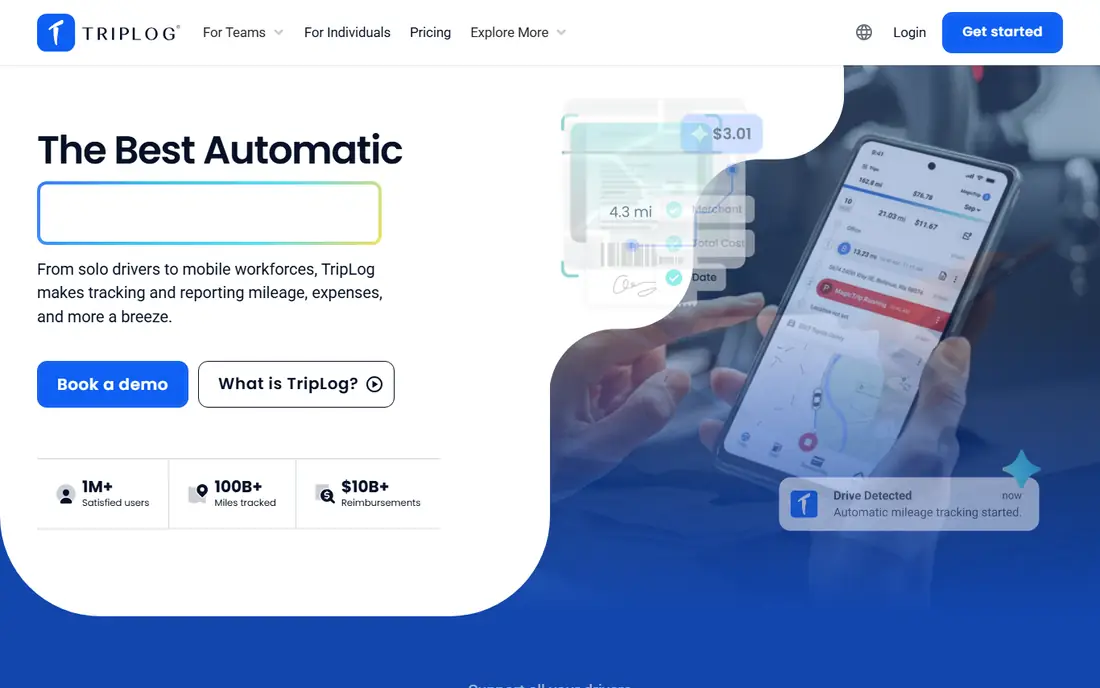
TripLog is built for employers, with admin controls, reimbursement rates and approval workflows that solo apps lack. It tracks fuel, tolls and parking beside mileage, which helps firms that reimburse full trip costs. For field teams, that completeness matters.
The interface feels older than MileIQ or Everlance, and solo drivers pay for team features they will not use. Setup also needs configuration for rates and policies. For companies reimbursing staff, TripLog is a practical pick.
- Team admin controls
- Reimbursement workflows
- Receipt and fuel tracking
- Interface feels dated
- Solo users pay for team features
- Setup takes configuration
Hurdlr
Ideal for: Self-employed workers wanting tax estimates
Hurdlr combines mileage, expenses and income tracking with a running tax estimate, which helps freelancers avoid a year-end surprise. Semi-automatic tracking on the free tier still captures trips, and premium adds full automatic detection. For gig workers, the tax view is the main draw.
Automatic mileage needs the paid plan, and support options are thinner than larger rivals. Users who only need mileage may prefer MileIQ. For freelancers who want a tax estimate all year, Hurdlr is useful.
- Real-time tax estimates
- Mileage and expense tracking
- Income tracking
- Free tier is manual for mileage
- Premium needed for automatic tracking
- Support is limited
Driversnote
Ideal for: Compliant logs across countries
Driversnote focuses on accurate, compliant mileage logs for employees and freelancers in many countries. Automatic GPS logging, work-hour rules and clear reports suit people whose logs may be checked by an employer or tax authority. The free tier covers 15 trips a month for light users.
It costs more than some rivals and does not bundle a full expense suite. The optional iBeacon feature also needs extra hardware for the best accuracy. For compliant logging across borders, Driversnote is a solid pick.
- Automatic GPS logging
- Compliant reports
- 15 free trips a month
- Priced above some rivals
- No expense suite
- IBeacon feature needs extra hardware
Stride
Ideal for: Free tracking for gig and 1099 workers
Stride is genuinely free, with mileage and expense logging and deduction estimates for gig workers. That makes it the best starting point for drivers who work occasionally and do not want another subscription. The app is simple, and the tax estimate helps at filing time.
Trips need a manual start, so forgetful drivers will miss miles. There are also no team admin tools. For occasional gig work on a zero budget, Stride is the obvious pick, and heavy drivers can upgrade to an automatic app later.
- Completely free
- Mileage and expense logging
- Tax deduction estimates
- Manual start for trips
- No automatic detection
- Fewer team features
MileageWise
Ideal for: Audit-proof logs and rebuilding past mileage
MileageWise is built for drivers who need a log that survives scrutiny, including people rebuilding forgotten months. It checks entries against many possible errors and can reconstruct trips from location history, which is a rare and valuable feature. Data retention for years also helps audits.
The interface is functional rather than polished, and there is no free plan beyond a trial. Reconstruction also needs care to stay accurate. For audit-proof logging, MileageWise is the specialist pick.
- Rebuilds past logs from location history
- Checks entries against many red flags
- Stores data for years
- Interface is utilitarian
- No free plan
- Learning curve for reconstruction tools
Zoho Expense
Ideal for: Mileage inside a wider expense system
Zoho Expense adds mileage to a full expense system, with approvals, reports and Zoho Books sync. That suits small businesses already on Zoho, because mileage flows into the same expense reports as receipts. The free plan for up to three users keeps the starting cost at zero.
Mileage detection is more basic than MileIQ or Everlance, and firms outside Zoho get less value. For teams that need expenses first and mileage second, Zoho Expense is a sensible, low-cost choice.
- Mileage plus expenses and approvals
- Free for up to three users
- Zoho Books sync
- Mileage is not its main strength
- Automatic detection is basic
- Best inside Zoho
How we picked these
We started from the topic and shortlisted products that exist and work today, then checked each vendor homepage, pricing page and free tier. We compared feature pages, app store listings, privacy policies and public reviews, and we dropped any product whose homepage could not be verified or whose price could not be checked. Where a price was unclear or varied by region, we wrote See website rather than guessing a number. That rule kept the list honest, even where a neat price would have made the comparison table look tidier.
We also weighed fit over fame. A well-known product stayed on the list only if it truly fits the topic, and smaller tools earned a place when they served a clear use case better. No product here was tested hands-on for this article, and no vendor paid for placement.
Price and free-tier details matter most when plans change often, so we favoured products with clear published pricing and a trial or free tier where one exists. If a vendor changed a plan after our check, the vendor site is the correct source, and the ranking here still reflects fit, not just price. That check takes extra time, but it prevents a shortlist built on outdated pricing or a product that no longer exists.
Choosing a mileage tracker that survives tax season
Count your monthly business drives before choosing, because free tiers cap automatic trips. Then check the export: a good log exports dates, start and end addresses, distance, purpose and totals in a format your accountant accepts. Automatic detection matters most for people who forget to log trips, which is most people.
Before you pay, run a trial on a real task from your own work, not a demo file. Check export formats, mobile access and support hours, because those details decide whether a tool survives daily use. Also check renewal terms and cancellation steps, since a cheap first year can become an expensive second year if renewal jumps. Finally, ask who will own setup and training, because a tool nobody is responsible for tends to fall out of use within a few months. Keep a short note on why you picked the winner, so a future review can judge it against the same criteria instead of starting from scratch.
A useful final test is to imagine the tool in six months, when the first excitement has faded and the work is routine. If the daily steps are still quick, the cost is still clear, and the support route is still obvious, the choice is likely sound. If any of those three answers is unclear, use the trial period to get a clear answer before committing to an annual plan.
Frequently asked questions
What is the best free mileage tracker app?
Stride is free with no paid tier, and MileIQ offers 40 free drives a month. Everlance offers 30 free automatic trips a month, with unlimited manual trips.
Are mileage logs accepted for taxes?
A complete log with dates, business purpose, addresses and distance is the standard record tax authorities expect. Keep the log for the retention period that applies in your country, and confirm rules with a tax professional.
Is automatic tracking better than manual tracking?
Automatic tracking catches trips you would forget, which is its main value. Manual tracking costs nothing and works for occasional drivers, but it relies on remembering every trip.
Which mileage app is best for teams?
TripLog and Timeero suit teams, because they add admin controls, reimbursement rates and approval workflows. Solo apps such as MileIQ are simpler but lack team management.