Best Mileage Tracking Apps in 2026: 8 Apps Compared

- MileIQ and Everlance lead for automatic tracking, with MileIQ simpler and Everlance broader on expenses.
- Driversnote and TripLog suit drivers who want detailed logs and vehicle management.
- Zoho Expense and QuickBooks suit businesses that want mileage inside a full accounting workflow.
- Automatic tracking needs location permission, so check battery use and privacy settings before you rely on it.
Quick comparison
| Product | Ideal for | Price from | Free version | |
|---|---|---|---|---|
 MileIQ | Simple automatic mileage logs | See website | Free trial | Visit |
 Everlance | Mileage plus expenses | See website | Free trial | Visit |
 Hurdlr | Self-employed mileage and taxes | See website | Free trial | Visit |
 Driversnote | Detailed logs and vehicle records | See website | Free trial | Visit |
 TripLog | Business mileage and fleets | See website | Free trial | Visit |
 Zoho Expense | Mileage inside expense management | See website | Free trial | Visit |
 QuickBooks | Mileage inside accounting | See website | Free trial | Visit |
 FreshBooks | Mileage for freelancers and invoicing | See website | Free trial | Visit |
The best mileage tracking app
We compared mileage apps on automatic detection, log accuracy, IRS-ready reporting and business features. The best app is the one that logs drives without you remembering, because manual logs are where deductions get lost. Our pick for most drivers is MileIQ, with Everlance as the broader alternative.
This is not tax advice. Mileage rules and rates change, so confirm current IRS requirements and rates before filing, and consider a tax professional for complex situations.
MileIQ
Ideal for: Simple automatic mileage logs
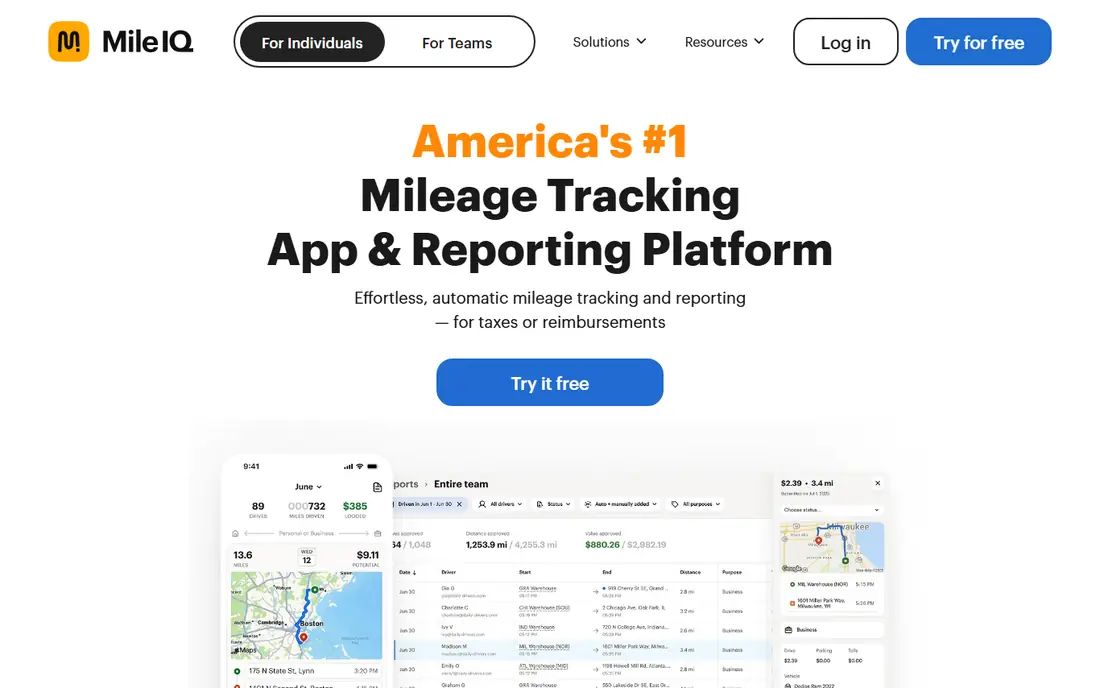
MileIQ detects drives automatically and lets you swipe to classify each one as business or personal. That simple interaction is its strength, since it takes seconds a day and produces clean, IRS-ready reports. The free tier limits the number of drives, so heavy drivers need a paid plan, and it does not cover full expense management.
For most readers, the deciding question with MileIQ is fit rather than raw feature count. Check the plan limits that matter to you, such as seats, usage caps and what happens when a trial ends, before you commit to a paid tier. If the free tier or trial covers your core task, use it for a full week of real work before paying, and keep an eye on renewal terms and cancellation steps. That short test usually tells you more than any feature list, and it keeps the choice grounded in how you actually work day to day.
- Automatic drive detection
- Swipe to classify
- IRS-ready reports
- Free tier limits drives
- No full expense suite
Everlance
Ideal for: Mileage plus expenses

Everlance combines automatic mileage tracking with expense tracking, receipts and tax reports, which suits self-employed users and small businesses. The broader feature set means more to learn than MileIQ, and the free tier limits trips. For users who want mileage and expenses in one app, the combination is worth it.
For most readers, the deciding question with Everlance is fit rather than raw feature count. Check the plan limits that matter to you, such as seats, usage caps and what happens when a trial ends, before you commit to a paid tier. If the free tier or trial covers your core task, use it for a full week of real work before paying, and keep an eye on renewal terms and cancellation steps. That short test usually tells you more than any feature list, and it keeps the choice grounded in how you actually work day to day.
- Automatic mileage tracking
- Expense tracking
- Tax reports
- Free tier limits trips
- Interface has many features
Hurdlr
Ideal for: Self-employed mileage and taxes

Hurdlr targets self-employed workers, freelancers and gig drivers with automatic mileage tracking plus expense tracking and real-time tax estimates. Seeing an estimated tax picture through the year helps with quarterly payments. The free tier limits use, and the most useful reports sit in paid plans, so check limits against your driving volume.
For most readers, the deciding question with Hurdlr is fit rather than raw feature count. Check the plan limits that matter to you, such as seats, usage caps and what happens when a trial ends, before you commit to a paid tier. If the free tier or trial covers your core task, use it for a full week of real work before paying, and keep an eye on renewal terms and cancellation steps. That short test usually tells you more than any feature list, and it keeps the choice grounded in how you actually work day to day.
- Automatic mileage and expense tracking
- Tax estimates
- Reports
- Free tier limits
- Some features need a paid plan
Driversnote
Ideal for: Detailed logs and vehicle records
Driversnote offers automatic and manual logging with vehicle management and reports designed for tax compliance. That detail suits drivers with several vehicles or strict record needs. Setup asks for more detail than MileIQ, and pricing varies by plan, so review the plan that matches your fleet size.
For most readers, the deciding question with Driversnote is fit rather than raw feature count. Check the plan limits that matter to you, such as seats, usage caps and what happens when a trial ends, before you commit to a paid tier. If the free tier or trial covers your core task, use it for a full week of real work before paying, and keep an eye on renewal terms and cancellation steps. That short test usually tells you more than any feature list, and it keeps the choice grounded in how you actually work day to day.
- Automatic and manual logging
- Vehicle management
- Compliant reports
- Setup takes time
- Pricing varies by plan
TripLog
Ideal for: Business mileage and fleets
TripLog serves businesses and fleets with automatic tracking, reimbursement reports and admin tools alongside individual logging. That business focus makes it strong for teams, though solo drivers may find the interface more corporate than friendly. The free tier is limited, so trial it with your real driving pattern.
For most readers, the deciding question with TripLog is fit rather than raw feature count. Check the plan limits that matter to you, such as seats, usage caps and what happens when a trial ends, before you commit to a paid tier. If the free tier or trial covers your core task, use it for a full week of real work before paying, and keep an eye on renewal terms and cancellation steps. That short test usually tells you more than any feature list, and it keeps the choice grounded in how you actually work day to day.
- Automatic tracking
- Fleet tools
- Reimbursement reports
- Interface feels business-focused
- Free tier is limited
Zoho Expense
Ideal for: Mileage inside expense management
Zoho Expense includes mileage tracking as part of a full expense system with approvals, receipts and reporting. That integration suits businesses already using Zoho apps, where mileage flows into the same approval chain as other expenses. Standalone mileage users may find it heavier than a dedicated app, but the workflow value is real.
For most readers, the deciding question with Zoho Expense is fit rather than raw feature count. Check the plan limits that matter to you, such as seats, usage caps and what happens when a trial ends, before you commit to a paid tier. If the free tier or trial covers your core task, use it for a full week of real work before paying, and keep an eye on renewal terms and cancellation steps. That short test usually tells you more than any feature list, and it keeps the choice grounded in how you actually work day to day.
- Mileage tracking within expenses
- Approvals
- Integrations with Zoho apps
- Mileage is one feature among many
- Best value inside Zoho ecosystem
QuickBooks
Ideal for: Mileage inside accounting
QuickBooks adds automatic mileage tracking inside its accounting software, so drives feed into tax categories and reports alongside income and expenses. That integration suits small businesses that already use QuickBooks. Buying full accounting software for mileage alone is poor value, and the learning curve is real for new users.
For most readers, the deciding question with QuickBooks is fit rather than raw feature count. Check the plan limits that matter to you, such as seats, usage caps and what happens when a trial ends, before you commit to a paid tier. If the free tier or trial covers your core task, use it for a full week of real work before paying, and keep an eye on renewal terms and cancellation steps. That short test usually tells you more than any feature list, and it keeps the choice grounded in how you actually work day to day.
- Automatic mileage in accounting software
- Tax categories
- Invoicing
- Full accounting price for mileage alone
- Learning curve
FreshBooks
Ideal for: Mileage for freelancers and invoicing
FreshBooks pairs mileage tracking with invoicing and expense reports, which suits freelancers and service businesses that bill clients. Tracking a drive and billing for it sit in the same workflow. Mileage depth varies by plan, so confirm the feature is included at the tier you intend to buy.
For most readers, the deciding question with FreshBooks is fit rather than raw feature count. Check the plan limits that matter to you, such as seats, usage caps and what happens when a trial ends, before you commit to a paid tier. If the free tier or trial covers your core task, use it for a full week of real work before paying, and keep an eye on renewal terms and cancellation steps. That short test usually tells you more than any feature list, and it keeps the choice grounded in how you actually work day to day.
- Mileage tracking with invoicing
- Expense reports
- Client billing
- Mileage features vary by plan
- Best for service businesses
How we picked these
We compared official feature pages, pricing pages, app store listings, privacy policies and public reviews for each option below. We kept only products that exist and work now, that fit the topic directly, and whose official homepage we could confirm. Where a price was not published clearly, we wrote See website rather than guessing, and we favoured options with a free tier or trial where one exists.
Keeping mileage logs that survive an audit
Classify drives promptly, ideally daily. A log classified weeks later relies on memory, and memory is exactly what tax authorities question. Automatic detection helps, but the swipe or confirm step still needs doing, so build it into your end-of-day routine.
Record the details the IRS expects: date, destination, business purpose and miles driven. Most apps here capture those fields, but only if you fill in the purpose clearly. Vague purposes such as business trip weaken a log, so write the client or task name.
Keep the log for the full retention period and export it regularly. Do not rely solely on an app account you might close. Export PDF and spreadsheet copies each quarter and store them with your tax records, so a lost phone or cancelled subscription never costs you a deduction.
Frequently asked questions
What is the best mileage tracking app?
MileIQ leads for simple automatic tracking, while Everlance suits users who also want expense tracking. Driversnote and TripLog offer more detail for businesses and fleets.
Are mileage tracking apps free?
Most offer a free tier or trial, but free tiers usually limit the number of drives or trips. Heavy drivers and businesses generally need a paid plan, so check the limit against your monthly driving.
Do mileage apps track automatically?
Yes, most apps here use phone location to detect drives automatically, then ask you to classify each drive as business or personal. You still need to confirm classifications promptly for an accurate log.
What does the IRS require for mileage logs?
The IRS expects a record showing the date, destination, business purpose and miles for each business trip, kept contemporaneously. Apps that capture those fields and export reports make compliance much easier.
Can I use a mileage app for a business fleet?
Yes, TripLog and Driversnote offer fleet and team features, while Zoho Expense and QuickBooks suit businesses that want mileage inside accounting. Solo drivers usually do better with MileIQ or Everlance.