Best Mobility App in 2026: 8 Apps Compared

- 1
 GOWODTested mobility routinesVisit
- 2
 PliabilityAthlete mobility programsVisit
- 3
 StretchItFlexibility classesVisit
- 4
 The Ready StateExpert mobility coachingVisit
- 5
 Movement VaultShort daily mobilityVisit
- GOWOD and Pliability suit athletes who want tested mobility scores and daily routines built from those results.
- StretchIt and Movement Vault suit guided stretching, with StretchIt leaning to flexibility classes and Movement Vault to short daily routines.
- The Ready State and Bend suit users who want expert-led mobility work for pain, stiffness, and performance.
- Sworkit and Kaia Health suit general users who want flexible workouts that include mobility alongside strength and cardio.
Quick comparison
| Product | Ideal for | Price from | Free version | |
|---|---|---|---|---|
| GOWOD | Tested mobility routines | See website | Yes | Visit |
| Pliability | Athlete mobility programs | See website | Yes | Visit |
| StretchIt | Flexibility classes | See website | Yes | Visit |
| The Ready State | Expert mobility coaching | See website | Yes | Visit |
| Movement Vault | Short daily mobility | See website | Yes | Visit |
 Bend | Guided stretching | See website | Yes | Visit |
 Sworkit | Flexible workout plans | See website | Yes | Visit |
 Kaia Health | Digital therapy and mobility | See website | Yes | Visit |
The best mobility app
We compared official feature pages, pricing pages, and app listings to find mobility and flexibility apps with guided routines, clear progression, and a usable free tier or trial in October 2026. This is general information only, not medical advice. If you have pain, an injury, or a medical condition, check with a clinician or physiotherapist before starting a new mobility program.
GOWOD
Ideal for: Tested mobility routines
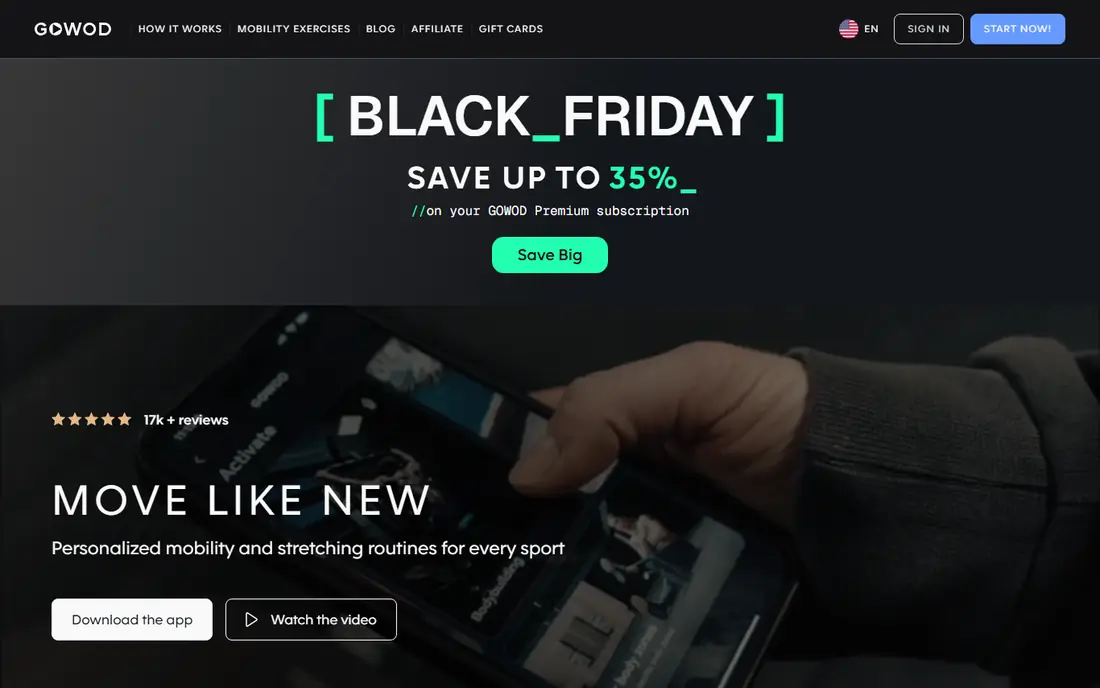
GOWOD starts with a mobility test that measures your range of motion and gives you a score, then builds daily routines from those results. That test-first approach suits athletes who want a clear baseline and measurable progress, rather than generic stretching videos. Routines are short, daily, and targeted to your weak areas, which makes them easy to fit before or after training.
The athlete focus can feel intense for general users, and full features need a paid plan. Still, for CrossFit athletes, lifters, and runners who want data-driven mobility, GOWOD is our pick for a tested, personal routine.
- Mobility test creates a personal score
- Daily routines from test results
- Athlete-focused
- Athlete focus may feel intense
- Full features need a paid plan
Pliability
Ideal for: Athlete mobility programs
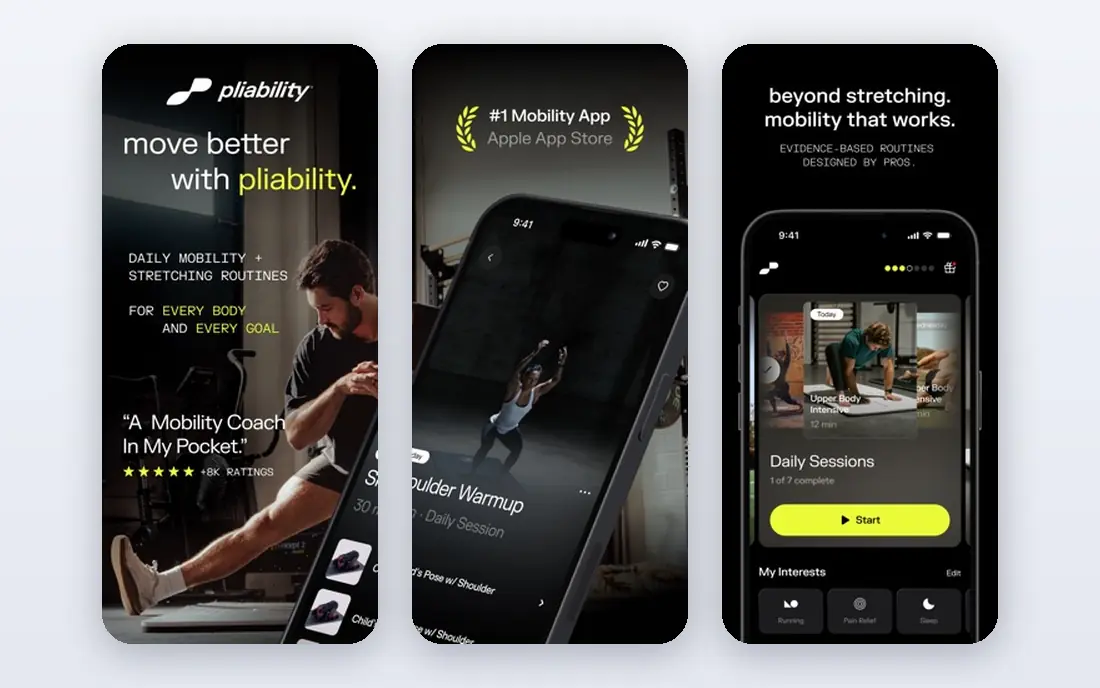
Pliability, formerly known for ROMWOD, offers guided mobility programs for athletes, with daily videos that cover full-body routines and targeted work for hips, shoulders, and spine. The focus is recovery and performance, so routines pair well with training rather than standing alone as gentle stretching. Coaches and teams also use it for group mobility work.
Full programs need a paid plan, and casual users may find the athlete tone more serious than they need. Still, for athletes who train hard and want structured recovery, Pliability is our pick for daily guided mobility.
- Programs for athletes
- Guided video routines
- Recovery and performance focus
- Full programs need a paid plan
- Less suited to casual stretchers
StretchIt
Ideal for: Flexibility classes
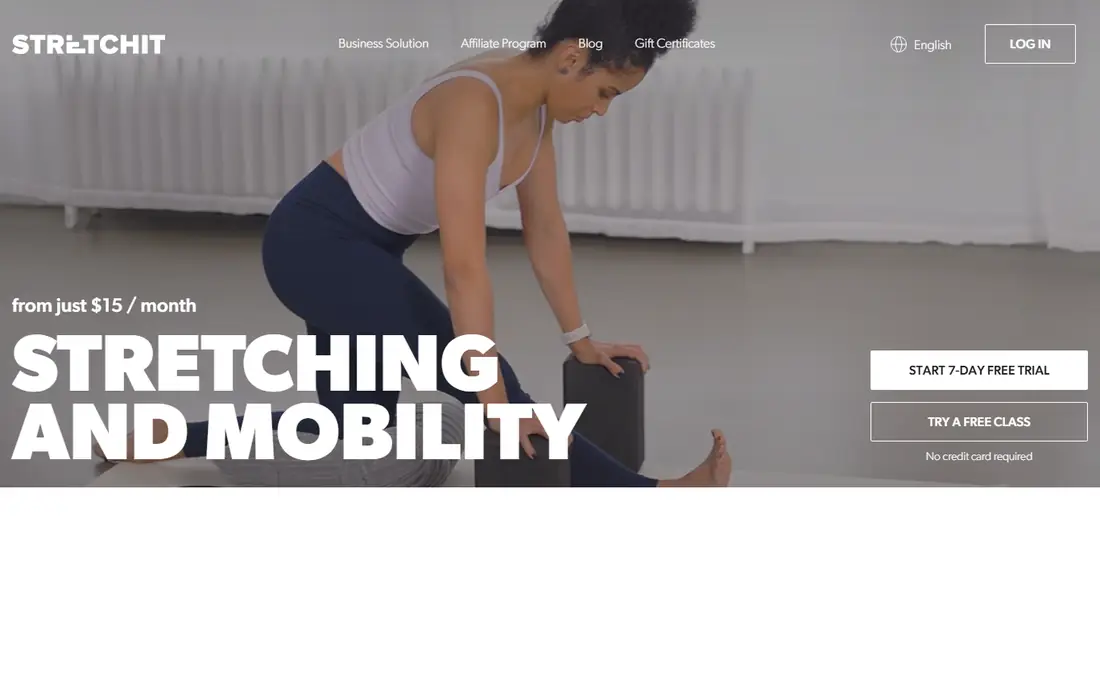
StretchIt offers flexibility classes with clear progression, from beginner stretching to advanced goals such as splits and backbends. Classes are structured like a course, so you move through levels rather than picking random videos. That progression suits users with a specific flexibility goal, whether for dance, gymnastics, or general suppleness.
The focus is narrow: StretchIt is about flexibility, not strength or therapy. Full classes need a paid plan beyond the free tier. If you have a clear flexibility goal, StretchIt is our pick for a course-style path to it.
- Flexibility classes for splits and backbends
- Clear progression
- Beginner to advanced levels
- Flexibility focus is narrow
- Full classes need a paid plan
The Ready State
Ideal for: Expert mobility coaching
The Ready State, from Kelly Starrett, offers expert-led mobility content for pain, stiffness, and performance, with videos, courses, and tools for specific body areas. That expert depth suits users who want to understand why a movement helps, not just follow along. Athletes and coaches use it for both daily maintenance and targeted work on problem areas.
Depth can overwhelm beginners, since the library is large and technical. Full access also needs a paid plan. Still, for users who want expert coaching and are willing to learn, The Ready State is our pick for mobility knowledge.
- Expert-led mobility content
- Tools for pain and stiffness
- Athlete and coach focus
- Content depth can overwhelm beginners
- Full access needs a paid plan
Movement Vault
Ideal for: Short daily mobility
Movement Vault offers short, follow-along mobility routines that fit into a busy day, with options focused on common problem areas such as hips, shoulders, and back. That short format helps consistency, since a ten-minute routine is easier to keep than a forty-minute class. The app also includes routines aimed at pain and stiffness, though it is not a medical treatment.
The library is smaller than larger apps, and full access needs a paid plan. Still, for users who want a quick daily routine without a long class, Movement Vault is our pick for practical, short mobility work.
- Short daily routines
- Follow-along videos
- Injury and pain-focused options
- Smaller library than larger apps
- Full access needs a paid plan
Bend
Ideal for: Guided stretching
Bend builds personalized stretching plans from your goals and flexibility level, with guided sessions that walk you through each stretch. Progress tracking shows how your flexibility improves over weeks, which helps motivation for a slow-changing goal. The app suits users who want a plan rather than a video library to browse.
Bend is newer than some rivals, so its library is smaller, and full plans need a paid plan. Still, for a personalized stretching plan with guidance, Bend is a solid choice, especially for beginners who want structure.
- Personalized stretching plans
- Guided sessions
- Progress tracking
- Newer app with a smaller library
- Full plans need a paid plan
Sworkit
Ideal for: Flexible workout plans
Sworkit lets you build custom workouts from strength, cardio, yoga, and stretching, with options for no equipment and different time lengths. That flexibility suits general users who want mobility as part of a broader fitness routine, rather than a dedicated mobility app. You can set a five-minute stretch, a twenty-minute yoga session, or a full workout in the same app.
Mobility is only one part of Sworkit, so dedicated athletes may find it lighter than GOWOD or Pliability. Full features also need a paid plan. Still, for a general fitness app with good stretching options, Sworkit is our pick.
- Custom workouts including stretching
- No equipment options
- Kid and adult plans
- Mobility is one part of a general app
- Full features need a paid plan
Kaia Health
Ideal for: Digital therapy and mobility
Kaia Health offers digital programs for back pain and other chronic conditions, combining mobility, strength, and education with AI motion feedback that checks your form through your phone camera. That clinician-designed approach suits users with persistent back pain who want structured, guided exercise rather than generic stretching. Programs adapt to your feedback over time.
The medical focus may not suit healthy athletes looking for performance mobility, and availability varies by region and insurer. Still, for users with back pain seeking a structured digital program, Kaia Health is our pick, used alongside professional advice where needed.
- Programs for back pain and chronic conditions
- AI motion feedback
- Clinician-designed
- Medical focus may not suit healthy athletes
- Availability varies by region
How we picked these
We compared official feature pages, pricing pages, and app listings for mobility apps live in October 2026. We favored apps with guided routines and clear progression, rather than simple video collections, and we covered athletes, general users, and people with back pain. We left out apps with no mobility focus or no usable free tier or trial.
What to check before you choose
Start with your goal. Athletes suit GOWOD or Pliability, flexibility seekers suit StretchIt or Bend, and back pain sufferers suit Kaia Health or Movement Vault. General fitness users suit Sworkit. Picking by goal avoids paying for a specialist app you do not need.
Next, try a routine for a week before paying. Check whether the session length, coaching voice, and difficulty suit you, and whether you can fit it into your day consistently. Mobility gains come from regular practice, so a routine you skip helps no one.
Finally, respect pain signals. Mild stretch discomfort is normal, but sharp pain is a sign to stop and seek advice. Mobility apps support general fitness, they do not diagnose or treat injuries, so see a clinician for persistent pain.
Before you commit to one option, spend a short trial period with your top two choices from this list. Use each one for a real task from your own work or daily routine, not just a demo, and note where you get stuck, what feels slow, and which features you actually open twice. Check the official pricing page again at that point, since free plans and paid tiers change, and confirm that the plan you need covers the users, projects, or devices you will use. Read the privacy and support pages too, especially for tools that hold personal or work data, and confirm how to export your work if you later switch. A tool that fits your routine in a two-week trial is a far better choice than a more powerful option you avoid opening, so let daily use, not a feature list alone, decide your final pick for best mobility app.
Frequently asked questions
What is the best mobility app overall?
GOWOD is our pick for tested, athlete-focused mobility, while Pliability is our pick for guided athlete programs. StretchIt suits flexibility goals, and Kaia Health suits back pain programs. Pick by your goal, not by popularity alone.
Is there a free mobility app?
Yes, all eight apps here have free tiers or trials, including GOWOD, Pliability, StretchIt, Movement Vault, Bend, Sworkit, and Kaia Health. Paid plans mainly add full programs, personalization, and progress tracking. Try the free tier for a week first.
Which mobility app is best for CrossFit athletes?
GOWOD and Pliability suit CrossFit athletes best, since both are built for athlete recovery and performance. GOWOD adds a mobility test and score, while Pliability adds daily guided programs. Use either before or after training.
Can mobility apps help with back pain?
They can support general back mobility and strength, and Kaia Health is designed for back pain programs. They do not replace medical advice, so see a clinician for severe, persistent, or worsening pain, numbness, or weakness.
How often should I do mobility work?
Daily short routines of ten to fifteen minutes work well for most people, with longer sessions a few times a week for specific goals. Consistency matters more than session length, so pick a routine you can keep every day.
How do I pick between the free and paid plans in this list?
Start with the free plan or trial for any best mobility app option that offers one, and use it for at least two weeks on real tasks. Upgrade only when you hit a clear limit, such as a missing feature, a user cap, or a storage limit, rather than paying on day one for features you may never use. Compare the paid tier against the next option in this list as well, since a different tool's free plan may already cover what the first tool charges for.