Best Noise Meter Apps in 2026: 8 Apps Compared

- 1
 NIOSH Sound Level MeterMost accurate free iPhone meterVisit
- 2
 Decibel XSimple everyday readings on iPhone and AndroidVisit
- 3
 Sound Meter by ABC AppsQuick Android sound checksVisit
- 4
 SPLnFFT Noise MeterDetailed readings for audio and work useVisit
- 5
 SoundPrintFinding quieter places to eat and meetVisit
- The NIOSH Sound Level Meter app is the strongest free starting point on iPhone, with validated accuracy and no ads or purchases.
- Phone microphones vary, so treat readings as a guide for everyday noise, not as a legal or workplace compliance measurement.
- Calibration, averaging, and export features matter more than a large decibel number on the screen.
- Android users should pick an app with calibration and clear weighting options, then compare it against a known sound source.
Quick comparison
| Product | Ideal for | Price from | Free version | |
|---|---|---|---|---|
| NIOSH Sound Level Meter | Most accurate free iPhone meter | Free | Yes | Visit |
| Decibel X | Simple everyday readings on iPhone and Android | Free | Yes | Visit |
| Sound Meter by ABC Apps | Quick Android sound checks | Free | Yes | Visit |
| SPLnFFT Noise Meter | Detailed readings for audio and work use | See website | Free trial | Visit |
| SoundPrint | Finding quieter places to eat and meet | Free | Yes | Visit |
 NoiseCapture | Community noise mapping and research | Free | Yes | Visit |
 Decibel Meter Pro | A simple paid meter without ads | See website | No | Visit |
 Sound Level Meter by Faber Acoustical | A polished iPhone meter for regular use | See website | Free trial | Visit |
The best noise meter apps
We compared official feature pages, pricing pages, app store listings, privacy policies and public reviews to build this list, focusing on products that fit the topic closely and are still available in October 2026.
NIOSH Sound Level Meter
Ideal for: Most accurate free iPhone meter
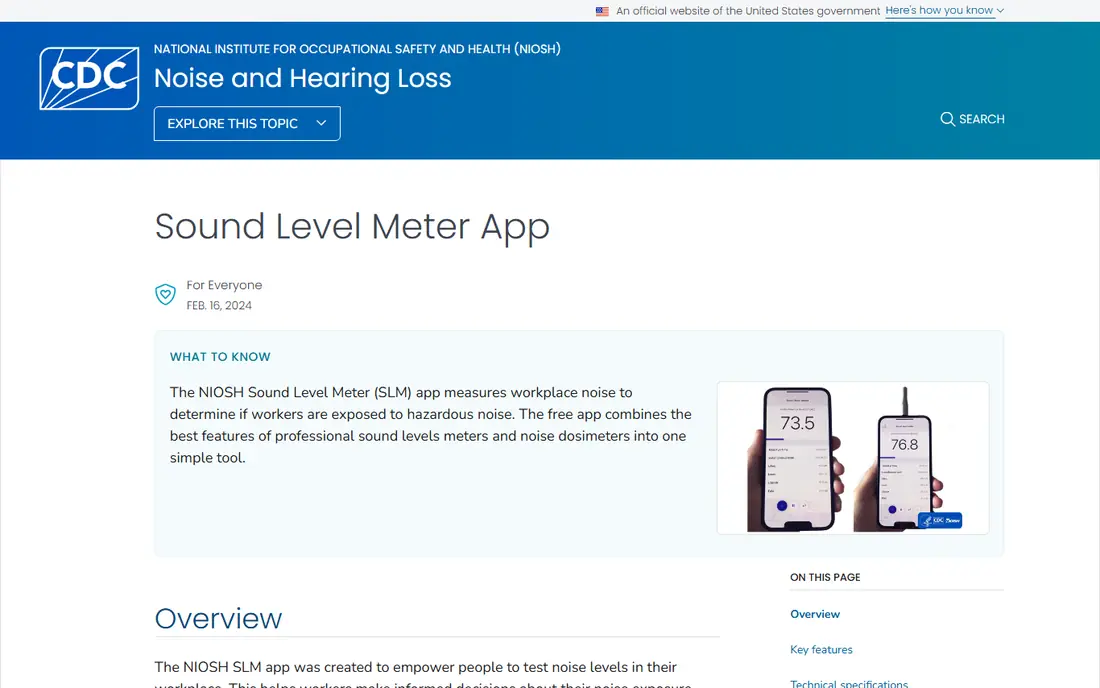
NIOSH Sound Level Meter comes from the US National Institute for Occupational Safety and Health, and that origin is its main strength. It reports averages such as LAeq and time-weighted average, plus maximum and peak levels, noise dose and projected dose. It also offers A, C and Z weighting and calibration for internal or external microphones, which makes it far more useful than a simple number on a screen.
The honest limit is the phone itself. Even a well designed app cannot turn a small phone microphone into a certified instrument, and results will vary with the device and the environment. For everyday checks, such as a loud workshop, a concert, or a noisy commute, it gives a clear and consistent guide. For a workplace decision, use a calibrated meter and follow local rules.
- No ads or in-app purchases
- Validated accuracy within about 2 dBA in NIOSH testing
- Dose, average, peak and weighting options
- IPhone only
- Needs an external microphone for the highest claimed standard compliance
Decibel X
Ideal for: Simple everyday readings on iPhone and Android

Decibel X suits readers who want a fast answer without learning meter terminology. Open the app, point the phone toward the sound, and you get a live decibel reading with a short history. That simplicity makes it easy to compare rooms, appliances, or street noise at different times of day, and to spot when a sound is clearly louder than usual.
The trade-off is depth. It is not a replacement for a professional meter, and paid features can blur the line between a casual check and a detailed log. Use it to learn which sounds in your day are loud, then use hearing protection or move away when readings stay high. Check the current price in the app store listing before buying any upgrade.
- Clear live readout with history and charts
- Simple controls
- Useful for quick checks at home or outdoors
- Some advanced features are paid
- Phone hardware still limits absolute accuracy
Sound Meter by ABC Apps
Ideal for: Quick Android sound checks
Sound Meter by ABC Apps is a practical choice for Android users who do not want a complex tool. Its dial and graph make a loud moment easy to see, and the app is simple enough to use while you walk around a home or workplace. It works best as a comparison tool, showing whether one room, machine, or setting is louder than another.
Accuracy is the catch, as it is with most Android meters. Different phone models use different microphones, so two phones in the same room can show different numbers. Calibrate if the app offers that option, keep the phone in a consistent position, and treat the result as an estimate. If you need a firm number, confirm it with a dedicated meter.
- Easy to read dial and graph
- Works on many Android phones
- Good for comparing rooms and appliances
- Ads in the free version
- Accuracy depends on the phone model
SPLnFFT Noise Meter
Ideal for: Detailed readings for audio and work use
SPLnFFT comes from Studio Six Digital, a company that builds audio measurement tools, and that background shows in the feature set. It offers more detail than a basic meter, including frequency information and logging that technical users will value. If you already understand weighting, averaging, and calibration, this app gives you room to work with those settings.
Beginners may find the interface busy, and the full feature set is not free. It is best for musicians, audio workers, or safety-minded readers who want more than a single number and are willing to learn the settings. As with every phone meter, an external microphone improves consistency, and the app should not be used alone for compliance decisions.
- Detailed spectrum and logging options
- Designed by an audio measurement company
- Useful for technical users
- Paid features can be confusing at first
- Best results need care with microphone choice
SoundPrint
Ideal for: Finding quieter places to eat and meet
SoundPrint takes a different approach from a pure meter. It combines a decibel reading with a shared map of venues, so you can look for quieter restaurants, cafes, and bars before you go. For people who find loud rooms tiring or painful, that venue information can matter as much as the number itself, and it turns a one-off reading into a planning tool.
Coverage is the main limit. In cities with many contributors, the map is useful. In smaller towns, listings may be thin or out of date, so you should still check in person. The app itself is free, and it works best when you also contribute readings from places you visit, which helps the next reader.
- Lets users share and find noise levels for venues
- Helpful for people sensitive to loud rooms
- Venue data depends on user submissions, so coverage varies by city
NoiseCapture
Ideal for: Community noise mapping and research
NoiseCapture is built for community noise projects rather than quick personal checks. It records measurements and contributes them to shared maps, which can help neighbourhood groups, researchers, and local planners see patterns over time. If you want your readings to serve a wider purpose, this open approach is a real advantage over a closed app.
The interface feels more like a research tool than a consumer app, and casual users may prefer a simpler meter for a single reading. Calibration still matters, and phone differences mean community data should be read as a pattern, not as precise proof for one address. For a group project, agree on phone placement and settings before you start.
- Open approach to noise mapping
- Records and shares measurements for community projects
- Interface is more technical than a casual meter
- Results depend on phone calibration
Decibel Meter Pro
Ideal for: A simple paid meter without ads
Decibel Meter Pro appeals to readers who dislike ads and want a plain meter that does one job well. The readout is easy to follow, the controls are few, and there is no need to work around banners or pop-ups while you measure. For repeated checks around the home, that calm interface is a genuine benefit.
Paying does not remove the physical limit of a phone microphone. The app remains an estimate, and you should not use it to settle a dispute or to certify a workplace. Its value is in consistency: use the same phone, in the same position, and compare readings over time rather than treating one number as absolute.
- Clean readout without ad interruptions
- Straightforward controls
- Useful for repeated checks
- Paid only, so try the listing details first
- Still limited by phone hardware
Sound Level Meter by Faber Acoustical
Ideal for: A polished iPhone meter for regular use
Faber Acoustical makes acoustics software, and its Sound Level Meter reflects that focus with a clean layout and logging that suits repeated measurements. It is a good fit for readers who measure often, such as musicians checking rehearsal rooms or homeowners comparing noise before and after a change. The history view helps you see patterns instead of relying on memory.
The full version is paid, so check the current price and trial terms before committing. Like every app here, it is limited by the phone microphone, and it is not a certified instrument on its own. Use it for guidance, keep the phone placement consistent, and pair it with hearing protection when readings stay in a loud range.
- Clear design and useful logging
- From an established acoustics software maker
- Good for repeated measurements
- IPhone focused
- Full features are paid
How we picked these
We compared official feature pages, pricing pages, app store listings, privacy policies and public reviews for each option in this guide. We checked that each product is still offered in October 2026, that its homepage loads, and that its price or free tier could be confirmed or marked as See website when it could not. We did not claim hands-on testing. We favoured products that fit the topic closely, explain their limits clearly, and give readers a practical way to try them before paying. Where prices change often, we say so and point readers to the vendor page for the current figure.
How to choose a noise meter app
Start with the question you need answered. If you only want to know whether a room is loud, a simple free meter is enough. If you want averages over a shift, a dose estimate, or a log you can review later, pick an app that records history and explains its weighting and averaging settings. Calibration matters more than a pretty dial, so look for an app that lets you adjust for your phone or an external microphone.
Before you pay,try the free tier or trial first and check the exact limits that matter to you, such as device support, export options, or cancellation terms. Read the privacy policy for any app that handles personal, financial, or health data, and check whether your data can be exported or deleted. The cheapest option is not always the best value if it lacks a feature you will use every week, and the most expensive option is rarely worth it if you only need the basics.
Frequently asked questions
Are free decibel meter apps accurate enough for everyday use?
For everyday awareness, yes, with limits. The NIOSH app has validated accuracy on iPhone within about 2 dBA in lab testing, while many other apps vary by phone model. Treat readings as a guide, keep the phone position consistent, and use hearing protection when sound stays loud.
What is the best free decibel meter app?
On iPhone, the NIOSH Sound Level Meter is the strongest free choice because it is free, has no ads, and offers professional metrics. On Android, pick an app with calibration and clear weighting options, and compare its readings in a quiet room and a loud room before relying on it.
Can a phone app replace a professional sound level meter?
No, not for legal, workplace compliance, or dispute decisions. Phone microphones are not certified instruments, and results vary by device. Use an app for awareness and comparison, and use a calibrated dedicated meter for any formal measurement.
Why do two phones show different decibel readings?
Different phones use different microphones, cases, and audio processing, so the same sound can produce different numbers. Calibration, consistent placement, and using the same phone for comparisons reduce this problem, but they do not remove it entirely.
What decibel level should concern me?
Sustained sound above about 85 dBA can damage hearing over time, and short bursts at much higher levels can also be harmful. If an app shows high readings for a long period, move away, lower the volume, or wear hearing protection, and seek advice if you notice ringing or muffled hearing.