Best Online Fax Services in 2026: 8 Services Compared

- Fax.Plus suits occasional senders with a free allowance, while eFax suits businesses that need a permanent number and volume.
- FaxBurner suits one-off mobile faxing, but its free number is temporary and expires after 24 hours.
- Healthcare users should check HIPAA compliance and whether a business associate agreement is available on their plan.
- Free fax services cap pages and destinations, so check limits for US and Canadian numbers before relying on them.
Quick comparison
| Product | Ideal for | Price from | Free version | |
|---|---|---|---|---|
 Fax.Plus | Occasional senders and healthcare users | $6.99 per month | Yes | Visit |
 eFax | Established businesses needing volume and a permanent number | $19.95 per month | Free trial | Visit |
 FaxBurner | One-off mobile faxing on a budget | See website | Yes | Visit |
 iFax | Professionals needing templates and signatures | See website | Free trial | Visit |
 SRFax | Healthcare and security-focused faxing | $12.60 per month | No | Visit |
 FaxZero | Free one-off faxes without an account | Free | Yes | Visit |
 Dropbox Fax | Dropbox users wanting fax inside cloud storage | See website | Yes | Visit |
 Municorn Fax | Mobile-first unlimited faxing for heavy users | $9.99 per week | Yes | Visit |
The best online fax services
We compared official feature pages, pricing pages, app store listings, privacy policies and public reviews to build this list of 8 options for best online fax service. Prices were checked in October 2026 and can change, so confirm the current price on the vendor site before you buy. Our pick for most people is the first option that fits your budget and workflow, not necessarily the most expensive tool on the list. Read the quick comparison first to narrow the field, then read the full write-ups for the two or three options that fit your needs best.
Fax.Plus
Ideal for: Occasional senders and healthcare users

Fax.Plus offers a clean web and mobile fax service with a free allowance of 10 pages for occasional senders. Paid plans add volume, a permanent number and, on enterprise tiers, HIPAA compliance. Google Workspace integration suits teams already on Google.
The free plan does not include receiving faxes, so regular receivers need a paid plan. Page limits also apply across tiers. For occasional sending with a path to compliance, Fax.Plus is a strong pick.
- Free allowance of 10 pages
- HIPAA options on enterprise tiers
- Google Workspace integration
- Free plan does not include receiving
- Paid tiers needed for volume
- Page limits apply
eFax
Ideal for: Established businesses needing volume and a permanent number

eFax is the long-established online fax brand, with a permanent number, desktop and mobile apps, and annotation and signing tools. That reliability suits businesses that fax regularly and need a number clients can use long term. Volume handling is proven.
It costs more than rivals, and HIPAA compliance sits on corporate plans only. Extra pages also add cost beyond plan allowances. For established business faxing, eFax remains a safe choice.
- Long-established brand
- Permanent local or toll-free number
- Desktop and mobile apps
- Pricier than rivals
- HIPAA only on corporate plans
- Extra pages cost more
FaxBurner
Ideal for: One-off mobile faxing on a budget
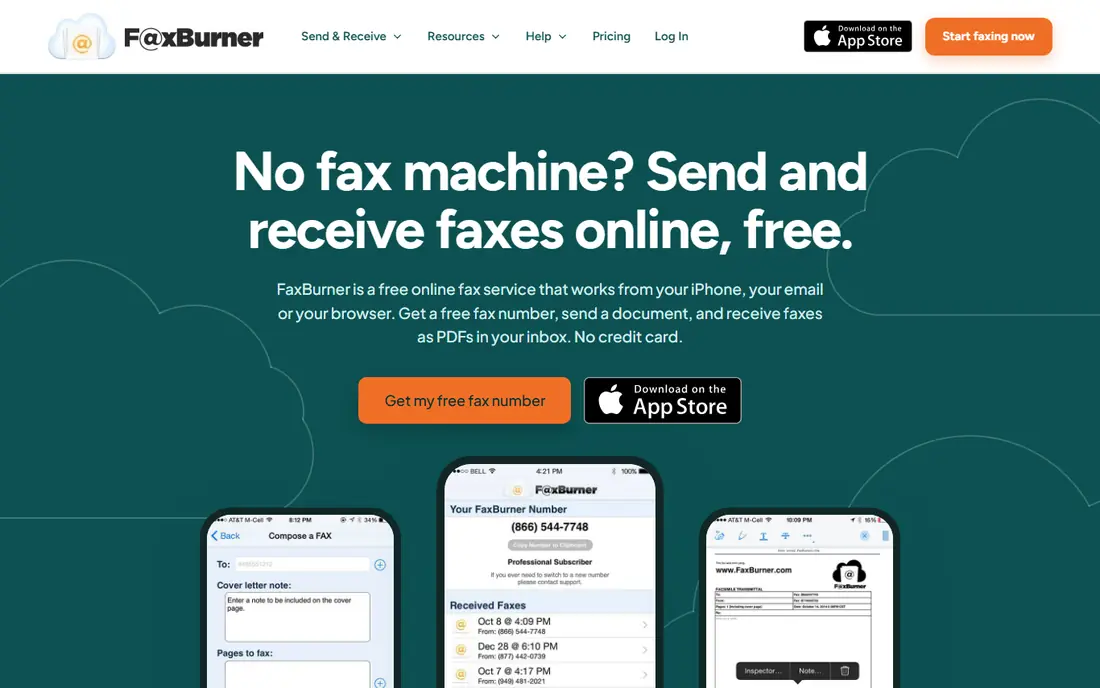
FaxBurner suits one-off mobile faxing, with a free tier covering limited sending and receiving and a temporary number for a day. Email and Dropbox integration make sending from a phone simple, and signatures and cover pages are included. For a single form, it is the cheapest route.
The free number is disposable and expires after 24 hours, so regular receivers need a paid plan. There is also no HIPAA support. For occasional mobile faxing, FaxBurner is practical; for regular business use, pick Fax.Plus or eFax.
- Free tier with sending and receiving allowances
- Temporary free number
- Email and Dropbox integration
- Free number expires after 24 hours
- No HIPAA support
- Paid plan needed for a permanent number
iFax
Ideal for: Professionals needing templates and signatures
iFax offers polished iOS, Android and web apps with a built-in scanner, templates and digital signatures. A Chrome extension faxes from Google Docs, Drive and Gmail, which suits professionals who fax documents from cloud storage. The workflow is smooth.
Billing and cancellation complaints appear in app-store reviews, so note trial end dates carefully. HIPAA support also needs paid add-ons, and pricing varies by platform. For a polished professional fax app, iFax is worth a careful trial.
- Polished apps
- Built-in scanner
- Templates and digital signatures
- Billing complaints reported on app-store trials
- HIPAA needs paid add-ons
- Pricing varies by platform
SRFax
Ideal for: Healthcare and security-focused faxing
SRFax focuses on secure faxing for healthcare and professional users, with HIPAA compliance and a business associate agreement available on request. Web, email and printer faxing cover office workflows, and encryption is a stated priority. For sensitive documents, that focus matters.
There is no free plan, and the interface is functional rather than polished. Mobile support is also limited compared with FaxBurner. For secure, compliant faxing, SRFax is a specialist pick.
- HIPAA compliant with business associate agreement on request
- Secure web and email faxing
- Canadian and US numbers
- No free plan
- Interface is functional
- Mobile app is limited
FaxZero
Ideal for: Free one-off faxes without an account
FaxZero is the simplest free option for a one-off fax: use a browser, upload a document, and send to a US or Canadian number without installing an app. A pay-per-fax option covers longer faxes. For a single urgent form, it is the fastest free route.
Free faxes carry branding on cover pages and are capped by pages and daily limits. There is no receiving, and international destinations are restricted. For one-off sending, FaxZero is ideal; for regular use, pick a subscription service.
- Free faxes to US and Canadian numbers
- No app install
- Pay-per-fax option for longer faxes
- Free cover pages may include branding
- Page and daily limits
- No receiving
Dropbox Fax
Ideal for: Dropbox users wanting fax inside cloud storage
Dropbox Fax, formerly HelloFax, lets Dropbox users send faxes from their cloud account, with free pages to start and paid tiers for volume. That suits teams whose documents already live in Dropbox, because there is no separate upload step. Signing and storage integrations also help.
Pricing tiers need checking on the vendor site, and HIPAA support sits on enterprise plans only. It is also less fax-focused than eFax or SRFax. For Dropbox-centric workflows, Dropbox Fax is convenient.
- Sends from a Dropbox account
- Free pages to start
- Integrations with cloud storage
- Formerly HelloFax
- Pricing tiers need checking
- HIPAA only on enterprise plans
Municorn Fax
Ideal for: Mobile-first unlimited faxing for heavy users
Municorn Fax, also known as FAX from iPhone, offers unlimited pages on paid plans and faxing to many countries, with an AI document scanner for phone capture. That suits heavy mobile users who fax often and need a permanent number. The app is highly rated for mobile use.
Weekly pricing becomes costly if used for months, so compare monthly and annual options before committing. The free tier is also limited, and support is mainly in-app. For heavy mobile faxing, Municorn is a strong, if pricey, pick.
- Unlimited pages on paid plans
- Fax to many countries
- AI document scanner
- Weekly pricing is costly over time
- Free tier is limited
- Support is mainly in-app
How we picked these
We started from the topic and shortlisted products that exist and work today, then checked each vendor homepage, pricing page and free tier. We compared feature pages, app store listings, privacy policies and public reviews, and we dropped any product whose homepage could not be verified or whose price could not be checked. Where a price was unclear or varied by region, we wrote See website rather than guessing a number. That rule kept the list honest, even where a neat price would have made the comparison table look tidier.
We also weighed fit over fame. A well-known product stayed on the list only if it truly fits the topic, and smaller tools earned a place when they served a clear use case better. No product here was tested hands-on for this article, and no vendor paid for placement.
Price and free-tier details matter most when plans change often, so we favoured products with clear published pricing and a trial or free tier where one exists. If a vendor changed a plan after our check, the vendor site is the correct source, and the ranking here still reflects fit, not just price. That check takes extra time, but it prevents a shortlist built on outdated pricing or a product that no longer exists.
Choosing an online fax service by volume and compliance
Count pages per month and whether you need to receive faxes, not just send them. One-off senders do fine with FaxZero or Fax.Plus free allowances, while regular receivers need a permanent number. Healthcare and legal users should confirm HIPAA support and encryption before choosing on price alone.
Before you pay, run a trial on a real task from your own work, not a demo file. Check export formats, mobile access and support hours, because those details decide whether a tool survives daily use. Also check renewal terms and cancellation steps, since a cheap first year can become an expensive second year if renewal jumps. Finally, ask who will own setup and training, because a tool nobody is responsible for tends to fall out of use within a few months. Keep a short note on why you picked the winner, so a future review can judge it against the same criteria instead of starting from scratch.
A useful final test is to imagine the tool in six months, when the first excitement has faded and the work is routine. If the daily steps are still quick, the cost is still clear, and the support route is still obvious, the choice is likely sound. If any of those three answers is unclear, use the trial period to get a clear answer before committing to an annual plan.
Frequently asked questions
What is the best free online fax service?
FaxZero offers free faxes to US and Canadian numbers with page and daily limits, and Fax.Plus offers 10 free pages as a one-time allowance. FaxBurner offers a free tier for occasional mobile faxing.
Is online fax secure for healthcare documents?
Some services offer HIPAA-compliant plans with a business associate agreement, including Fax.Plus on enterprise tiers and SRFax. Check the plan tier, because compliance is often not included on basic plans.
Do I need a fax number to send a fax?
No, sending usually needs only the recipient number. Receiving needs a fax number, which free plans may offer only temporarily, while paid plans offer a permanent number.
Can I fax from email?
Yes, many services support email-to-fax, where you attach a document and address it to the recipient fax number. Check format requirements on the provider site before sending sensitive documents.