Best Online Meeting Platforms in 2026: 8 Platforms Compared

- 1
 ZoomMost teamsVisit
- 2
 Microsoft TeamsMicrosoft 365 usersVisit
- 3
 Google MeetGoogle Workspace usersVisit
- 4
 WebexLarge formal meetingsVisit
- 5
 GoTo MeetingSimple business meetingsVisit
- Zoom is our pick for most teams because it is reliable, widely used and easy for guests to join.
- Microsoft Teams suits companies already using Microsoft 365, while Google Meet suits Google Workspace users.
- Webex and GoTo Meeting are strong for large, formal meetings with security and admin controls.
- Free plans work for small meetings, but time limits and participant caps matter for larger groups.
- Check privacy, recording and captioning features before choosing, especially for regulated work.
Quick comparison
| Product | Ideal for | Price from | Free version | |
|---|---|---|---|---|
| Zoom | Most teams | Free | Yes | Visit |
| Microsoft Teams | Microsoft 365 users | Free | Yes | Visit |
| Google Meet | Google Workspace users | Free | Yes | Visit |
| Webex | Large formal meetings | Free | Yes | Visit |
| GoTo Meeting | Simple business meetings | See website | Free trial | Visit |
 Skype | Small casual calls | Free | Yes | Visit |
 Whereby | Browser based rooms | Free | Yes | Visit |
 Jitsi Meet | Free open source meetings | Free | Yes | Visit |
The best online meeting platforms
Online meeting platforms have settled into a few clear roles: general video calls, team collaboration, webinars and large formal events. We compared official feature pages, pricing, app listings and public reviews to find platforms that still work well in October 2026, with attention to free limits, security and ease of joining for guests.
Zoom
Ideal for: Most teams
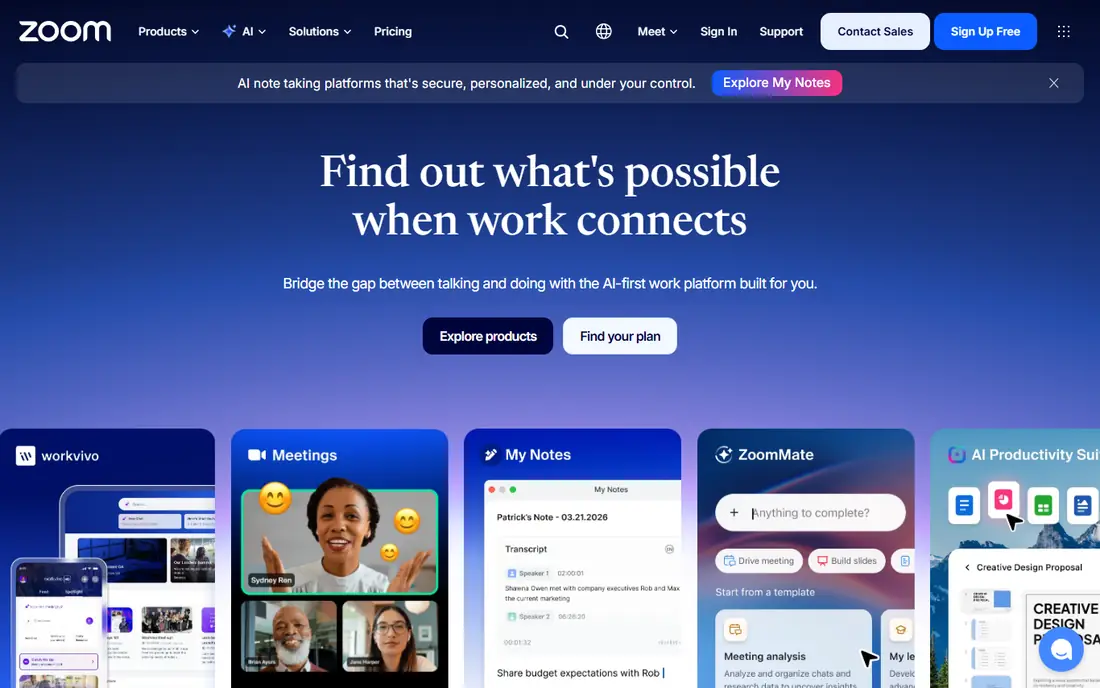
Zoom remains the default meeting platform for most teams, because almost everyone knows how to join a Zoom call and it works reliably across devices. Features include breakout rooms, polls, whiteboard, recording, captions and webinar options on paid plans. The free plan allows one to one meetings without a time limit and group meetings up to 40 minutes.
Security settings need attention, since meeting links can be shared widely if waiting rooms and passwords are not enabled. For most businesses, schools and community groups, Zoom's familiarity outweighs its limits, and paid plans remove the time cap and add admin controls.
- Reliable video and audio
- Guests join easily
- Breakout rooms and webinars
- Free plan limits group meetings to 40 minutes
- Security settings need care
Microsoft Teams
Ideal for: Microsoft 365 users

Microsoft Teams suits organisations already using Microsoft 365, Outlook, OneDrive and SharePoint, since meetings, chat, files and calendars live in one app. That integration reduces switching between tools and makes scheduling from Outlook straightforward. Admin controls, compliance tools and security features are strong, which matters for regulated industries.
The interface can feel busy for casual users, and guests without a Microsoft account may find joining less smooth than Zoom. A free version exists with chat and meetings, while full features need a Microsoft 365 subscription. If your organisation already pays for Microsoft 365, Teams is the obvious meeting choice.
- Integrates with Microsoft 365
- Chat, files and meetings in one app
- Strong admin controls
- Interface can feel busy
- Guest experience varies
- Full features need a paid plan
Google Meet
Ideal for: Google Workspace users

Google Meet is the simplest meeting platform for Google Workspace users, since it runs in the browser and integrates with Gmail and Google Calendar. Guests can join from a link without installing software, and live captions, noise cancellation and recording on paid plans work well. The free plan allows meetings up to 60 minutes with up to 100 participants.
Webinar and large event features are thinner than Zoom's, so large public events may need another tool. For schools, small businesses and teams already on Google Workspace, Meet is a clean, reliable choice that needs almost no training.
- Browser based, no install for guests
- Integrates with Gmail and Calendar
- Captions included
- Free plan limits meetings to 60 minutes
- Fewer webinar features than Zoom
Webex
Ideal for: Large formal meetings
Webex, from Cisco, is built for large, formal meetings where security and admin control matter. It offers end to end encryption options, detailed admin controls, breakout sessions, polling and webinar tools, with a reputation for reliable audio in large calls. Many enterprises, governments and healthcare organisations use Webex for that reason.
The interface feels more formal than Zoom or Meet, and new users may need a short orientation. A free plan exists with basic meetings, while paid plans add larger capacity and advanced features. If security and scale are your priorities, Webex is a strong contender.
- Strong security and admin controls
- Reliable for large meetings
- Good audio quality
- Interface feels formal
- Free plan limited
- Learning curve for new users
GoTo Meeting
Ideal for: Simple business meetings
GoTo Meeting focuses on simple, reliable business meetings without the extra collaboration layers of Teams. Hosts can start a meeting quickly, share screens, record and use drawing tools, while guests join from a link. That simplicity suits small businesses that want a dependable meeting tool without learning a full collaboration suite.
There is no permanent free plan, only a trial, so GoTo Meeting is a paid choice. Collaboration features like persistent chat and file workspaces are thinner than Teams, so teams that need those tools should look elsewhere, but for straightforward meetings, GoTo Meeting is dependable.
- Simple to join and host
- Reliable audio
- Good for small businesses
- No permanent free plan
- Fewer collaboration features than Teams
- Pricing per organiser
Skype
Ideal for: Small casual calls
Skype remains useful for small, casual calls, especially for personal use and international calls to phones. Skype to Skype video and voice calls are free, and the app is familiar to many long term users. It also offers low cost calls to landlines and mobiles in many countries, which is handy for personal contacts abroad.
For business meetings, Skype has fallen behind Zoom and Teams, since Microsoft's focus shifted to Teams and Skype's business features are thinner. Use Skype for personal calls and small group chats, but choose Zoom, Meet or Teams for regular business meetings.
- Free for Skype to Skype calls
- Familiar for personal use
- International calling options
- Less used for business meetings now
- Features lag Zoom and Teams
- Microsoft focus shifted to Teams
Whereby
Ideal for: Browser based rooms
Whereby offers browser based meeting rooms with simple links that guests can open without downloading an app. That ease of joining suits small teams, coaches, clinics and websites that embed meetings directly into a page. Rooms are persistent, so the same link works for recurring meetings, and the interface is clean and uncluttered.
Participant limits are lower than Zoom or Meet on free and entry plans, and large webinar features are limited. For small meetings where ease of joining matters most, Whereby is an excellent choice, but large organisations should choose a platform built for scale.
- No download for guests
- Simple room links
- Good for small teams and embedded meetings
- Participant limits on free and low plans
- Fewer large event features
- Smaller ecosystem
Jitsi Meet
Ideal for: Free open source meetings
Jitsi Meet is a free, open source meeting platform that needs no account to start or join a meeting. You can use the public service at meet.jit.si, or self host Jitsi on your own server for full control over privacy and data. That openness appeals to privacy conscious users, schools and nonprofits with no budget for meeting software.
Performance on the public service can vary with load, and admin controls are thinner than enterprise platforms. Support is community based rather than a paid helpdesk, so organisations that need guaranteed uptime and support should choose a commercial platform, but for free, private meetings, Jitsi Meet is hard to beat.
- Completely free and open source
- No account needed
- Self hosting option
- Performance varies with server load
- Fewer admin controls
- Support is community based
How we picked these
We compared official feature pages, pricing pages, app listings and public reviews, and we only included platforms that still offer online meetings in October 2026. We favoured platforms with clear free limits, reliable video and audio, and strong security options, and we distinguished between general meeting tools, team collaboration suites and open source options.
How to choose an online meeting platform
Start with who you meet and what tools they already use. If guests are mostly outside your organisation, Zoom or Meet are easiest for them to join, while Teams suits internal meetings in a Microsoft organisation. If you run webinars or large events, check participant caps, registration, Q and A and recording features, since those vary widely.
Check privacy and accessibility before you commit. Look for waiting rooms, passwords, end to end encryption options where needed, live captions and recording controls, and make sure the platform meets your organisation's compliance needs. Finally, test a real meeting with your actual devices and network, since video quality depends on bandwidth and hardware as much as on the platform itself.
Frequently asked questions
What is the best online meeting platform?
Zoom is best for most teams because it is reliable and widely known, while Teams suits Microsoft 365 users and Meet suits Google Workspace users. Choose based on your existing tools and your guests.
Is Zoom free?
Yes, Zoom has a free plan with unlimited one to one meetings and group meetings up to 40 minutes. Paid plans remove the time limit and add webinars, larger capacity and admin controls.
Which meeting platform is best for large webinars?
Zoom and Webex both offer strong webinar features, including registration, Q and A and large participant caps on paid plans. Check capacity and pricing for your expected audience size.
Is Jitsi Meet really free?
Yes, Jitsi Meet is free and open source, with no account needed on the public service. You can also self host it, though self hosting needs technical setup and server costs.
Which platform is most secure for business meetings?
Webex and Teams offer strong enterprise security and admin controls, while Zoom offers waiting rooms, passwords and encryption options. Enable those settings and keep software updated for any platform.