Foxit eSign comes first here, mainly for PDF-centric e-signature sending. Listed starting prices: Dropbox Sign from $15 USD / mo. Dropbox Sign is the stronger choice for straightforward e-signature sending and management, while SignNow suits custom e-signature workflows. Prices, free plans and limits for all 5 tools follow.
Ainotely put together this guide to online tool to sign a pdf for readers who want a clear shortlist without reading every vendor page. It compares 5 tools on starting price, free plans, who each one suits and where each one falls short.
Key takeaways
Top of the list is Foxit eSign, which targets PDF-centric e-signature sending.
Foxit eSign, SignNow, Adobe Acrobat Sign and Smallpdf: pricing is by quote only, so plan time for a sales conversation.
Smallpdf suits fast one-off PDF signing.
Neither Foxit eSign nor Smallpdf, nor any of the other 3 tools, has a permanent free plan; trials and quotes are the norm.
Dropbox Sign comes with a trade-off: concentrated on sending and managing, not advanced PDF editing.
Foxit eSign works best for PDF-centric e-signature sending. Consider Foxit eSign when you want a PDF-focused vendor for managed signing tasks.
The main drawbacks: May need an account for sending.
It lets users send and receive signatures on PDF or Word documents and is positioned for secure e-signing wherever you are. Foxit eSign shows no starting price here, so confirm the cost on the vendor site. Free options: Not stated.
Best for: Straightforward e-signature sending and management
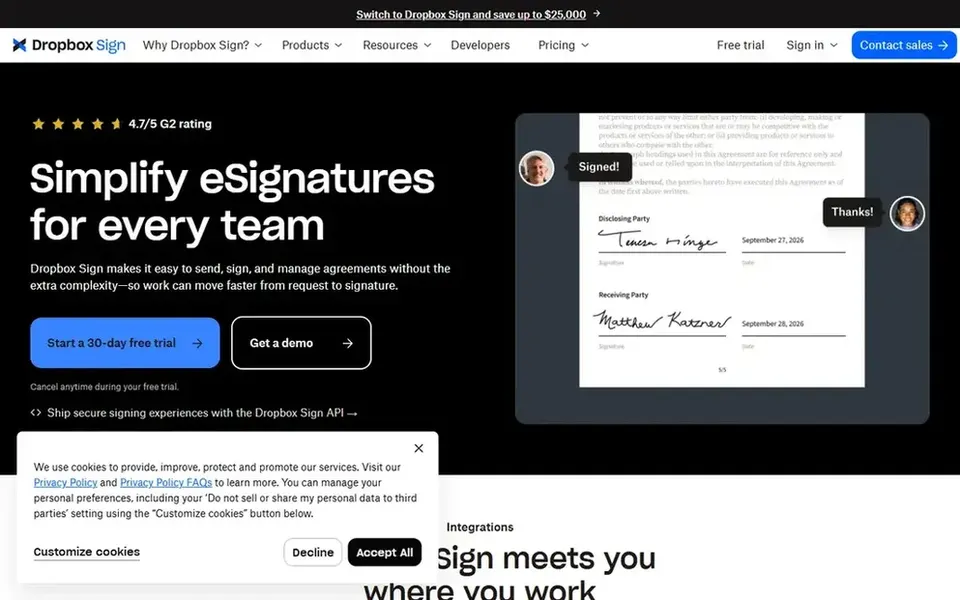
Pick Dropbox Sign if this describes you: straightforward e-signature sending and management. Dropbox Sign, formerly HelloSign, is an e-signature tool for sending, receiving, and managing legally binding electronic signatures. It is positioned as an easy way to deal with signature requests and suits individuals and teams that want a clean, focused signing experience without additional complexity.
Dropbox Sign is built around signature workflows instead of general PDF editing, so it may not replace a full PDF editor. Worth adding: pick Dropbox Sign when you have to send documents out for signature and run the responses. Dropbox Sign pricing: $15 USD / mo. Free plan details: Free trial.
Drawbacks to consider: Centred on sending and managing.
SignNow is designed for custom e-signature workflows. Choose SignNow when you have to build and reuse signing workflows across documents and devices. As for the details, the workflow focus means SignNow may be more than someone needs for a single PDF signature.
Watch-outs: Account setup likely required.
Worth adding: SignNow, part of airSlate, is an electronic signature tool that emphasizes custom workflows and signing on any device. It is aimed at users who want to set up repeatable signing processes instead of just add a signature to a PDF. SignNow does not show a starting price in this comparison, so check the vendor site for current pricing. Free options: Not stated.
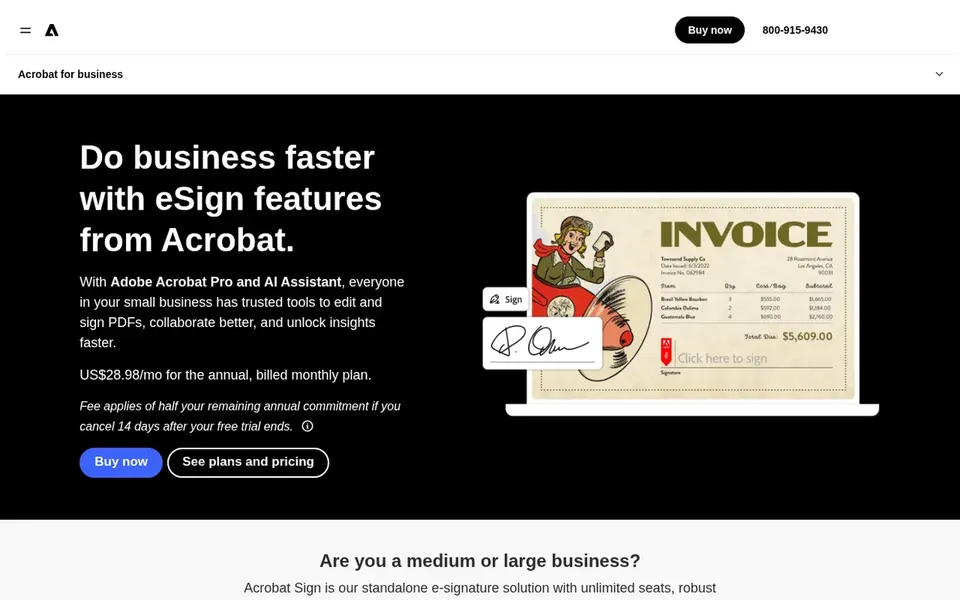
Choose Adobe Acrobat Sign for full-featured business e-signatures. Adobe Acrobat Sign is an e-signature service from Adobe that lets firms send documents, collect signatures, and accept digital payments.
Honest limits: Feature depth can add complexity.
In practice, for someone who only needs to add a signature to a single PDF, the breadth of Acrobat Sign may be unnecessary. The homepage flags its use for business e-signing and website signature collection. Check the vendor site for Adobe Acrobat Sign pricing; none is listed in this comparison. Free plan details: Not stated.
Pick Smallpdf if this describes you: fast one-off PDF signing. It is geared toward users who want a no-hassle way to add a signature without printing or scanning.
Where it falls short: May not suit complicated workflows.
Use Smallpdf when you just have to sign a PDF yourself. Also, if you have to collect signatures from others, a service like DocuSign or Dropbox Sign is a better fit. Smallpdf does not show a starting price in this comparison, so check the vendor site for current pricing. As for free access: Free trial.
Confirm the entry price on the vendor page. For Foxit eSign, SignNow, Adobe Acrobat Sign and Smallpdf that means a quote rather than a fixed price.
Take the trial from Dropbox Sign and Smallpdf and push a live task through it before you pay.
Before choosing Foxit eSign, weigh its main limit: less known than major e-signature brands.
Confirm you can export your data from Smallpdf, so leaving later does not mean losing records.
List the apps you already depend on and check that Adobe Acrobat Sign supports each one on the plan you would buy.
How we picked
Each tool was reviewed on what its vendor publishes: price, plan limits, core features and stated drawbacks. We did not run hands-on tests. Where a vendor does not publish a price, the entry says quote. Where a price depends on seats or billing term, the entry says so. Position on the page reflects fit for a typical buyer first, with price clarity and free access breaking ties. Treat it as a guide, not a ruling. Keep it in mind while reading the 5 online tool to sign a PDF profiles on this page.
Every price and plan detail on this page comes from the vendors’ own websites. We did not run hands-on tests unless the text says so, and we do not publish star ratings or review scores. See how we score and our disclosure.
Keep your shortlist in one place
Paste prices, trial dates and notes from this guide into Ainotely, our AI note app. It files them into a topic and pulls out tasks like “cancel trial by Friday”. Free 7-day trial, no card needed.
Does any tool for online tool to sign a pdf here have a free plan?
A permanent free plan is not offered by Foxit eSign, Smallpdf or the other tools here. Dropbox Sign, Smallpdf offer a trial. Plan a short evaluation period instead.
Do these tools publish their prices?
Not all of them. Foxit eSign, SignNow, Adobe Acrobat Sign and Smallpdf publish no starting price, so expect a quote request for those. The rest, Dropbox Sign included, show a starting price, though seats and billing terms still change the final cost.
Can I try these tools before paying?
Often, yes. Dropbox Sign and Smallpdf offer a free trial. Use your own data and a real task during the test, and check what the free tier or trial limits before you rely on it.
What is the best online tool to sign a PDF?
For most readers this guide would start with Foxit eSign, built for PDF-centric e-signature sending. Dropbox Sign is the alternative for straightforward e-signature sending and management, and SignNow for custom e-signature workflows. The right answer depends on budget and workflow.
How are the tools for online tool to sign a pdf ordered?
The order follows typical fit for online tool to sign a pdf, with Foxit eSign first and Smallpdf last, then price clarity and free access. It is editorial judgement, not a score, so another team could rank the tools differently.