Best Open Source Circuit Design Software

- KiCad is the best open source circuit design software for most PCB projects, because it covers schematic capture, layout, simulation and 3D viewing in one suite.
- LibrePCB and Horizon EDA suit readers who want a cleaner library system and a modern workflow, while Fritzing suits beginners who start from a breadboard.
- Qucs-S, Ngspice and XSCHEM suit simulation and chip design, and they work best with a schematic tool rather than as a full PCB suite on their own.
- Every tool in this guide costs $0 for its licence, with no licence fee listed on its official site, and each one is released under an open source licence.
- Check the licence, the file format, the platform and the state of development before you commit a long project to any one tool.
Quick comparison
| Product | Ideal for | Price from | Free version | |
|---|---|---|---|---|
 KiCad | Full schematic and PCB projects | $0 | Yes | Visit |
 LibrePCB | Clean library and parts management | $0 | Yes | Visit |
 Fritzing | Breadboard prototypes and teaching | $0 | Yes | Visit |
 Qucs-S | Graphical SPICE simulation | $0 | Yes | Visit |
 Ngspice | Command line SPICE simulation | $0 | Yes | Visit |
 Horizon EDA | Modern PCB design on Linux and Windows | $0 | Yes | Visit |
 XSCHEM | VLSI and analogue schematic capture | $0 | Yes | Visit |
 gEDA | Legacy Linux schematic and PCB work | $0 | Yes | Visit |
The best open source circuit design software
KiCad
Ideal for: Full schematic and PCB projects
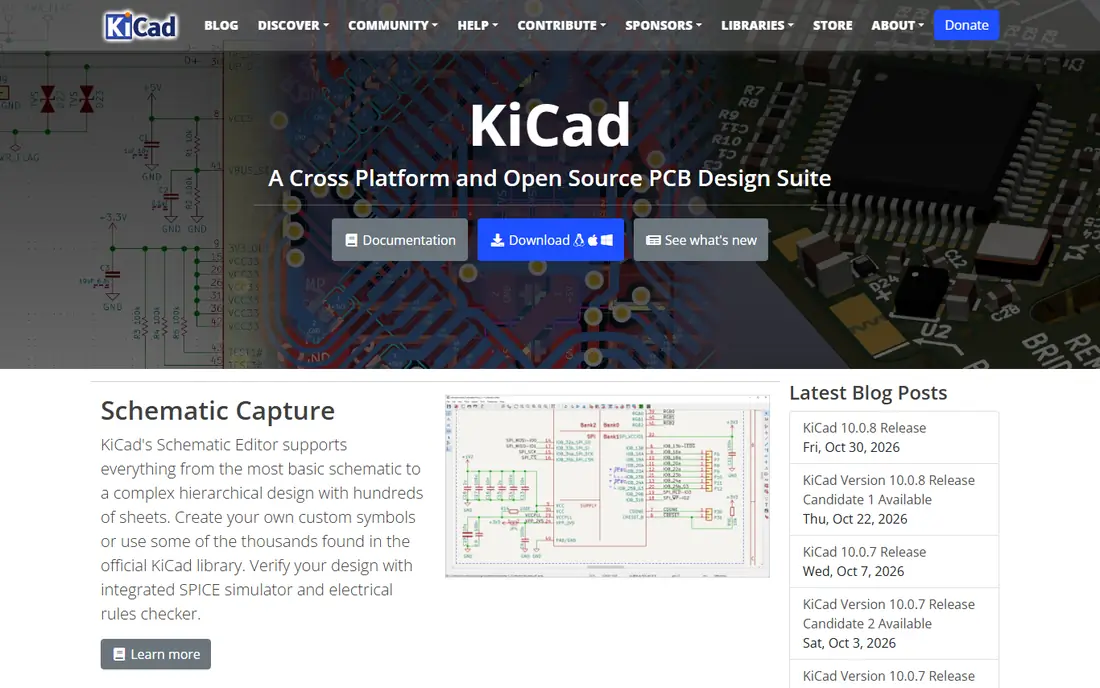
KiCad is a free software suite for electronic design automation, and the most complete choice here for taking a board from idea to factory files. Its schematic editor supports hierarchical designs, its PCB editor includes an interactive router and design rule checking, and its 3D viewer helps you check mechanical fit. The official site presents schematic capture, PCB layout and 3D viewing as its core parts, with builds for Windows, macOS and Linux.
A first project takes longer than in a simpler tool, because you need to learn libraries, symbols, footprints and the link between schematic and board. That effort pays off on later boards. KiCad is released under the GNU General Public License version 3. If you plan to design boards more than once, start here with one small board.
- Full schematic, PCB, simulation and 3D viewing in one suite
- Large official symbol and footprint library
- The learning curve is steep for a first PCB
- The interface can feel dense on a small screen
LibrePCB
Ideal for: Clean library and parts management
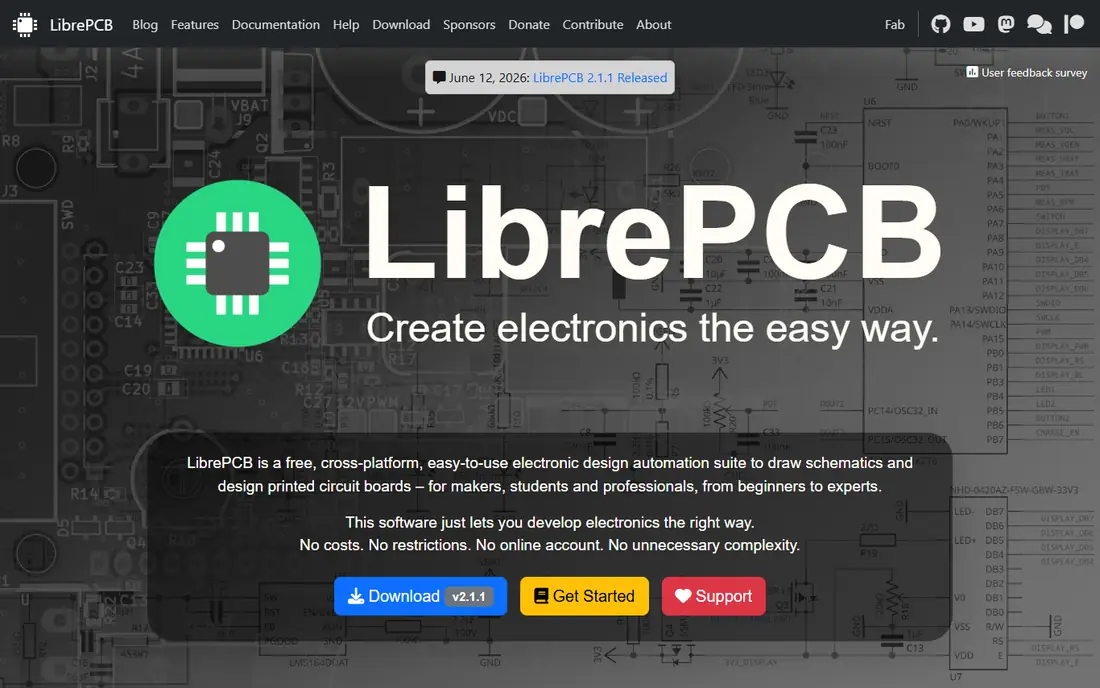
LibrePCB is a free, cross platform suite for drawing schematics and designing printed circuit boards, and its home page states it plainly: no costs, no restrictions and no online account. It runs on Windows, macOS and Linux, and it is available in 15 languages, which suits a class, a club or a team spread across countries. Its library manager and clean file format set it apart, because a part carries meaning about its symbol, footprint and device.
LibrePCB suits a reader who wants a calmer parts system from the start. It is less suited to a reader who needs a huge ready made library on day one, or the deepest routing tools for a dense board. The project is open source under GPL version 3. Try it on a small two layer board first.
- Library parts are organised in a clear semantic system
- Files are human readable and work well with version control
- The parts library is smaller than the KiCad library
- Some advanced routing features are still maturing
Fritzing
Ideal for: Breadboard prototypes and teaching
Fritzing is an open source hardware initiative that makes electronics accessible as a creative material, and the easiest tool here to explain to a beginner. You start with a virtual breadboard, move the same circuit into a schematic view, then lay out a PCB, and each view stays linked. The official site lists version 1.0.8, released on 12 August 2026, for Windows, macOS and Linux.
The trade off is scope. Fritzing is strong for documentation, teaching and simple boards, and weak for dense, high speed or multilayer work. Its software is free software under the GNU General Public License version 3, and the source code is on GitHub, while the prebuilt installers ask for a contribution. Move to KiCad or LibrePCB when the circuit outgrows it.
- Breadboard, schematic and PCB views stay linked in one project
- Clear visual style suits teaching and documentation
- The parts library is weaker for complex or dense boards
- Prebuilt installers ask for a contribution on the download page
Qucs-S
Ideal for: Graphical SPICE simulation
Qucs-S is a circuit simulation program based on the Quite Universal Circuit Simulator, and the S stands for SPICE. It is not a simulator by itself. It gives you a graphical interface that can drive free kernels such as Ngspice, Xyce and Qucsator, so you can draw a circuit, pick a backend, run a simulation and plot the result without writing a netlist by hand. The official site lists the latest stable release as Qucs-S 26.1.1.
Qucs-S suits analogue, radio frequency and teaching work where the question is how a circuit behaves. It supports AC, DC, transient, S parameter, FFT, distortion and pole zero analysis, plus parametric sweeps and a tuner mode. You need to install a backend, and you will still need a separate PCB tool to turn a tested circuit into a board. The project is open source under the GNU General Public License version 2.
- One interface can drive Ngspice, Xyce and Qucsator backends
- Supports AC, DC, transient, S parameter and harmonic balance analysis
- It needs a separate simulation backend installed
- The component library is thinner than the library in a full PCB suite
Ngspice
Ideal for: Command line SPICE simulation
Ngspice is the open source SPICE simulator for electric and electronic circuits, and the engine behind much of the simulation in this guide. It simulates analogue, digital and mixed signal circuits from a netlist, with models for transistors, diodes, passive parts and transmission lines. The official site states that Ngspice is SPICE compatible and can read HSPICE libraries from semiconductor foundries. Release 47 was published on 11 August 2026.
Ngspice suits a reader who is comfortable with files and commands, or who uses a graphical front end such as KiCad or Qucs-S. It does not provide schematic entry, its input is command line or file based, and a beginner who opens it alone will face a steep first hour. The project is licensed under the BSD 3 Clause licence, and source code and Windows binaries are on its SourceForge pages, while Linux distributions, FreeBSD and Homebrew for macOS also carry it.
- Wide set of device models for analogue, digital and mixed signal work
- Reads SPICE netlists and many industry model formats
- It has no schematic editor of its own
- The command line workflow is hard for a beginner to learn
Horizon EDA
Ideal for: Modern PCB design on Linux and Windows
Horizon EDA is an electronic design automation package for printed circuit board design, and its home page describes it as free and open source, built on a modern codebase, running on Linux and Windows. Its central idea is the pool: a shared store of parts where symbols, entities and packages are managed together, so a part you create once can be reused across projects. The workflow covers schematic entry, board design, 3D preview and export for manufacturing.
Horizon EDA suits a Linux or Windows user who wants a fresh, coherent PCB tool and is willing to build parts in the pool system. The clearest limit is platform: it does not run on macOS, so a Mac user should pick KiCad or LibrePCB instead. The community and the ready made library are also smaller than those of KiCad. The project is open source under GPL version 3.
- A single pool holds symbols, footprints and parts in one place
- Clean modern codebase with schematic, board and 3D preview
- It does not run on macOS
- The community and library are smaller than the KiCad community
XSCHEM
Ideal for: VLSI and analogue schematic capture
XSCHEM is a schematic capture program for analogue, mixed signal and very large scale integrated circuit development, and the most chip focused tool here. It lets you build a hierarchical view of a circuit from simpler blocks, then generate a SPICE, Verilog or VHDL netlist for simulation. Its home page notes that the drawing engine is written in C and uses Xlib drawing primitives directly, which keeps it fast even on very large circuits.
XSCHEM suits a reader working on integrated circuits, especially with the Skywater 130 nanometre process, where it is used as the schematic editor in open source chip flows. It also suits analogue designers who value hierarchy, parameters and fast netlisting. It is not a PCB tool, and its Unix and X11 roots mean a Windows user needs extra setup. The software is released under the GNU General Public License, version 3.4.7 is the current release line.
- Strong hierarchical design with SPICE, Verilog and VHDL netlists
- Fast drawing engine that stays quick on large schematics
- It is built for chip design, not for PCB layout
- Setup needs X11 and Tcl Tk, and the interface looks dated
gEDA
Ideal for: Legacy Linux schematic and PCB work
gEDA is a GPL licensed suite of electronic design automation tools for electrical circuit design, schematic capture, simulation, prototyping and production. Its home page lists schematic capture, attribute management, bill of materials generation, netlisting into over 20 formats, analogue and digital simulation, and printed circuit board layout. The project began because of a lack of free EDA tools for POSIX systems, and it is mainly developed on GNU Linux.
gEDA earns a place here for legacy work and for readers who already have gEDA projects, libraries or scripts. It is not the right first pick for a new project in 2026, because development halted in the 2020s and the project web page and wiki were archived and marked read only in 2025, with Ringdove EDA named as a successor. The tools still work and the licence is still free, but a new project should start in KiCad, LibrePCB or Horizon EDA. Keep gEDA for maintenance and study.
- A mature suite that covers schematic, netlist and PCB layout
- Netlists can be produced in over 20 formats
- Development has halted and the wiki was archived, so it is not a safe pick for a new long project
- The interface and workflow feel dated next to KiCad
How we chose
We opened each official homepage on 12 November 2026 and confirmed that it loads and shows that project's own branding: KiCad, LibrePCB, Fritzing, Qucs-S, Ngspice, Horizon EDA, XSCHEM and gEDA. We checked the licence and free status on the official site for each tool, rather than taking a price from a shop or review site. All eight are open source projects with no licence fee, so the starting price is $0. There is no vendor pricing page, because they are not sold as commercial products.
We compared schematic capture, PCB layout, simulation, library management, file formats, platform support and the state of development. We did not claim hands on testing, and we did not invent ratings, awards, customer counts or test results. The version facts come from the official pages opened on 12 November 2026: Fritzing 1.0.8 from 12 August 2026, Qucs-S 26.1.1, Ngspice release 47 from 11 August 2026, LibrePCB in 15 languages, and XSCHEM version 3.4.7. XCircuit was left out, because its official page did not return readable content on 12 November 2026. EasyEDA was left out, because it is not open source.
What to check before you buy
Open source tools still carry real costs in time, learning and file lock in, so check these points before you commit a project. First, confirm the licence: all eight tools are open source, but the terms differ, with KiCad, LibrePCB and Horizon EDA under GPL version 3, Qucs-S under GPL version 2, and Ngspice under BSD 3 Clause, so read the licence page if you plan to share or sell work built with the tool. Second, check the platform: Horizon EDA does not run on macOS, XSCHEM needs X11 and Tcl Tk, and gEDA is mainly a Linux tool.
Third, check the file format and the exit path. LibrePCB files are human readable and work well with version control, KiCad files are widely shared and supported by board houses, and Ngspice and Qucs-S work with SPICE netlists. Fourth, check the state of development: gEDA is archived, while the other seven tools show recent releases. Fifth, check the library: a small library means you will build parts yourself, so try building two or three parts before you start the full design.
| Project type | First pick | Why it fits | Check first | | A first PCB, two layers | KiCad | Full suite, large library, wide board house support | Allow time to learn libraries and design rules | | A small team that shares parts | LibrePCB | Semantic library, human readable files, 15 languages | Confirm the parts you need exist in the library | | A class or a first Arduino board | Fritzing | Breadboard view, clear visuals, simple flow | Confirm the download terms on the day you install | | An analogue circuit to test | Qucs-S with Ngspice | Graphical simulation, several backends, SPICE models | Install Ngspice or pick the installer that includes it | | A scripted simulation or a chip model | Ngspice | SPICE compatible, scriptable, release 47 | Plan for a separate schematic front end | | A modern PCB flow on Linux | Horizon EDA | Pool based parts, clean workflow, 3D preview | Confirm you do not need macOS support | | A chip schematic for Skywater 130 nm | XSCHEM | Hierarchical capture, SPICE and Verilog netlists | Confirm X11, Tcl Tk and your PDK setup | | An old Linux project to maintain | gEDA | Mature suite, over 20 netlist formats | Confirm the archived status fits your plan |
Frequently asked questions
Is open source circuit design software really free?
Yes, for the licence. Each tool is released under an open source licence, with no licence fee listed on its official site, so the starting price is $0. You may still face costs for board fabrication, components and your time, and Fritzing asks for a contribution for its prebuilt installers, while its source code stays free under GPL version 3.
Which open source tool is best for a first PCB?
KiCad is the best first pick for most readers, because it covers schematic capture, PCB layout, design rule checking, simulation and 3D viewing in one suite, with a large library. LibrePCB is a good second pick if you want a cleaner library system, and Fritzing is a good pick if you are learning with a breadboard.
Can I use KiCad for commercial work?
Yes, in general. KiCad is free software under the GNU General Public License version 3, and the licence does not charge a fee for commercial use. Read the licence text and the library notes before you share or sell a design, because symbols and footprints can carry their own terms.
Do I need a separate simulator if I use KiCad?
Not always. KiCad includes an integrated SPICE simulator in its schematic editor, so you can run basic checks without leaving the suite. For deeper analogue or radio frequency work, Qucs-S with Ngspice gives you more simulation types, so many designers use KiCad for the board and Qucs-S for the simulation.
What is the difference between Qucs-S and Ngspice?
Ngspice is the simulation engine, and Qucs-S is a graphical interface that can drive it. Ngspice takes a netlist as input and returns results, while Qucs-S lets you draw the circuit, choose a backend such as Ngspice or Xyce, run the simulation and plot the result. Use Ngspice alone for scripted work, and Qucs-S when you want to draw and test by hand.
Should I still start a new project in gEDA?
No, not for a new long project. gEDA still works and covers schematic capture, netlisting and PCB layout, but its development halted and its wiki was archived in 2025. Start a new board in KiCad, LibrePCB or Horizon EDA, and keep gEDA for old projects and study.