6 Best Orthodontic Practice Management Software Options for 2026

- 1
 WaveOrthoPractices wanting marketing and patient communication built into the PMSVisit
- 2
 Oasys CrossfirePractices wanting contract automation and patient self check-outVisit
- 3
 Dolphin ManagementPractices that want imaging and practice management from one vendorVisit
- 4
 CS OrthoTracEstablished practices already invested in Carestream imagingVisit
- 5
 Ortho2 Edge CloudMulti-location ortho groups and OSOs wanting an all-in-one cloud systemVisit
- This list starts with WaveOrtho, which is built for practices wanting marketing and patient communication built into the PMS.
- Greyfinch suits startup and single-location practices wanting a modern cloud PMS.
- WaveOrtho, Greyfinch and the 4 others all need a premium plan or a trial, since no free plan is listed.
- Check the limits for Oasys Crossfire before you commit: smaller vendor with a thinner track record.
Direct answer
WaveOrtho leads the list, best for practices wanting marketing and patient communication built into the PMS. Oasys Crossfire fits practices wanting contract automation and patient self check-out; Dolphin Management fits practices that want imaging and practice management from one vendor. Prices, free plans and limits for all 6 tools follow.
Quick comparison
| Product | Ideal for | Price from | Free version | |
|---|---|---|---|---|
| WaveOrtho | Practices wanting marketing and patient communication built into the PMS | See website (custom quote) | No | Visit |
| Oasys Crossfire | Practices wanting contract automation and patient self check-out | See website (custom quote) | No | Visit |
| Dolphin Management | Practices that want imaging and practice management from one vendor | See website (custom quote) | No | Visit |
| CS OrthoTrac | Established practices already invested in Carestream imaging | See website (custom quote) | No | Visit |
| Ortho2 Edge Cloud | Multi-location ortho groups and OSOs wanting an all-in-one cloud system | See website (custom quote) | No | Visit |
 Greyfinch | Startup and single-location practices wanting a modern cloud PMS | See website (custom quote) | No | Visit |
Tool-by-tool breakdown
Ainotely put together this guide to orthodontic practice management software for readers who want a clear shortlist without reading every vendor page. It compares 6 tools on starting price, free plans, who each one suits and where each one falls short.
WaveOrtho
Ideal for: Practices wanting marketing and patient communication built into the PMS
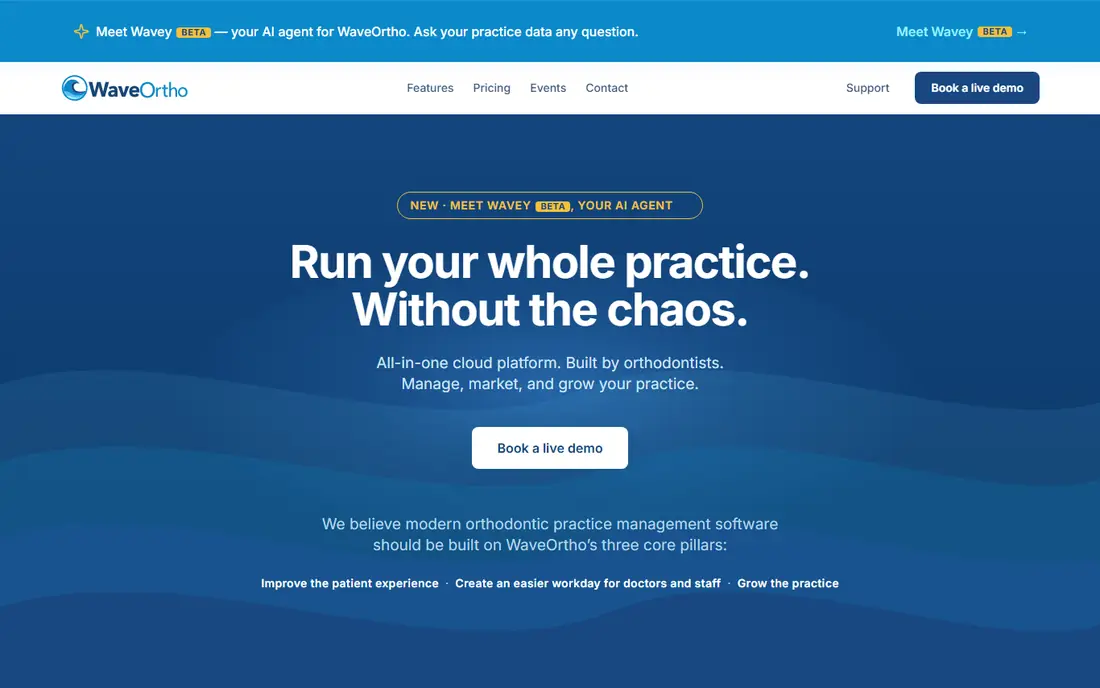
WaveOrtho was built for practices wanting marketing and patient communication built into the PMS. The clinical side spans appointment book, treatment charting, imaging, native ceph tracing, ledgers and a lab manager, plus a newer AI agent that answers plain-English questions about practice data.
the main limit is youth: fewer peer references, and pricing comes as a tailored quote across Core, Plus and Pro levels. Also, the 60-day satisfaction guarantee is unusual in this market and lowers the risk of trying it. No starting price is listed for WaveOrtho here; confirm pricing on the vendor site. WaveOrtho has no free tier.
The main drawbacks: Newer vendor with a smaller install base.
- Run
- Founded and run by a practicing orthodontist
- Pricing is tailored quotes, not published numbers
Oasys Crossfire
Ideal for: Practices wanting contract automation and patient self check-out
Oasys Crossfire targets practices wanting contract automation and patient self check-out. Oasys Crossfire aims at the two moments that eat front-desk time: the financial consult and the checkout.
Where Oasys Crossfire stands out: Payment slider and 30-plus contract templates with electronic signature.
Downsides: External integration list is shorter than the leaders. As a smaller vendor, Oasys competes on workflow specifics instead of product breadth. From a buyer's view, for a practice whose bottleneck is the front desk instead of the chairs, the checkout automation alone can justify the demo. Oasys Crossfire does not show a starting price in this comparison, so check the vendor site for current pricing. Oasys Crossfire has no free tier.
- Automatic self check-out that the company says manages most visits
- Patient portal with iPhone and Android apps
- Smaller vendor with a thinner track record
Dolphin Management
Ideal for: Practices that want imaging and practice management from one vendor
Dolphin Management makes the most sense for practices that want imaging and practice management from one vendor. Dolphin grew up as installed software, so practices should expect servers, backups and IT attention instead of a login page.
Downsides: Quote-only pricing.
Worth adding: Patterson Dental manages distribution, which means support is established but also layered. Dolphin Management does not show a starting price in this comparison, so check the vendor site for current pricing. There is no free plan with Dolphin Management.
- Long clinical track record
- FDA-cleared imaging suite with capable ceph tracing and case presentation
- On-premise heritage with servers to maintain
CS OrthoTrac
Ideal for: Established practices already invested in Carestream imaging
In short, CS OrthoTrac is for established practices already invested in Carestream imaging. Its patient flow module tracks appointments, billing, correspondence and clinical information through the day. The financial estimator calculates treatment costs, monthly payments and payment duration during the initial consultation, which is exactly the workflow that drives ortho case acceptance.
If you are buying fresh in 2026 with no Carestream hardware, though, you are choosing a server-based system in a market moving to browsers, and you should know that going in. On top of that, the v15 redesign modernized icons, scaling and thumbnail handling, but nobody would mistake it for a product born in the cloud era. Pricing for CS OrthoTrac is not stated here, so ask the vendor for current figures. There is no free plan with CS OrthoTrac.
Where it is weaker: Quote-only pricing.
- Deep integration with Carestream imaging hardware and software
- Backed by a large dental technology company
- Interface and workflows present the product's age next to cloud competitors
Ortho2 Edge Cloud
Ideal for: Multi-location ortho groups and OSOs wanting an all-in-one cloud system
For multi-location ortho groups and OSOs wanting an all-in-one cloud system, Ortho2 Edge Cloud is a natural candidate. Ortho2 is the name most orthodontists already know, and Edge Cloud is its answer to the server room. Also, practices leaving another system should budget live for conversion.
Ortho2 takes care of migrations, but chart notes, images and financial histories never move themselves. More specifically, the honest catch is commercial, not clinical. Ortho2 publishes no prices, so you will negotiate against your practice size and location count. As for the details, the company reports more than 25,000 users across 3,000 locations. Two large OSOs named Ortho2 their exclusive PMS provider in 2026. As for the details, for a single-location practice that already likes its imaging software, it may be more system than needed. Pricing for Ortho2 Edge Cloud is not stated here, so ask the vendor for current figures. Ortho2 Edge Cloud has no permanent free option.
Drawbacks to consider: Ortho-only, so multi-specialty groups need a second system.
- Communications and financials in one system
- Email and chat
- Quote-only pricing means entering a sales process
Greyfinch
Ideal for: Startup and single-location practices wanting a modern cloud PMS
Greyfinch is aimed squarely at startup and single-location practices wanting a modern cloud PMS. Greyfinch is designed for the way new practices actually start: no server closet, no IT contract, just a browser. The risk is the usual one with younger vendors: a smaller installed base, fewer external integrations and less certainty about where the product will be in ten years.
Upsides: No-code automations for contracts; two-way SMS and e-signatures built in.
Downsides: Quote-only pricing.
Worth adding: everything runs in the cloud, and the feature list reads like a response to the incumbents' add-on pricing: video appointments, secure two-way texting and email, e-signatures, online forms that sync across the database and a 24/7 appointment widget all come standard. Also, for a startup signing its first lease, the math is compelling. Check the vendor site for Greyfinch pricing; none is listed in this comparison. Greyfinch has no free tier.
- HIPAA-compliant video visits
- 24/7 appointment widget and online forms
- Newer vendor with fewer peer references
Selection criteria
Ainotely used vendor pricing pages and product documentation as the base, then compared plans, free access and documented limits for 6 tools. Treat prices as a snapshot: vendors change plans often, so check the vendor site for the figure that applies today. Position on the page reflects fit for a typical buyer first, with price clarity and free access breaking ties. Treat it as a guide, not a ruling.
Pre-purchase checklist
- Ask each vendor, from WaveOrtho to Greyfinch, for a written quote; none of them publishes a starting price.
- Read the limits listed for WaveOrtho first: newer vendor with a smaller install base.
- Check how data leaves Oasys Crossfire: formats, limits and whether exports are available on every plan.
- Confirm that Ortho2 Edge Cloud connects to the apps your team already uses, on the plan you would actually buy.
- Check whether the features you need in Greyfinch sit on the entry plan or only on higher tiers.
Frequently asked questions
Do these systems work with my imaging equipment?
Most plug into major imaging hardware and software, but the depth varies. If you own CBCT or ceph equipment from a specific manufacturer, confirm compatibility with that vendor before committing to a PMS.
How much does orthodontic practice management software cost?
Vendors quote privately, so expect a sales conversation instead of a pricing page. Also, always get the complete fee schedule in writing, including annual raises, before comparing.
How long does it take to switch orthodontic software?
Plan eight to sixteen weeks from signed contract to go-live for a single location, longer for multi-location groups. Start the conversation with your chosen vendor at least a quarter before your target date.
Does any tool for orthodontic practice management software here have a free plan?
A permanent free plan is not offered by WaveOrtho, Greyfinch or the other tools here. Plan a short evaluation period instead.
Do these tools publish their prices?
No. None of the tools, from WaveOrtho to Greyfinch, shows a fixed starting price here, so budget time for quotes.
Is WaveOrtho the right pick for everyone comparing orthodontic practice management software?
No single tool suits every team. WaveOrtho comes first because it fits practices wanting marketing and patient communication built into the PMS, while Oasys Crossfire suits practices wanting contract automation and patient self check-out and Dolphin Management suits practices that want imaging and practice management from one vendor. Match the tool to your own size, budget and workflow before deciding.