Best Overall Customer Service Software in 2026: 8 Tools Compared

- 1
 ZendeskSupport teams that need a full ticketing systemVisit
- 2
 FreshdeskSmall and mid sized teams that want valueVisit
- 3
 HubSpot Service HubTeams already using HubSpot for sales or marketingVisit
- 4
 Salesforce Service CloudLarge teams that need deep customizationVisit
- 5
 IntercomTeams that mix chat support with messagingVisit
- Zendesk stands out for support teams that need a full ticketing system, which makes it a strong starting point for that need.
- Freshdesk stands out for small and mid sized teams that want value, which makes it a strong starting point for that need.
- HubSpot Service Hub stands out for teams already using hubspot for sales or marketing, which makes it a strong starting point for that need.
- Salesforce Service Cloud stands out for large teams that need deep customization, which makes it a strong starting point for that need.
- Prices and free plans vary widely across this list, so check the vendor pricing page for your team size or usage before you commit.
Quick comparison
| Product | Ideal for | Price from | Free version | |
|---|---|---|---|---|
| Zendesk | Support teams that need a full ticketing system | See website | No | Visit |
| Freshdesk | Small and mid sized teams that want value | See website | Yes | Visit |
| HubSpot Service Hub | Teams already using HubSpot for sales or marketing | See website | No | Visit |
| Salesforce Service Cloud | Large teams that need deep customization | See website | No | Visit |
| Intercom | Teams that mix chat support with messaging | See website | No | Visit |
 Zoho Desk | Budget teams that want solid ticketing | See website | Yes | Visit |
 Help Scout | Small teams that want a simple shared inbox | See website | No | Visit |
 LiveAgent | Teams that want many channels in one tool | See website | No | Visit |
The best overall customer service software
We compared official feature pages, pricing pages, app store listings, privacy policies, and public reviews for this roundup. The products below cover different budgets and needs, so the best choice depends on how you will actually use it day to day. Our pick for most people is Zendesk, because it covers the core need well, but read the full list before you decide, since a smaller or cheaper option may fit your situation better.
Zendesk
Ideal for: Support teams that need a full ticketing system
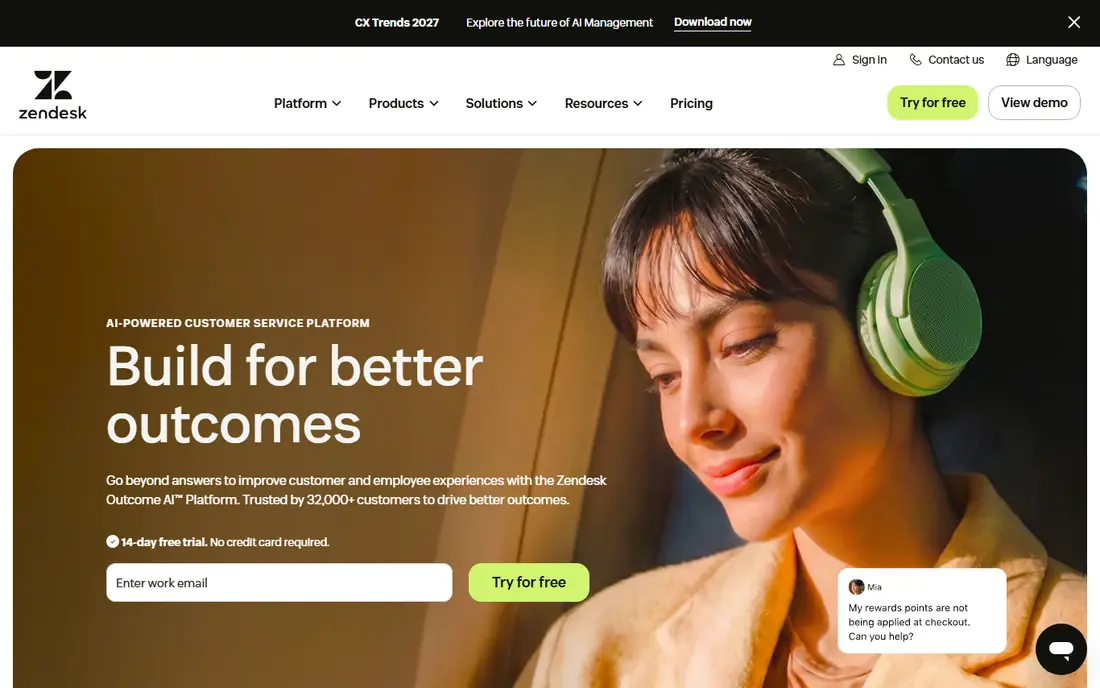
Zendesk is a full support platform that turns email, chat, and social messages into tickets with automation and reporting. It suits teams that handle steady volume and want a system that can grow with them.
When we compared Zendesk with the rest of this list, its strengths were clear: mature ticketing and automation; wide integrations; strong reporting On the other side, buyers should weigh this catch: costs rise with add ons; setup takes time for small teams That trade off matters most if you plan to use the product every day, so check the pricing page and the free plan terms, and trial it with real work before you commit. For many buyers, Zendesk earns its place here because it handles the core job well, even though no product on this list is perfect for every need.
- Mature ticketing and automation
- Wide integrations
- Strong reporting
- Costs rise with add ons
- Setup takes time for small teams
Freshdesk
Ideal for: Small and mid sized teams that want value
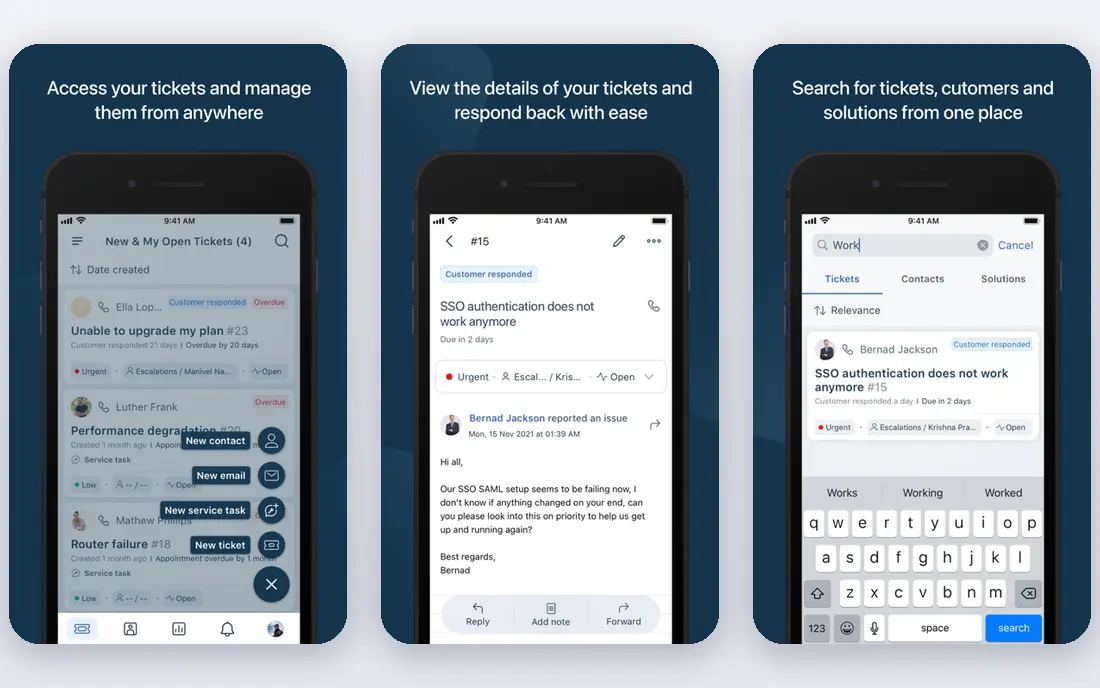
Freshdesk gives smaller teams a clear ticketing system with a free tier that covers the basics. It is a strong value choice for teams that want to start quickly without a large budget.
When we compared Freshdesk with the rest of this list, its strengths were clear: good free tier for small teams; simple ticketing; automation on paid plans On the other side, buyers should weigh this catch: advanced reporting needs higher plans; some features feel basic at scale That trade off matters most if you plan to use the product every day, so check the pricing page and the free plan terms, and trial it with real work before you commit. For many buyers, Freshdesk earns its place here because it handles the core job well, even though no product on this list is perfect for every need.
- Good free tier for small teams
- Simple ticketing
- Automation on paid plans
- Advanced reporting needs higher plans
- Some features feel basic at scale
HubSpot Service Hub
Ideal for: Teams already using HubSpot for sales or marketing
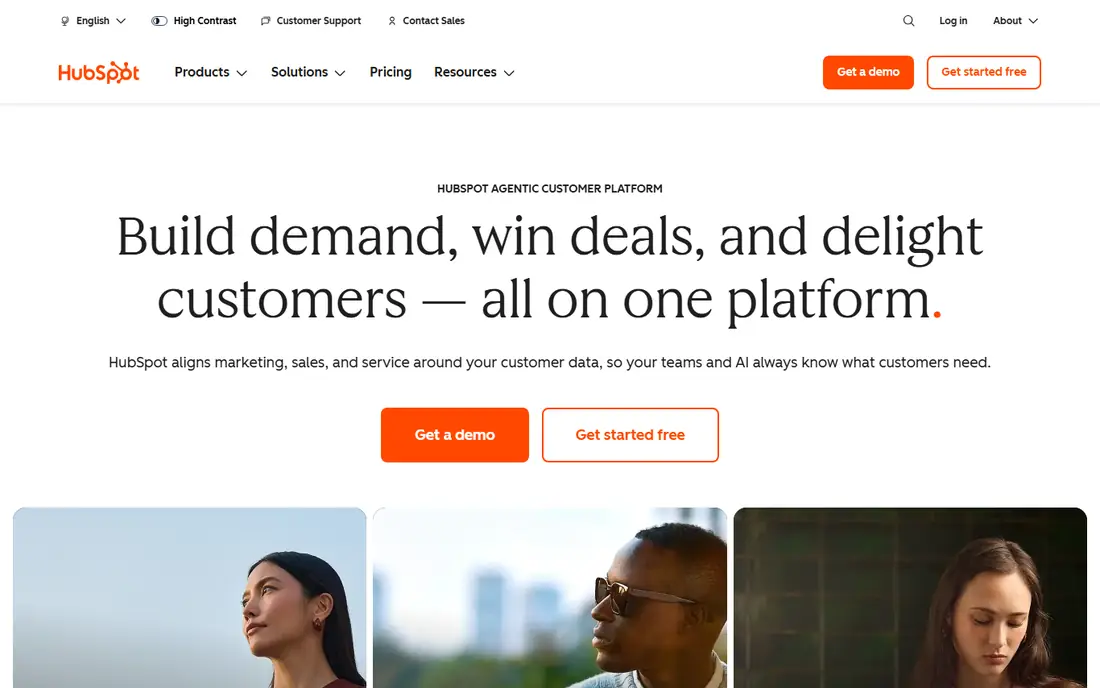
HubSpot Service Hub ties support tickets to the customer record, so agents see past purchases and conversations in one place. It fits companies already on HubSpot that want support, sales, and marketing data together.
When we compared HubSpot Service Hub with the rest of this list, its strengths were clear: tight link to hubspot crm; ticketing and knowledge base; customer feedback tools On the other side, buyers should weigh this catch: best value inside the hubspot system; standalone pricing can be high That trade off matters most if you plan to use the product every day, so check the pricing page and the free plan terms, and trial it with real work before you commit. For many buyers, HubSpot Service Hub earns its place here because it handles the core job well, even though no product on this list is perfect for every need.
- Tight link to HubSpot CRM
- Ticketing and knowledge base
- Customer feedback tools
- Best value inside the HubSpot system
- Standalone pricing can be high
Salesforce Service Cloud
Ideal for: Large teams that need deep customization
Salesforce Service Cloud handles complex support work for large teams, with case management, automation, and detailed reporting. It suits enterprises that need custom workflows and already invest in Salesforce.
When we compared Salesforce Service Cloud with the rest of this list, its strengths were clear: deep customization; ai and automation options; strong enterprise reporting On the other side, buyers should weigh this catch: complex and costly; needs admin time or consultants That trade off matters most if you plan to use the product every day, so check the pricing page and the free plan terms, and trial it with real work before you commit. For many buyers, Salesforce Service Cloud earns its place here because it handles the core job well, even though no product on this list is perfect for every need.
- Deep customization
- AI and automation options
- Strong enterprise reporting
- Complex and costly
- Needs admin time or consultants
Intercom
Ideal for: Teams that mix chat support with messaging
Intercom centers support around live chat and messaging, with bots that answer common questions before an agent steps in. It fits software and online companies that support customers mainly through chat.
When we compared Intercom with the rest of this list, its strengths were clear: strong live chat and messenger; automation and bots; product tours and help center On the other side, buyers should weigh this catch: pricing can rise quickly with contacts; ticketing is less traditional than zendesk That trade off matters most if you plan to use the product every day, so check the pricing page and the free plan terms, and trial it with real work before you commit. For many buyers, Intercom earns its place here because it handles the core job well, even though no product on this list is perfect for every need.
- Strong live chat and messenger
- Automation and bots
- Product tours and help center
- Pricing can rise quickly with contacts
- Ticketing is less traditional than Zendesk
Zoho Desk
Ideal for: Budget teams that want solid ticketing
Zoho Desk offers multichannel ticketing at a lower price than many rivals, with a free tier for small teams. It is a sensible pick for budget conscious teams that still need automation and reporting.
When we compared Zoho Desk with the rest of this list, its strengths were clear: low cost plans; multichannel ticketing; automation and self service options On the other side, buyers should weigh this catch: interface is less polished than rivals; some advanced tools need higher tiers That trade off matters most if you plan to use the product every day, so check the pricing page and the free plan terms, and trial it with real work before you commit. For many buyers, Zoho Desk earns its place here because it handles the core job well, even though no product on this list is perfect for every need.
- Low cost plans
- Multichannel ticketing
- Automation and self service options
- Interface is less polished than rivals
- Some advanced tools need higher tiers
Help Scout
Ideal for: Small teams that want a simple shared inbox
Help Scout keeps support simple with a shared inbox that feels like email, plus docs and chat for customers. It suits small teams that want to reply fast without learning a heavy ticketing system.
When we compared Help Scout with the rest of this list, its strengths were clear: clean shared inbox; simple setup; docs and live chat included On the other side, buyers should weigh this catch: less suited to very large or complex support operations; automation is lighter That trade off matters most if you plan to use the product every day, so check the pricing page and the free plan terms, and trial it with real work before you commit. For many buyers, Help Scout earns its place here because it handles the core job well, even though no product on this list is perfect for every need.
- Clean shared inbox
- Simple setup
- Docs and live chat included
- Less suited to very large or complex support operations
- Automation is lighter
LiveAgent
Ideal for: Teams that want many channels in one tool
LiveAgent pulls email, chat, calls, and social messages into one agent workspace. It fits teams that handle customers across many channels and want one tool rather than several.
When we compared LiveAgent with the rest of this list, its strengths were clear: many channels including chat, email, and social; built in call center option; gamification On the other side, buyers should weigh this catch: design feels dated in places; learning curve for advanced features That trade off matters most if you plan to use the product every day, so check the pricing page and the free plan terms, and trial it with real work before you commit. For many buyers, LiveAgent earns its place here because it handles the core job well, even though no product on this list is perfect for every need.
- Many channels including chat, email, and social
- Built in call center option
- Gamification
- Design feels dated in places
- Learning curve for advanced features
How we picked these
We started with products and services that exist and work in October 2026 and truly fit the topic, then we compared their official feature pages, pricing pages, app store listings, privacy policies, and public reviews. We looked for a mix of well known leaders and strong smaller options, and we favored products with clear pricing, clear privacy practices, and honest limits. We did not claim hands-on testing that did not happen, and where a price could not be verified from the vendor site, we wrote See website rather than guessing a number.
How to choose customer service software
List the channels customers use most, the size of your team, and the reports managers need each week. Trial two or three tools with real tickets, not demo data, and check how long setup takes and how agents feel using it daily. Compare total cost for your team size, including add ons, and confirm the tool connects to your CRM, store, or billing system. The best tool is the one your team will actually use every day. Before you pay, list your must have features, your budget, and the tools the new product must work with. A short trial with real tasks will tell you more than a feature list alone, and it will show whether support replies quickly when something goes wrong. Check contract length, renewal terms, and how easy it is to export your data or cancel, since those details matter long after the first month.
Frequently asked questions
What is customer service software?
It is software that collects customer messages from email, chat, phone, and social channels into one place so agents can reply, track, and resolve them.
Do small businesses need customer service software?
A shared inbox or simple ticketing tool helps once messages grow beyond one inbox, since it stops requests from being missed and shows what is still open.
What is the difference between ticketing and live chat?
Ticketing tracks requests over time, while live chat handles real time conversations, and most teams need both for different kinds of questions.
Should I pick a free plan or a paid plan?
Free plans suit very small teams, while paid plans add automation, reporting, and more channels, so upgrade when manual work starts slowing replies.
How do I measure support quality?
Track first response time, resolution time, customer satisfaction, and reopened tickets, and review them weekly rather than once a quarter.