Best best paid photo editing software in 2026: 7 Options Compared

- 1
 Adobe PhotoshopProfessional detailed photo editingVisit
- 2
 Adobe LightroomPhoto organisation and RAW editingVisit
- 3
 Affinity PhotoOne-time purchase professional editingVisit
- 4
 Capture OneRAW editing for professional photographersVisit
- 5
 Luminar NeoAI assisted photo editing for enthusiastsVisit
- Our pick for most people is Adobe Photoshop, because it covers the core needs well without forcing a complex setup.
- Adobe Lightroom is the strongest alternative when photo organisation and raw editing matters most to you.
- Free plans vary a lot, so check what is included before you pay, and confirm renewal pricing in writing.
- The best choice depends on your budget, your team size, and how much support you want after signup.
- Shortlist two or three options, try the trial or demo where one is offered, and compare total cost over a full year.
Quick comparison
| Product | Ideal for | Price from | Free version | |
|---|---|---|---|---|
| Adobe Photoshop | Professional detailed photo editing | See website | Free trial | Visit |
| Adobe Lightroom | Photo organisation and RAW editing | See website | Free trial | Visit |
| Affinity Photo | One-time purchase professional editing | See website | Free trial | Visit |
| Capture One | RAW editing for professional photographers | See website | Free trial | Visit |
| Luminar Neo | AI assisted photo editing for enthusiasts | See website | Free trial | Visit |
 DxO PhotoLab | RAW editing with strong noise reduction | See website | Free trial | Visit |
 ON1 Photo RAW | All in one RAW editing and organisation | See website | Free trial | Visit |
The best paid photo editing software
We compared official feature pages, pricing pages, app store listings, privacy policies, and public reviews to build this list. The options below cover different budgets and needs, so read the fit for each one before you decide.
Adobe Photoshop
Ideal for: Professional detailed photo editing

Adobe Photoshop suits photographers and designers who need detailed, professional editing. Its layers, masks, retouching, and AI assisted tools handle complex edits, and wide plugin support extends it further. That depth makes it the industry standard for many professionals.
The catch is cost and learning. Subscription pricing adds up over time, and its range takes time to learn. A casual editor may find Lightroom or Affinity Photo simpler and cheaper for everyday edits.
Before you pay for Adobe Photoshop, confirm the current starting price and free plan on its official site. Our listing shows a starting price of See website and a free plan status of Free trial, but plans change, so check renewal pricing, included limits, and any add-ons you will need. If a trial or demo is offered, use it with a real task from your own work, since that test will tell you more than a feature list about fit, speed, and support.
- Layers, masks, and retouching
- AI assisted tools
- Wide plugin support
- Subscription cost
- Learning curve is steep
Adobe Lightroom
Ideal for: Photo organisation and RAW editing
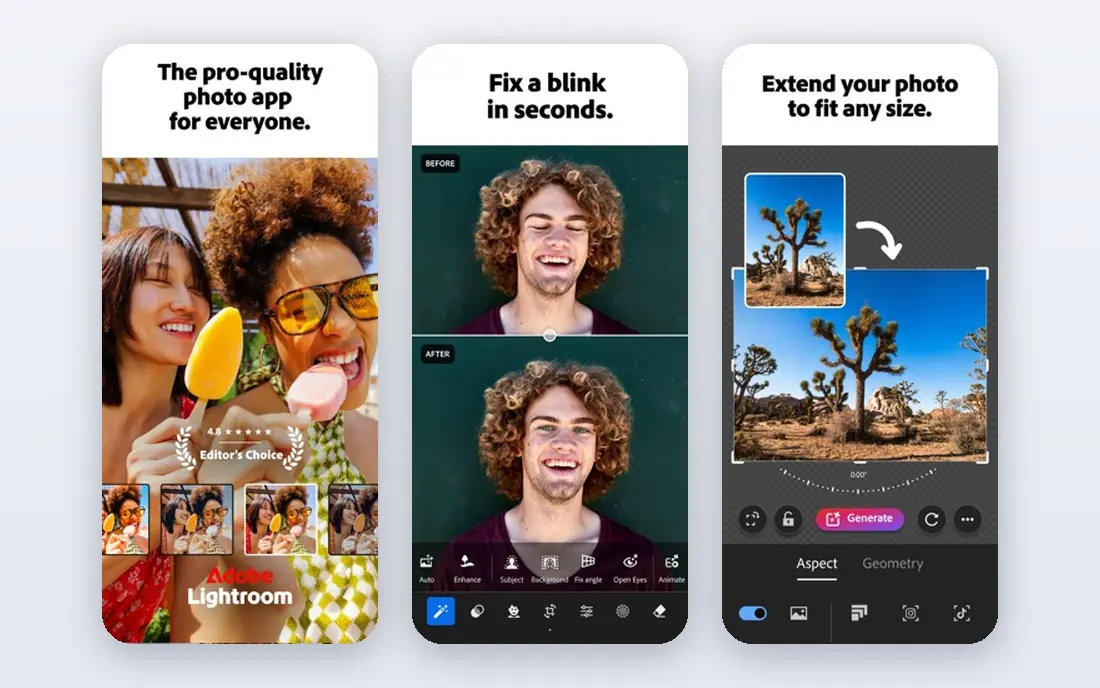
Adobe Lightroom suits photographers who want to organise and edit many RAW photos efficiently. Its catalogues, presets, and cloud sync help manage large libraries, and its editing tools cover exposure, colour, and cropping well. That workflow focus is its strength.
The catch is retouching depth. Detailed retouching is more limited than in Photoshop, so complex edits may need both tools. Subscription cost also adds up, so compare the Photography plan that bundles both.
Before you pay for Adobe Lightroom, confirm the current starting price and free plan on its official site. Our listing shows a starting price of See website and a free plan status of Free trial, but plans change, so check renewal pricing, included limits, and any add-ons you will need. If a trial or demo is offered, use it with a real task from your own work, since that test will tell you more than a feature list about fit, speed, and support.
- RAW editing
- Photo organisation
- Cloud sync
- Subscription cost
- Detailed retouching is limited
Affinity Photo
Ideal for: One-time purchase professional editing
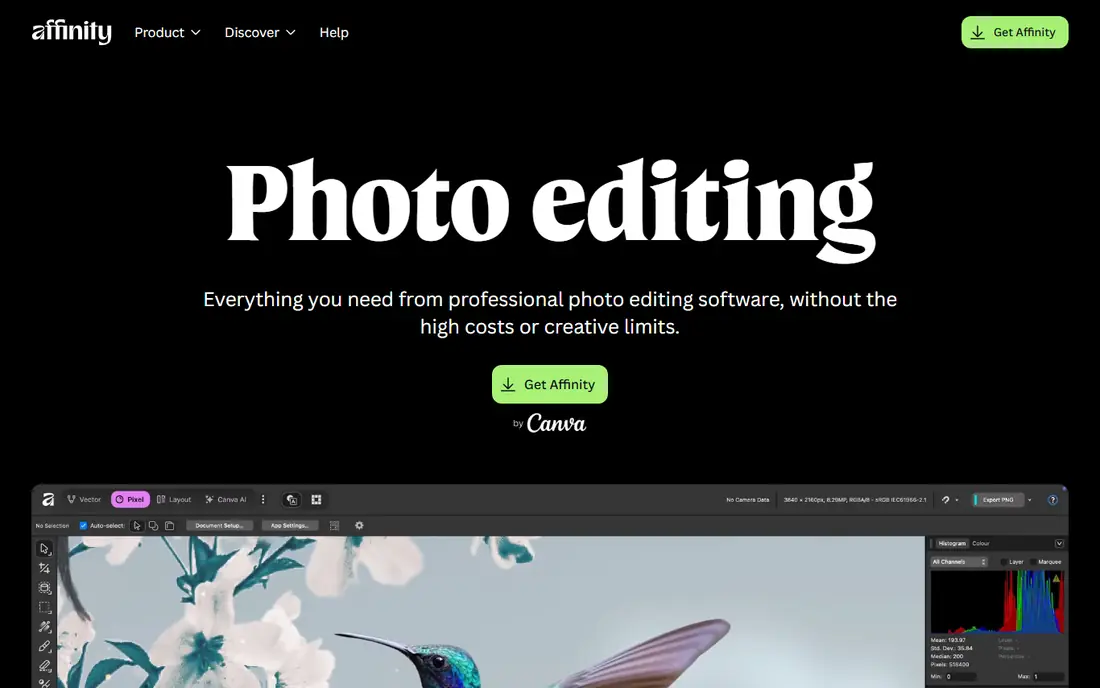
Affinity Photo suits editors who want professional tools without a subscription. Its one-time purchase covers layers, masks, and retouching, and PSD support helps designers work with Photoshop files. That purchase model is its main appeal.
The catch is ecosystem. Its plugin ecosystem is smaller than Photoshop, and AI assisted tools are fewer. For most everyday professional edits, however, it offers strong value for a single payment.
Before you pay for Affinity Photo, confirm the current starting price and free plan on its official site. Our listing shows a starting price of See website and a free plan status of Free trial, but plans change, so check renewal pricing, included limits, and any add-ons you will need. If a trial or demo is offered, use it with a real task from your own work, since that test will tell you more than a feature list about fit, speed, and support.
- Professional editing tools
- One-time purchase
- PSD support
- Smaller plugin ecosystem than Photoshop
- AI tools are fewer
Capture One
Ideal for: RAW editing for professional photographers
Capture One suits professional photographers who want excellent RAW processing and colour control. Its tethered shooting support helps studio work, and its colour tools are highly regarded. That RAW quality is why many professionals choose it over Lightroom.
The catch is price and learning. It costs more than some rivals, and its interface takes time to learn. A hobby photographer may find Lightroom or Affinity Photo easier and cheaper.
Before you pay for Capture One, confirm the current starting price and free plan on its official site. Our listing shows a starting price of See website and a free plan status of Free trial, but plans change, so check renewal pricing, included limits, and any add-ons you will need. If a trial or demo is offered, use it with a real task from your own work, since that test will tell you more than a feature list about fit, speed, and support.
- Excellent RAW processing
- Tethered shooting
- Colour tools
- Higher price
- Learning curve for new users
Luminar Neo
Ideal for: AI assisted photo editing for enthusiasts
Luminar Neo suits enthusiasts who want fast, AI assisted edits without deep manual work. Its presets and AI tools can improve skies, skin, and lighting quickly, and its interface is easy to learn. That speed helps photographers who edit many photos for social sharing.
The catch is control and pricing. Detailed manual control is less than in Photoshop, and pricing options vary between subscription and lifetime plans. Compare total cost and test AI edits on your own photos before you buy.
Before you pay for Luminar Neo, confirm the current starting price and free plan on its official site. Our listing shows a starting price of See website and a free plan status of Free trial, but plans change, so check renewal pricing, included limits, and any add-ons you will need. If a trial or demo is offered, use it with a real task from your own work, since that test will tell you more than a feature list about fit, speed, and support.
- AI assisted edits
- Presets
- Easy interface
- Subscription or lifetime options vary
- Detailed control is less than Photoshop
DxO PhotoLab
Ideal for: RAW editing with strong noise reduction
DxO PhotoLab suits photographers who want strong RAW processing with excellent noise reduction and lens corrections. Its optical corrections are based on lab tested lens data, which can improve sharpness and detail. That image quality focus is its strength.
The catch is organisation. Its photo organisation tools are more basic than Lightroom, so photographers with large libraries may need another tool for cataloguing. Its one-time price is also higher than some rivals.
Before you pay for DxO PhotoLab, confirm the current starting price and free plan on its official site. Our listing shows a starting price of See website and a free plan status of Free trial, but plans change, so check renewal pricing, included limits, and any add-ons you will need. If a trial or demo is offered, use it with a real task from your own work, since that test will tell you more than a feature list about fit, speed, and support.
- Strong RAW processing
- Noise reduction
- Lens corrections
- Higher one-time price
- Organisation tools are basic
ON1 Photo RAW
Ideal for: All in one RAW editing and organisation
ON1 Photo RAW suits photographers who want RAW editing, organisation, and effects in one purchase. Its presets and effects help speed up editing, and its catalogue tools manage libraries without a subscription. That all in one purchase model appeals to photographers avoiding subscriptions.
The catch is interface and AI depth. The interface can feel busy, and AI assisted tools are fewer than at Luminar Neo. Test it with your own RAW files and workflow before you commit.
Before you pay for ON1 Photo RAW, confirm the current starting price and free plan on its official site. Our listing shows a starting price of See website and a free plan status of Free trial, but plans change, so check renewal pricing, included limits, and any add-ons you will need. If a trial or demo is offered, use it with a real task from your own work, since that test will tell you more than a feature list about fit, speed, and support.
- RAW editing
- Organisation
- Presets and effects
- Interface can feel busy
- AI tools are fewer than Luminar
How we picked these
We started from the topic itself and kept only options that clearly fit it and are available to US buyers in October 2026. We compared official feature pages and pricing pages first, then app store listings, privacy policies, and public reviews, and we left out options with vague pricing or a poor fit even when they were well known. Our aim was a mix of widely used leaders and smaller options that do a specific job well. We did not claim hands-on testing we did not do. Instead, we weighed what each option includes at its starting price, what its free plan or trial actually allows, and where buyers commonly report friction, such as renewal pricing, limits, or support. That is why each write-up names a strength and a catch, so you can judge the trade-off for your own situation.
How to choose paid photo editing software
Paid photo editing should match your skill level, your file types, and how often you edit. The points below help you compare tools on editing power and cost rather than on brand alone.
Match power to your editing level
A beginner needs guided edits and presets, while a professional needs layers, masks, and colour control. Choose a tool that fits your current skill and leaves room to grow, without paying for features you will never use.
Check file support including RAW
Photographers need RAW support for their camera files, while designers may need PSD or TIFF support. Confirm that the tool opens your file types and exports in the formats your clients or printers need.
Compare subscription versus one-time cost
Some tools charge monthly, while others offer a one-time purchase. Estimate cost over three years, since a subscription that seems cheap monthly can cost more than a one-time purchase over time.
Test performance on your computer
Photo editing needs memory and graphics power. Test a trial on your own computer with your own large files before you buy, since a slow editor will frustrate every session.
Take your time with the final choice. A short trial, a demo, or a careful read of the pricing page often reveals more than a feature list, and it can save you a switch later.
Frequently asked questions
What is the best best paid photo editing software overall?
For most buyers, Adobe Photoshop is a sensible starting point because it covers the core job well. Your best option still depends on budget, team size, and the features you will actually use each week, so compare it with one close alternative before you pay.
What is the best paid photo editing software?
For most photographers, Adobe Photoshop and Lightroom remain the strongest combination, with Photoshop for detailed edits and Lightroom for organisation and RAW processing. Affinity Photo, Capture One, and Luminar Neo are strong alternatives, with Affinity Photo offering a one-time purchase.
Is there a free option worth trying?
Some options on this list offer a free plan or a trial, while others are paid from the start. A free plan is useful for learning the basics, but check its limits on users, storage, exports, or support, since those limits often decide whether you need to upgrade.
What should I check before I pay?
Check the total price including add-ons, taxes, and renewal rates, and read the cancellation terms. Also confirm that the plan you want includes the features you need, since entry plans sometimes leave out reporting, integrations, or priority support.
How did you compare these options?
We compared official feature and pricing pages, app store listings, privacy policies, and public reviews. We favoured options with clear pricing, a clear fit for the topic, and honest limits, and we noted where pricing was not published and you need to check the vendor site.